
OpenAI dots is better than Grok Bot if you work in ChatGPT and want one strong agent on GPT-6 Astra, and Grok Bot is better if you want several agents for less money. In the dots vs Grok Bot vs Meta Muse choice, dots starts at $100 a month for one agent, Grok Bot starts at $20 a month for a team of named Grok Bots on one shared computer, and Muse has a free tier for personal errands.
Three large companies shipped always-on agents in seven weeks: Grok Bot on August 11, Meta Muse on September 8, and OpenAI dots on September 29, 2026. This page compares them on official facts, then adds OpenClaw, Hermes Agent, and the team option.
1 dot
included with a ChatGPT Pro or Business Premium plan at launch. OpenAI says more dots will come later, with no price or date.
Source: OpenAI, Introducing dots, September 29, 2026iShort answer
OpenAI dots is one always-on work agent on GPT-6 Astra with its own cloud computer and 4,000+ apps, included with ChatGPT Pro from $100 a month. Grok Bot gives you several named Grok Bots on Grok 4.6 that share one cloud computer, from $20 a month with Cursor Pro. Meta Muse is a consumer agent on Muse Spark with a free tier. None of the three lets you pick the model. OpenClaw and Hermes Agent run any model if you host them. A squad (a team of AI agents, each with its own job, working together) runs several agents with their own model and access on the AI plan you bring.
Key takeaways
| Tool | Best for | Key fact |
|---|---|---|
| OpenAI dots | ChatGPT users who want one strong work agent | GPT-6 Astra, own cloud computer per dot, from $100 a month |
| Grok Bot | Several named agents at a low price | Grok Bots share one cloud computer per user, from $20 a month |
| Meta Muse | Personal errands at no cost | Free for most use, Muse Secure VM per person |
| OpenClaw / Hermes Agent | Technical users who want any model | Free and MIT-licensed, you run the server |
| Squad (formerly MissionControlHQ) | A business with several jobs to hand off | Unlimited AI teammates, model per teammate, $99 a month plus your AI plan |
The one-line verdict for each option, from official pages checked September 30, 2026.
OpenAI dots
One agent on GPT-6 Astra inside ChatGPT, with its own computer
Grok Bot
A team of named Grok Bots on one shared computer, from $20
Meta Muse
A free consumer agent for emails, travel, and bills
OpenClaw / Hermes
Any model, free software, your server
Squad
Several AI teammates, each with its own model and access
What is the difference between dots, Grok Bot, and Muse?
The difference between dots, Grok Bot, and Muse is the model, the price, the number of agents, and who each one is built for. All three are always-on agents that work in the cloud while your laptop is off. Dots is one work agent inside ChatGPT, Grok Bot is a team of named Grok Bots, and Muse is a consumer agent.
The table also includes OpenClaw and Hermes Agent (self-hosted runtimes) and Squad (formerly MissionControlHQ), a hosted squad platform covered later on this page.
| OpenAI dots | Grok Bot | Meta Muse | OpenClaw / Hermes | Squad | |
|---|---|---|---|---|---|
| Launched | Sep 29, 2026 | Aug 11, 2026 (early beta) | Sep 8, 2026 | Open-source projects | Hosted platform |
| Model | GPT-6 Astra | Grok 4.6 | Muse Spark | Any model | 13 providers, model per teammate |
| Entry price | $100/month (Pro 100) | $20/month (Cursor Pro) | Free tier | $0 software, plus hosting and model | $99/month plus your AI plan |
| Agents | One primary dot | Several named Grok Bots | Not addressed by Meta | Several (Kanban or Gateway) | Unlimited AI teammates |
| Computer | Own cloud computer per dot | One shared cloud computer per user | Muse Secure VM per person | Your machine or server | One cloud computer per squad, browser profile per teammate |
| Apps | 4,000+ through plugins | Signs in to your tools in a browser | Emails, travel, bills | Chat apps and skills | 70+ integrations, any MCP server |
| Built for | Work, inside ChatGPT | Work, with Cursor or SuperGrok | Personal errands | Technical users | A business with several jobs |
Aug 11
Grok Bot launches in early beta
Sep 8
Meta launches Muse
Sep 29
OpenAI launches dots at DevDay
7 weeks
From the first launch to the third
Chase AI compared the three products side by side on the day dots launched. He says all three sell the same thing, an always-on cloud agent, and that the real differences are the model, the total cost, and your use case.
Is dots better than Grok Bot?
Dots is better than Grok Bot for one person who lives in ChatGPT and wants the strongest model, and Grok Bot is better for anyone who wants several agents or a lower bill. Dots brings your ChatGPT memory and apps with it. Grok Bot lets you run a roster of named Grok Bots that pass work to each other.
| OpenAI dots | Grok Bot | |
|---|---|---|
| Model | GPT-6 Astra | Grok 4.6 |
| Entry price | $100/month | $20/month |
| Agents | One primary dot | Several named Grok Bots, a 56-role gallery |
| Computer | Own cloud computer per dot | One shared computer, isolation per user |
| Apps | 4,000+ plugins, ChatGPT apps carry over | Signs in to your tools in a browser |
Winner: it depends on the number of agents. Dots wins for a single agent, because GPT-6 Astra, its own computer, and 4,000+ apps come with it. Grok Bot wins for a team, because it runs several named Grok Bots today for a fifth of dots' entry price.
Peter Yang tested both. He says dots competes directly with Grok Bot for work, that Grok Bot's standout feature is a team of Grok Bots that hand each other work, and that dots' standout feature is native ChatGPT integration. He ran the same X research prompt on his dot and on a Grok Bot and says the two returned different results, with no clear winner.
Launch-week context: xAI shipped Team Bots for Teams and Enterprise plans in public beta on September 28, 2026, the day before dots launched. TechCrunch reported that dot.com redirects to an xAI page, and outlets differ on the exact target. One r/ChatGPT thread title said dots is coming for Grok Bot.
Dots vs Muse: which should I use?
Use dots for work and Muse for personal errands. Dots works inside ChatGPT, Slack, and Microsoft Teams and can create Codex tasks. Meta describes Muse as an agent that sends emails, books travel, and negotiates bills. It is free with a usage limit, with paid plans at $20 and $100 a month.
| OpenAI dots | Meta Muse | |
|---|---|---|
| Model | GPT-6 Astra | Muse Spark |
| Price | $100/month and up | Free with a usage limit; Power $20/month (500M Muse tokens a week); Max $100/month (3B Muse tokens a week) |
| Where it runs | Own cloud computer per dot | Muse Secure VM per person |
| Where you talk to it | ChatGPT, Slack, Microsoft Teams | iOS, Android, muse.ai, WhatsApp; AI glasses coming |
| Approvals | Custom Rules with four behaviors | Checks with you before sensitive actions like sending an email or a purchase |
| Built for | Work projects | Personal tasks, plus Muse for Small Business (September 29, 2026) with Shopify, Intuit QuickBooks, Stripe, and Slack connectors |
Winner: Muse for personal use, because it has a free tier, a $20 Power plan, and targets everyday errands. Dots for work, because it runs a stronger model, connects to 4,000+ apps, and lives where work happens.
Peter Yang says dots does not compete with Muse at all, since Muse targets consumers and dots targets work. Riley Brown calls always-on personal agents the most competitive space in AI right now. On launch day he said Muse had the best personal agent app so far and that he had not yet tested dots.
Which one is cheapest?
Meta Muse is the cheapest, because Meta says it is available for free with a usage limit. Among paid plans, Muse Power and Grok Bot with Cursor Pro both cost $20 a month. OpenAI dots is the most expensive, starting at $100 a month with ChatGPT Pro 100.
| Option | Cheapest plan | Monthly price | 3-year total (calculated) |
|---|---|---|---|
| Meta Muse | Free, with a usage limit | $0 | $0 |
| Meta Muse | Power (500M Muse tokens a week) | $20 | $720 |
| Meta Muse | Max (3B Muse tokens a week) | $100 | $3,600 |
| Grok Bot | Cursor Pro | $20 | $720 |
| Grok Bot | SuperGrok | $30 | $1,080 |
| OpenAI dots | ChatGPT Pro 100 | $100 | $3,600 |
| OpenAI dots | ChatGPT Pro 200 | $200 | $7,200 |
| OpenAI dots | Business Premium, smallest workspace (1 Premium + 1 Standard seat) | $150 ($120 billed annually) | $5,400 ($4,320 annual) |
| OpenClaw / Hermes | Free software | $0 plus hosting and model | Depends on your server and model |
| Squad | $99 plan plus ChatGPT Pro 100 | $199 | $7,164 |
Grok Bot costs $80 a month less than dots at entry
Cursor Pro at $20 against ChatGPT Pro 100 at $100 is 80% cheaper: $960 a year, or $2,880 over three years.
Winner: Muse, because it is free with a usage limit. Among paid plans, Muse Power and Grok Bot on Cursor Pro tie at $20 a month. Muse plan prices come from Meta's help center, read October 13, 2026, and are covered in Meta Muse pricing.
Dots price details from OpenAI's help center:
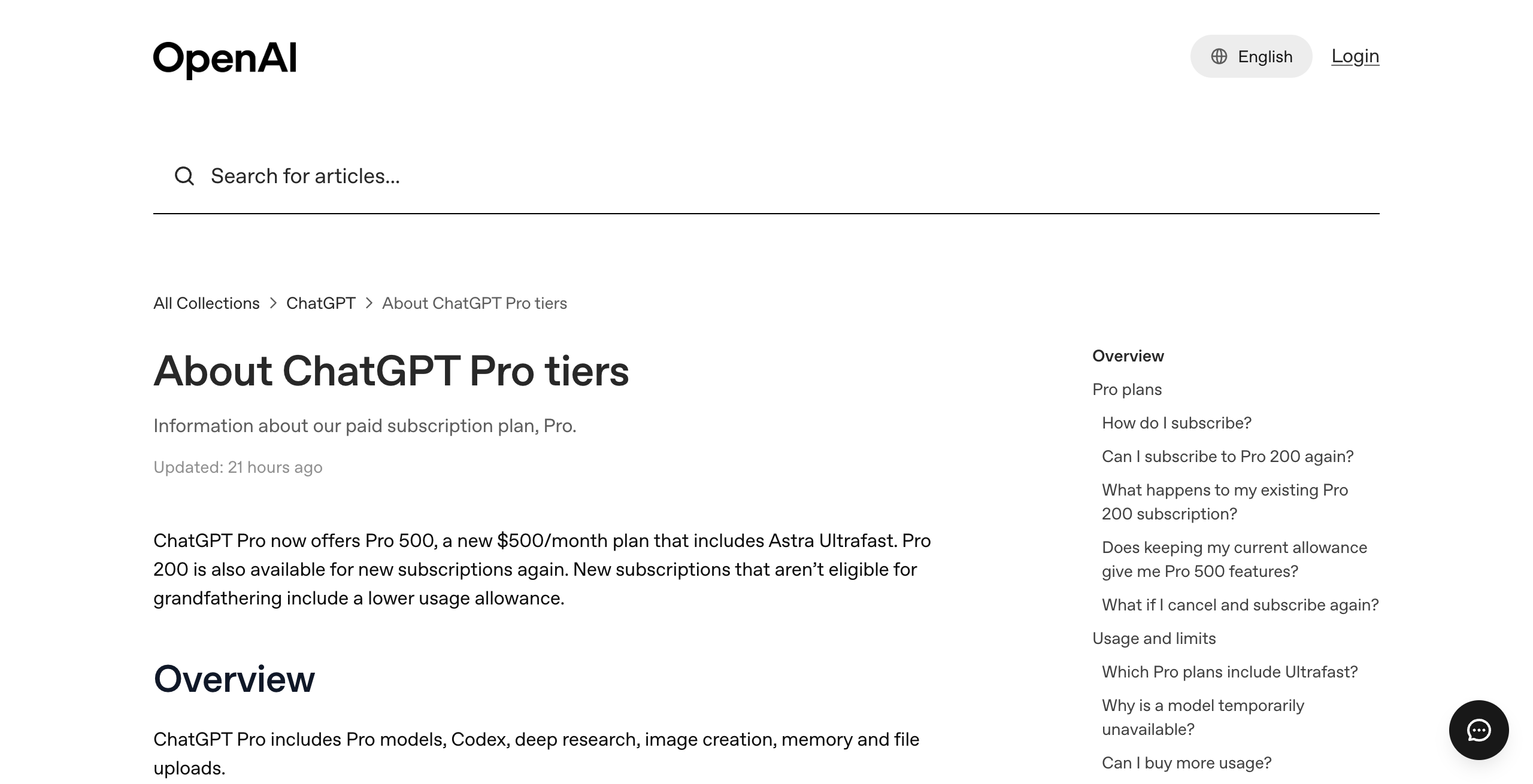
- Pro 100 costs $100 a month, Pro 200 costs $200, and Pro 500 costs $500. Pro is billed monthly only.
- Business Premium costs $125 per user per month, or $100 billed annually. Business plans start at 2 users.
- Free, Go, and Plus do not include a dot.
- Conversations with your dot do not count toward ChatGPT usage limits. Tasks it starts in Codex or ChatGPT Work do.
- Each plan includes an allowance for deeper work, with extended limits for the first month. OpenAI does not publish the allowance size.
New Pro 200 subscriptions that are not grandfathered get a lower usage allowance than before, at the same $200 price. Eligible existing subscribers keep the previous allowance through October 29, 2026. The full breakdown is in how much OpenAI dots costs, and the Grok Bot plans are in Grok Bot pricing.
Which model does each one run on, and can I change it?
Dots runs on GPT-6 Astra, Grok Bot runs on Grok 4.6, and Muse runs on Muse Spark, and none of the three lets you change the model. OpenAI's workspace help page adds that enterprise model controls and default model settings do not apply to dots.
| Option | Model | Can you change it? |
|---|---|---|
| OpenAI dots | GPT-6 Astra | No model choice is documented |
| Grok Bot | Grok 4.6 | No, xAI models only |
| Meta Muse | Muse Spark | No model choice is documented |
| OpenClaw / Hermes | Any model you connect | Yes |
| Squad | 13 providers, including ChatGPT, Claude, Grok, and Gemini | Yes, a different model per AI teammate |
Winner: OpenClaw and Hermes Agent for full model freedom, because they run any model. Among hosted options, Squad wins, because each AI teammate can run a different model and you can stack several accounts of the same plan with fallbacks. Among the three big launches, Chase AI says GPT-6 Astra is the most powerful model.
How many agents do you get?
Dots gives you one agent, Grok Bot gives you several named Grok Bots, and no official Meta page mentions more than one Muse, as of October 13, 2026. OpenAI says "Today, you can start with your primary dot" and that it envisions teams of dots over time.
| Option | Agents today | More later? |
|---|---|---|
| OpenAI dots | One primary dot per plan | More dots planned, no price or date. Specialist dots are enterprise pilots |
| Grok Bot | Several named Grok Bots, from a 56-role gallery | Team Bots for Teams and Enterprise (public beta, Sep 28) |
| Meta Muse | Not addressed by Meta | Not addressed |
| OpenClaw / Hermes | Several agents on one host | Limited by your server |
| Squad | Unlimited AI teammates | Hire or retire any time |
Winner: Squad, because it runs unlimited AI teammates, and a lead agent designs the squad with you. Among the three big launches, Grok Bot wins, because it is the only one that runs several named agents today.
In Slack and Microsoft Teams, only a dot's owner can direct it. Other people's messages and mentions do not start work for that dot. The details are in can you have more than one OpenAI dot.
Does each agent get its own computer?
Each dot gets its own cloud computer, each Grok Bot shares one computer with every other Grok Bot on your account, and each Muse user gets a Muse Secure VM. xAI's FAQ states it plainly: "Every Grok Bot shares one persistent cloud computer." The same FAQ says the Grok Bots share files, browser, and logins, and that "Isolation is per user, not per Grok Bot."
| Option | Computer | Isolation |
|---|---|---|
| OpenAI dots | Own cloud computer per dot | Your laptop stays separate unless you connect it |
| Grok Bot | One shared cloud computer per user | Per user, not per bot |
| Meta Muse | Muse Secure VM, holding the agent and your data | Per person |
| OpenClaw / Hermes | Your machine or server | Hermes docs say profiles do not sandbox the agent |
| Squad | One dedicated cloud computer per squad | A separate browser profile per AI teammate, own logins and files by default |
Winner: dots, because each dot runs on its own cloud computer. Grok Bot's shared machine lets Grok Bots hand work off and keep context, and xAI's docs warn not to use separate Grok Bots as a security boundary.
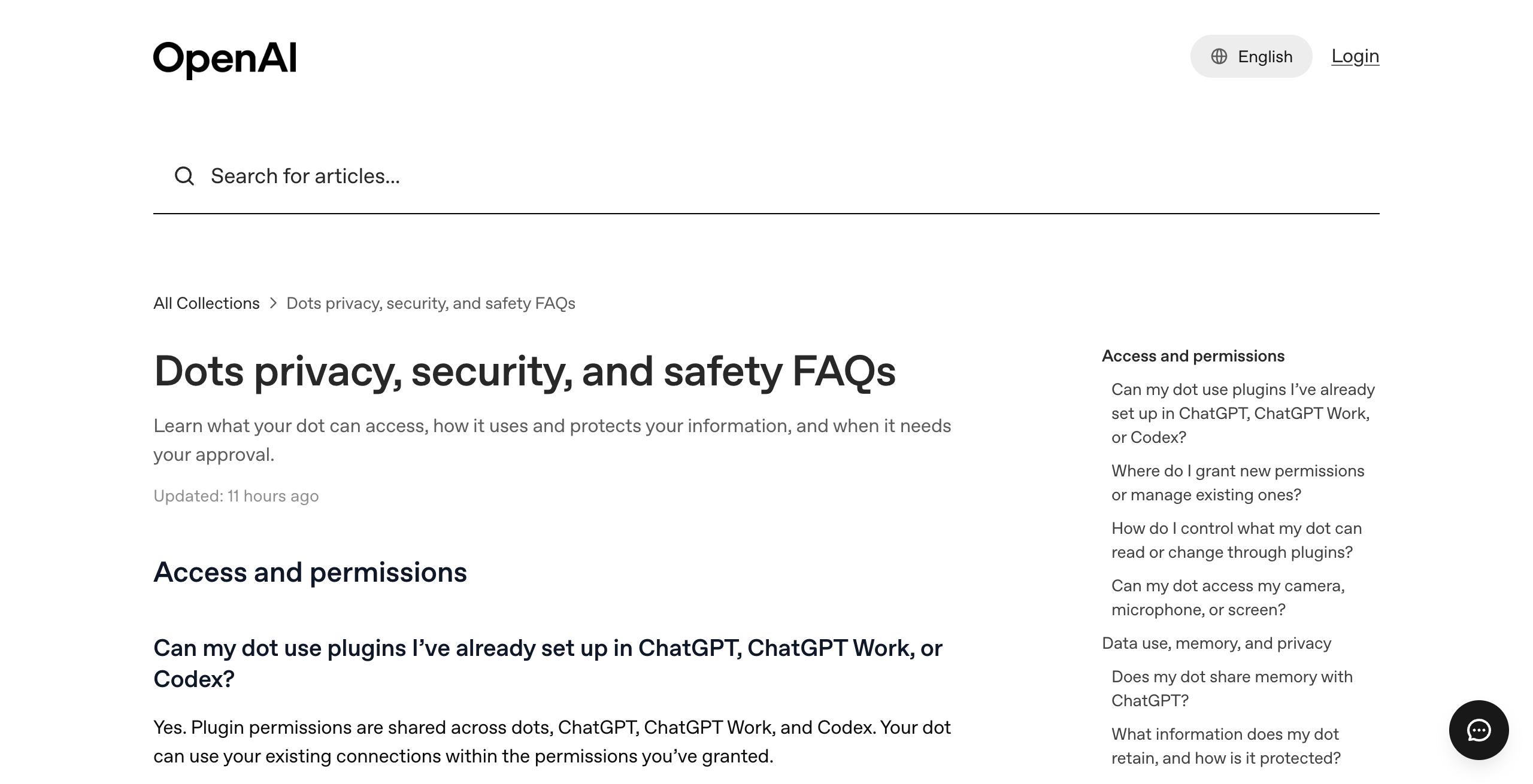
A dot's cloud computer does not inherit your local VPN, browser sign-ins, or device policies. Local laptop access is optional and starts turned off.
What can each one connect to and approve?
Dots connects to the most apps, over 4,000 through OpenAI's plugins, and has the most detailed approval rules. Grok Bot signs in to your tools through a browser on its shared computer. Muse sends emails, books travel, and negotiates bills, and checks with you before sensitive actions.
| Option | Connections | Approvals | Per-agent access |
|---|---|---|---|
| OpenAI dots | 4,000+ apps through plugins | Custom Rules: take action without asking, if pre-approved, ask first, or hand off to you | Plugin permissions are shared across dots, ChatGPT, ChatGPT Work, and Codex |
| Grok Bot | Browser sign-ins to your tools | See xAI's approvals, security, and privacy docs | One sign-in reaches every Grok Bot on the account |
| Meta Muse | Email, travel, bills | Checks before sensitive actions like sending email or a purchase | Not addressed |
| OpenClaw / Hermes | 20+ chat apps, skills | You configure it | Per-agent config, no hard sandbox |
| Squad | 70+ integrations and any MCP server | Agents can draft for your approval; send caps | Narrow or block any single agent per connection |
Winner: dots for breadth and approval rules, because it reaches 4,000+ apps and offers four approval behaviors with auto-review. Squad wins on per-agent access, because every agent gets a connection's level unless you narrow or block it under Per-agent access.
A dot never changes a password or transfers money itself. You take over for those. Disconnecting an app does not delete what your dot already learned from it, and OpenAI says prompt injection protections reduce the risk but do not eliminate it. More in what your dot can access.
Do dots replace OpenClaw or Hermes?
Dots does not replace OpenClaw or Hermes Agent for people who want model choice or their own hardware. OpenClaw and Hermes are free, MIT-licensed, self-hosted, and run any model. Dots removes the server work and runs only on GPT-6 Astra, from $100 a month.
On the Hacker News launch thread (671 points, 528 comments), several commenters described dots as a hosted OpenClaw. Common themes were the $100 price floor, lock-in to OpenAI models, and one dot per user. An r/singularity thread asked whether dots is a worse OpenClaw. OpenAI's DevDay recap lists OpenClaw as a Sign in with ChatGPT partner.
| OpenAI dots | OpenClaw / Hermes Agent | |
|---|---|---|
| Price | $100/month and up | Free software, plus hosting and model |
| Model | GPT-6 Astra | Any model |
| Setup | Create it in the ChatGPT desktop app or web | Install and run your own server |
| Security work | OpenAI runs it | Yours (OpenClaw's docs say keep the Gateway on loopback) |
| Several agents | Not yet | Yes, on one host |
Winner: OpenClaw and Hermes for control and cost, because they are free and run any model. Dots wins on setup, because there is no server to run. See OpenClaw alternatives and mission control for Hermes Agent.
How were these tools compared?
This comparison uses each vendor's official pages, read on September 30, 2026, with Grok Bot prices verified on cursor.com and x.ai on September 14, 2026. Creator videos are cited only for what their transcripts contain, and community posts are labeled as reaction. No hands-on testing is claimed.
No third-party ratings exist yet for dots, Grok Bot, or Muse on G2, Capterra, or Product Hunt, so this page gives none. Every verdict traces to a documented fact.
What does each tool offer?
Each tool below has the same parts: what it is, key features, pros, cons, pricing with the official link, and who it is best for.
What is OpenAI dots?
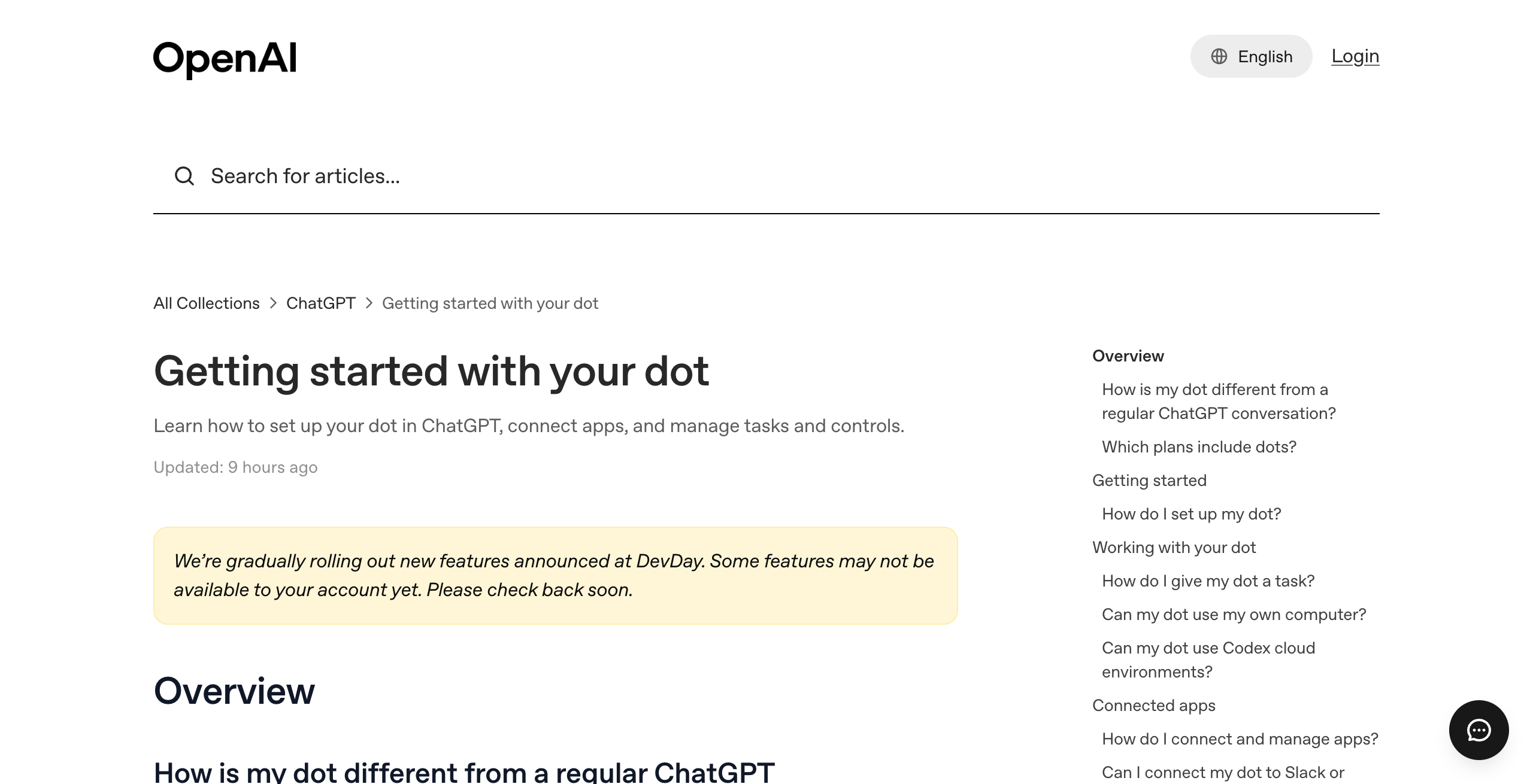
OpenAI dots is an always-on agent inside ChatGPT, powered by GPT-6 Astra, with its own cloud computer. You start with one primary dot, give it a name, and reach it in ChatGPT, Slack, and Microsoft Teams.
Key features:
- GPT-6 Astra and its own cloud computer, which you can open to inspect work
- 4,000+ apps through OpenAI's plugins, with ChatGPT memory and apps carried over
- Voice calls in ChatGPT
- Creates tasks in Codex cloud environments and ChatGPT Work
- Reminders, recurring checks, and read-only proactive research
- Custom Rules with four behaviors, auto-review, and an Activity View
Pros
- GPT-6 Astra, which Chase AI rates the strongest of the three models
- Nothing to reconnect if you already use ChatGPT
- Own cloud computer per dot
- Works in Slack and Microsoft Teams
Cons
- One dot per plan at launch
- Starts at $100 a month; Plus does not include it
- No model choice
- No standalone email address at launch
- You cannot view, edit, or delete individual dot memories; only a reset deletes them
Pricing: included with ChatGPT Pro ($100, $200, or $500 a month) and Business Premium ($125 per user per month, or $100 annually). See OpenAI's Pro tiers page.
ChatGPT Pro users who want one strong work agent that already knows their ChatGPT context.
What is Grok Bot?
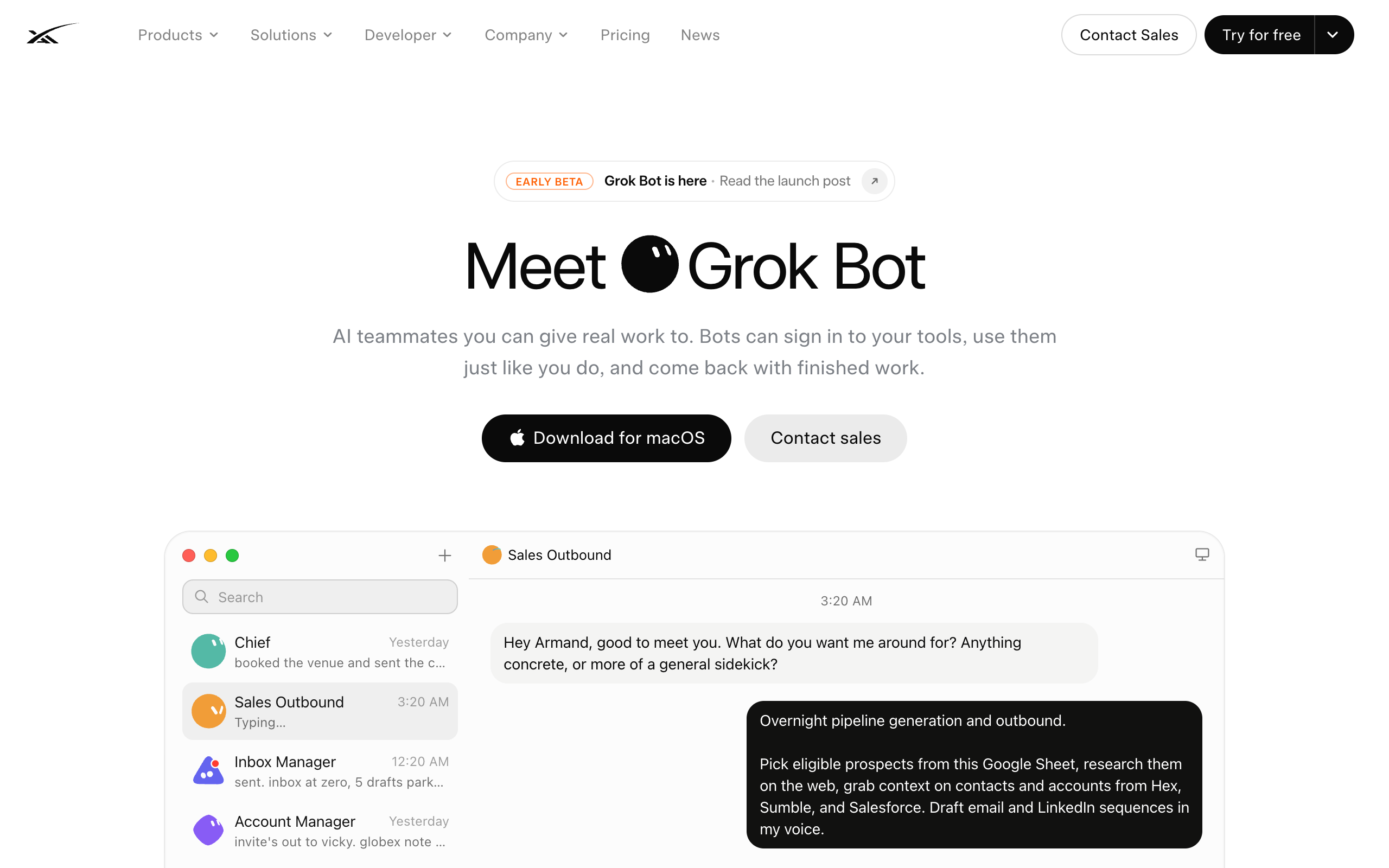
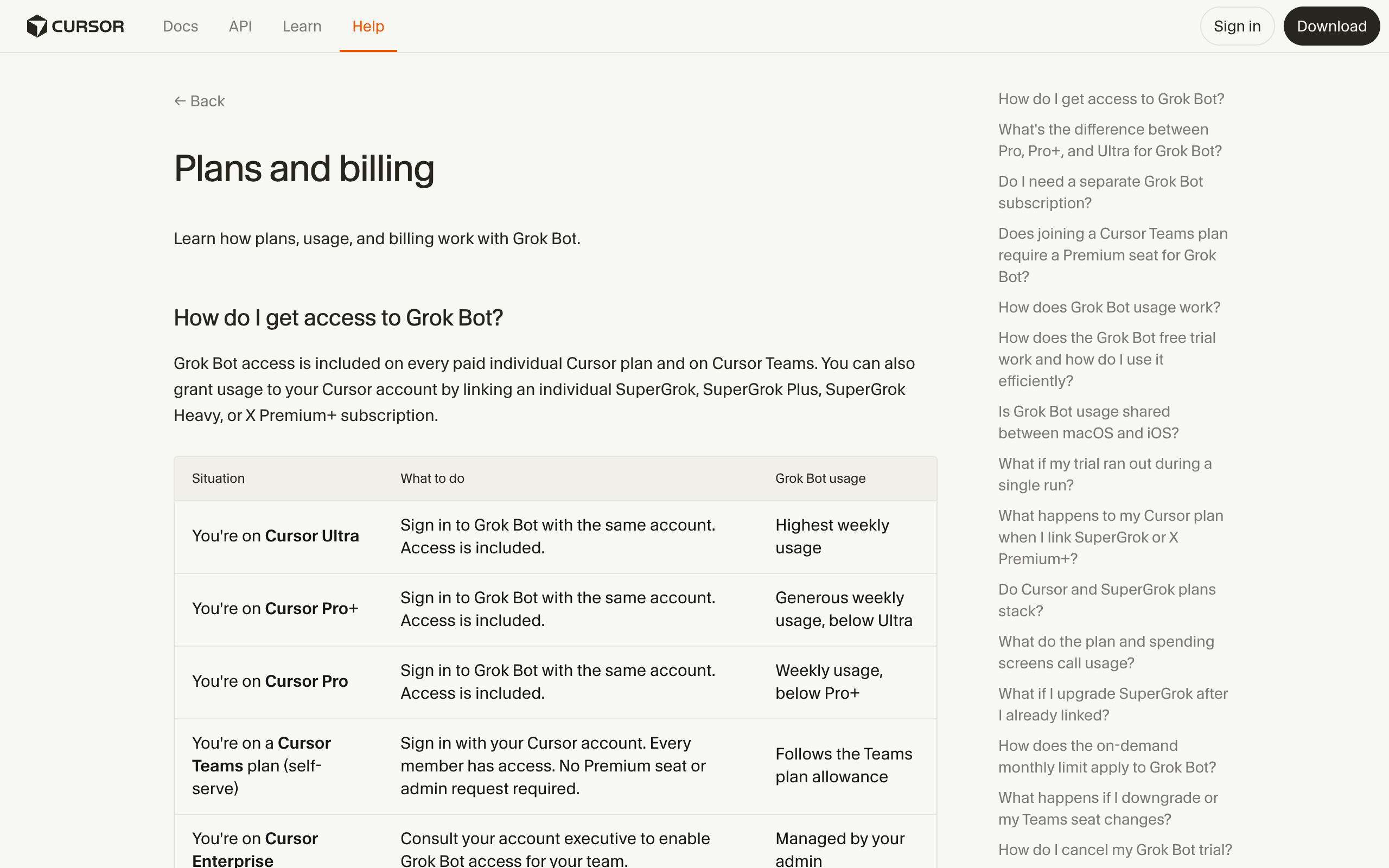
Grok Bot is xAI's always-on agent product that gives you several named Grok Bots on one shared cloud computer. The Grok Bots sign in to your tools through a browser, keep working with your laptop closed, and hand work to each other.
Key features:
- Grok 4.6 model
- Several named Grok Bots, from a 56-role gallery
- One persistent cloud computer shared by all your Grok Bots (files, browser, logins)
- Bots hand work off and keep context on the shared machine
- Weekly usage included, extra usage billed on token cost
Pros
- Cheapest paid entry at $20 a month
- Several agents today
- One sign-in covers every bot
Cons
- Isolation is per user, not per bot
- xAI models only
- Early beta since August 11, 2026
Pricing: included with Cursor Pro ($20), Pro+ ($60), Ultra ($200), Cursor Teams ($40 or $120 per user), SuperGrok ($30), SuperGrok Plus ($100), SuperGrok Heavy, and Enterprise. See xAI's Grok Bot page and Grok Bot alternatives.
Cursor or SuperGrok users who want a few named agents sharing one machine at a low price.
What is Meta Muse?
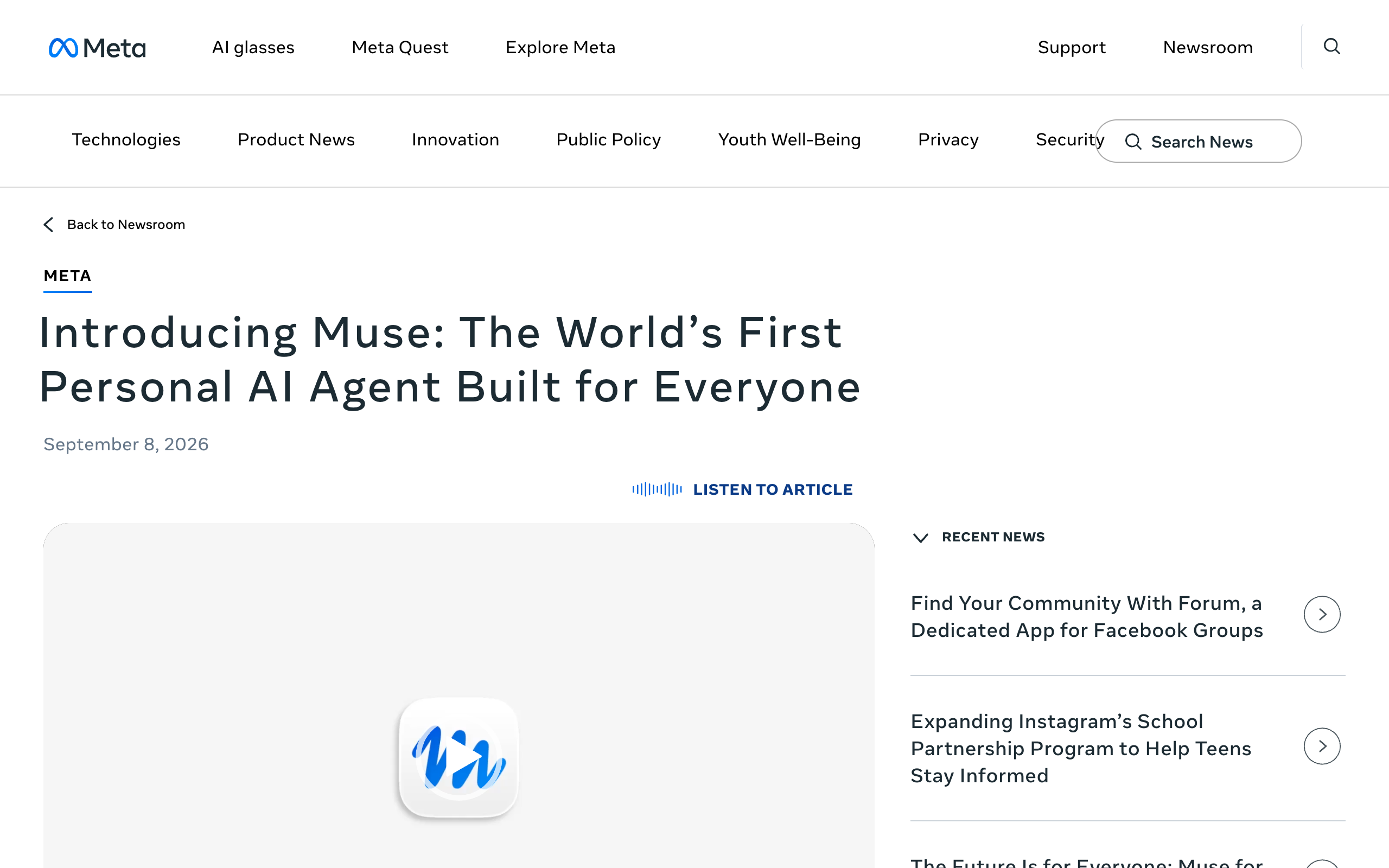
Meta Muse is Meta's personal AI agent, running on the Muse Spark model inside a Muse Secure VM, a dedicated virtual machine that holds the agent and your data. It launched on September 8, 2026.
Key features:
- Muse Spark model
- Muse Secure VM per person
- Sends emails, books travel, and negotiates bills
- Checks with you before sensitive actions like sending an email or making a purchase
- On iOS, Android, muse.ai, and WhatsApp; AI glasses coming
Pros
- Free for most of what people need
- Available in apps people already use, including WhatsApp
- Asks before sensitive actions
Cons
- Built for personal tasks
- No model choice documented
- No official Meta page mentions team seats or several named agents, as of October 13, 2026
Pricing: free with a usage limit. The Power plan is $20 a month with 500M Muse tokens a week, and the Max plan is $100 a month with 3B Muse tokens a week, according to Meta's help center. Meta launched Muse for Small Business on September 29, 2026, which adds business connectors inside the same plans. The full guide is Meta Muse.
Anyone who wants a free personal agent for errands like email, travel, and bills.
What are OpenClaw and Hermes Agent?
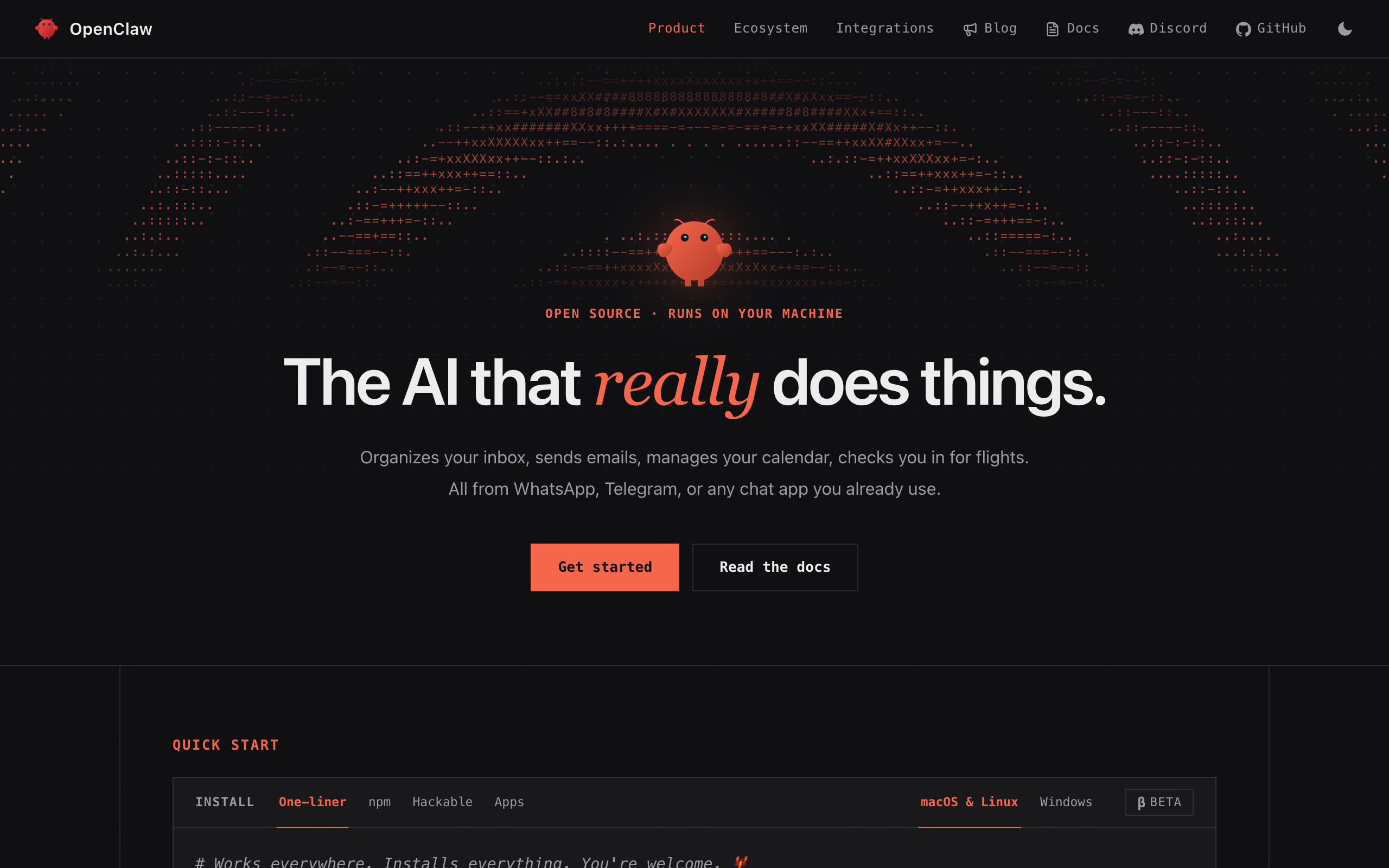
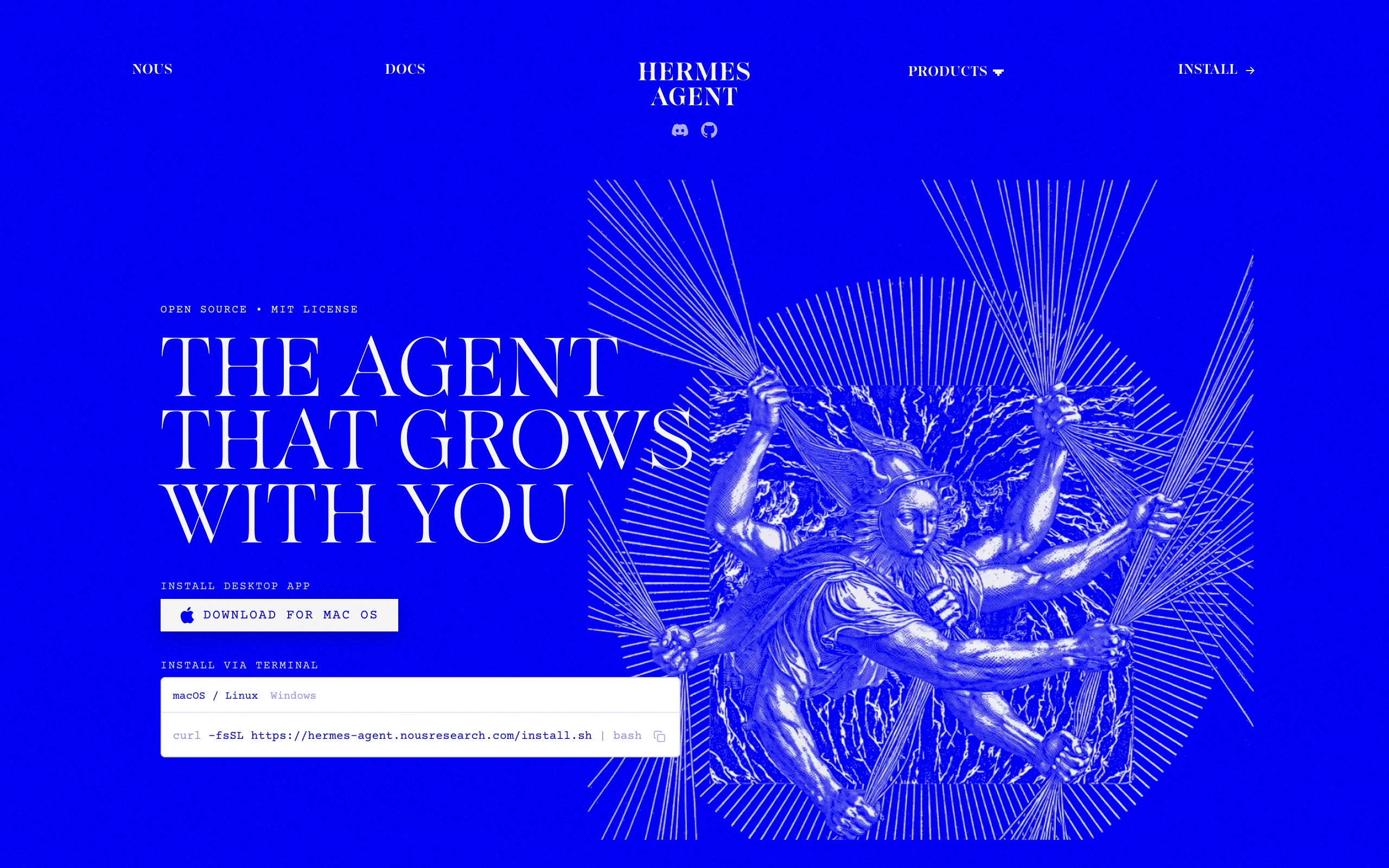
OpenClaw and Hermes Agent are free, open-source agent runtimes that you install and run on your own machine or server, with any model. OpenClaw had 389k GitHub stars and Hermes Agent had 244k on September 10, 2026.
Key features:
- Any model you connect
- OpenClaw talks to you through WhatsApp, Telegram, Discord, Slack, and 20+ other chat apps
- Hermes writes skills from completed work and ships a Kanban board for several named agents
- Persistent memory, skills, and scheduled checks
Pros
- Free and MIT-licensed
- Full model choice
- Your data stays on your machine
Cons
- You run the server, updates, and security
- Hermes Kanban is single-host by design
- No per-run cost tracking
Pricing: free software, plus hosting and model costs. See OpenClaw on GitHub and Hermes Agent on GitHub.
Technical users who want any model and are happy to run their own server.
Which one is best for a business with several jobs to hand off?
For a business with several jobs to hand off, a squad fits better than one agent. A squad is a team of AI agents, each with its own job, working together (not just one assistant). Grok Bot and Squad are the two hosted options here that run several agents today.
Dots is one strong personal agent, and a business with support, outreach, finance, and content work needs several agents with their own access, model, and inbox. The practical answer is to keep your dot and add a squad.
Every verdict traces to the vendor's official pages, checked September 30, 2026.
| If you need | OpenAI dots | Grok Bot | Meta Muse | OpenClaw / Hermes | Squad |
|---|---|---|---|---|---|
| Start for free | No From $100/month | No Trial, then $20/month | Yes Free tier | Yes Free software, pay for hosting and model | No $99/month plus your AI plan |
| Several agents today | No One primary dot | Yes Named Grok Bots | Not addressed | Yes On one host | Yes Unlimited |
| Choose the model | No GPT-6 Astra | No Grok 4.6 | No Muse Spark | Yes Any model | Yes Model per teammate |
| Own computer per agent | Yes Per dot | No Shared per user | Partly Secure VM per person | Partly Your server, no hard sandbox | Partly One per squad, browser profile per teammate |
| Different access per agent | No Plugin permissions shared | No One sign-in reaches every Grok Bot | Not addressed | Partly Config, no hard sandbox | Yes Narrow or block per connection |
| Widest app catalog | Yes 4,000+ apps | Partly Browser sign-ins | Partly Email, travel, bills | Partly Chat apps and skills | Partly 70+ plus any MCP server |
| Agent email address | No Not at launch | Not documented | Not documented | Not documented | Yes $10/month per inbox |
| Editable memory | No Reset only | Not documented | Not documented | Not documented | Yes Search, edit, forget |
| No server to run | Yes | Yes | Yes | No You host it | Yes |
| Separate workspaces per client | Not documented | No Isolation per user | Not addressed | Not documented | Yes A squad per client, own billing |
What is Squad?
Squad (formerly MissionControlHQ) gives you AI teammates that connect to your tools, understand your context, and do work on a schedule. It costs $99 a month on the AI plan you bring, with no per-task AI charges.
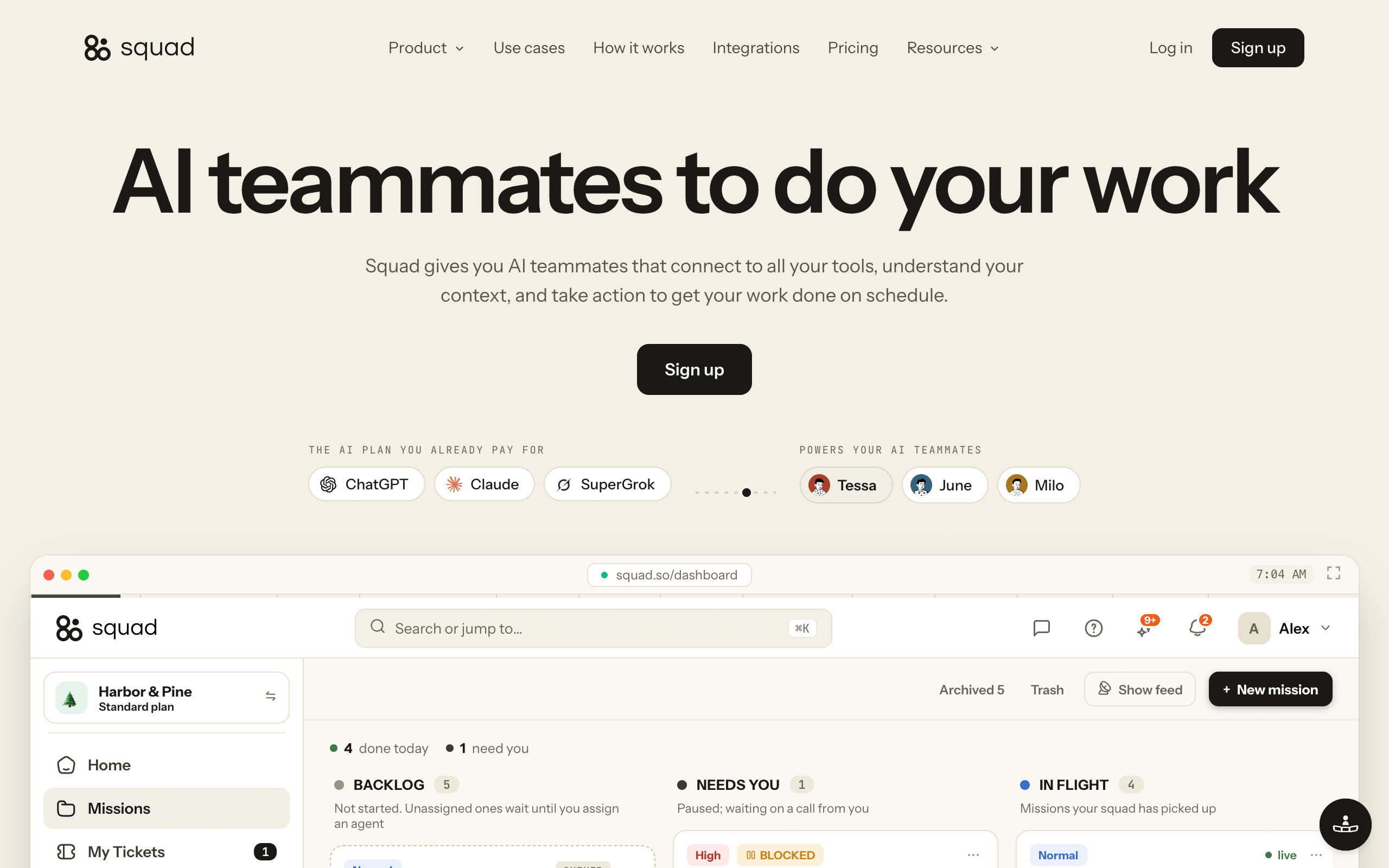
Key features:
- Unlimited AI teammates; the lead agent (AI Chief of Staff) learns the business and designs the squad with you
- 13 AI providers, a different model per AI teammate, stacked accounts, and fallbacks mid-task
- Each connection has an access level, and the levels vary by app; you can narrow or block any single agent
- An optional email inbox per AI teammate at $10 a month; replies come back to that teammate
- A Memory screen where you search memories by meaning, edit them, or forget them
- Every run shows its model and token usage
- Talk to it in dashboard chat, Telegram, Discord, and Slack
Pros
- Several agents now, each with its own job, model, and access
- Runs on the ChatGPT plan you already pay for
- Run more than one squad, each on its own $99 subscription with its own AI teammates, cloud computer, and billing
- Agents can draft for your approval and open a ticket before money moves
Cons
- 70+ integrations, against dots' 4,000+ apps
- One cloud computer per squad, with a browser profile per teammate; dots gives each dot its own computer
- Costs $99 a month on top of your AI plan; no free trial, with a 7-day money-back guarantee on the first payment
- Dots adds voice calls, Microsoft Teams, and direct Codex task creation
Pricing: $99 a month, one plan. Squad recommends ChatGPT at $100 to $200 a month, the same range as the Pro plans that include a dot, so the all-in cost is $199 to $299 a month. The squad runs on that ChatGPT plan, so its work uses the same plan as your own ChatGPT use. You can add a second ChatGPT account in AI Tokens to give the squad its own capacity. The build takes about two minutes, then a short onboarding conversation with your lead.
A business that wants several AI teammates, each with its own job, model, access, and inbox.
The one-on-one comparison is in OpenAI dots vs Squad. For the bigger picture, see a team of AI employees and an email inbox for AI agents.
When is one dot enough?
One dot is enough when one person owns the work, you already pay for ChatGPT Pro, and the work fits one agent on GPT-6 Astra. In that case the dot costs nothing extra and brings your ChatGPT memory and apps with it.
One dot also fits when you need 4,000+ apps, voice calls, or Codex tasks from the same agent. A squad starts to make sense when the jobs need different access, different models, their own inboxes, or separate billing per client.
Which one should I pick?
Pick dots if you live in ChatGPT, Grok Bot if you want a cheap team of named Grok Bots, Muse for free personal errands, OpenClaw or Hermes if you want any model on your own server, and Squad if your business needs several agents with their own jobs.
Do you want to pay nothing to start?
- If Yes, for personal errands→Meta Muse, free with a usage limit
- If Yes, and you can run a server→OpenClaw or Hermes Agent, free software, any model
- If No→Go to the next question
Do you need several agents today?
- If Yes, sharing one computer is fine→Grok Bot, from $20 a month
- If Yes, each with its own access and model→Squad, $99 a month plus your AI plan
- If No, one agent is enough→Go to the next question
Which AI plan do you already pay for?
- If ChatGPT Pro or Business Premium→OpenAI dots, already included
- If Cursor or SuperGrok→Grok Bot, already included
- If Neither→Grok Bot is cheapest at $20; dots starts at $100 with the strongest model
| Scenario | Best pick | Why |
|---|---|---|
| You pay for ChatGPT Pro and want one work agent | OpenAI dots | Included, with ChatGPT memory and apps carried over |
| You pay for Cursor or SuperGrok | Grok Bot | Included at no extra cost |
| Cheapest paid always-on agent | Grok Bot | $20 a month with Cursor Pro |
| Free agent for personal errands | Meta Muse | Free for most of what people need |
| You want the strongest model | OpenAI dots | GPT-6 Astra, which Chase AI rates the strongest of the three |
| You want to pick any model and own the server | OpenClaw or Hermes Agent | Free, MIT-licensed, any model |
| Several named agents that share one login set | Grok Bot | Bots share one computer, files, and logins |
| Several agents with different access and models | Squad | Narrow access per agent, model per teammate |
| Agents that need their own email address | Squad | Optional inbox per teammate at $10 a month |
| An agency keeping clients apart | Squad | A squad per client, each with its own computer and billing |
| You need 4,000+ apps and voice calls | OpenAI dots | OpenAI's plugins and ChatGPT voice |
Frequently asked questions
Basics
What is the difference between OpenAI dots, Grok Bot, and Meta Muse? All three are always-on AI agents that keep working in the cloud. OpenAI dots gives you one work agent on GPT-6 Astra with its own cloud computer, included with ChatGPT Pro from $100 a month. Grok Bot gives you several named Grok Bots on Grok 4.6 that share one cloud computer, from $20 a month with Cursor Pro. Meta Muse is a consumer agent on Muse Spark with a free tier.
Is OpenAI dots better than Grok Bot? OpenAI dots is better if you already work in ChatGPT and want one agent on GPT-6 Astra with its own cloud computer and 4,000+ apps. Grok Bot is better if you want several named agents today or a lower price, since it starts at $20 a month and dots starts at $100.
Dots vs Muse: which should I use? Use dots for work tasks inside ChatGPT, Slack, and Microsoft Teams, if you pay for ChatGPT Pro or Business Premium. Use Meta Muse for personal errands such as sending emails, booking travel, and negotiating bills, especially if you want a free tier.
Price and plans
Which is cheapest: dots, Grok Bot, or Muse? Meta Muse is the cheapest, because Meta says it is available for free with a usage limit. Among paid plans, Muse Power and Grok Bot with Cursor Pro both cost $20 a month. OpenAI dots starts at $100 a month with ChatGPT Pro 100, so either $20 option costs $80 a month less, or $2,880 less over three years.
Can I use dots on the ChatGPT Plus plan? No. Dots is included with ChatGPT Pro (Pro 100, Pro 200, and Pro 500) and Business Premium seats. Enterprise, Edu, and Healthcare workspaces can try the beta when an admin turns it on. Free, Go, and Plus do not include a dot.
Models, agents, and computers
Can I change the model in dots, Grok Bot, or Muse? No. OpenAI dots runs on GPT-6 Astra and OpenAI documents no model choice. Grok Bot runs on xAI's Grok 4.6. Meta Muse runs on Muse Spark. To choose your own model, use a self-hosted runtime such as OpenClaw or Hermes Agent, or a hosted squad platform that runs on the AI plan you bring.
Can I have more than one dot? Not yet. Each Pro or Business Premium plan starts with one primary dot. OpenAI says you will be able to add more dots in the future, but it has published no price or date. Specialist dots are a preview in focused enterprise pilots.
Does each Grok Bot get its own computer? No. xAI's FAQ says every Grok Bot shares one persistent cloud computer, including files, browser, and logins, and that isolation is per user, not per Grok Bot. OpenAI dots gives each dot its own cloud computer, and Meta Muse runs in a Muse Secure VM per person.
Alternatives and teams
Do dots replace OpenClaw or Hermes Agent? Not for everyone. OpenClaw and Hermes Agent are free, MIT-licensed, self-hosted, and run any model. Dots removes the server work but locks you to GPT-6 Astra and costs at least $100 a month. If you want model choice and are happy to run a server, OpenClaw or Hermes still fits.
What is the best option for a business that needs several AI agents? Grok Bot and Squad (formerly MissionControlHQ) are the two options in this comparison that run several agents today. Grok Bots share one computer and one set of logins. Squad runs unlimited AI teammates for $99 a month on the AI plan you bring, with a model per teammate and access you can narrow per agent.
Can I keep my dot and use Squad too? Yes. Squad recommends a ChatGPT plan at $100 to $200 a month, the same range as the Pro plans that include a dot, so Pro 100 plus Squad is $199 a month. The squad runs on that ChatGPT plan, so its work uses the same plan as your own ChatGPT use. You can add a second ChatGPT account in AI Tokens to give the squad its own capacity.
Sources
Official pages:
- OpenAI, Introducing dots (September 29, 2026): GPT-6 Astra, cloud computer, 4,000+ apps, one primary dot, future dots, specialist dots.
- OpenAI, DevDay 2026 recap: OpenClaw as a Sign in with ChatGPT partner.
- OpenAI Help, Getting started with your dot: setup, channels, laptop access, email, reset.
- OpenAI Help, Dots privacy, security, and safety FAQs: plugin permissions, Custom Rules, memory.
- OpenAI Help, Manage dots in ChatGPT workspaces: owner-only direction, model settings.
- OpenAI Help, About ChatGPT Pro tiers: Pro 100, 200, and 500, and the Pro 200 usage change.
- OpenAI, Premium seats for ChatGPT Business: Business Premium prices.
- xAI, Grok Bot: Grok 4.6, shared computer FAQ, included plans. Read September 30, 2026.
- xAI, Team Bots (September 28, 2026).
- xAI Docs, Approvals, security, and privacy: separate Grok Bots are not a security boundary.
- Cursor, Pricing and Grok Bot plans; xAI, Pricing. Checked September 14, 2026.
- Meta, Introducing Muse (September 8, 2026).
- Meta help center, About Muse subscriptions: Free, Power, and Max plans (read October 13, 2026).
- Meta, Muse for Small Business (September 29, 2026).
- OpenClaw on GitHub and Hermes Agent on GitHub: licenses and star counts, September 10, 2026.
- Squad: the homepage and the docs pages AI accounts and models, Connect your AI, and What it costs.
Press and creators:
- TechCrunch, The internet is convinced xAI trolled OpenAI's dots launch.
- Chase AI, I Got Early Access To ChatGPT Dots.
- Peter Yang, ChatGPT Dots is Here!
- Riley Brown, Thoughts on Dev Day, Dots.
Community reaction:
- Hacker News, Dots: Always-on agents.
- Reddit, OpenAI dots is just a worse Openclaw? and New OpenAI's dots.
Related on this site: OpenAI dots, OpenAI dots pricing, OpenAI dots vs Squad, Grok Bot pricing, Grok Bot alternatives, and OpenClaw alternatives.
Last updated: October 2026. Meta Muse pricing verified as of October 13, 2026. Other pricing and features verified as of September 30, 2026.