
OpenAI dots is safe to use for everyday work when you set its rules before you give it real access. OpenAI dots privacy and safety controls are documented in OpenAI's help center: a dot checks actions against your Custom Rules, hands money transfers and password changes back to you, and keeps your laptop disconnected unless you turn that on. The same pages document the gaps: plugin permissions are shared with ChatGPT, you cannot view or delete individual dot memories, and prompt injection protections reduce the risk without eliminating it.
4,000+
apps a dot can connect to through OpenAI's plugins. Plugin permissions are shared across dots, ChatGPT, ChatGPT Work, and Codex.
Source: OpenAI, Introducing dots, and the dots privacy FAQ (September 2026)iShort answer
A dot uses the plugins you already connected in ChatGPT, works on its own cloud computer, and cannot touch your laptop unless you turn local access on. Custom Rules decide whether each action runs without asking, needs pre-approval, needs approval, or is handed to you. Money transfers and password changes always go to you. The gaps are memory and scope: you cannot view or delete single dot memories (only a reset clears them), and app permissions are shared with ChatGPT, ChatGPT Work, and Codex.
Key takeaways
| Question | Answer (OpenAI help center) |
|---|---|
| Is OpenAI dots safe? | It has documented safeguards, and OpenAI says to review consequential work |
| What can my dot access? | Your connected plugins, its own cloud computer, ChatGPT memory, and your laptop only if you turn it on |
| Can I limit a dot's apps? | Plugin permissions are shared with ChatGPT, Work, and Codex; Custom Rules limit actions |
| Can I delete dot memories? | Not one at a time. Resetting the dot deletes its memories |
| Can it spend money? | Purchases need approval; money transfers are handed to you |
| Can it see my passwords? | No, for supported sign-ins. You type them into a secure form |
| Is prompt injection solved? | No. OpenAI says protections reduce the risk but do not eliminate it |
The four Custom Rules behaviors, from most to least control, with the actions OpenAI's policy places on each rung.
Hand off to you
Changing a password or transferring money. You do it yourself.
Ask before taking action
Permanently deleting data or installing software may need approval each time.
Take action if pre-approved
Recurring messages, or a purchase your approval specifically covers.
Take action without asking
Read-only proactive research, plus actions you allow in Custom Rules.
Is OpenAI dots safe to use?
OpenAI dots is safe to use for most work, with limits OpenAI states itself. A dot runs on its own cloud computer, checks its actions against your instructions and Custom Rules, and passes the riskiest actions back to you. OpenAI's help center also says "Dots can still make mistakes, so always review consequential work."
Three layers sit between a dot and a mistake, according to OpenAI's privacy FAQ:
- Custom Rules, which you set per type of action.
- Auto-review, which checks actions (for example an email's recipient and content) against your instructions, Custom Rules, and safety requirements.
- Safety monitoring, which can pause or stop a dot. Custom Rules cannot override these core safeguards.
At the DevDay keynote on September 29, 2026, OpenAI described dots as built with protections and safeguards, with instructions you can customize. For what a dot is and what it costs, see the OpenAI dots overview.
4
Custom Rules behaviors per action
Off
Laptop access at setup
Read-only
Tools for proactive research
4
Cloud controls for Enterprise admins
0
Single dot memories you can view or delete
1
Dot included per Pro or Business Premium plan
What does my dot need my approval for?
Your dot needs your approval for actions your Custom Rules or OpenAI's policy mark as sensitive. OpenAI's help center defines four behaviors, and its policy places some actions on fixed rungs.
| Level | Custom Rules behavior | Actions OpenAI's policy places here |
|---|---|---|
| Always you | Hand off to you | Changing a password, transferring money |
| Approval each time | Ask before taking action | Permanently deleting data, installing software (may require approval each time) |
| Approval in advance | Take action if pre-approved | Recurring messages; purchases with a saved card when your approval specifically covers the purchase |
| Can act without asking | Take action without asking | Read-only proactive research; any action you allow in Custom Rules |
"Pre-approved" means you explicitly requested the action in your prompt. Custom Rules cannot override core safeguards. For how approvals work across a whole team of agents, see human in the loop for AI agents.
What can my dot access?
Your dot can access four things: the plugins you connected, its own cloud computer, context from ChatGPT, and your laptop if you turn that on. Each one has its own rule in OpenAI's help center.
- Plugins. A dot can use your existing connections to over 4,000 apps within the permissions you granted.
- Its cloud computer. "Each dot works on its own cloud computer, while your computer and its contents stay separate unless you choose to connect it." You can open the dot's computer at any time to inspect its work.
- ChatGPT context. The dot receives memories and recent context from ChatGPT.
- Your laptop. Local access is optional and starts turned off.
The cloud computer does not automatically inherit your local VPN, browser sign-ins, or device policies. Some sites will ask the dot to sign in again on its own computer.
Can I limit which apps my dot uses?
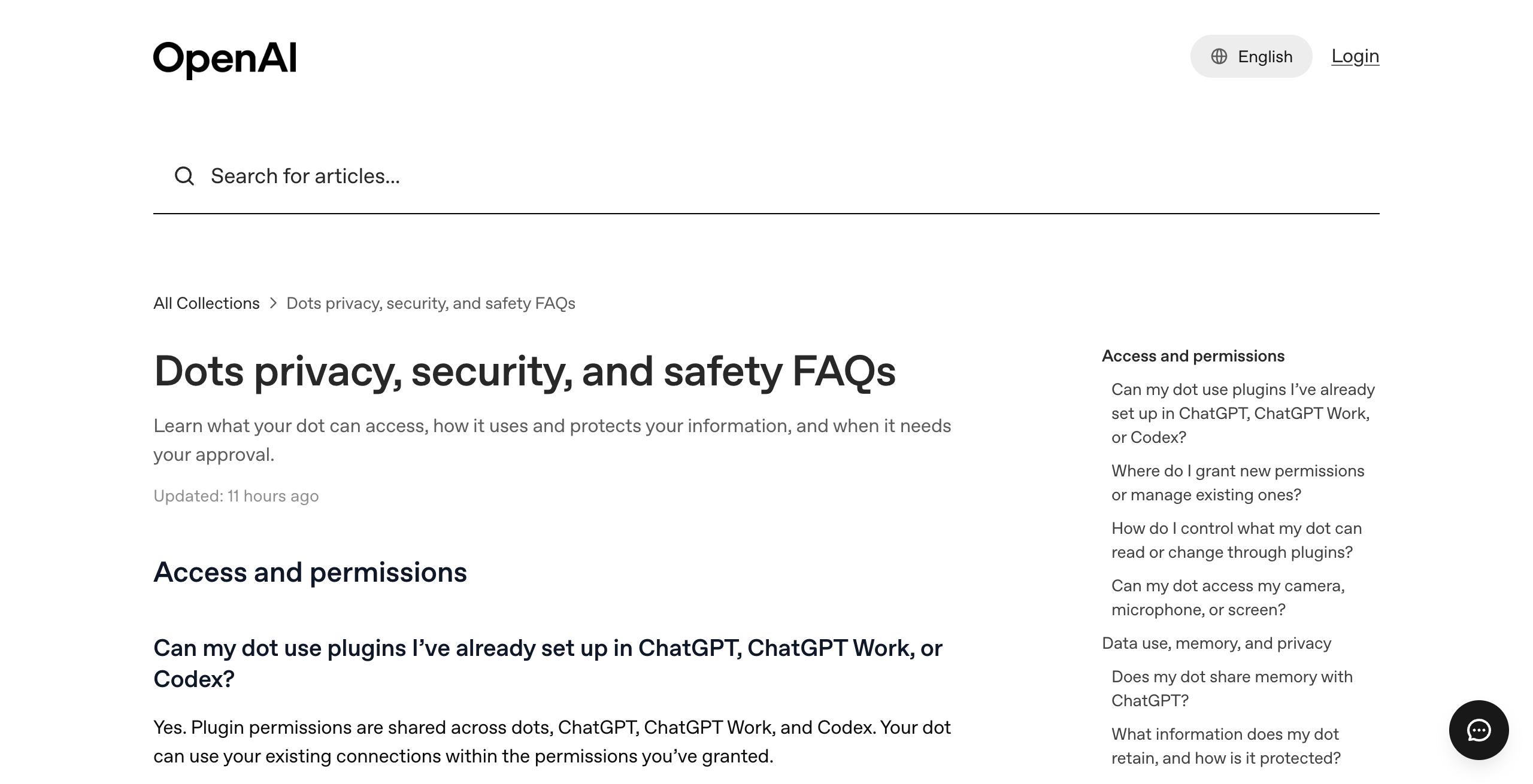
You can limit which apps your dot uses only by changing the permissions ChatGPT uses too. OpenAI's help center says "Plugin permissions are shared across dots, ChatGPT, ChatGPT Work, and Codex," and you manage them in ChatGPT's Plugins tab. No per-dot app scoping is documented.
This means removing an app from your dot also removes it from ChatGPT, ChatGPT Work, and Codex. Keeping an app in ChatGPT keeps it available to your dot.
Custom Rules are the finer control. They decide what the dot does inside a connected app. Each action can run freely, run only when you asked for it in the prompt, wait for your approval, or go to you.
Can I stop my dot from sending emails?
You can stop your dot from sending emails without you by setting a Custom Rule for email to "Ask before taking action" or "Hand off to you." The dot then waits for your approval, or hands the send to you.
Auto-review adds a second check. It compares an email's recipient and content against your instructions, Custom Rules, and safety requirements before the action runs.
Recurring messages are the exception you can pre-clear. OpenAI's policy lets you approve them in advance. A dot cannot have its own email address at launch. You can connect your personal email account instead.
What does my dot do when I'm not talking to it?
When you are not talking to it, your dot does proactive research with read-only tools. OpenAI says these tools "can't send messages, change app content, or control your browser or computer."
Proactive research reads your connected apps while you are away. Scheduled work runs too. Reminders and recurring checks show on the dot's profile under In progress, Scheduled, and Completed.
Activity View in the ChatGPT desktop app shows ongoing and delegated tasks and the steps the dot took. To stop everything, open the dot's profile menu and choose Pause.
What does my dot remember, and can I delete it?
Your dot remembers what it learns from your conversations, your ChatGPT memory, and the apps it reads, and you cannot delete those memories one at a time. OpenAI's help center says: "You currently cannot view, delete or directly modify individual dot memories, including specific details that enter the dot's context from plugins."
Memory flows both ways with ChatGPT. The dot receives ChatGPT memories and recent context, and conversations with the dot can add to ChatGPT memory.
| What you do | What happens to the dot's memory |
|---|---|
| Turn off ChatGPT Memory | Sharing stops; what the dot already received stays |
| Disconnect an app | Information the dot already obtained from it stays |
| Reset (delete) the dot | Deletes the dot, its conversations, saved memories, and scheduled tasks |
| Delete the dot | Files, Codex threads, and ChatGPT conversations it created are not deleted |
A dot's context does not retain credentials, images, or screenshots, per OpenAI. To remove something the dot learned, the only documented route is deleting the dot and starting over.
Does OpenAI train on my dot's data?
OpenAI trains on dot data only where your plan's training setting allows it. Business, Enterprise, and Edu data is not used for training by default. Personal plans follow the "Improve the model for everyone" setting.
OpenAI says it does not train directly on proactive research or on the dot's notes to itself. Human review may still occur in limited circumstances, including safety cases, even with model improvement turned off.
Can my dot see my passwords?
Your dot cannot see your passwords on supported sign-ins. The dot pauses while you type credentials into a secure form that goes to the browser without exposing them to the model.
OpenAI also says a dot's context does not retain credentials. Changing a password is on the "hand off to you" rung, so the dot passes that step to you.
Can my dot spend money?
Your dot can make purchases only with your approval, and it cannot transfer money. OpenAI's policy says purchases with a card saved on a merchant site need approval, which can be given in advance when it specifically covers the purchase.
Transferring money is handed to you every time. An early tester's dot in OpenAI's launch post found a forgotten invoice, prepared it, and sent it after approval.
Can my dot use my laptop?
Your dot can use your laptop only after you turn on local access, which starts turned off. With it on, the dot can create ChatGPT Work or Codex tasks, use local skills, and use your local browser.
Without local access, the dot works only on its own cloud computer. Your computer and its contents stay separate.
What can admins control in ChatGPT Enterprise?
ChatGPT Enterprise admins control whether dots are on at all, plus four cloud settings. Dots are a beta for Enterprise, Edu, and Healthcare workspaces that stays off until an admin enables it.
The four admin cloud controls are:
- Cloud browser use
- Cloud network access
- Cloud computer use
- Use password manager
OpenAI's workspace guide adds three rules. "Enterprise model controls and default model settings do not apply to dots." The cloud computer does not inherit a member's VPN, browser sign-ins, or device policies. In Slack and Teams, only a dot's owner can direct it; other people's messages or mentions do not start work for that dot. For running several agents across a company, see can you have more than one dot.
Can prompt injection trick my dot?
Prompt injection can still trick a dot in some cases. OpenAI's help center says its protections "help reduce the risk" of prompt injection, "but they do not eliminate it."
Prompt injection is text inside a web page, email, or file that tries to give the agent new instructions. Custom Rules, auto-review, and safety monitoring all apply to actions a dot takes after reading such content. With sensitive actions set to "Ask before taking action," an action prompted by injected text still waits for your approval.
How do I lock down a new dot?
You lock down a new dot with eight settings, most of them in ChatGPT's Plugins tab, Custom Rules, and the dot's profile.
- Open ChatGPT's Plugins tab and remove apps you do not want your dot, ChatGPT, ChatGPT Work, or Codex to use.
- Set Custom Rules for sending email and messages to "Ask before taking action."
- Set anything that deletes data or installs software to "Ask before taking action."
- Leave laptop access off until a task needs it.
- Decide on ChatGPT Memory before the dot learns from it. Turning it off later stops sharing but does not delete what the dot received.
- On a personal plan, check the "Improve the model for everyone" setting.
- Use Activity View in the desktop app to review the steps your dot takes.
- Know where Pause and Reset sit in the dot's profile menu.
How do other agent platforms handle the same controls?
Other agent platforms make different choices on computers, logins, approvals, and memory. Three large companies shipped always-on agents in seven weeks: xAI's Grok Bot (August 11), Meta's Muse (September 8), and OpenAI dots (September 29).
- Grok Bot. xAI says "Every Grok Bot shares one persistent cloud computer." Grok Bots share files, browser, and logins. xAI says "Isolation is per user, not per Grok Bot." See Grok Bot alternatives.
- Meta Muse. Meta says "Muse checks with the person before sensitive actions like sending an email or making a purchase." Muse runs on a dedicated virtual machine Meta calls Muse Secure VM.
- OpenAI dots. One dot per plan today, each on its own cloud computer, with plugin permissions shared across ChatGPT products. See OpenAI dots vs Grok Bot.
Squad (formerly MissionControlHQ) takes the team approach. A squad is a team of AI agents, each with its own job, working together (not just one assistant). Each connection has an access level, and the levels vary by app. Every agent gets the connection's level unless you narrow or block it under Per-agent access, and Squad checks every agent call and refuses actions outside the level.
Squad's Memory screen lets you search memories by meaning, edit them, or forget them. Keys and passwords live in a secret vault on the squad's own cloud computer; saved values are hidden in the list and shown only when you click Edit, and an AI teammate never posts a secret in a thread. Agents can draft for your approval and open a ticket before money moves.
The squad runs on one cloud computer with a separate browser profile per AI teammate, so logins are separate by default. A dot has a whole cloud computer to itself.
Verdicts come from OpenAI's help center, xAI's Grok Bot page, and Squad's homepage and docs, checked September 30, 2026.
| If you need | OpenAI dots | Grok Bot | Squad |
|---|---|---|---|
| Its own cloud computer per agent | Yes Each dot works on its own cloud computer | No All of a user's Grok Bots share one computer | Partly One computer per squad, a browser profile per teammate |
| Separate logins per agent | Yes One dot per plan today, on its own computer | No Grok Bots share files, browser, and logins | Yes Separate by default; two teammates can share one |
| Narrower app access for one agent | Partly Permissions shared with ChatGPT; Custom Rules limit actions | Not documented in the sources used | Yes Narrow or block per agent under Per-agent access |
| Approval before an email sends | Yes Custom Rules plus auto-review of recipients | Not documented in the sources used | Partly Agents can draft for your approval; send caps |
| View, edit, or delete single memories | No Reset the dot to delete its memories | Not documented in the sources used | Yes Memory screen: search, edit, forget |
| Passwords kept out of the chat | Yes Secure sign-in form, not exposed to the model | Not documented in the sources used | Yes Secret vault; never posted in a thread |
| Several agents, each with different access | No One dot per plan today | Partly Several Grok Bots, one shared machine | Yes Unlimited AI teammates, access set per agent |
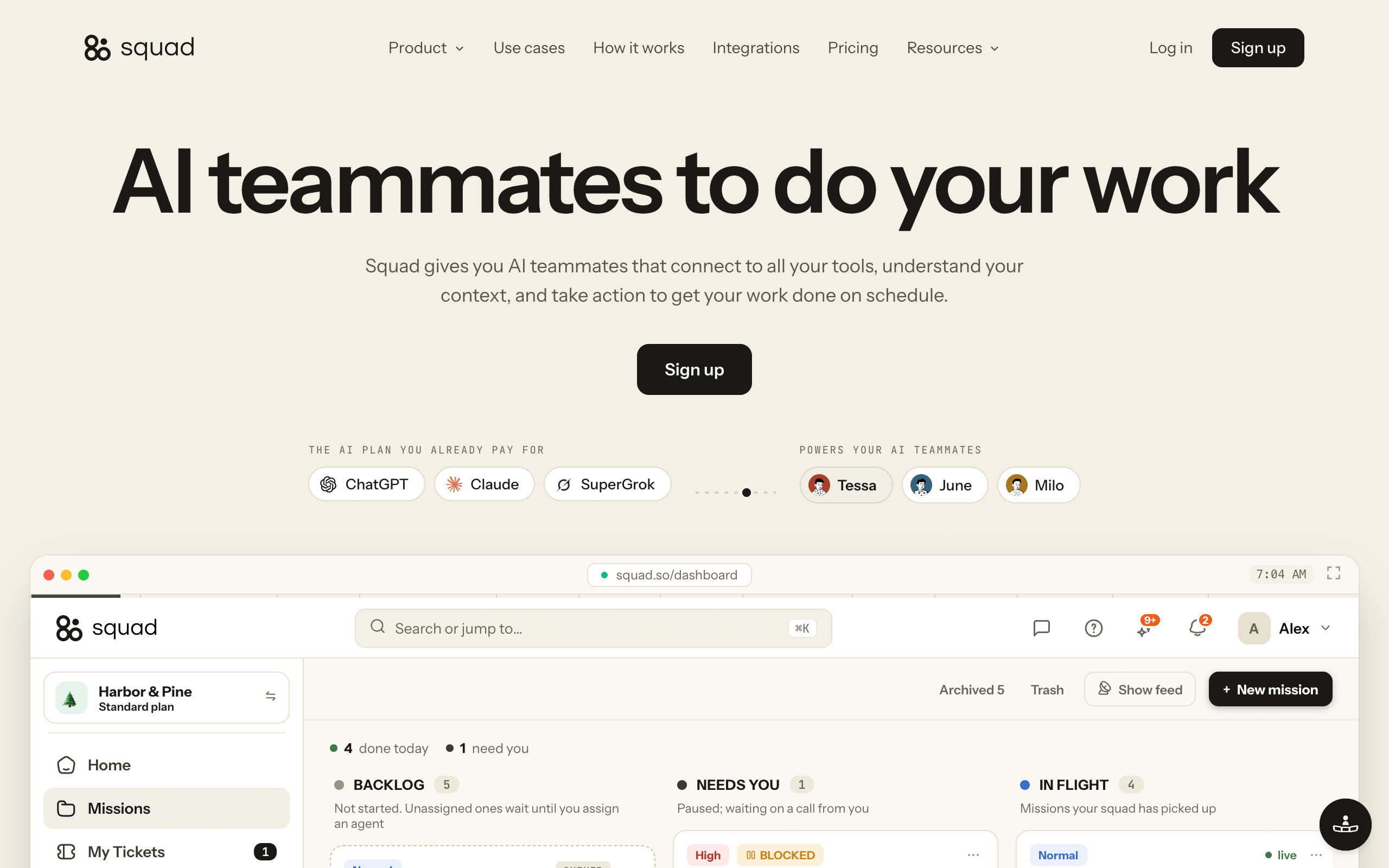
Squad costs $99 a month on one plan, plus the AI plan you bring. It recommends ChatGPT at $100-200 a month, the same range as the Pro plans that include a dot. The squad runs on that ChatGPT plan, so its work uses the same plan as your own ChatGPT use. You can add a second ChatGPT account in AI Tokens to give the squad its own capacity. Each AI teammate can have its own inbox, an optional add-on at $10 a month per inbox. For a full side-by-side, see OpenAI dots vs Squad.
How many agents do you need?
- If one personal agent→A dot with Custom Rules set
- If several agents with different jobs→A squad
Do different agents need different app access?
- If no, one set of apps is fine→A dot (permissions shared with ChatGPT)
- If yes, per agent→Squad (narrow or block per agent)
Do you need to correct single memories?
- If no, a full reset is fine→A dot
- If yes→Squad's Memory screen
| Scenario | Best pick | Why |
|---|---|---|
| One person, personal inbox and calendar | OpenAI dots | One dot on its own computer, with Custom Rules for sends |
| Company rollout under IT control | OpenAI dots (Enterprise) | Off until an admin enables it, with four cloud controls |
| Agents that hand work off through shared logins | Grok Bot | All of a user's Grok Bots share one computer and its logins |
| Consumer agent that checks before a purchase | Meta Muse | Meta says Muse checks before sensitive actions |
| Support agent can read the CRM, outreach agent cannot | Squad | Per-agent access narrowing per connection |
| A wrong fact keeps showing up in the agent's work | Squad | Edit or forget the single memory |
| Each agent needs its own email address | Squad | Inbox add-on at $10 a month; a dot has none at launch |
| Separate client work with separate billing | Squad | Run more than one squad, each on its own $99 subscription |
When is a dot's built-in control set enough?
A dot's built-in control set is enough when one agent does your personal work and the apps it uses match the apps you already use in ChatGPT. Custom Rules, auto-review, read-only proactive research, and laptop access that starts off cover the common risks.
It is also enough for companies that want IT-managed agents inside ChatGPT Enterprise, where admins switch dots on and set cloud browser, network, and computer use.
A squad platform fits when several agents need different access, when a wrong memory must be fixed without a reset, or when each agent needs its own inbox. You can run both: keep your dot, add a squad.
Frequently asked questions
Safety and access
Is OpenAI dots safe to use? OpenAI dots has documented safeguards. A dot checks actions against your instructions and Custom Rules, hands money transfers and password changes back to you, runs on its own cloud computer, and keeps your laptop disconnected unless you turn that on. OpenAI also says dots can make mistakes and that prompt injection protections reduce the risk without eliminating it, so consequential work still needs your review.
What can my dot access? Your dot can access the plugins you have connected in ChatGPT, its own cloud computer, memories and recent context from ChatGPT, and your laptop only if you turn local access on. Plugin permissions are shared across dots, ChatGPT, ChatGPT Work, and Codex, and are managed in ChatGPT's Plugins tab.
Can I give my dot less app access than ChatGPT has? OpenAI's help center does not document per-dot plugin scoping. Plugin permissions are shared across dots, ChatGPT, ChatGPT Work, and Codex. To limit what a dot does inside a connected app, use Custom Rules, which set each action to take action without asking, take action if pre-approved, ask before taking action, or hand off to you.
Memory and data
Can I delete what my dot remembers? Not item by item. OpenAI's help center says you currently cannot view, delete, or directly modify individual dot memories. Resetting the dot deletes the dot, its conversations, saved memories, and scheduled tasks. Disconnecting an app or turning off ChatGPT Memory does not delete what the dot already has.
Does OpenAI train on my dot's data? It depends on the plan. Business, Enterprise, and Edu data is not used for training by default. Personal plans follow the Improve the model for everyone setting. OpenAI says it does not train directly on proactive research or on the dot's notes to itself, and human review can occur in limited cases such as safety, even with model improvement off.
Can my dot see my passwords? No, for supported sign-ins. The dot pauses while you enter credentials in a secure form that goes to the browser without exposing them to the model. OpenAI says a dot's context does not retain credentials, images, or screenshots. Changing a password is an action you must do yourself.
Approvals and money
Can my dot spend money? A dot cannot transfer money; OpenAI's policy hands money transfers to you. Purchases with a card saved on a merchant site need your approval, which can be given in advance only when it specifically covers that purchase.
Can my dot send emails without asking me? It can if your Custom Rules allow it. Set email sending to ask before taking action or hand off to you, and the dot will wait. Auto-review also checks an email's recipient and content against your instructions, Custom Rules, and safety requirements. Recurring messages can be approved in advance.
Comparisons
How do Grok Bot and Squad handle access compared with dots? xAI says every Grok Bot a person runs shares one cloud computer, including files, browser, and logins, with isolation per user. Squad (formerly MissionControlHQ) runs one cloud computer per squad with a separate browser profile per AI teammate, lets you narrow or block each agent's access per connection, and has a Memory screen where you can search, edit, and forget memories. A dot has its own cloud computer, with plugin permissions shared with ChatGPT.
Is a dot enough for one person's work? Yes, for many people. One dot on a Pro or Business Premium plan with Custom Rules set, laptop access off, and a trimmed Plugins tab covers personal work in ChatGPT, Slack, or Teams. A squad platform fits when several agents each need different app access, their own inbox, or memories you can edit.
Sources
- OpenAI, Introducing dots (September 29, 2026): 4,000+ apps, cloud computer, proactive research, the invoice example.
- OpenAI Help Center, Dots privacy, security, and safety FAQs: plugin permissions, Custom Rules, approvals, auto-review, passwords, purchases, memory, training, prompt injection.
- OpenAI Help Center, Getting started with your dot: laptop access, scheduling, Pause, Reset, email address at launch.
- OpenAI Help Center, Manage dots in ChatGPT workspaces: Enterprise enablement, admin cloud controls, model controls, owner-only direction.
- OpenAI, DevDay 2026 recap and the DevDay 2026 keynote.
- xAI, Grok Bot: shared cloud computer, files, browser, and logins.
- Meta, Introducing Muse (September 8, 2026): Muse Secure VM and checks before sensitive actions.
- CNET, Everything OpenAI announced at DevDay in 15 minutes.
- Squad: the homepage (pricing, secret vault, FAQ) and the docs pages Memory, Integrations, and Control.
- Related on this site: OpenAI dots overview, OpenAI dots pricing, OpenAI dots vs Grok Bot, OpenAI dots vs Squad, and human in the loop for AI agents.
Last updated: September 2026. Pricing and features verified as of September 30, 2026.