
OpenAI dots gives you one always-on agent inside ChatGPT, and Squad gives you a team of AI agents on the AI plan you bring. In the OpenAI dots vs Squad comparison, a dot is cheaper and better connected to ChatGPT, while Squad runs several agents, each with its own job, model, access, and inbox. You can also run both: keep your dot and add a squad.
OpenAI launched dots at DevDay on September 29, 2026. It is the third always-on agent from a large company in seven weeks, after xAI's Grok Bot (August 11) and Meta's Muse (September 8). This page compares a dot with Squad (formerly MissionControlHQ) on each question below, names a winner for each, and shows the monthly cost of running both.
1 dot
is included with each ChatGPT Pro or Business Premium plan today. OpenAI says more dots will come later, with no price or date published.
Source: OpenAI, Introducing dots (September 29, 2026)iShort answer
OpenAI dots is one always-on agent on GPT-6 Astra, with its own cloud computer and over 4,000 apps, included with ChatGPT Pro from $100 a month. Squad runs unlimited AI teammates for $99 a month on the AI plan you bring, with 13 AI providers, a model per teammate, per-agent access controls, editable memory, an optional inbox per teammate, and token usage on every run. dots wins 7 of 13 dimensions, including price, apps, approvals, and a computer per agent. Squad wins 6, including agent count, model choice, per-agent access, and memory. You can run both: keep your dot, add a squad.
Key takeaways
| Question | Winner | Why |
|---|---|---|
| How many agents do I get? | Squad | Unlimited AI teammates today; dots starts with one primary dot |
| Which one lets me choose the model? | Squad | 13 providers and a model per teammate; dots runs GPT-6 Astra only |
| Which one keeps each agent's access separate? | Squad | Per-agent narrowing on every connection; dots shares plugin permissions across ChatGPT products |
| Which one gets its own computer? | dots | A cloud computer per dot; Squad has one computer per squad with a browser profile per teammate |
| Can I edit what the agent remembers? | Squad | Search, edit, and forget single memories; dots offers reset only |
| How do approvals work? | dots | Custom Rules with four modes, auto-review, and a hand-off for passwords and money |
| Which one costs less? | dots | $100 a month on Pro 100, against $199-299 a month all-in for Squad |
Both are always-on agents that work on a schedule. The difference is how many agents you get and how much control you have over each one.
Pick a dot for one assistant
One agent that already knows your ChatGPT memory and apps, from $100 a month.
Pick a squad for several jobs
Unlimited AI teammates, each with its own job, model, access level, and optional inbox.
dots wins the machine and the apps
A cloud computer per dot and over 4,000 apps, against Squad's 70+ integrations.
Run both on one plan
Keep your dot and connect a ChatGPT plan to Squad. Add a second ChatGPT account in AI Tokens to give the squad its own capacity.
What is the difference between OpenAI dots and Squad?
The difference between OpenAI dots and Squad is one agent against a team. A dot is a single always-on agent inside ChatGPT. Squad runs a squad, which is a team of AI agents, each with its own job, working together (not just one assistant).
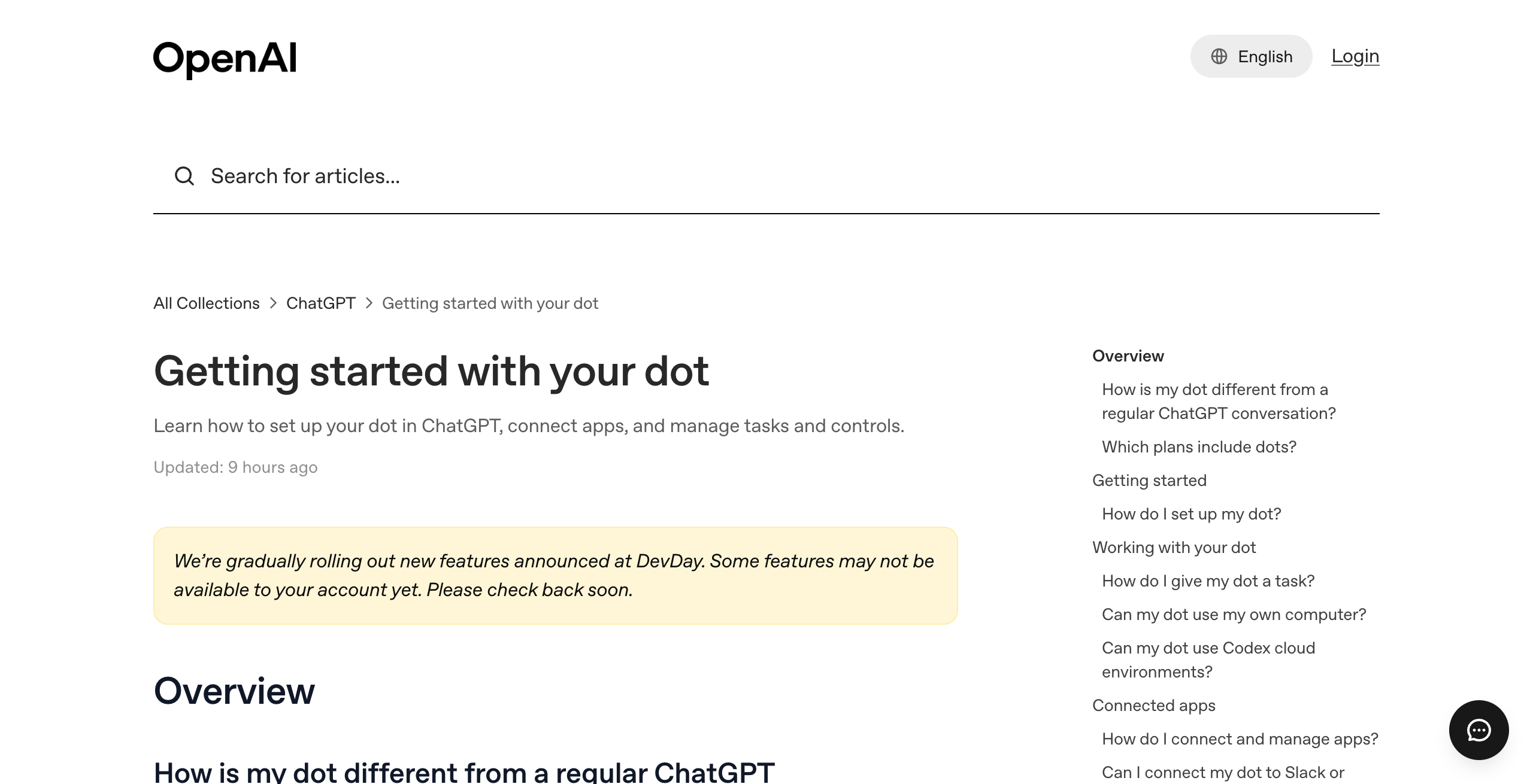
OpenAI describes dots as "remarkably capable, always-on agents built to handle everything." Each dot runs on GPT-6 Astra, has its own cloud computer, learns from feedback, and connects to over 4,000 apps through OpenAI's plugins. You reach it in ChatGPT on desktop, web, and mobile, in Slack and Teams, and by voice call in ChatGPT. It comes with ChatGPT Pro and Business Premium. The OpenAI dots hub covers the product in full.
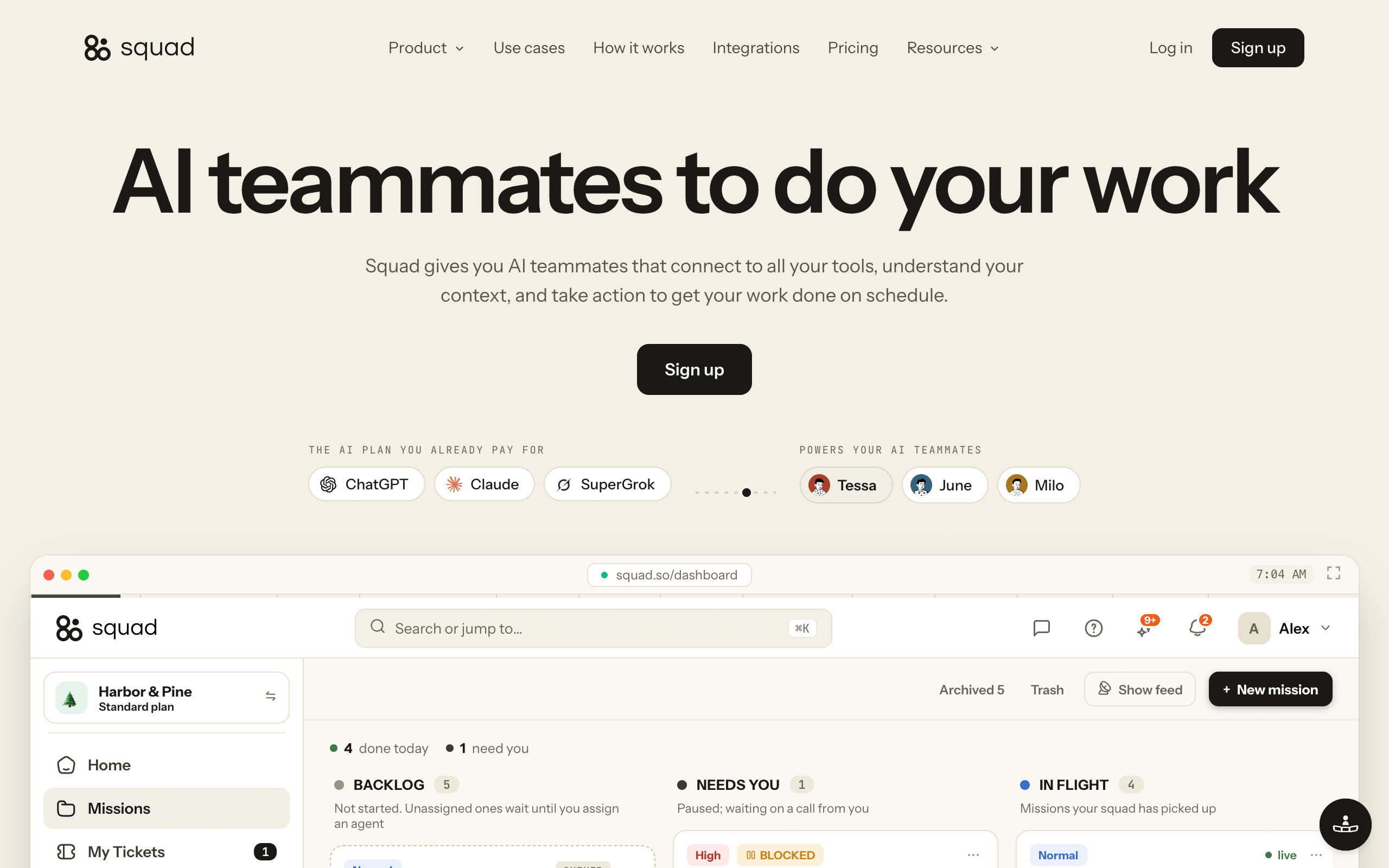
Squad (formerly MissionControlHQ) gives you AI teammates that connect to your tools, understand your context, and do work on a schedule. A lead agent, the AI Chief of Staff, learns your business and designs the squad with you. Each teammate has a name, a job, a schedule, permissions, and a log you can read. Squad costs $99 a month and runs on the AI plan you bring.
| OpenAI dots | Squad | |
|---|---|---|
| What you get | One primary dot | Unlimited AI teammates |
| AI model | GPT-6 Astra | Your plan, across 13 providers |
| Computer | A cloud computer per dot | One cloud computer per squad, a browser profile per teammate |
| Apps | Over 4,000 through plugins | 70+ integrations, any MCP server, 57 research and scrape tools |
| Where you talk to it | ChatGPT, Slack, Teams, voice calls | Dashboard chat, Telegram, Discord, Slack |
| Price | Included with Pro ($100-500) or Business Premium | $99 a month plus your AI plan |
Winner: tie, because dots wins on apps, channels, and setup inside ChatGPT, and Squad wins on agent count and model choice. The sections below settle each dimension.
The shape of each product at launch, from OpenAI's help center and Squad's homepage and docs.
One dot
- One primary dot per plan; more dots have no price or date
- GPT-6 Astra only
- Plugin permissions shared with ChatGPT, Work, and Codex
- Memories cannot be viewed or edited one by one
- No standalone email address at launch
- Usage allowance size not published
A squad
- Unlimited AI teammates, designed with a lead agent
- A different model per teammate, 13 providers
- Each connection narrowed or blocked per agent
- Memory screen to search, edit, and forget
- Optional inbox per teammate at $10 a month
- Every run shows its model and token usage
Can I use dots and Squad together?
Yes, you can use dots and Squad together. Keep your dot for personal work inside ChatGPT, and add a squad for the jobs that need their own agent.
Squad connects a ChatGPT plan through Codex device authorization. Squad recommends ChatGPT at $100-200 a month, which is the same price range as the Pro plans that include a dot. That means one ChatGPT Pro plan can include your dot and also power your squad.
There is one caveat. The squad runs on that ChatGPT plan, so its work uses the same plan as your own ChatGPT use. OpenAI says conversations with your dot do not count toward your ChatGPT usage limits, but tasks your dot starts in Codex or ChatGPT Work do. You can add a second ChatGPT account in AI Tokens to give the squad its own capacity.
| Setup | Monthly cost | ChatGPT plan |
|---|---|---|
| Dot on Pro 100, squad on the same account | $199 ($100 + $99) | Squad uses the same plan as you |
| Dot on Pro 100, squad on a second Pro 100 account | $299 ($100 + $99 + $100) | Squad has its own ChatGPT account |
| Dot on Pro 200, squad on a second Pro 100 account | $399 ($200 + $99 + $100) | Squad has its own ChatGPT account |
Winner: not applicable. The two products do not block each other, and the separate-account setup gives the squad its own capacity.
How many agents do I get?
With dots you get one agent today, and with Squad you get unlimited AI teammates. OpenAI says "Your first dot is included in your Pro or Business Premium plan at no extra cost." It also says you will be able to add more dots "in the future," with no price or date.
OpenAI is previewing specialist dots in "focused enterprise pilots." Each specialist dot has its own identity, credentials, and access, and OpenAI engineering teams set them up with the company. They are not available to buy. The multiple dots guide tracks what OpenAI has said about more dots.
Squad's plan includes unlimited AI teammates. You name them, give them roles, and hire or retire them any time. The lead agent proposes the squad during onboarding, and you edit it. Squad's homepage explains the reason for several agents: one agent with every tool and no owner gets vague fast, and each teammate holds one job, one schedule, and one set of access.
| OpenAI dots | Squad | |
|---|---|---|
| Agents today | 1 primary dot | Unlimited AI teammates |
| More agents | Planned; no price or date | Included in $99 a month |
| Who designs the setup | You | The lead agent, with you |
| Others directing the agent in Slack or Teams | Only the owner can direct a dot | Teammates message the squad on Telegram, Discord, or Slack |
Winner: Squad, because it runs several agents with separate jobs today, and dots starts with one.
Peter Yang says the main benefit of a dot is that it already has his ChatGPT memory, conversation history, and connected apps. On the Hacker News launch thread (671 points, 528 comments), a common reaction was frustration with one dot per user. For a wider look at the agent market, see dots vs Grok Bot vs Muse.
Which one lets me choose the AI model?
Squad lets you choose the AI model, and dots does not. Every dot runs on GPT-6 Astra, and OpenAI documents no model choice. The workspace help page adds that "Enterprise model controls and default model settings do not apply to dots."
Squad connects 13 AI providers: ChatGPT (through Codex), Claude, Claude Code, Grok, Gemini, GitHub Copilot, Kimi, MiniMax, Z.AI, Qwen Cloud, Cloudflare Workers AI, OpenCode, and OpenRouter. You set a workspace default, and any teammate or schedule can use a different model. Every run shows which model ran.
Squad also handles plan limits. You can stack several accounts of the same plan, and set an ordered fallback list so work carries on mid-task when one account runs out. With one account and no fallback, runs fail until the provider accepts calls again, and a banner shows after repeated rate-limit failures. The AI accounts docs explain the setup.
| OpenAI dots | Squad | |
|---|---|---|
| Model | GPT-6 Astra | Any model your connected plans offer |
| Providers | OpenAI only | 13 |
| Model per agent | Not applicable (one dot) | Yes, per teammate and per schedule |
| When a plan runs out | Allowance size not published | Next account or fallback model continues the run |
Winner: Squad, because you can put each job on the model that suits it and keep working when one plan hits its limit. dots users who want GPT-6 Astra get it built in with no setup. Wanting to bring your own model was a common theme on the Hacker News thread.
Which one keeps each agent's access separate?
Squad keeps each agent's access separate, and dots shares permissions across ChatGPT. OpenAI's help center says "Plugin permissions are shared across dots, ChatGPT, ChatGPT Work, and Codex." You manage them in ChatGPT's Plugins tab, and no per-dot scoping is documented.
In Squad, each connection has an access level, and the levels vary by app. Every agent gets the connection's level unless you narrow or block it under Per-agent access. Squad checks every agent call and refuses actions outside the level. Each teammate also has its own browser profile, so logins are separate by default. Keys and passwords sit in a secret vault that a teammate reads at run time.
Squad also supports client separation. Squad's homepage says: "Run more than one squad, each on its own $99/mo subscription with its own AI teammates, cloud computer, and billing." An agency can run one squad per client and keep each client's apps, computer, and bill apart.
dots has its own safeguards. Local laptop access "starts turned off." When you are not working with it, the dot runs proactive research with read-only tools that cannot send messages or change app content. One limit is worth knowing: disconnecting an app does not delete what your dot already obtained from it. The dots privacy guide covers these rules.
| OpenAI dots | Squad | |
|---|---|---|
| Permission scope | Shared across dots, ChatGPT, Work, and Codex | Per connection, narrowed or blocked per agent |
| Logins | On the dot's cloud computer | A separate browser profile per teammate |
| Separate setups per client | Not documented | One squad per client, each on its own $99 subscription |
| Passwords | Entered by you in a secure form the model does not see | Secret vault, read at run time |
Winner: Squad, because you can give each agent only the access its job needs. dots gives one agent the same plugin access as the rest of your ChatGPT account.
Which one gets its own computer?
dots gives each agent its own computer, and Squad gives each squad one. OpenAI says "Each dot works on its own cloud computer, while your computer and its contents stay separate unless you choose to connect it." You can open the dot's computer at any time to inspect its work.
Squad gives each squad a dedicated cloud computer, with a separate browser profile per AI teammate. Logins and files are separate by default, and two teammates can share a login when both need it. The workspace is dedicated and isolated.
The dot's cloud computer does not inherit your local VPN, browser sign-ins, or device policies, so some sites need a new sign-in. Enterprise admins get controls for cloud browser use, cloud network access, cloud computer use, and password manager use.
| OpenAI dots | Squad | |
|---|---|---|
| Computer | One cloud computer per dot | One cloud computer per squad |
| Separation between agents | Separate machines | Separate browser profiles, logins, and files |
| Local laptop access | Optional, off by default | Not documented |
| Inspect the machine | Open the dot's computer any time | A log of every run, end to end |
Winner: dots, because each dot gets a whole machine to itself. Squad separates teammates by browser profile on a shared squad computer.
Can I see and edit what the agent remembers?
You can see and edit what a Squad agent remembers, and you cannot do that with a dot. OpenAI says "You currently cannot view, delete or directly modify individual dot memories." To delete a dot's context, you delete the dot.
A dot receives memories and recent context from ChatGPT, and your conversations with it can add to ChatGPT memory. Turning off ChatGPT Memory stops the sharing but does not delete what the dot already received. The upside is speed: Peter Yang says his dot knew his context from day one with no setup.
Squad has a Memory screen. You can search memories by meaning, edit any fact that is wrong, or forget one entirely, and agents use the corrected version from their next run. An About you file is read by every agent on every run. Each agent has its own Notes, with a load meter that shows what reaches the agent. The memory docs cover each file.
| OpenAI dots | Squad | |
|---|---|---|
| Starting context | ChatGPT memory and history carry over | Built from conversations and connected apps |
| View single memories | No | Yes |
| Edit or delete one memory | No; delete the dot | Yes: edit, forget, or Forget all |
| Per-agent notes | Not applicable (one dot) | Yes, with a load meter |
Winner: Squad, because you can fix one wrong memory without starting over. dots wins on the first day, since it arrives already knowing your ChatGPT context.
Can the agent have its own email address?
A Squad agent can have its own email address, and a dot cannot at launch. OpenAI says "At launch, you cannot give your dot its own standalone email address." You can connect your personal email account instead. Peter Yang notes that the email option on his dot's profile showed as unavailable.
In Squad, each AI teammate can have its own inbox, an optional add-on at $10 a month per inbox. The teammate sends from its own address, and replies come back to that teammate. You can use your own sending domain. Agents can draft for your approval, and you can Approve & send, edit the draft, or ask for a revision. Send caps apply per agent and per workspace. The AI agent email inbox guide covers the setup.
| OpenAI dots | Squad | |
|---|---|---|
| Own address | No, at launch | Yes, $10 a month per inbox |
| Your email | Connect your personal account | Connect Gmail or Outlook as an integration |
| Replies | Land in your inbox | Return to the teammate that sent the message |
Winner: Squad, because each teammate can hold its own conversations with customers and vendors.
How do approvals work in each?
Approvals in dots run on Custom Rules, and approvals in Squad run on tickets and email drafts. dots gives each kind of action one of four behaviors: take action without asking, take action if pre-approved, ask before taking action, or hand off to you. "Pre-approved" means you asked for the action in your prompt.
dots adds fixed rules on top. Changing a password or transferring money always hands the task back to you. Permanently deleting data or installing software may need approval each time. Auto-review checks each action, such as an email's recipient and content, against your instructions and safety requirements. Safety monitoring can pause or stop a dot, and Activity View shows each step it took.
In Squad, an agent opens a ticket and asks you when it would otherwise guess, for example about spend, customer-facing sends, or direction. Agents can draft for your approval and open a ticket before money moves. Hard caps limit daily email sends and the monthly credit auto-recharge. The human-in-the-loop guide explains the pattern.
| OpenAI dots | Squad | |
|---|---|---|
| Rule system | Custom Rules, four behaviors | Tickets, briefed per agent |
| Money | Always handed to you | Brief agents to open a ticket first |
| Outgoing email | Auto-review of recipient and content | Agents can draft for your approval; send caps |
| Activity record | Activity View | Runs log and receipts for every call |
Winner: dots, because its rules cover every action type out of the box and money moves always come back to you. Squad's controls depend more on how you brief each agent.
Can I see how much usage each task took?
You can see how much usage each task took in Squad, and dots does not publish it. OpenAI says conversations with your dot do not count toward ChatGPT usage limits. The plan includes "an allowance for deeper work, with extended limits for the first month after launch." OpenAI does not publish the size of that allowance.
In Squad, every run shows its model and token usage, and each mission shows its token count so far. Research rows in Runs show the credits used, and Billing breaks credit use down by tool, agent, task, and mission. Model usage bills to your own AI accounts, and Squad adds no per-task AI charges. The costs docs list each line.
| OpenAI dots | Squad | |
|---|---|---|
| Usage per task | Not shown | Token usage on every run |
| Allowance size | Not published | Set by your own AI plan |
| Credit breakdown | Not documented | By tool, agent, task, and mission |
Winner: Squad, because you can see how much usage each agent and each job took.
Which one costs less?
OpenAI dots costs less. A dot comes with ChatGPT Pro 100 at $100 a month. Squad costs $99 a month plus the AI plan you bring. It recommends ChatGPT at $100-200 a month, so a typical setup costs $199-299 a month.
Pro is billed monthly only. For businesses, a Business Premium seat costs $125 per user per month, or $100 when billed annually. Business plans start at 2 users, so by calculation the smallest workspace with one dot (one Premium seat and one Standard seat) costs $150 a month, or $120 billed annually. The dots pricing guide lists every tier.
A dot on Pro 100 costs $99 a month less than Squad on a $100 ChatGPT plan
$100 against $199 a month is about 50% less: $1,188 saved per year, or $3,564 over three years ($3,600 against $7,164).
| Setup | Monthly | Yearly | Three years |
|---|---|---|---|
| Dot on Pro 100 | $100 | $1,200 | $3,600 |
| Dot on Pro 200 | $200 | $2,400 | $7,200 |
| Squad + $100 ChatGPT plan | $199 | $2,388 | $7,164 |
| Squad + $200 ChatGPT plan | $299 | $3,588 | $10,764 |
The fair comparison for a squad is a hire. A squad covers several jobs at once, so compare the $199-299 a month all-in with the monthly cost of the person who would do that work. Squad's optional extras are inboxes at $10 a month each and research credits (1,000 free each month, then $5 per 5,000). Squad has no free trial, but the first payment has a 7-day money-back guarantee.
Winner: dots, because one agent on Pro 100 costs about half of a squad on the cheapest recommended plan.
Is OpenAI dots better than Squad?
OpenAI dots is better than Squad on 7 of 13 dimensions, and Squad is better on 6. dots wins on price, apps, its computer per agent, approvals, voice and Teams access, Codex tasks, and setup inside ChatGPT. Squad wins on agent count, model choice, per-agent access, memory, email, and usage shown per task.
Each verdict traces to OpenAI's launch post and help center, or to Squad's homepage and docs, as of September 30, 2026.
| If you need | OpenAI dots | Squad |
|---|---|---|
| Several agents today | No One primary dot; more later, no date | Yes Unlimited AI teammates |
| Choose the AI model | No GPT-6 Astra only | Yes 13 providers, model per teammate |
| Separate access per agent | No Plugin permissions shared across ChatGPT products | Yes Narrow or block per agent |
| A whole computer per agent | Yes Cloud computer per dot | Partly One computer per squad, browser profile per teammate |
| Edit single memories | No Reset only | Yes Search, edit, forget |
| Agent's own email address | No Not at launch | Yes $10 a month per inbox |
| Built-in approval rules | Yes Custom Rules, four behaviors, auto-review | Partly Tickets and email drafts, set by briefing |
| Usage shown per task | No Allowance size not published | Yes Token usage on every run |
| Lowest monthly price | Yes $100 on Pro 100 | No $199-299 all-in |
| Most apps | Yes Over 4,000 | Partly 70+ plus any MCP server |
| Setup from existing ChatGPT context | Yes Memory and apps carry over | Partly Lead agent onboarding conversation |
| Voice calls and Microsoft Teams | Yes Both | No Dashboard chat, Telegram, Discord, Slack |
| Start Codex tasks | Yes Cloud and local Codex tasks | No Not documented |
No G2, Capterra, or Product Hunt ratings exist for OpenAI dots yet, so this page uses no star ratings. The score counts documented features only.
How do I choose between dots and Squad?
Choose dots if you want one strong assistant inside ChatGPT, and choose Squad if you need several agents with separate jobs. The questions below cover the common cases.
How many jobs do you want agents to own?
- If one personal assistant→A dot
- If several jobs, such as support, outreach, and research→Squad
Do you need a different model or provider for some jobs?
- If GPT-6 Astra is fine→A dot
- If yes, or you want fallbacks when a plan runs out→Squad
Should each agent see only its own apps?
- If no, one agent with your ChatGPT access is fine→A dot
- If yes, or you run work for several clients→Squad
What is your monthly budget for agents?
- If about $100→A dot on Pro 100
- If $199-299→Squad on a ChatGPT plan, or both on one plan
| Scenario | Best pick | Why |
|---|---|---|
| You live in ChatGPT and want one assistant | dots | Memory and apps carry over with no setup |
| You need voice calls with your agent | dots | Voice calls work in ChatGPT |
| Your team works in Microsoft Teams | dots | Dots work in Teams; Squad lists Telegram, Discord, and Slack |
| Your agent needs thousands of apps | dots | Over 4,000 apps through plugins |
| You want support, outreach, and research as separate jobs | Squad | Unlimited AI teammates with one job each |
| You want Claude or Grok on some jobs | Squad | 13 providers and a model per teammate |
| An outreach agent should never touch your books | Squad | Narrow or block access per agent |
| An agency serving several clients | Squad | One squad per client, each with its own computer and billing |
| Agents should email customers from their own address | Squad | Own inbox per teammate at $10 a month |
| You already pay for Pro and want more agents | Both | Keep your dot and connect a ChatGPT plan to Squad |
When is a dot alone enough?
A dot alone is enough when you want one assistant for your own work and you already use ChatGPT. It costs $100 a month on Pro 100 and needs almost no setup.
- You want one agent to handle your inbox, calendar, research, and reminders.
- Your apps are already connected in ChatGPT, and one set of permissions is fine.
- You want voice calls, Teams, or Codex tasks from the same agent.
- GPT-6 Astra is the model you want.
- You would pick a dot's computer per agent over several agents on one squad computer.
OpenAI's own examples fit this profile: turning feedback into tested fixes, revising a launch as scope changes, and keeping a sales proposal current. Coding work also fits better in Codex, and mission control for Codex covers when a squad adds to it.
Who should pick Squad?
Squad fits founders and small teams who want several AI teammates running parts of the business, with access and models set per agent. It costs $99 a month plus the AI plan you bring.
- You want separate agents for support, outreach, content, and research, each on its own schedule.
- You want to choose the model for each job, or use a plan from a provider other than OpenAI.
- You want each agent limited to the apps and access levels its job needs.
- You want agents to email from their own addresses and to see the token usage of each run.
- You run work for several clients and want each one on its own squad and bill.
The build takes about two minutes, then a short onboarding conversation with your lead. For more on the model, see team of AI employees and multi-agent mission control. For the ChatGPT plan setup, see ChatGPT subscription vs API for agents.
Frequently asked questions
Basics
What is the difference between OpenAI dots and Squad? OpenAI dots is one always-on agent inside ChatGPT, powered by GPT-6 Astra, with its own cloud computer and access to over 4,000 apps. It is included with ChatGPT Pro (from $100 a month) and Business Premium seats. Squad (formerly MissionControlHQ) runs a team of AI agents, each with its own job, on the AI plan you bring, for $99 a month. Squad offers unlimited agents, a model per agent, per-agent access controls, and memory you can edit.
Can a business use OpenAI dots? Yes. A business gets a dot with a ChatGPT Business Premium seat, which costs $125 per user per month, or $100 when billed annually. Business plans start at 2 users. Enterprise workspaces can try the beta when an admin turns it on. In Slack and Teams workspaces, only a dot's owner can direct it.
Can I use OpenAI dots and Squad together? Yes. You can keep your dot and add a squad. Squad connects a ChatGPT plan through Codex device authorization. The squad runs on that ChatGPT plan, so its work uses the same plan as your own ChatGPT use. You can add a second ChatGPT account in AI Tokens to give the squad its own capacity.
Agents and models
Can I have more than one dot? Not yet. Each Pro or Business Premium plan starts with one primary dot. OpenAI says you will be able to add more dots in the future, but it has not published a price or a date. Specialist dots are a preview in focused enterprise pilots.
Can I choose the model my dot uses? No. Dots run on GPT-6 Astra, and OpenAI documents no model choice. Enterprise model controls and default model settings do not apply to dots. Squad connects 13 AI providers and lets you set a different model for each AI teammate.
How many AI agents can Squad run? Squad includes unlimited AI teammates on its $99 a month plan. You can name them, give them roles, and hire or retire them any time. The lead agent, the AI Chief of Staff, learns your business and designs the squad with you.
Access, memory, and email
Can I limit what each agent can access? In Squad, yes. Each connection has an access level, and every agent gets that level unless you narrow or block it under Per-agent access. In dots, plugin permissions are shared across dots, ChatGPT, ChatGPT Work, and Codex, and OpenAI documents no per-dot scoping.
Can I delete what my dot remembers? Not item by item. OpenAI says you currently cannot view, delete, or directly modify individual dot memories. Deleting the dot deletes its context. Squad has a Memory screen where you can search memories by meaning, edit them, or forget them.
Can my dot have its own email address? No. At launch, you cannot give your dot its own standalone email address, though you can connect your personal email account. In Squad, each AI teammate can have its own inbox and address as an optional add-on at $10 a month per inbox.
Price
Is OpenAI dots cheaper than Squad? Yes. A dot on ChatGPT Pro 100 costs $100 a month. Squad costs $99 a month plus the AI plan you bring, and it recommends ChatGPT at $100 to $200 a month, so a typical setup is $199 to $299 a month. The dot is $99 a month cheaper than Squad on a $100 plan.
How much does it cost to run a dot and a squad together? A dot and a squad on one ChatGPT Pro 100 plan cost $199 a month ($100 plus $99), and the squad's work uses the same plan as your own ChatGPT use. Giving the squad its own ChatGPT Pro 100 account, added in AI Tokens, costs $299 a month in total and gives the squad its own capacity.
Sources
Official (OpenAI):
- OpenAI, Introducing dots (September 29, 2026): GPT-6 Astra, cloud computer, 4,000+ apps, first dot included, more dots in the future, specialist dots.
- OpenAI Help, Getting started with your dot: setup, channels, local access, email, usage.
- OpenAI Help, Dots privacy, security, and safety FAQs: plugin permissions, Custom Rules, auto-review, memory.
- OpenAI Help, Manage dots in ChatGPT workspaces: model settings, owner-only direction, admin cloud controls.
- OpenAI Help, About ChatGPT Pro tiers: Pro 100, Pro 200, and Pro 500 prices and billing.
- OpenAI, Premium seats for ChatGPT Business: Business Premium and Standard seat prices.
- OpenAI, DevDay 2026 keynote on YouTube.
Official (Squad):
- Squad homepage: pricing, plan contents, more than one squad, FAQ. Checked September 30, 2026.
- Squad docs: Connect your AI, AI accounts, Memory, Integrations, Email, Tickets, What it costs.
Creators and press:
- Peter Yang, ChatGPT Dots is Here! on YouTube.
- CNET, OpenAI DevDay 2026: Everything Announced in 15 Minutes on YouTube.
Community:
- Hacker News, Dots: Always-on agents launch thread.
Related on this site: OpenAI dots, OpenAI dots pricing, multiple OpenAI dots, dots vs Grok Bot vs Muse, dots privacy, and Grok Bot alternatives.
Last updated: September 2026. Pricing and features verified as of September 30, 2026.