
No, you cannot have more than one OpenAI dot today. OpenAI dots launched on September 29, 2026 with one "primary dot" per person, and OpenAI says you will be able to add more dots "in the future" with no price or date. Teams of dots are a stated vision, and specialist dots are an enterprise pilot.
1 dot
per person at launch. Your first dot is included in a Pro or Business Premium plan at no extra cost, and OpenAI has published no price or date for more.
Source: OpenAI, Introducing dots, September 29, 2026iShort answer
You get one OpenAI dot at launch, called your primary dot. OpenAI says extra dots and a way to scale each dot's speed or monthly workload are coming "in the future", and it envisions teams of dots "over time". No price or date is published. Specialist dots, with their own identity and access, run only as enterprise pilots. If you need several agents with separate jobs now, Grok Bot and Squad (formerly MissionControlHQ) run them today. A squad is a team of AI agents, each with its own job, working together (not just one assistant).
Key takeaways
| Question | Answer |
|---|---|
| Can you have more than one dot? | No. One primary dot per person at launch |
| When can you add more dots? | "In the future". No date published |
| What will extra dots cost? | Not announced |
| What are teams of dots? | OpenAI's stated vision for "over time". Not shipped |
| What are specialist dots? | Company-set-up dots with their own identity, credentials, and access. Enterprise pilots only |
| Can your dot hand work to other agents? | It can create Codex cloud tasks and ChatGPT Work or Codex tasks. Dot-to-dot handoff is not documented |
| Several agents today | Grok Bot (several agents on one shared computer) or Squad (unlimited AI teammates, $99 a month plus your AI plan) |
Based on OpenAI's launch post and help center, read September 30, 2026.
Shipped
One primary dot per person, included in Pro and Business Premium
Preview
Specialist dots in focused enterprise pilots
Announced
More dots and per-dot scaling "in the future"
Vision
Teams of dots working together "over time"
Not announced
Any price or date for extra dots
Can I have more than one OpenAI dot?
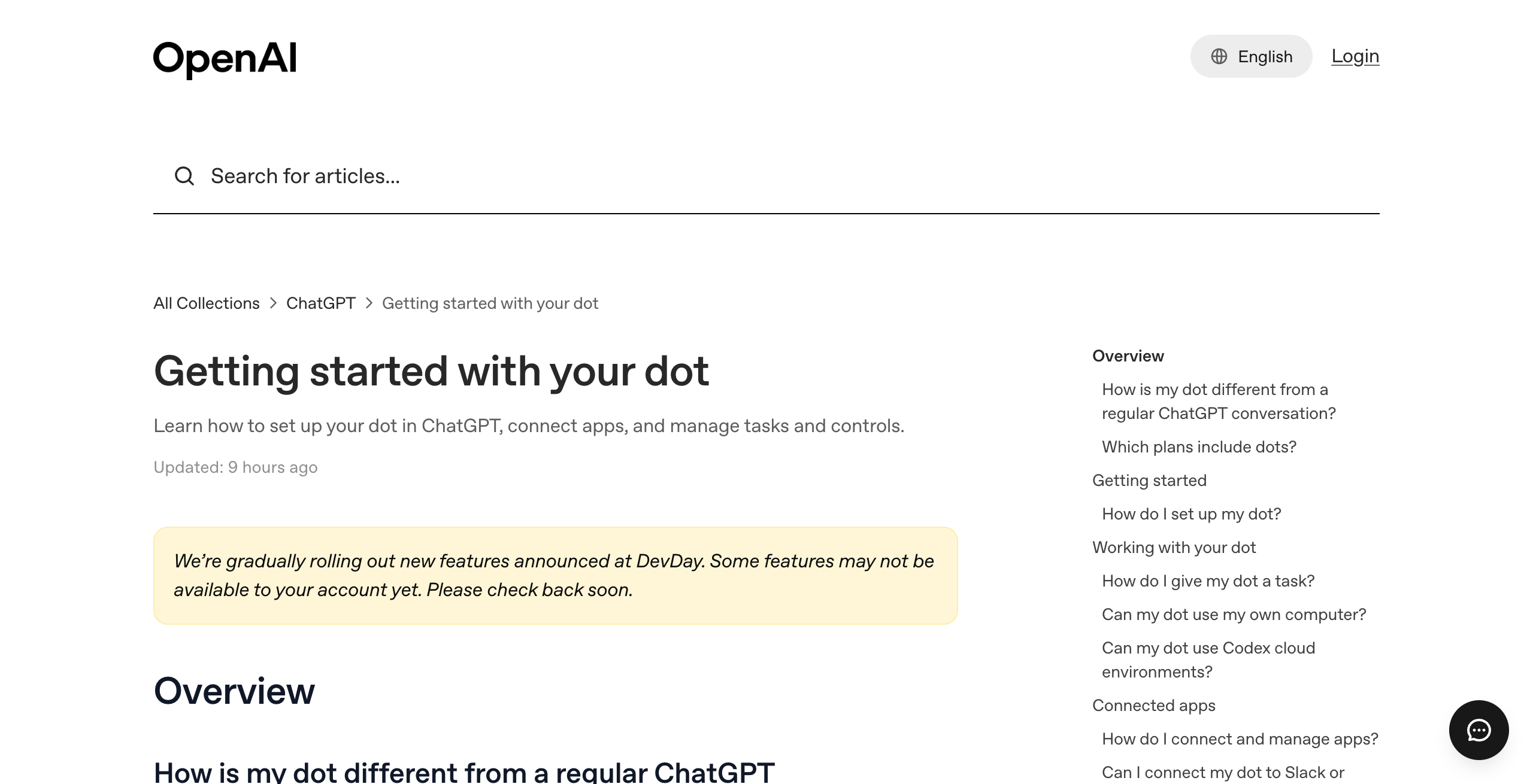
No, you cannot have more than one OpenAI dot at launch. OpenAI's launch post says "Today, you can start with your primary dot," and the help center describes one dot per person, created in the ChatGPT desktop app or on desktop web.
Your primary dot gets a name and an avatar. Its default handle is @yourname-dot, and it changes to @yourname-agentname once you name it. The first dot is included in your Pro or Business Premium plan at no extra cost.
One dot can still run several projects at once. OpenAI's launch post says a dot "can take a project and run with it, even while it's working on several others." The limit is one agent identity, one memory, and one set of app permissions per person.
Peter Yang says he tested dots for a few days, and his review makes the same point. He says "you can only have one dot to start," and he names Grok Bot's team of agents, where one agent tells the others to do work, as Grok Bot's main advantage.
Dots facts from OpenAI's launch post and help center. Team facts describe what multi-agent products such as Grok Bot and Squad ship today.
One OpenAI dot (launch)
- One primary dot per person
- One memory, shared with ChatGPT
- Plugin permissions shared across dots, ChatGPT, Work, and Codex
- GPT-6 Astra, with no model choice documented
- Its own cloud computer
- Only the owner can direct it
A team of agents
- Several named agents, each with one job
- Work passes from one agent to another
- Access set per agent (varies by product)
- A model per agent (varies by product)
- Separate notes or memory per agent (varies by product)
- One place to see what every agent did
When will I be able to add more dots, and what will they cost?
OpenAI has not said when you will be able to add more dots or what they will cost. The launch post says, "In the future, you'll be able to add more dots, and scale the output of each dot by either increasing its speed or the total amount of work it can take on per month."
That sentence names two separate options. One is more dots. The other is a bigger single dot, with more speed or more monthly work. OpenAI has not priced either one.
The table sorts every multi-dot claim from OpenAI's pages by status.
| Capability | Status on September 30, 2026 | Source |
|---|---|---|
| One primary dot per person | Shipped September 29, 2026 | Introducing dots |
| First dot included in Pro and Business Premium | Shipped | Introducing dots |
| Dot creates Codex cloud tasks | Shipped | Getting started with your dot |
| Dot creates Work or Codex tasks (laptop access on) | Shipped | Getting started with your dot |
| Specialist dots | Preview in focused enterprise pilots | Introducing dots |
| Specialist dots in Microsoft Agent 365 | Integration in progress | Introducing dots |
| Adding more dots | Announced for "the future" | Introducing dots |
| Scaling one dot's speed or monthly work | Announced for "the future" | Introducing dots |
| Teams of dots working together | Vision for "over time" | Introducing dots |
| Price of extra dots | Not announced | None |
| Date for extra dots | Not announced | None |
| Dot-to-dot handoff | Not documented | None |
1
dot per person at launch
$0
extra for your first dot on Pro or Business Premium
$100
per month for Pro 100, the cheapest individual plan with a dot
0
published prices or dates for extra dots
The plans that include a dot today are Pro 100 ($100 a month), Pro 200 ($200), Pro 500 ($500), and Business Premium ($125 per user per month, or $100 billed annually). Enterprise, Edu, and Healthcare workspaces can try the beta when an admin turns it on. The OpenAI dots pricing post covers every plan in detail.
What are teams of dots?
Teams of dots are OpenAI's stated plan for several dots working together for one person. The launch post says "Over time, we envision teams of dots working together on your behalf."
OpenAI has published nothing else about teams of dots. No page describes how dots would split work, share memory, or hand tasks to each other. Treat it as a direction, and plan around the one dot you can use today.
What are specialist dots?
Specialist dots are dots a company sets up for one kind of work, each with "its own identity, credentials, and access." OpenAI is previewing them in "focused enterprise pilots," and OpenAI engineering teams work directly with the organizations involved.
OpenAI says it tested specialist dots internally across procurement, invoice processing, email marketing, customer support, and commercial contracting. It is also working with Microsoft to integrate specialist dots with Agent 365, so businesses can manage dots through Microsoft tools they already use.
OpenAI publishes no self-serve sign-up and no price for specialist dots.
Can my dot hand tasks to other agents?
Yes, your dot can hand tasks to Codex and ChatGPT Work. It cannot hand tasks to another dot, because each person has one dot and OpenAI documents no dot-to-dot handoff.
- A dot can create cloud tasks in Codex cloud environments.
- With local laptop access turned on, a dot can create Work or Codex tasks. Laptop access "starts turned off."
- Activity View in the desktop app shows ongoing and delegated tasks and the steps taken.
- Conversations with your dot do not count toward your ChatGPT usage limits. Tasks your dot starts in Codex or ChatGPT Work do count, as usual.
Chase AI shows this delegation in his early-access video. He calls the dot by voice and asks it to open a new Codex thread in an existing project and build a website. He describes the dot's orchestrator role as its most useful function when you are away from your desk.
For how dots differ from Codex and ChatGPT Work, see the OpenAI dots overview and mission control for Codex.
Can other people on my team use my dot?
No, other people on your team cannot direct your dot. OpenAI's workspace help page says "Only a dot's owner can direct it. Other people's direct messages or mentions do not start work for that dot."
This rule applies in Slack and Microsoft Teams workspaces. A shared team agent is what specialist dots are meant to cover, and those run only in enterprise pilots.
Why would I want more than one agent?
You would want more than one agent when your work splits into jobs that need different knowledge, different access, or different memory. One agent carrying every job has to switch context on every run.
This site already has three named checks for that decision:
- The Lane Test asks whether an agent would have to switch context to do a piece of work well. If yes, that work is its own lane and gets its own agent.
- The Boundary Test asks whether a setup can structurally stop agent A from touching what agent B touches. It checks whether the platform can hold the agents the Lane Test produces.
- The Memory Budget explains why one generalist agent loses detail over months as every job files notes into one context.
A future team of dots would face the Boundary Test on day one. OpenAI's privacy FAQ says "Plugin permissions are shared across dots, ChatGPT, ChatGPT Work, and Codex," and no per-dot scoping is documented. A dot's memory also comes from ChatGPT, and you "cannot view, delete or directly modify individual dot memories." The OpenAI dots privacy post covers both limits.
People noticed the one-dot limit on launch day. Commenters in the Hacker News launch thread (671 points, 528 comments) raised one dot per user as a recurring theme, next to the $100 price floor and lock-in to OpenAI models. This is community reaction only.
How do Grok Bot and Squad handle several agents today?
Grok Bot and Squad both run several agents today, with different designs for access and isolation.
Grok Bot: several agents on one shared computer
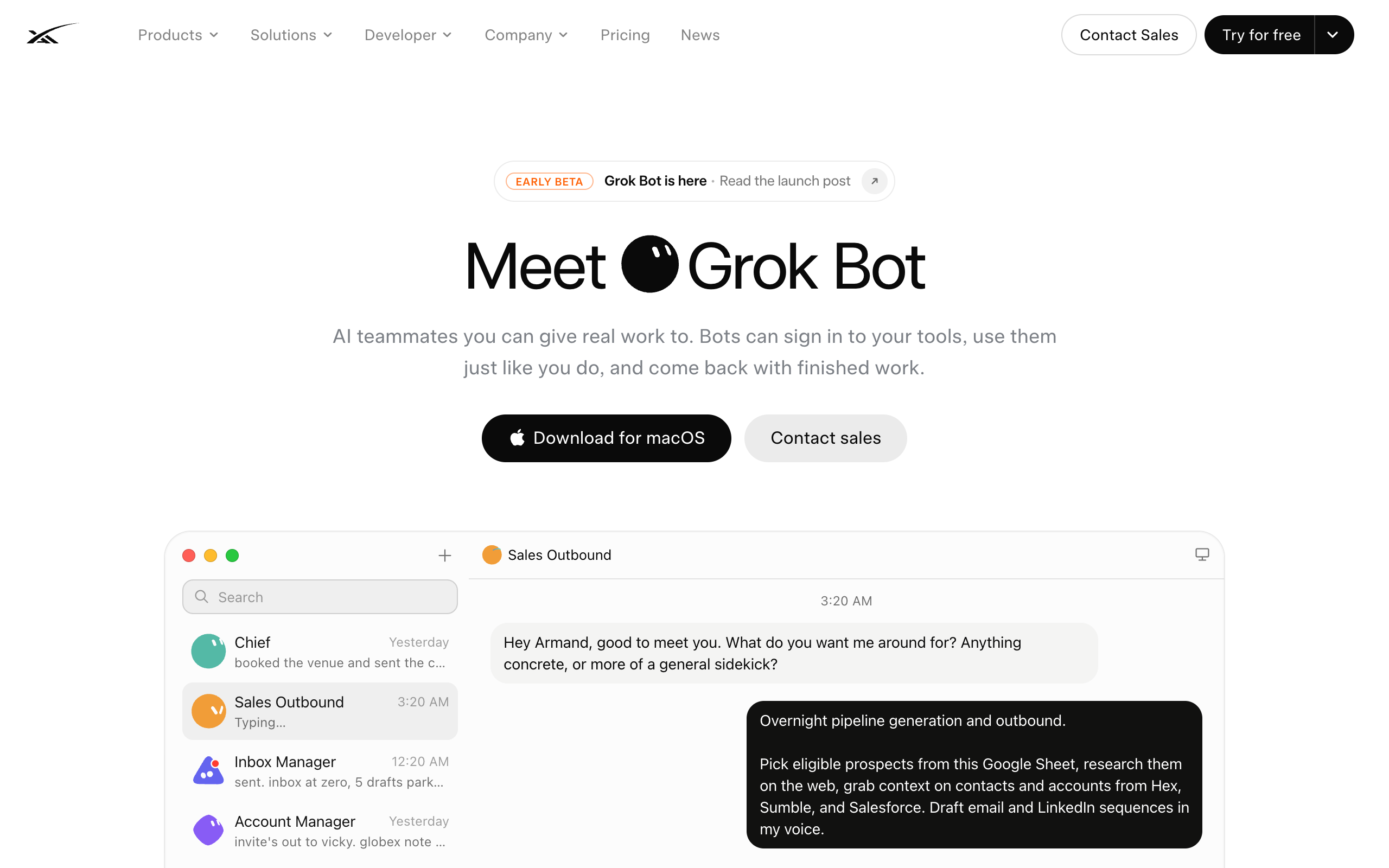
Grok Bot lets one user run several named agents, such as Sales Outbound and Chief of Staff, that hand work to each other. xAI launched it in early beta on August 11, 2026, and plans that include it start at $20 a month (Cursor Pro).
The agents share one machine. xAI's FAQ says "Every Grok Bot shares one persistent cloud computer. Your Bots share that machine (files, browser, logins), so they can hand work off and keep context. Isolation is per user, not per Grok Bot." Every Grok Bot agent on one account can reach the same signed-in tools.
xAI also shipped Team Bots for Teams and Enterprise plans in public beta on September 28, 2026. See dots vs Grok Bot for the full comparison.
Squad: a team of AI teammates with separate access
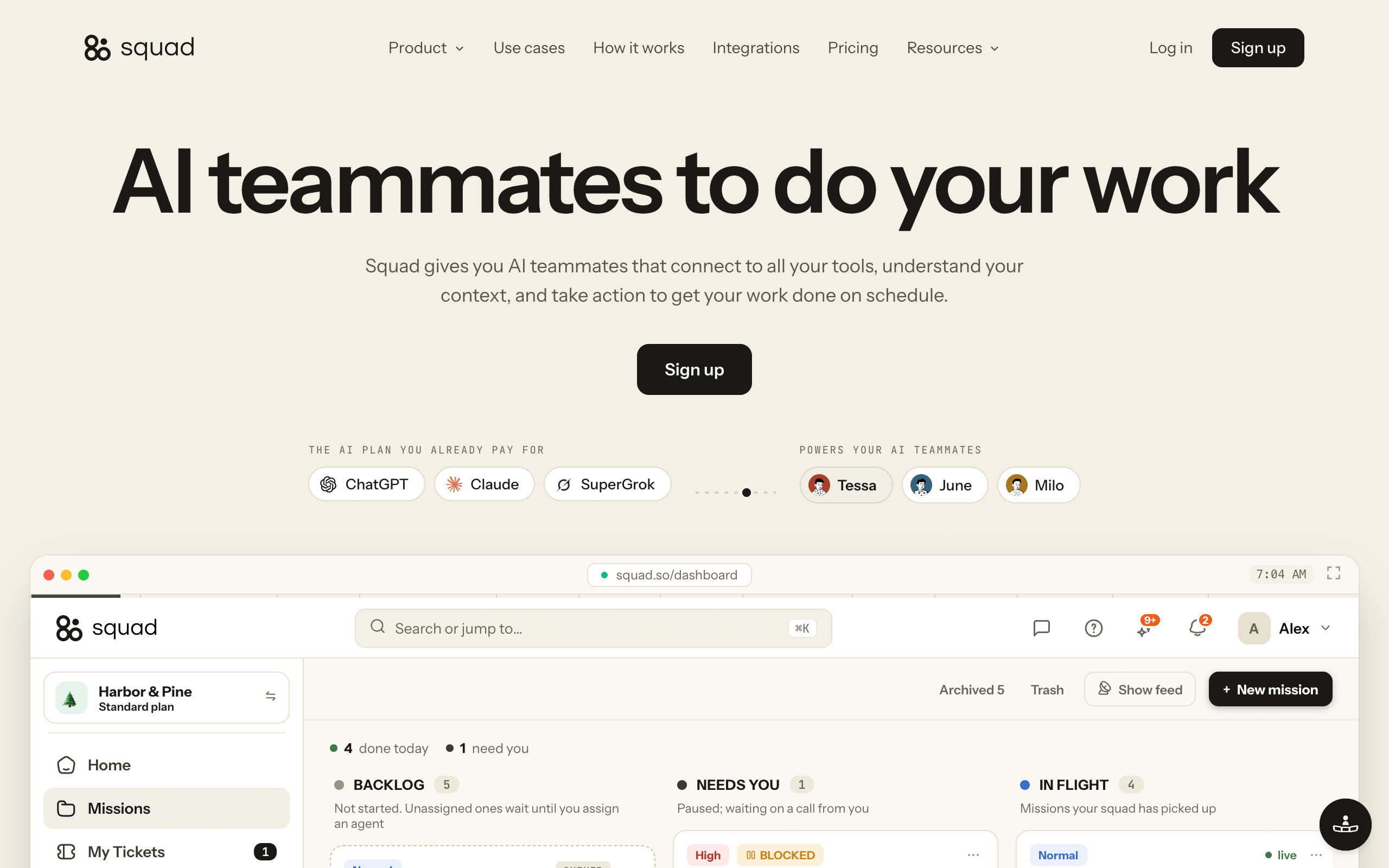
Squad (formerly MissionControlHQ) runs a squad of AI teammates for $99 a month on the AI plan you bring. It recommends ChatGPT at $100-200 a month, so the all-in cost is $199-299 a month, with no per-task AI charges.
- Unlimited AI teammates. You hire, rename, or retire them any time.
- A lead agent, the AI Chief of Staff, learns your business and designs the squad with you. It routes work and coordinates across lanes, and agent-to-agent conversations are visible.
- Each connection has an access level, and the levels vary by app. You can narrow or block any single agent.
- A different model per AI teammate, across 13 AI providers. You can stack several accounts of the same plan and set fallbacks.
- A Memory screen where you can search memories, edit them, and forget them, plus notes per agent.
- An optional email inbox per AI teammate at $10 a month each. Replies come back to that teammate.
- One dedicated cloud computer per squad, with a separate browser profile per AI teammate.
- Every run shows its model and token usage.
- More than one squad, each on its own $99 subscription with its own AI teammates, cloud computer, and billing. Agencies can keep clients separate this way.
No G2 or Product Hunt ratings exist yet for dots or Grok Bot, so this comparison uses official documentation only. Dots is stronger in several places. It runs GPT-6 Astra, brings ChatGPT memory and apps with it, connects to over 4,000 apps (Squad lists 70+ integrations), and gives each dot its own cloud computer. It also supports Microsoft Teams, voice calls, Custom Rules with four approval modes, and Activity View.
Verdicts trace to OpenAI's help center, xAI's Grok Bot FAQ, and Squad's homepage and docs, read September 30, 2026.
| If you need | OpenAI dots | Grok Bot | Squad |
|---|---|---|---|
| Several agents on one account now | No One primary dot per person | Yes Several named agents per user | Yes Unlimited AI teammates |
| Separate app access per agent | No Plugin permissions shared across dots, ChatGPT, Work, Codex | No Agents share one computer's files, browser, and logins | Yes Narrow or block any agent per connection |
| A different model per agent | No GPT-6 Astra only | Grok 4.6 model | Yes 13 providers, model per teammate |
| Its own email address per agent | No No standalone address at launch | Not covered in the sources used | Yes $10 a month per inbox |
| ChatGPT memory and apps carry over | Yes Memories and recent context from ChatGPT | No Separate xAI product | No Builds its own shared context |
| Voice calls or Microsoft Teams | Yes Voice in ChatGPT, plus Slack and Teams | Not covered in the sources used | No Dashboard chat, Telegram, Discord, Slack |
| Separate environments per client | Not documented | No Isolation is per user | Yes Several squads, each with its own computer and billing |
| Usage shown per run | No Allowance size not published | Partly Weekly usage, extra billed on token cost | Yes Each run shows its token usage |
You can keep your dot and add a squad. The price range Squad recommends for ChatGPT ($100-200 a month) is the same range as the Pro plans that include a dot. The squad runs on that ChatGPT plan, so its work uses the same plan as your own ChatGPT use. You can add a second ChatGPT account in AI Tokens to give the squad its own capacity.
| Setup (calculation) | Monthly | Over 3 years |
|---|---|---|
| One dot on Pro 100 | $100 | $3,600 |
| One dot on Pro 200 | $200 | $7,200 |
| Pro 100 plus Squad | $199 | $7,164 |
| Pro 200 plus Squad | $299 | $10,764 |
When is one dot enough?
One dot is enough when one person needs one agent that knows their ChatGPT history and works across their own apps. A dot also costs nothing extra on a plan you already pay for.
- You already pay for ChatGPT Pro, so the dot costs nothing extra.
- Your work is one lane, such as your own research, coding follow-ups, or inbox triage.
- You want GPT-6 Astra and ChatGPT memory without setting up anything new.
- You want your agent to start Codex tasks for you.
- Nobody else needs to give the agent work.
The OpenAI dots use cases post lists what people use a single dot for.
Should I wait for teams of dots?
You should wait for teams of dots only if you need OpenAI's model and ChatGPT memory in every agent and can accept no date. If you need several agents with separate jobs or separate access now, use a product that ships them today.
How many separate jobs do you need an agent for?
- If one→One dot is enough
- If two or more that need different knowledge→Run the Lane Test, then pick a multi-agent option
Must each agent have its own app access?
- If no→Grok Bot or one dot can work
- If yes→Squad, with per-agent access on each connection
Do you need ChatGPT memory and GPT-6 Astra in every agent?
- If yes, and you can wait→Keep one dot and wait for teams of dots
- If no→Grok Bot or Squad today
Do you run agents for several clients?
- If yes→Squad, one squad per client, each on its own $99 subscription
- If no→Any option above
| Scenario | Best pick | Why |
|---|---|---|
| Solo founder already on ChatGPT Pro | One dot | Included in your plan at no extra cost |
| Developer who wants an agent to start Codex tasks | One dot | Dots create Codex cloud tasks |
| You want several agents on a $20 budget | Grok Bot | Plans that include it start at $20 a month |
| Sales, support, and finance agents with separate logins | Squad | Access narrowed or blocked per agent |
| Agency running agents for several clients | Squad | One squad per client, each with its own computer and billing |
| Each agent needs its own email address | Squad | Optional inbox per teammate at $10 a month |
| You want cheap models on routine work | Squad | A different model per AI teammate |
| Large company wanting company-run agents inside OpenAI | Specialist dots pilot | OpenAI sets up pilots directly with enterprises |
| You want a dot and a team | Dot plus Squad | Squad runs on the same $100-200 ChatGPT range |
Frequently asked questions
Basics
How many OpenAI dots can I have? You can have one dot at launch. OpenAI's launch post says you start with your primary dot, and your first dot is included in a Pro or Business Premium plan at no extra cost. OpenAI has not published a date for adding more dots.
Can dots work together? Not yet. Each person gets one dot at launch, so there is no second dot to hand work to. OpenAI says that over time it envisions teams of dots working together on your behalf, and it has given no date.
Pricing
What will extra dots cost? OpenAI has not announced a price for extra dots. The launch post says that in the future you will be able to add more dots and scale each dot by raising its speed or the total amount of work it can take on per month.
Does my first dot cost extra? No. Your first dot is included in ChatGPT Pro (Pro 100 at $100 a month, Pro 200 at $200, Pro 500 at $500) or in a ChatGPT Business Premium seat ($125 per user per month, or $100 billed annually) at no extra cost.
Specialist dots and teams
What is a specialist dot? A specialist dot is a dot that a company sets up for one type of work, with its own identity, credentials, and access. OpenAI is previewing specialist dots in focused enterprise pilots, and OpenAI engineering teams work directly with those organizations. OpenAI tested specialist dots internally across procurement, invoice processing, email marketing, customer support, and commercial contracting.
Can my teammates give my dot work in Slack or Teams? No. OpenAI's workspace help page says only a dot's owner can direct it. Other people's direct messages or mentions do not start work for that dot.
Can my dot delegate work to other agents? Yes, to Codex and ChatGPT Work. A dot can create cloud tasks in Codex cloud environments, and with local laptop access turned on it can create Work or Codex tasks. Activity View on desktop shows ongoing and delegated tasks. Those tasks count toward your ChatGPT usage limits.
Alternatives
What can I use if I need several AI agents now? Grok Bot and Squad both run several agents today. Grok Bot gives each user several named agents that share one cloud computer, with isolation per user. Squad (formerly MissionControlHQ) runs unlimited AI teammates for $99 a month on the AI plan you bring, with per-agent access, a model per teammate, and an optional inbox per teammate at $10 a month.
Can I keep my dot and also run a squad? Yes. Squad recommends connecting ChatGPT at $100-200 a month, the same price range as the Pro plans that include a dot. The squad runs on that ChatGPT plan, so its work uses the same plan as your own ChatGPT use. You can add a second ChatGPT account in AI Tokens to give the squad its own capacity.
Sources
Official:
- OpenAI, Introducing dots (September 29, 2026): primary dot, first dot included, more dots in the future, teams of dots, specialist dots, Agent 365.
- OpenAI, DevDay 2026 recap.
- OpenAI Help Center, Getting started with your dot: setup, Codex cloud tasks, laptop access, Activity View, usage limits.
- OpenAI Help Center, Dots privacy, security, and safety FAQs: shared plugin permissions and dot memory.
- OpenAI Help Center, Manage dots in ChatGPT workspaces: only the owner can direct a dot.
- OpenAI Help Center, About ChatGPT Pro tiers: Pro 100, Pro 200, Pro 500 prices.
- OpenAI, Premium seats for ChatGPT Business: Business Premium seat prices.
- xAI, Grok Bot: shared cloud computer and per-user isolation. Read September 30, 2026.
- xAI, Team Bots (September 28, 2026).
- Squad: the homepage pricing and FAQ, and the docs pages AI accounts and models, Connect your AI, and What it costs.
Creators and press:
- Peter Yang, ChatGPT Dots is Here! (YouTube).
- CNET, OpenAI DevDay 2026: Everything Announced in 15 Minutes (YouTube).
- Chase AI, I Got Early Access To ChatGPT Dots (YouTube).
Community:
- Hacker News, Dots: Always-on agents launch thread.
Related on this site: OpenAI dots overview, OpenAI dots pricing, dots vs Grok Bot, OpenAI dots vs mission control, a team of AI employees, and what a multi-agent mission control is.
Last updated: September 2026. Pricing and features verified as of September 30, 2026.