
Meta Muse use cases fall into six groups: personal errands and email, travel, shopping and checkout, bills and negotiation, selling things, and small business work. Meta launched Muse on September 8, 2026, and added Muse for Small Business on September 29, 2026. Both posts list example jobs, and creator videos from the first month show more.
This page lists what Meta and named creators have shown for each group, and what needed approval each time. It also covers what Muse is bad at, which jobs to keep for yourself, and which jobs need more than one agent.
15
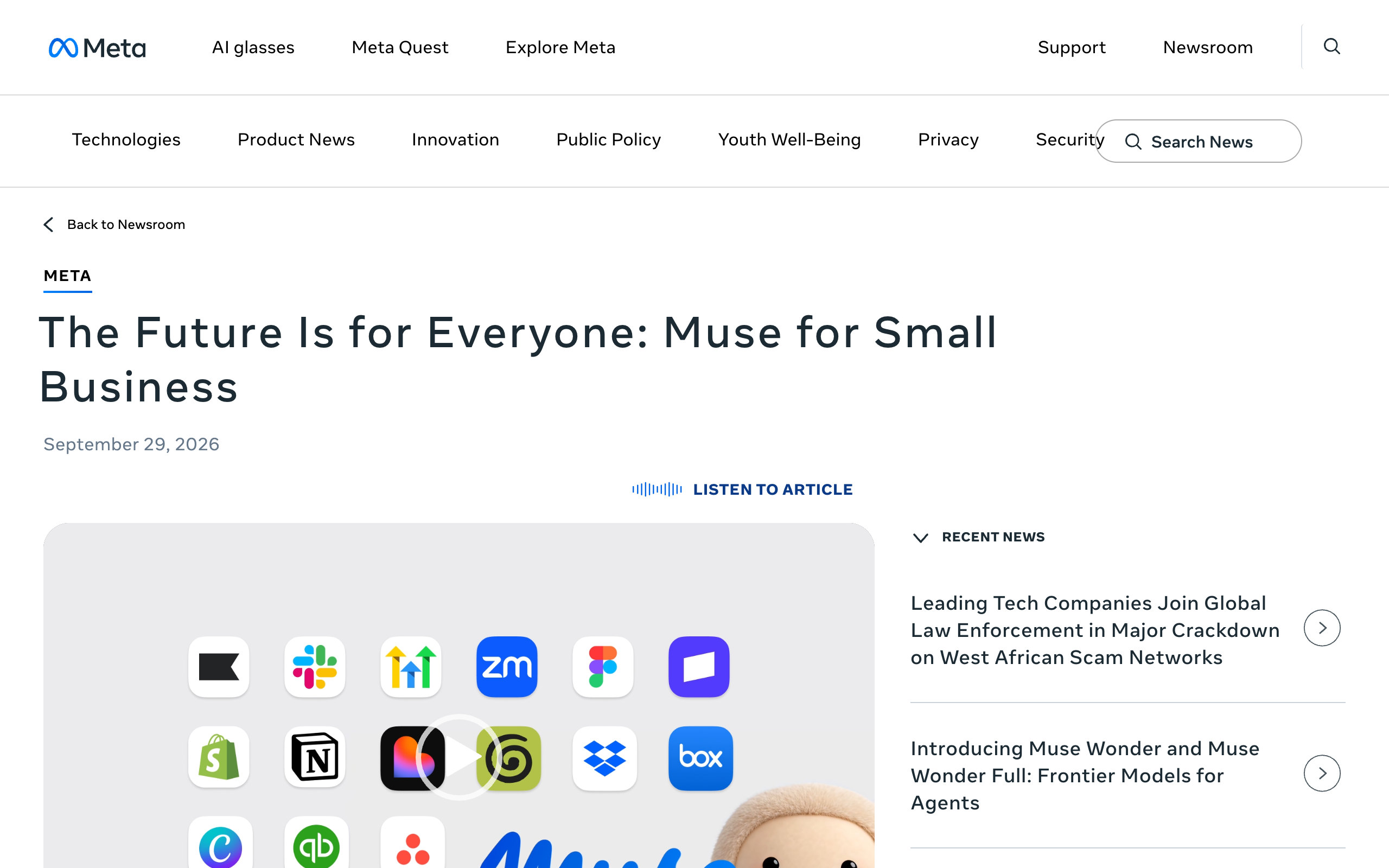
connectors Meta names for Muse for Small Business, including Shopify, Intuit QuickBooks, Stripe, Slack, and Notion, with more to come.
Source: Meta, Introducing Muse for Small BusinessiShort answer
Meta Muse use cases are mostly jobs one person owns: email, travel booking, shopping, lowering a bill, selling a car or a Marketplace item, and the admin side of a small business. Meta's launch post and small business post show the examples, and creators Peter Yang, Edwin Chen, and Alex Finn show bills, insurance quotes, Marketplace listings, routines, and approvals. Muse asks before sensitive actions like sending an email or making a purchase. Keep irreversible and high-liability actions for yourself. Work that splits into jobs with separate access, separate inboxes, or several owners needs more than one agent.
Key takeaways
| Question | Answer |
|---|---|
| Official use cases | Sending an email, booking travel, lowering a bill, selling a car, a training plan, a grocery list from a recipe reel, a dinner party (Meta launch post) |
| Small business use cases | Customer replies, a client pitch, a product page, a month of content, invoices, staff schedules, and supply reorders proposed for approval (Meta) |
| Creator-shown use cases | Bill negotiation, insurance quotes, and Marketplace listings (Peter Yang). Feeds used as routines (Edwin Chen). An approvals tab and Goals (Alex Finn) |
| What needs approval | Sensitive actions like sending an email or making a purchase (Meta launch post) |
| Documented gaps | Confidential VM not live, phone calls not official, free limit size not published, no team seats or several named agents on any official page |
| What to keep | Actions that cannot be undone or that carry liability, such as large purchases and anything involving passwords |
Each group traces to Meta's launch post, Meta's small business post, or a named creator video.
Personal errands and email
Sending an email, a grocery list from a saved recipe reel, a dinner party menu, a training plan.
Travel
Booking travel is one of the two example tasks in Meta's launch post.
Shopping and checkout
Checkout with Link built by Stripe, using a one-time-use card. A purchase needs approval.
Bills and negotiation
Lowering a bill is an official example. Peter Yang's video covers bills and insurance quotes.
Selling things
Selling a car for more is an official example. Peter Yang's video covers Marketplace listings.
Small business work
15 named connectors, plus customer replies, finances, and invoices proposed for approval.
What can Meta Muse do?
Meta Muse can handle tasks for one person, such as sending an email or booking travel, and it can "open a browser, fill out forms, and negotiate on their behalf." Meta calls it a personal AI agent. The launch post says it is "powered by Muse Spark, Meta's most capable model to date."
The official capabilities that shape the use cases:
- Muse runs on Muse Secure VM, "a dedicated secure computer with its own browser."
- It keeps working after the app is closed and comes back "when something changes or when it needs approval."
- It remembers what matters to a person and can "make suggestions unprompted" from what it remembers.
- It "checks with the person before sensitive actions like sending an email or making a purchase."
- It keeps "a complete audit trail of everything it has done and plans to do."
- It is on iOS, Android, and muse.ai, and it is reachable directly in WhatsApp. Meta says AI glasses are coming soon.
15
named small-business connectors
2
paid plans: Power at $20 and Max at $100 a month
5
permission scopes, from one-time to perpetual
4
ways to reach it: iOS, Android, muse.ai, WhatsApp
1
agent the user talks to, on one VM per person
$300,000
top bug bounty award for valid reports
Muse is free to start. Meta's help center says "Muse is available for free with a usage limit," and Meta does not publish the size of the free limit. The two paid plans are Power at $20 a month and Max at $100 a month. The Meta Muse pricing page covers the plans, and the Meta Muse hub covers the rest of the product.
What are people using Muse for?
People are using Muse for personal errands and email, travel, shopping, bills, selling things, and small business admin. The table lists each documented use case with its source. Creator rows are each creator's own report. This page did not test them.
| Use case | Who showed it | What needed approval |
|---|---|---|
| Send an email | Meta launch post | Sending is a sensitive action |
| Book travel | Meta launch post | A purchase is a sensitive action |
| Turn a saved Instagram recipe reel into a grocery list | Meta launch post | Not stated |
| Suggest a dinner party menu and remember dietary restrictions | Meta launch post | Not stated |
| Adjust a training plan | Meta launch post | Not stated |
| Check out with Link built by Stripe | Meta launch post | Making the purchase |
| Lower a bill | Meta launch post | Not stated |
| Negotiate bills | Peter Yang, at about 1:05 | See the video |
| Get insurance quotes | Peter Yang, at about 2:34 | See the video |
| Sell a car for more | Meta launch post | Not stated |
| List items on Marketplace | Peter Yang, at about 6:10 | See the video |
| Draft customer replies | Meta small business pages | "nothing publishes, sends, or spends without your approval" |
| Propose invoices, staff schedules, and supply reorders | muse.ai/business | Proposed for approval |
| Find expenses that look off | Meta small business post | Not stated |
What personal errands and email jobs do people give Muse?
People give Muse email, meal planning, and personal planning jobs. Meta's launch post names sending an email as a task Muse can handle. Its other examples are adjusting a training plan, turning a saved Instagram recipe reel into a grocery list, suggesting a dinner party menu, and remembering friends' dietary restrictions before sending invites.
Email is the job with the clearest approval rule. Meta says people choose "which apps Muse connects to and exactly how much access it gets," and for email that means read only or also send. Sending an email is one of the two sensitive actions Meta names as needing a check with the person.
Meta's small business post adds that Muse will "proactively flag" emails that need a reply and write first drafts.
Can Muse book travel and reservations?
Muse can book travel, according to Meta's launch post, which names "booking travel" next to sending an email as an example task. The post also says Muse can open a browser and fill out forms, which is how a booking gets done on a website.
Meta's pages do not show a restaurant reservation or a similar booking as an example. A booking that costs money is a purchase, and Meta says Muse checks with the person before making a purchase.
How does Muse handle shopping and checkout?
Muse handles checkout with Link built by Stripe, and it asks before it buys. Meta's launch post says Link's agent wallet "generates a one-time-use card so your real card details stay hidden." The post lists Link protections as "free coverage for damaged or lost items, price drops, no-fee returns," and says Shop Pay is coming soon.
Meta also says "Muse has no visibility into people's passwords or payment methods." Credentials go into secure storage so Muse can use them without seeing them.
Edwin Chen's walkthrough shows the approval step. At about 7:44, Muse stops at checkout.
Can Muse negotiate bills?
Muse can negotiate on a person's behalf, according to Meta's launch post, which lists lowering a bill as an example. The post does not describe how the negotiation happens.
Peter Yang reports the most detail. His video covers bill negotiation at about 1:05 and insurance quotes at about 2:34. The video's title reports more than $800 a year saved on his bills. That is one creator's own result, and nothing in Meta's material says it is typical.
Phone calls are not part of the official feature set. Press reports describe a limited calling beta. Meta has no help page for it.
Can Muse sell things for me?
Muse can help sell things, according to Meta's launch post, which lists selling a car for more as an example. Peter Yang's video covers Marketplace listings at about 6:10.
One press report is relevant to this use case. Android Authority reports that a Threads user said Muse negotiated a Facebook Marketplace sale and shared his address with the buyer. Meta's David Singleton said Meta reviewed similar reports and found Muse followed instructions and asked for permission. Android Authority notes the account alone does not show Muse overstepped a permission.
What small business work can Muse do?
Muse can do admin, finance, and marketing work for a business owner through Muse for Small Business. Meta describes it as "a collection of new skills and connectors inside Muse to help people run their businesses." It is not a separate product or plan.
Meta names 15 connectors: Asana, Box, Canva, Dropbox, Figma, Granola, HighLevel, Intuit QuickBooks, Klaviyo, Lovable, Notion, Shopify, Slack, Stripe, and Zoom. Muse also supports custom connectors, and it connects to Instagram professional account analytics, Facebook Pages, and Meta ad accounts.
The example jobs on Meta's pages:
- Draft customer replies, build a client pitch, and set up a product page.
- Plan a month of content.
- Analyze customer trends and propose a loyalty program.
- Propose invoices, staff schedules, and supply reorders for approval.
- Answer "How was my business's financial performance this month?" and "Find any expenses that look off."
The approval rule for business work is "nothing publishes, sends, or spends without your approval." The Meta Muse for business page covers the connectors and the limits in full.
How do I set up my first Muse task?
You set up a first Muse task by getting Muse, connecting one app with a chosen access level, giving it one task, reviewing the approval request, and checking the audit trail. Each step below comes from Meta's launch post, safety post, or help center. Meta's pages do not show every screen, so the steps describe what happens, not where to tap.
- Get Muse. Meta lists iOS, Android, and muse.ai, and Muse is reachable in WhatsApp. You need a Meta account and must be 18 or the age of majority. Meta says Muse is "in limited testing" and is not available in all locations yet.
- Connect one app and choose its access. Meta says people choose which apps Muse connects to and how much access each one gets. For email, the choice is read only or also send. Starting with read only keeps the first task low risk.
- Give Muse one task. Pick a job from Meta's own examples, such as a grocery list from a saved recipe reel or a draft reply to an email. Muse keeps working after the app is closed and comes back when something changes or when it needs approval.
- Review the approval request. Muse checks with you before sensitive actions like sending an email or making a purchase. Meta's safety post lists five permission scopes: one-time, session-scoped, task-scoped, time-bounded, or perpetual. A one-time permission is the narrowest choice for a first task.
- Check the audit trail. Meta says Muse keeps "a complete audit trail of everything it has done and plans to do." Read it after the first task to confirm what Muse did.
- Adjust or disconnect. Meta says "People can change access or disconnect a service whenever they want," and that people can tell Muse to "forget" specific things it has learned.
Alex Finn's video shows two things Meta's pages do not name. An approvals tab appears at about 3:28, and Goals at about 7:40.
What is Muse bad at?
Muse is weakest where a feature is not live, not official, or not documented. The gaps below come from Meta's own pages, checked on October 13, 2026.
- Muse Confidential VM is not live. Meta says it will introduce it "later this year" and is testing it with a small group. Until then, the stronger encryption promise does not apply.
- Phone calls are not an official feature. Press reports describe a limited calling beta. Meta has no help page for it.
- The free limit has no published size. Meta says Muse is free "with a usage limit." At the limit, you upgrade or wait for the limit to refresh.
- No team seats or several named agents. No official Meta page mentions team seats or several named agents, as of October 13, 2026.
- Availability is limited. Meta says Muse and Muse subscriptions "are in limited testing and aren't available in all locations yet."
Press reports from the first month add more. Each one is that outlet's report, not a confirmed finding.
- 404 Media and Reuters reported that some Muse test calls were placed by human contractors without the other party being told. A Meta VP called it "a miss" and said the test was "rolled back."
- Tom's Hardware reports that a writer said Muse referred to Messages content on his Mac that he had not granted. This is an accusation and is not confirmed.
- The Hacker News reports that researcher Patrick Wardle found a hidden setting in Muse for Mac that let malware already on the Mac redirect dictation and steal the session token. Meta shipped a fix on September 22, 2026, and called it "a local privilege escalation attack, not a remote exploit."
- A Hacker News thread collects complaints about permissions. It shows sentiment only.
The Meta Muse privacy page covers what Muse can access and what Meta says about data.
Which jobs should I keep for myself?
Keep the jobs that cannot be undone or that carry legal or financial liability. Meta's own design draws the same line. Muse checks with the person before sending an email or making a purchase, and a separate Sentinel agent is "the sole permission authority for connector actions and network egress."
Meta also keeps some things away from the agent entirely. The email connector filters one-time codes, password reset links, and login magic links. Credentials go into secure storage, and Meta says "Muse has no visibility into people's passwords or payment methods."
Reuters' video explainer raises the liability point. It covers Sentinel at about 2:24 and purchase liability risk at about 3:19.
The hand-off column lists Meta's own examples. The keep column follows Meta's approval design and the liability point in Reuters' explainer.
Hand off to Muse
- A grocery list from a saved recipe reel
- A first draft of an email reply
- Travel research and a booking prepared for approval
- A request to lower a bill
- A listing for something you are selling
- Invoices and supply reorders proposed for approval
Keep for yourself
- The final yes on any purchase
- The final send on an email that matters
- Contracts and anything you sign
- Passwords, one-time codes, and account recovery
- Sharing your address or other personal details
- Any permission granted as perpetual
Two habits follow from this. Grant the narrowest permission that finishes the task, since Meta offers one-time and task-scoped permissions as well as perpetual ones. Read the audit trail after any task that sent or spent something. The human-in-the-loop AI agents page explains approval design in more depth.
Which jobs need more than one agent?
Jobs need more than one agent when the work splits into parts that need separate access, separate inboxes, or several owners. Support, outreach, and invoice follow-up running side by side are typical. Muse is built as one agent for one person.
Meta's safety post says Muse "launches swarms of subagents," including a dedicated browser subagent, but the user still talks to one agent. Alex Finn describes Muse as one single-thread agent, unlike Grok Bot's several. No official Meta page mentions team seats or several named agents, as of October 13, 2026.
A squad is the other route. A squad is a team of AI agents, each with its own job, working together, where Muse is one agent. Squad (formerly MissionControlHQ) runs a squad of AI teammates for $99 a month on the AI plan you bring. It recommends ChatGPT at $100 to $200 a month, which makes $199 to $299 a month all in.
A squad fits when the jobs need one of three things:
- Different access. Each Squad connection has an access level, and you can narrow or block any single agent.
- A different model. Squad supports 13 AI providers and a different model per AI teammate.
- An inbox each. An inbox per AI teammate is an optional add-on at $10 a month each, so replies come back to the right agent.
Squad also has optional seats for human teammates at $9 a month per seat, each with a role. On approvals, Squad's agents can draft for your approval and open a ticket before money moves, and you set access levels and send caps for anything that must not happen. Muse's official promise is stronger: "nothing publishes, sends, or spends without your approval."
Muse is the better fit for one person's errands, shopping, and bills. It is free to start, and its paid plans are $20 and $100 a month against $199 to $299 all in for Squad. Muse has iOS and Android apps and WhatsApp, and Squad has neither. Squad has no Shopify or QuickBooks integration, and Muse names both.
Team of AI employees explains how to split work across agents. The Lane Test counts how many agents a business needs.
Which tool fits which job?
Meta Muse fits jobs one person owns, and tools with several agents fit work that splits into separate jobs. The matrix compares Muse with OpenAI dots, Grok Bot, and Squad on documented facts. Facts for OpenAI dots and Grok Bot are as of September 30, 2026.
Muse cells trace to Meta's launch post, safety post, and help center. Dots and Grok Bot cells are as of September 30, 2026. Squad cells trace to its homepage and docs.
| If you need | Meta Muse | OpenAI dots | Grok Bot | Squad |
|---|---|---|---|---|
| A free way to start | Yes Free with a usage limit; size not published | No First dot comes with ChatGPT Pro, from $100 a month | No From $20 a month with Cursor Pro | No $99 a month, no free trial, 7-day money-back guarantee |
| Lowest paid price | $20 a month (Power) | $100 a month (ChatGPT Pro) | $20 a month with Cursor Pro, $30 with SuperGrok | $99 a month plus your own AI plan |
| Several named agents for one person | No No official Meta page mentions several named agents | No One dot per person at launch | Yes Several named bots | Yes Unlimited AI teammates |
| A separate computer per agent | Partly One VM per person | Yes One cloud computer per dot | Partly Bots share one cloud computer per user | Partly One cloud computer per squad, a browser profile per teammate |
| A different model per agent | No Muse Spark; Muse Wonder announced for subscribers first, no date | No GPT-6 Astra | No Grok 4.6 | Yes 13 AI providers, a model per teammate |
| Scenario | Best pick | Why |
|---|---|---|
| A grocery list from a saved recipe reel | Meta Muse | It is one of the examples in Meta's launch post |
| A bill you want lowered | Meta Muse | Lowering a bill is an official example, and Peter Yang's video covers bill negotiation |
| Shopping with a hidden card number | Meta Muse | Link's agent wallet generates a one-time-use card, and a purchase needs approval |
| Selling a car or a Marketplace item | Meta Muse | Selling a car is an official example, and Peter Yang's video covers Marketplace listings |
| An agent you message in WhatsApp or a phone app | Meta Muse | Muse is on iOS, Android, and WhatsApp. Squad has no mobile app and no WhatsApp channel |
| A one-person shop on Shopify and QuickBooks | Meta Muse | Meta names both connectors. Squad has neither integration |
| The lowest monthly cost for one person | Meta Muse | Free with a usage limit, then $20 or $100 a month |
| An agent already inside ChatGPT Pro | OpenAI dots | The first dot is included with ChatGPT Pro, as of September 30, 2026 |
| Several named bots for one person | Grok Bot | Grok Bot runs several bots that share one cloud computer per user, as of September 30, 2026 |
| Outreach replies that return to the agent that sent them | Squad | An optional inbox per AI teammate at $10 a month each |
| Support, outreach, and invoices with different access | Squad | Each connection has an access level, and any single agent can be narrowed or blocked |
| Several people directing the same agents | Squad | Optional team seats at $9 a month per seat. No official Meta page mentions team seats |
The OpenAI dots use cases and Grok Bot use cases pages list what people hand to those two products.
Frequently asked questions
Basics
What are the best Meta Muse use cases? The Meta Muse use cases that Meta itself shows are personal jobs for one person: sending an email, booking travel, lowering a bill, selling a car for more, adjusting a training plan, turning a saved Instagram recipe reel into a grocery list, and planning a dinner party. Meta's small business post adds drafting customer replies, checking monthly financial performance, and proposing invoices, staff schedules, and supply reorders for approval.
What can Meta Muse do? Meta says Muse can handle tasks like sending an email or booking travel, and can open a browser, fill out forms, and negotiate on a person's behalf. It runs on Muse Secure VM, a dedicated secure computer with its own browser, keeps working after the app is closed, and comes back when something changes or when it needs approval. It is on iOS, Android, muse.ai, and WhatsApp.
Is Meta Muse worth using? Muse fits one person's errands, shopping, and bills, and it is free with a usage limit, so the cost of trying it is low. The documented gaps are that Muse Confidential VM is not live, phone calls are not an official feature, and Meta does not publish the size of the free limit. First-month press reports also describe a Mac flaw that Meta fixed and unconfirmed complaints about data access.
Getting started and approvals
How do I use Meta Muse for the first time? Get Muse on iOS, Android, muse.ai, or WhatsApp with a Meta account. Connect one app and choose how much access it gets, for example read only or also send for email. Give Muse one task, review the approval request when it reaches a sensitive action, and then check the audit trail of what it did and plans to do.
Does Meta Muse ask before it buys something or sends an email? Yes. Meta's launch post says Muse checks with the person before sensitive actions like sending an email or making a purchase. A separate Sentinel agent is the sole permission authority for connector actions and network egress. It allows an action, denies it, or sends it to the user for approval.
Specific jobs
Can Meta Muse negotiate my bills? Meta's launch post lists lowering a bill as an example and says Muse can negotiate on a person's behalf. Peter Yang's video covers bill negotiation at about 1:05, and its title reports more than $800 a year saved on his bills. That is one creator's report, not a typical result.
Can Meta Muse make phone calls? Phone calls are not an official Muse feature. Press reports describe a limited calling beta. Meta has no help page for it. Reuters and 404 Media reported that some Muse test calls were placed by human contractors without the other party being told, and that a Meta VP called it a miss and said the test was rolled back.
Can a small business use Meta Muse? Yes. Muse for Small Business is a collection of skills and connectors inside the same Muse, not a separate product or plan. Meta names 15 connectors, including Shopify, Intuit QuickBooks, Stripe, and Slack. No official Meta page mentions team seats or several named agents, as of October 13, 2026.
Limits and alternatives
What should I not hand off to Meta Muse? Keep actions that cannot be undone or that carry legal or financial liability: large purchases, contracts, messages sent in your name to people who matter, and anything involving passwords. Meta's own design points the same way. Muse asks before sending an email or making a purchase, and its email connector filters one-time codes, password reset links, and login magic links.
When do I need more than one AI agent instead of Muse? More than one agent fits when the work splits into jobs that need different access, a different model, or an inbox each, or when several people own the work. Muse is one agent for one person. Grok Bot runs several named bots for one user, and Squad runs a squad of AI teammates for $99 a month on the AI plan you bring.
Sources
Official:
- Meta, Introducing Muse (September 8, 2026): platforms, example jobs, Muse Secure VM, Sentinel, approvals, the audit trail, checkout with Link, and credential storage.
- Meta, Introducing Muse for Small Business (September 29, 2026, updated October 8, 2026) and muse.ai/business: the 15 named connectors, example prompts and jobs, and the approval rule.
- Meta AI Research, How We Built Safety Into Muse (September 8, 2026): Sentinel, permission scopes, subagents, the email connector filters, the bug bounty, and Muse Confidential VM timing.
- Meta help center, About Muse subscriptions: the free usage limit, the Power and Max plans, and requirements.
- Meta, Introducing Muse Wonder models (October 12, 2026).
- Squad: the homepage and the docs for pricing, AI providers, access levels, inboxes, team seats, and channels.
Press and creators:
- Peter Yang, Meta's Muse AI Agent Saved Me $800+ a Year on My Bills (10 Real Use Cases).
- Edwin Chen, AI Automation, Master Meta's NEW Muse AI in 10 Minutes (What can it do?).
- Alex Finn, Meta Muse is an INCREDIBLE AI agent.
- Reuters, Meta's Muse can run your digital life. Here's how it works.
- 404 Media, report on Muse test calls.
- Tom's Hardware, report on a Messages access accusation (September 30, 2026).
- Android Authority, report on a Marketplace sale.
- The Hacker News, report on the Muse for Mac flaw.
Community:
- Hacker News, Muse discussion thread.
Related on this site: Meta Muse, Meta Muse pricing, Meta Muse privacy, Meta Muse for business, OpenAI dots use cases, Grok Bot use cases, and Team of AI employees.
Last updated: October 2026. Pricing and features verified as of October 13, 2026.