
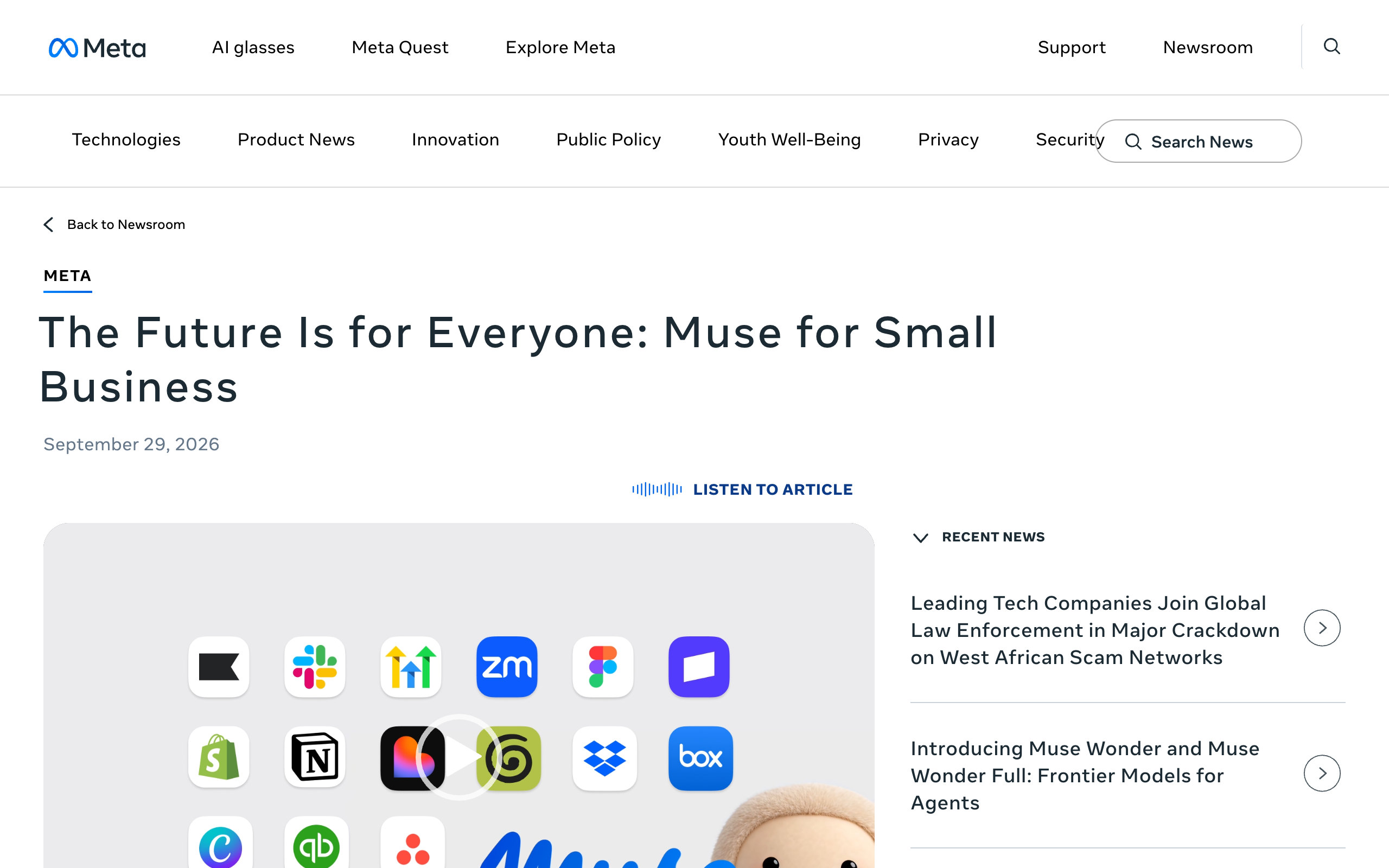
Muse for Small Business is a set of skills and connectors inside Meta Muse. It is not a separate product or plan. Meta announced it on September 29, 2026, and it adds 15 named business connectors, including Shopify and Intuit QuickBooks.
Muse is one agent for one account holder. It costs nothing, $20 a month, or $100 a month. A business needs a team of AI agents only when its work splits into jobs with different access, different knowledge, or different people in charge.
15
named connectors in Muse for Small Business, including Shopify, Intuit QuickBooks, Stripe, and Slack. Meta says more are coming, and Muse also supports custom connectors.
Source: Meta, Introducing Muse for Small Business, September 29, 2026iShort answer
Muse for Small Business is skills and connectors inside Meta Muse, with no business plan or price. It names 15 connectors, including Shopify and QuickBooks, and Meta says "nothing publishes, sends, or spends without your approval." No official Meta page mentions team seats or several named agents, as of October 13, 2026. Squad (formerly MissionControlHQ) costs more, at $199 to $299 a month all in, and has no Shopify or QuickBooks integration. It runs unlimited named AI teammates with separate access. A squad is a team of AI agents, each with its own job, working together, where Muse is one agent.
Key takeaways
| Question | Answer |
|---|---|
| What is Muse for Small Business? | Skills and connectors inside Muse. Not a separate product or plan |
| Which tools does it connect to? | 15 named connectors, plus Instagram analytics, Facebook Pages, and Meta ad accounts |
| What does it cost? | Free with a usage limit, $20 a month (Power), or $100 a month (Max). No business price |
| What needs approval? | Meta says nothing publishes, sends, or spends without your approval |
| Can employees share it? | No official Meta page mentions team seats or employee logins |
| Can it run several named agents? | No official Meta page describes that. You talk to one agent |
| When do you need a team? | When jobs need different access, knowledge, or people in charge |
Based on Meta's small business post, muse.ai/business, and the Muse help center, read October 13, 2026.
What it is
Skills and connectors inside the same Muse app
Connectors
15 named, including Shopify, QuickBooks, Stripe, and Slack
Price
Free with a limit, $20, or $100 a month. No business plan
Approval
Nothing publishes, sends, or spends without your approval
Not mentioned
Team seats, employee logins, roles, several named agents
What is Muse for Small Business?
Muse for Small Business is "a collection of new skills and connectors inside Muse to help people run their businesses," in Meta's words. It is not a separate app, plan, or price. A business owner uses the same Muse that Meta launched on September 8, 2026.
Muse itself is Meta's personal AI agent. It runs on iOS, Android, and muse.ai, and you can reach it in WhatsApp. Meta's launch post says it is powered by Muse Spark. The Meta Muse overview covers the full product.
Meta's business page describes the target user as the owner "whose to-do list has a to-do list." The small business post quotes one such owner, Tom Mulholland of Mulholland Grocery, who says "I work about 65 hours a week."
Mark Zuckerberg discussed the small business case on the Sources Podcast with Alex Heath.
Which tools does Muse for Small Business connect to?
Muse for Small Business connects to 15 named tools: Asana, Box, Canva, Dropbox, Figma, Granola, HighLevel, Intuit QuickBooks, Klaviyo, Lovable, Notion, Shopify, Slack, Stripe, and Zoom. Meta says there are "more to come" and that "Muse also supports custom connectors." The full list is in Muse settings.
Muse also connects to three Meta surfaces: Instagram professional account analytics, Facebook Pages, and Meta ad accounts.
The table lists all 15 named connectors. The last column shows whether Squad has an integration manual for the same app. Squad has a manual for 9 of the 15 and none for the other 6.
| Muse connector | Named by Meta | Squad integration manual |
|---|---|---|
| Asana | Yes | Yes |
| Box | Yes | Yes |
| Canva | Yes | Yes |
| Dropbox | Yes | Yes |
| Figma | Yes | Yes |
| Granola | Yes | No |
| HighLevel | Yes | No |
| Intuit QuickBooks | Yes | No |
| Klaviyo | Yes | No |
| Lovable | Yes | No |
| Notion | Yes | Yes |
| Shopify | Yes | No |
| Slack | Yes | Yes |
| Stripe | Yes | Yes |
| Zoom | Yes | Yes |
Muse has Shopify and QuickBooks connectors, and Squad does not. A store that runs on Shopify or keeps its books in QuickBooks gets a named connector in Muse. In Squad, an app without a manual connects through a custom integration or an MCP server.
Squad lists 70+ integrations in total. Its finance-side manuals are Stripe, Square, Zoho Books, Zoho Invoice, FreshBooks, Harvest, Google Sheets, and Excel.
15
connectors Meta names for Muse for Small Business
3
Meta surfaces: Instagram analytics, Facebook Pages, ad accounts
9
of those 15 apps that have a Squad integration manual
6
that do not, including Shopify and QuickBooks
What can Muse do for a small business?
Muse can analyze a business's sales and finances, draft customer-facing work, and propose routine actions for the owner to approve. Meta gives three example prompts in the small business post:
- "Analyze this year's sales, campaigns, and social and make me a growth plan"
- "How was my business's financial performance this month?"
- "Find any expenses that look off."
The muse.ai/business page lists more jobs:
- Draft customer replies.
- Build a client pitch.
- Set up a product page.
- Plan a month of content.
- Analyze customer trends and propose a loyalty program.
- Propose invoices, staff schedules, and supply reorders for approval.
- Manage cash flow and inventory in the background.
Meta also says Muse will "proactively flag" emails that need a reply and write first drafts. An "Ideas tab" lists more ways to use it. Muse keeps working after you close the app and comes back "when something changes or when it needs approval."
Edwin Chen's video walks business owners through the product. He shows Feeds used as routines, a feature that Meta's own pages do not name.
The Meta Muse use cases post lists more examples.
What does Muse for Small Business cost?
Muse for Small Business costs nothing extra, because it is part of Muse and has no business plan. The small business post says "Muse is free for most of what people need." Meta's help center lists three options:
| Muse plan | Price | Weekly allowance |
|---|---|---|
| Free | $0 | A usage limit. Meta does not publish its size |
| Power | $20 a month | 500M Muse tokens per week |
| Max | $100 a month | 3B Muse tokens per week |
When you reach the free limit, you upgrade or "wait until your free usage limit has been refreshed." Paid plans renew each month until you cancel. The help center article does not mention annual billing or refunds.
Meta also says "Muse and Muse subscriptions are in limited testing and aren't available in all locations yet." You need to be 18 or the age of majority and have a Meta account. The Meta Muse pricing post covers the plans in detail.
Muse is far cheaper than Squad. Squad is one plan at $99 a month, and you bring your own AI plan. Squad recommends ChatGPT at $100 to $200 a month, so the all-in cost is $199 to $299 a month.
| Setup (calculation) | Monthly | Over 3 years |
|---|---|---|
| Muse free plan | $0 | $0 |
| Muse Power | $20 | $720 |
| Muse Max | $100 | $3,600 |
| Squad alone | $99 | $3,564 |
| Squad plus a ChatGPT plan | $199 to $299 | $7,164 to $10,764 |
What needs my approval before Muse acts?
Publishing, sending, and spending all need your approval before Muse acts. The small business post says "nothing publishes, sends, or spends without your approval." The launch post says "Muse checks with the person before sensitive actions like sending an email or making a purchase."
A second agent enforces the rule. Meta's launch post says "A separate Sentinel agent runs on that same machine, kept apart from Muse at the system level," and "Nothing Muse does reaches the internet unless the Sentinel approves it." Meta's safety post calls Sentinel "the sole permission authority for connector actions and network egress."
You choose how long a permission lasts. The safety post says Muse supports "one-time, session-scoped, task-scoped, time-bounded, or perpetual permission." You also choose which apps Muse connects to and how much access each one gets. For email, that means read only or read and send.
Squad's approach is weaker on this point. In Squad, agents can draft for your approval and open a ticket before money moves, and you set access levels and send caps for anything that must not happen. Drafting first is an instruction you give the agents. Squad refuses agent actions outside the access level you set, but it has no separate approval agent like Sentinel.
The Meta Muse privacy post covers Sentinel, the Muse Secure VM, and what Meta says about data. The human-in-the-loop AI agents post explains approval designs in general.
Can more than one person use Muse?
No official Meta page mentions team seats or employee logins for Muse, as of October 13, 2026. The small business post and muse.ai/business do not mention multiple users on one Muse, roles, or shared access.
Muse is set up per person. The help center says you need a Meta account, which can come from Facebook, Instagram, an email address, or a phone number. The launch post describes one agent and one secure computer that "houses both the agent and a person's data."
This matters once a second person needs to give the agent work. Meta's pages do not describe how a manager, a bookkeeper, or a contractor would get their own login or a limited view.
Squad documents this case. It offers optional team seats at $9 a month per seat. Each person signs in with their own email and gets a role: Administrator, Collaborator, or Viewer. You can limit a teammate to some agents, and billing stays with the owner.
Can Muse run separate jobs like support, outreach, and bookkeeping?
Muse can work on support, outreach, and bookkeeping tasks, but it does them as one agent for one account holder. No official Meta page describes several named agents with separate access, as of October 13, 2026.
Meta's safety post says Muse "launches swarms of subagents," and a dedicated browser subagent handles web tasks. The user still talks to one agent. Meta's pages do not describe naming those subagents, giving each one a job, or giving each one different app access.
One agent means one memory and one set of connections. If Muse can read QuickBooks for bookkeeping, the same agent that drafts customer replies holds that connection. Meta does let you separate read and write access where a service supports it, and you can remove specific actions.
Muse facts from Meta's launch, safety, and small business posts. Squad facts from Squad's homepage and docs. Both read October 13, 2026.
Meta Muse
- One agent per account holder
- Subagents run behind it. You talk to one agent
- App access set for the one agent
- Powered by Muse Spark
- Sentinel approves actions before they reach the internet
- No team seats mentioned on official pages
A squad of AI teammates
- Unlimited named AI teammates, each with its own job
- A lead agent designs the squad with you
- Access narrowed or blocked per agent, per connection
- A different model per AI teammate
- Draft-first instructions, access levels, and send caps
- Team seats at $9 a month with three roles
When does a business need several AI agents?
A business needs several AI agents when its work splits into jobs that need different knowledge, different app access, or different people giving instructions. One owner with one stream of tasks does not need a team.
This site already has two named checks for that decision:
- The Lane Test asks whether an agent would have to switch context to do a piece of work well. If yes, that work is its own lane and gets its own agent.
- The Memory Budget explains why one generalist agent loses detail over months as every job files notes into one context.
Three signs point to a team:
- Different access. The agent that answers support email should not hold the connection that moves money.
- Different knowledge. Bookkeeping rules, outreach scripts, and support policies are separate bodies of knowledge.
- Different people. An employee or contractor needs to give an agent work without using the owner's account.
Other single-agent products have the same shape. OpenAI dots give each person one dot at launch, as of September 30, 2026. The multiple OpenAI dots post covers that case, and AI agents for small business covers the wider choice.
How does Muse compare with Squad for a business?
Muse is cheaper, has more of the named small-business connectors, and enforces approvals with a separate agent. Squad costs more and runs a team of named AI teammates with separate access and team seats for people.
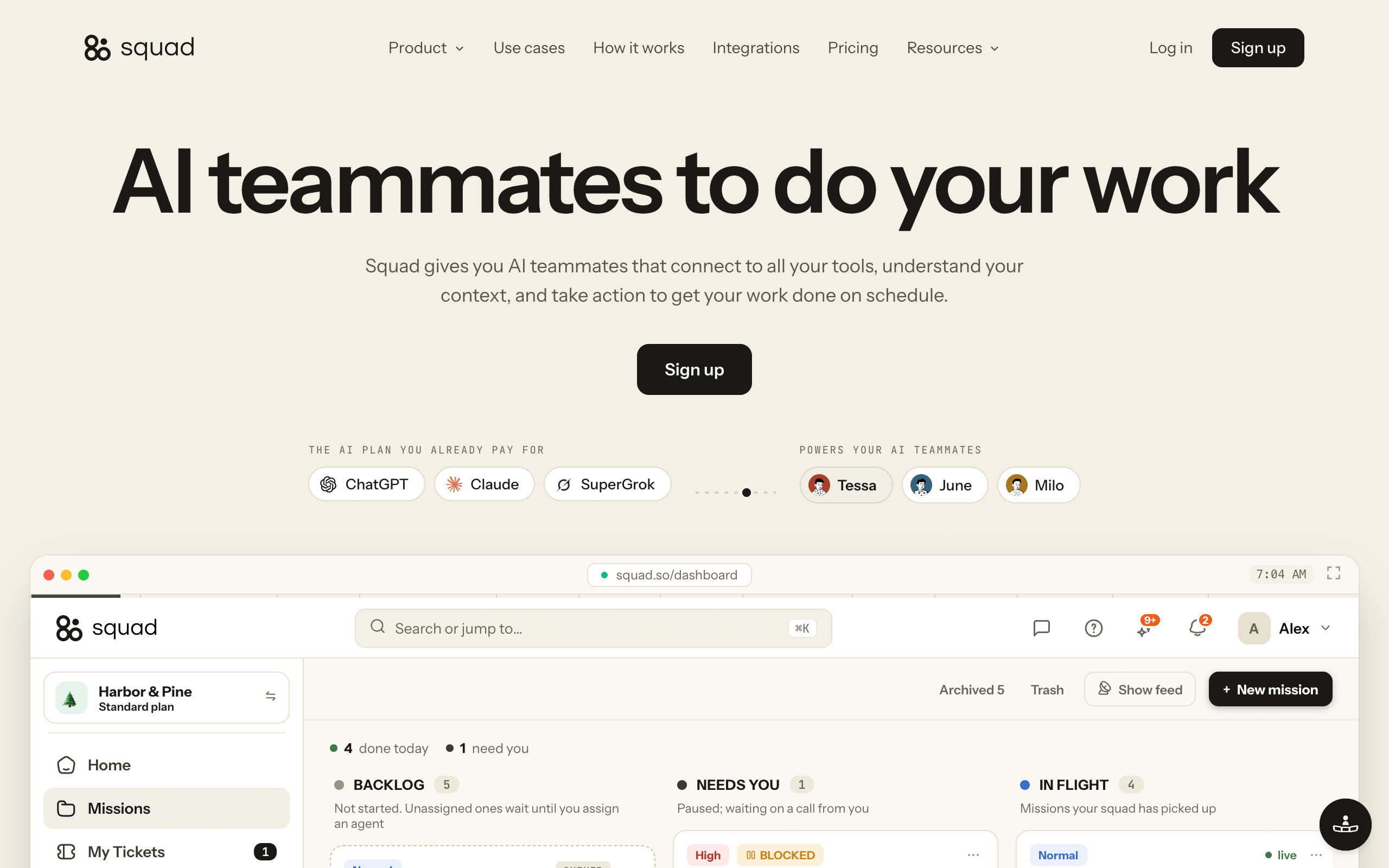
Squad (formerly MissionControlHQ) is one plan at $99 a month. It has a 7-day money-back guarantee on the first payment and no free trial. You bring your own AI plan, and Squad adds no per-task AI charges.
- Unlimited AI teammates. Each one has its own job.
- A lead agent, the AI Chief of Staff, learns the business and designs the squad with you. It proposes 4 or 5 specialists for you to approve.
- A different model per AI teammate, across 13 AI providers. You can stack several accounts and set fallbacks.
- An access level on each connection. You can narrow or block any single agent.
- An optional email inbox per AI teammate at $10 a month each, so replies come back to the right agent.
- Optional team seats for people at $9 a month per seat, with Administrator, Collaborator, and Viewer roles.
- More than one squad, each on its own $99 a month subscription with its own AI teammates, cloud computer, and billing. Agencies can keep clients separate this way.
- A Memory screen where you search, edit, and forget memories.
- Every run shows its model and token usage.
Muse is stronger in four places. It is free, $20, or $100 a month against $199 to $299 all in. It has Shopify and QuickBooks connectors. It has iOS and Android apps and works in WhatsApp, while Squad has no mobile app and you talk to it in dashboard chat, Telegram, Discord, or Slack. Its approval rule is enforced by Sentinel.
Both products give the agent a cloud computer. Muse runs on a dedicated secure computer per person, and Squad gives each squad one dedicated cloud computer with a separate browser profile per AI teammate.
Verdicts trace to Meta's newsroom, safety post, and help center, and to Squad's homepage and docs, read October 13, 2026.
| If you need | Meta Muse | Squad |
|---|---|---|
| Shopify connector | Yes Named in Muse for Small Business | No No Shopify integration |
| QuickBooks connector | Yes Intuit QuickBooks is named | No No QuickBooks. Zoho Books and FreshBooks manuals exist |
| Instagram analytics, Facebook Pages, Meta ad accounts | Yes All three named by Meta | Not covered in the sources used |
| A free plan | Yes Free with a usage limit | No $99 a month, 7-day money-back guarantee |
| Phone app or WhatsApp | Yes iOS, Android, and WhatsApp | No Dashboard chat, Telegram, Discord, Slack |
| Approval enforced by a separate agent | Yes Sentinel approves actions before they reach the internet | Partly Draft-first instructions, access levels, and send caps |
| Several named agents, each with its own job | Not mentioned on any official Meta page | Yes Unlimited AI teammates |
| Separate app access per agent | Not mentioned on any official Meta page | Yes Narrow or block any agent per connection |
| A different model per agent | Muse Spark is the model Meta names | Yes 13 providers, model per teammate |
| Logins for employees | Not mentioned on any official Meta page | Yes $9 a month per seat, three roles |
| A separate setup per client | Not mentioned on any official Meta page | Yes One squad per client, each on its own $99 subscription |
| Custom connectors | Yes Muse supports custom connectors | Yes Custom integration or an MCP server |
The Meta Muse alternative post compares Muse with more products.
Which one should I pick?
Pick Muse if one person runs the business tasks and the tools are on Meta's connector list. Pick Squad if the work needs several agents with separate access, or if employees and clients need their own logins and setups.
Does your business run on Shopify or QuickBooks?
- If yes→Muse has named connectors for both. Squad has neither
- If no→Check the connector table, then continue
How many people need to give the agent work?
- If only you→Muse fits
- If you and employees→Squad, with team seats at $9 a month each
Should support, outreach, and bookkeeping have separate app access?
- If no→One agent can hold every connection. Muse fits
- If yes→Squad, with access narrowed or blocked per agent
What can you spend each month?
- If $0 to $100→Muse free, Power, or Max
- If $199 to $299→Squad plus a ChatGPT plan
Do you run agents for several clients?
- If yes→Squad, one squad per client, each on its own $99 subscription
- If no→Either option above
| Scenario | Best pick | Why |
|---|---|---|
| Solo owner with a Shopify store | Muse | Shopify is a named connector. Squad has no Shopify integration |
| Books kept in QuickBooks | Muse | Intuit QuickBooks is a named connector |
| Budget under $100 a month | Muse | Free, $20, or $100 a month |
| You run the business from your phone or WhatsApp | Muse | iOS, Android, and WhatsApp. Squad has no mobile app |
| You want a separate agent to enforce approvals | Muse | Sentinel approves actions before they reach the internet |
| Support, outreach, and bookkeeping agents with separate access | Squad | Access narrowed or blocked per agent |
| Employees need their own logins | Squad | Team seats at $9 a month with three roles |
| Each agent needs its own email address | Squad | Optional inbox per AI teammate at $10 a month |
| Agency running agents for several clients | Squad | One squad per client, each with its own computer and billing |
| You want a different model on each job | Squad | A different model per AI teammate across 13 providers |
When is Muse alone enough for a business?
Muse alone is enough when one person gives the instructions, the tools are on Meta's connector list, and the work does not need separate access per job. Most owner-run businesses with one decision maker fit that description.
- You are the only person who needs to direct the agent.
- Your tools are among the 15 named connectors, or you can add a custom connector.
- You sell on Shopify, keep books in QuickBooks, or run Instagram, Facebook Pages, and Meta ads.
- You want every publish, send, and spend to wait for your approval.
- Your budget is $0 to $100 a month.
- You want to reach the agent from a phone or WhatsApp.
Muse alone fits an owner-run business where one person approves everything and the tools are on Meta's connector list. A squad fits when jobs need separate access, separate inboxes, or logins for employees.
Frequently asked questions
Basics
Is Muse for Small Business a separate product? No. Meta describes Muse for Small Business as a collection of new skills and connectors inside Muse. It runs in the same Muse app on the same plans. Neither the Meta newsroom post nor muse.ai/business lists a business plan or a business price.
Can Meta Muse run my business? Muse can do many single tasks for a business owner, and it asks before it acts. Meta's examples include drafting customer replies, setting up a product page, planning a month of content, and proposing invoices, staff schedules, and supply reorders for approval. Meta says nothing publishes, sends, or spends without your approval, so the owner still decides.
Does Meta Muse connect to Shopify and QuickBooks? Yes. Shopify and Intuit QuickBooks are 2 of the 15 connectors Meta names for Muse for Small Business. Squad has no Shopify integration and no QuickBooks integration.
Pricing
How much does Meta Muse cost for a business? Muse costs the same for a business as for anyone else. It is free with a usage limit, $20 a month on the Power plan with 500M Muse tokens per week, or $100 a month on the Max plan with 3B Muse tokens per week. Meta does not publish the size of the free limit, and no business plan is listed.
How much does Squad cost compared with Muse? Squad costs more than Muse. Squad is one plan at $99 a month, and you bring your own AI plan. Squad recommends ChatGPT at $100 to $200 a month, so the all-in cost is $199 to $299 a month. Muse is free, $20, or $100 a month.
Approvals and teams
Does Muse ask before it sends an email or spends money? Yes. Meta says Muse checks with the person before sensitive actions like sending an email or making a purchase. A separate Sentinel agent on the same machine must approve anything Muse does before it reaches the internet. You can grant permission one time, for a session, for a task, for a set time, or perpetually.
Can my employees use my Muse? No official Meta page mentions team seats or employee logins for Muse, as of October 13, 2026. Muse needs a Meta account and is set up per person. Squad offers optional team seats at $9 a month per seat, with Administrator, Collaborator, and Viewer roles.
Can Muse run several agents with different jobs? No official Meta page describes several named agents with separate access, as of October 13, 2026. Meta's safety post says Muse launches swarms of subagents, including a dedicated browser subagent, but the user still talks to one agent.
Choosing
When does a business need more than one AI agent? A business needs more than one AI agent when its work splits into jobs that need different knowledge, different app access, or different people giving instructions. Support, outreach, and bookkeeping are common examples. One owner with one stream of tasks can stay with one agent.
Is Muse available to every business? No. Meta's help center says Muse and Muse subscriptions are in limited testing and are not available in all locations yet. You need to be 18 or the age of majority and have a Meta account.
Sources
Official:
- Meta, Introducing Muse for Small Business (September 29, 2026, updated October 8, 2026): skills and connectors, the 15 named connectors, Meta surfaces, example prompts, the approval line.
- Meta, Muse for business: example jobs for business owners.
- Meta, Introducing Muse, a personal AI agent (September 8, 2026): platforms, Muse Spark, Sentinel, approval before sensitive actions, app access choices.
- Meta help center, About Muse subscriptions: free usage limit, Power and Max prices and weekly tokens, limited testing.
- Meta AI Research, How We Built Safety Into Muse (September 8, 2026): Sentinel as permission authority, permission scopes, subagents.
- Squad: the homepage pricing and team seats, and the full docs text. Read October 13, 2026.
Creators and press:
- Sources Podcast (Alex Heath), Mark Zuckerberg on how Meta's Muse AI agent will make people money (YouTube).
- Edwin Chen, AI Automation, Master Meta's NEW Muse AI in 10 Minutes (YouTube).
- TechCrunch, launch coverage of Muse for Small Business (September 29, 2026).
- Axios, launch coverage of Muse for Small Business (September 29, 2026).
Related on this site: Meta Muse overview, Meta Muse pricing, Meta Muse privacy, Meta Muse alternative, multiple OpenAI dots, a team of AI employees, and AI agents for small business.
Last updated: October 2026. Pricing and features verified as of October 13, 2026.