
Grok Bot is xAI's early-beta product for named AI teammates that sign into your tools and work on a shared cloud computer. The strongest Grok Bot use cases share one shape: recurring work inside accounts one person owns, ending in a draft that a human approves.
That shape comes from xAI's own materials. The company's use-case gallery lists 56 example bot roles, and nearly every entry that touches the outside world stops at a draft. The gallery's own wording: "Every send stays behind your approval." "Review-only so it never sends on its own." "Parks the submit for you." "Confirms before booking." Fetched 25 August 2026.
This page lists the use cases that work, in five groups, each traced to xAI's documentation or a published demo. It also lists the four documented limits that rule out other work. Nothing here is hypothetical. For the named bots users have built, bot by bot, see Grok Bot examples.
56
named bot roles in xAI's own Grok Bot use-case gallery, spanning nine functions from sales to engineering. Nearly every entry that touches the outside world is written to stop at a draft and wait for approval.
Source: xAI, Ways to use Grok Bot (x.ai/bot)iShort answer
Grok Bot use cases that work fall into five groups: monitoring and daily briefs, drafting outbound and replies for human review, work on websites and portals without APIs, prototypes and testing on the bot's own computer, and personal tasks such as travel watching and subscription cleanup. All five are recurring work inside one owner's accounts that ends in a draft. Four documented limits rule out other work: the model is always xAI's, its bundled weekly meter stops everything at 100% with nothing to stack and no fallback, the routine trigger list has no email trigger, and every bot shares one computer with isolation per user rather than per bot. Work that outgrows those limits runs instead on a hosted squad platform such as Squad (formerly MissionControlHQ), which costs $99/mo flat on the AI accounts you already pay for, stackable and with fallback models, with Grok available as one of thirteen model providers and each agent reachable by its own email inbox (a paid add-on).
Key takeaways
| The question | The answer |
|---|---|
| The shape that fits Grok Bot | Recurring work inside accounts one person owns, ending in a draft a human approves. xAI's own gallery gates sends, posts, bookings, and submissions behind approval |
| The five groups that work | Monitoring and briefs, drafting for review, portal work without APIs, prototypes and testing, and personal tasks |
| Limit one: the model and its meter | Grok Bot runs xAI's models only, and the bundled weekly allowance is the ceiling: at 100% used the choice is the reset clock or per-token overage, with no account to stack and no fallback provider |
| Limit two: triggers | Routines fire from Slack, Git, Teams, Linear, Sentry, PagerDuty, and schedules. There is no email trigger, and group chats could not save routines in one reviewer's test |
| Limit three: shared computer | Every bot shares one machine. xAI's FAQ: isolation is per user, not per bot. Fine for one owner; multi-client work does not fit |
| The common fleet pattern | Every published fleet of 12 or more bots runs one coordinator bot the owner talks to, which delegates to the rest |
| What it costs | Included with Cursor plans from $20/mo and linked SuperGrok plans from $30/mo. Weekly usage, on-demand usage past it, and a one-time free trial |
The groups are work the shared computer handles well. The limits are documented by xAI or reported by its own users.
The five groups
Monitoring and briefs. Drafting for human review. Portal work without APIs. Prototypes and testing. Personal tasks.
The common shape
Recurring, inside one owner's accounts, ends in a draft. Most of xAI's own 56 gallery roles have all three properties.
The limits
One bundled model with a weekly meter you wait out. No email trigger for routines. One shared computer with per-user isolation.
What the limits mean
A job that hits a limit is not a bad job. It needs your own subscriptions with fallbacks, an agent you can email, or a human.
What xAI's own use-case gallery shows
xAI publishes a gallery of 56 example bot roles on the Grok Bot product page. The categories and counts, as of 25 August 2026: Marketing 13, Sales 10, General 6, Operations and Finance 5, Product 5, Engineering 5, Customer Success and Support 4, Recruiting and People 4, and Life & Leverage 4. The Grok Bot directory lists all 56 roles one by one.
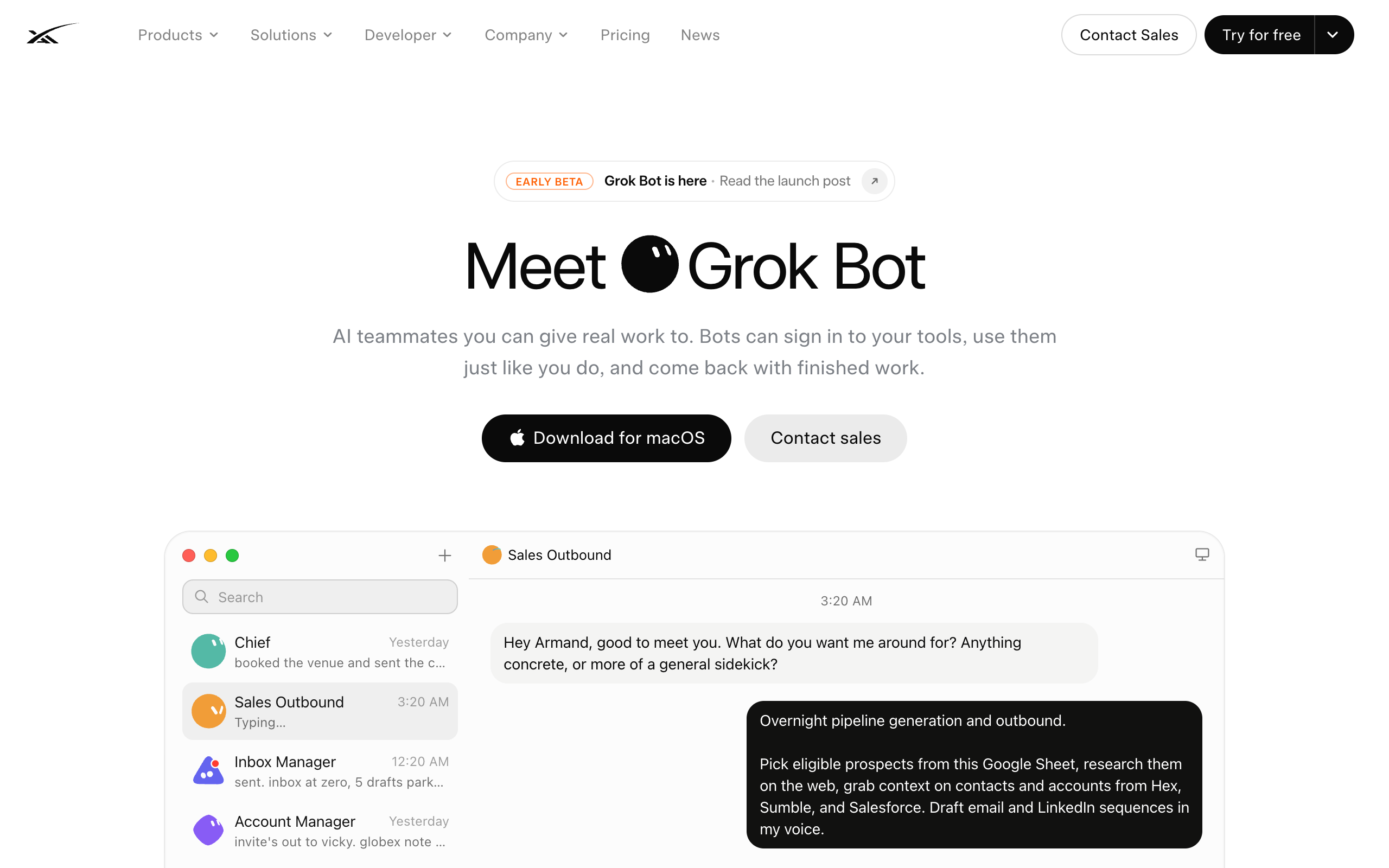
The descriptions follow one pattern: the bot works continuously and stops before the final action. The Inbox Manager entry says "every send stays behind your approval." The Internal Communications Manager is "review-only so it never sends on its own." Paid Media "holds for your approval before making adjustments." The Ticket Triage Specialist "drafts replies only, and stays quiet when it's clean." The Travel Coordinator "confirms before booking."
This is the vendor's own answer to what Grok Bot is for: continuous work with human approval on the last step. The five groups below cover the same ground, organized by the shape of the work, with published examples for each.
1. Monitoring and daily briefs
Monitoring is the best-represented Grok Bot use case. The work is recurring and read-only, so nothing needs approval and a missed item costs little.
Published examples:
- Peter Yang built a YouTube researcher that monitors named channels and delivers a morning brief: three content ideas, the five biggest outlier videos from the last 14 days, and recurring themes from his own video comments.
- The same video shows an X Scout that compiles a weekly top ten of posts from accounts he follows, engages with, or bookmarks, grouped by theme, with full copy, links, and three post ideas. It created its own daily routine without being asked.
- Brandon Charleson runs two monitoring bots in his business fleet: Scout for competitive intelligence and Optimus for cross-internet signals.
- xAI's gallery includes a Competitive Intelligence Analyst that "monitors overnight for new launches," a Compelling Events Monitor, an Account Health bot, a Daily Briefing Writer, and a Beta Adoption Watcher.
Yang's first brief was, in his words, "verbose and hard to follow." He fixed it by telling the bot the exact report format he wanted. Expect one or two rounds of format correction on any monitoring bot.
The test for this group: the input is public or in accounts you own, and a daily or weekly cadence is enough. The same test applies on any platform; see use cases for AI agents.
2. Drafting outbound and replies for human review
The second group is work that ends in words a human signs off: outbound sequences, replies, newsletters, social posts, internal updates. Grok Bot's own launch demo is this use case. The Sales Outbound bot researches prospects from a Google Sheet overnight and queues 36 LinkedIn drafts. The demo's text: "Nothing goes out until you've had a look."
Users who run fleets apply the same rule as standing policy. Charleson's two rules, stated in his walkthrough: "nothing leaves or gets published without human review" and no money is spent without human review. Peter Yang's published email-cleanup prompt ends: "Do not move, delete, unsubscribe, or cancel anything without my approval."
Drafting bots need examples of your writing to be useful. xAI's Newsletter Writer entry "writes the issue in your voice" and its Social Media Manager "studies your real history." The users getting good drafts fed their bots transcripts, past posts, and reference formats first.
| Draft type | Sourced example | The human's job |
|---|---|---|
| Outbound sequences | xAI's Sales Outbound demo: 36 drafts queued, 0 sent | Review the queue and send the good ones |
| Support replies | Gallery's Ticket Triage Specialist, "drafts replies only" | Approve or edit each reply |
| Newsletters and posts | Gallery's Newsletter Writer and Social Media Manager, both parked for review | Edit once, publish |
| Inbox triage | Charleson's Postmaster, which classifies every inbox | Act on flagged items |
| Call coaching notes | Gallery's Sales Call Coach, timestamped comments on recorded calls | Read them before the next call |
3. Work on websites and portals without APIs
The third group is work that lives behind logins on websites with no API. Grok Bot handles it because each bot can operate a real browser on the shared cloud computer.
xAI's gallery names this directly. The Vendor Portal Operator "runs renewals, seats, and procurement on portals with no clean API" and "comes back with exceptions only." The Security Questionnaire Filler logs into vendor portals, drafts every field from your past answers, and "parks the submit for you." The Apartment Scout filters listings and emails agents to book tour times.
Paul J Lipsky's early-access walkthrough shows how logins work. His LinkedIn research bot navigates the site in its own browser. When a login is needed, the bot hands the screen to the human, the human types the password, and the bot takes the session back. The bot never holds the credential. His travel bot, Atlas, watches fares for three itineraries on a routine it created from a plain-English request.
A bot clicking inside a logged-in session has whatever permissions that login has. The safe scope is the one xAI's gallery uses: the bot walks the portal, and the human does every commit step.
4. Prototypes, bug reproduction, and testing
The fourth group uses the bot's computer to build and test things. xAI's engineering entries: a Prototype Builder that returns "a screenshot plus a live URL," a Bug Reproduction bot that "clicks the same path in staging" and returns a repro pack with steps and screenshots, and a Playtest Operator that drives the UI when APIs are not enough.
Published examples match. Riley Brown's developer bot built a landing page and served it from the bot's own machine, visible and controllable from his phone. A commenter on Alex Finn's walkthrough runs his chief-of-staff bot "with GitHub in the middle," tracking conversations as GitHub issues, with Cursor as the coding agent.
This group is for prototypes and reproduction, not production engineering. Coding work that one person drives in one session belongs in a coding agent such as Codex or Claude Code.
5. Personal tasks
The fifth group is what xAI calls "Life & Leverage": personal admin with a clear money or time payoff. The gallery lists a Travel Coordinator that "confirms before booking," a Subscription Cleaner that "unsubscribes what you approve," an Apartment Scout, and a Personal Site Builder.
Published examples:
- Peter Yang's email cleaner audits Gmail, Drive, and recurring receipts into a cleanup plan capped at ten items per category, sorted into "safe to clean up," "needs review," and "do not touch."
- His travel bot reads a trip document and alerts him when fares or hotels drop meaningfully. Booking stays with him.
- Nate B Jones built a city-networking bot that finds people he should meet in a city before he travels there, using contacts already in his inbox. He also runs a schedule-optimizer bot that finds calendar windows for hard-to-place appointments.
Jones also states the failure mode for this group: a bot with no goal. His example is "the classic email organizer bot... there was no goal to it." A personal bot is worth building when it saves specific money or time, not when it produces tidiness.
Four limits that rule out use cases
Four documented limits decide which use cases do not fit Grok Bot as of August 2026.
Limit one: one shared computer. xAI's FAQ states: "Every Grok Bot shares one persistent cloud computer. Your Bots share that machine (files, browser, logins), so they can hand work off and keep context. Isolation is per user, not per Grok Bot." For one owner this is a feature. For anyone holding two contexts that must not touch, it is disqualifying. An agency owner with 36 clients asked in one walkthrough's comments for a bot "structurally unable to touch client B's accounts." A second agency asked the same question under another creator's video. Neither thread has an answer as of 25 August 2026. The full analysis is the Boundary Test.
Limit two: the trigger list. Routines fire from Slack, Git, Teams, Linear, Sentry, PagerDuty, and schedules. Email is not on the list, so inbox use cases run in scheduled batches rather than on arrival. One reviewer also found that bots in a group thread could not save routines and needed them created by hand. Use cases that must react within minutes of an email do not fit today.
Limit three: the model. Grok Bot runs xAI's models, and the subscription bundles the machine and the model together. A creator who runs several agent platforms described the trade: "You do not own the harness. You do not pick the model." Use cases that depend on a specific model, or on using a cheaper model for bulk work, need a platform where the model is your choice.
Limit four: the meter. The bundled model means bundled limits. Grok Bot meters weekly usage, and at 100% the choice is the reset clock or additional usage billed per token on top of the plan. Because the model is bundled there is no second account to stack and no fallback provider to chain, so a use case that must run every day either waits or moves the plan to metered billing. On your own subscriptions the same moment degrades to the next account or the next provider instead.
How to decide if a job fits Grok Bot
Two checks decide it. First, the standard filter from use cases for AI agents: the work should recur, have a clear trigger, and produce a checkable artifact. Second, the four limits above.
Does the job recur on a cadence and end in a checkable artifact?
- If no, it is one-off or pure judgment→no bot on any platform. Use a chat tool for the one-off; keep judgment human
- If yes→it is agent-shaped. Check the limits next
Does it need to stay structurally separate from any other context you run?
- If no, one owner, one business, shared accounts→Grok Bot fits
- If yes, clients, entities, or risk levels must not touch→it does not fit Grok Bot on one account. It needs per-agent permissions on a squad platform
Must it keep running even after the weekly allowance hits 100%?
- If no, it can wait for the reset or absorb per-token overage→the meter is not a blocker
- If yes, it runs daily with hard expectations→on Grok Bot that job waits or moves to overage billing. A platform on your own subscriptions degrades to the next account or provider instead
Does its value depend on firing from email, or on picking the model?
- If no, a schedule is fine and any strong model will do→build it as a Grok Bot in the matching group, draft-first
- If yes→the trigger list and the bundled model rule it out today
| Scenario | Best pick | Why |
|---|---|---|
| Morning industry and competitor brief | Grok Bot, monitoring group | Recurring and read-only. Good first bot; xAI's gallery has three variants of it. |
| Overnight outbound research and drafts | Grok Bot, drafting group | The launch demo itself: 36 drafts queued, zero sent. You review the queue. |
| Support inbox that must answer in minutes | Not Grok Bot today | There is no email trigger. Routines run on schedules, so replies happen in batches. |
| Vendor portals, questionnaires, renewals | Grok Bot, portal group | Built for sites without APIs. The gallery's pattern: comes back with exceptions only. |
| Reproducing bugs and building prototypes | Grok Bot, testing group | Repro packs and live-URL prototypes on its own machine. Production code stays in a coding agent. |
| Travel deals, subscriptions, email cleanup | Grok Bot, personal group | Approval-gated by design: confirms before booking, unsubscribes only what you approve. |
| Two clients whose data must never touch | A platform with per-agent boundaries | xAI's FAQ: isolation is per user, not per bot. Two public agency threads asked; no answer yet. |
| Work that needs a specific or cheaper model | A bring-your-own-model platform | Grok Bot bundles xAI's models with no alternative. |
| A team you cannot design yourself | Squad | Grok Bot starts from an empty sidebar. Squad's lead agent interviews you and proposes the team. |
| One-off research or a single document | A prompted chat tool | A standing bot is not worth setting up for work that happens once. |
Use cases that outgrow the limits
Work that hits one of the four limits runs instead on a platform built for it. Squad is a hosted platform for running a squad: a coordinated set of specialist AI agents sharing one task board, not one generalist agent doing everything.
The differences map to the limits directly:
- The model is the founder's own AI accounts, across thirteen providers including Grok itself, with no token markup. Accounts stack, and an ordered fallback list hands a run to the next model when a run fails or hits a rate limit, so daily use cases do not have to wait on a reset clock.
- Work that arrives by email fits: each agent can have its own inbox and address as a $10/mo add-on, so forwarding a thread IS the trigger, and the reply comes back from that agent.
- The operation is built in: the lead agent interviews the founder after signup and proposes a named squad (a two-minute build, then a short onboarding conversation, no empty sidebar), work runs on a board with tickets and a status timeline per agent, agents can hold sends as draft cards for approval, and every run reports its model and token usage.
- Access follows context: each agent has its own browser by default, and every connected account carries an access level that varies by app. Any single agent can get a lower level or no access, changeable without signing in again, and calls outside the level are refused. The agent that holds a login is the one with the context on what to do with it, and what never to do.
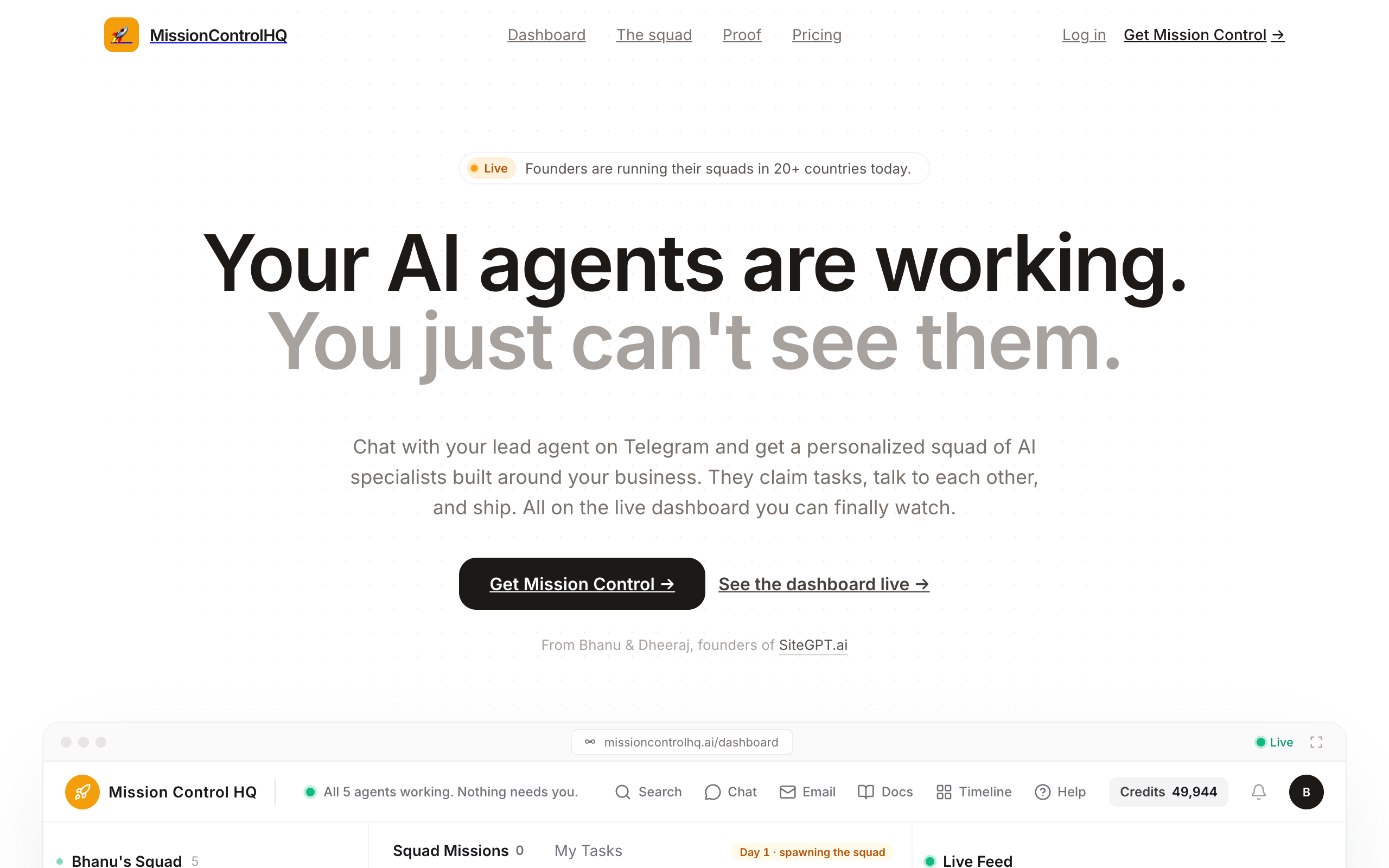
The cost is $99/mo flat plus the founder's own AI plan at a recommended $100-200 tier, so $199-299 per month all in. Grok Bot starts at $20 per month with Cursor Pro and reaches $200 with Cursor Ultra, model included, so it is the cheaper way to start. The differences that decide it are what happens at 100% usage, who designs the squad, what you can see and approve, and whether an agent can be emailed.
When Grok Bot alone is enough
Grok Bot covers all five groups well for one operator running one business on accounts that already belong together. In that case the shared machine matches how the accounts are actually used, the approval queue is well designed, and if you already pay for an eligible Cursor or SuperGrok plan, trying it costs nothing extra.
The full comparison with the open-source runtimes is in the Grok Bot alternatives breakdown. For deciding how many bots a business needs at all, use the Lane Test. The same breakdown for OpenAI's always-on agents is in OpenAI dots use cases.
Grok Bot's use cases fit a solo operator or small team running one business on shared accounts: monitoring briefs, draft-first outbound, portal work without APIs, prototypes, and personal admin. Work that needs client separation, email triggers, or model choice needs a different platform.
Frequently asked questions
Choosing use cases
What are the best Grok Bot use cases? The strongest Grok Bot use cases are recurring work inside accounts one person owns that ends in a draft for human review: monitoring and briefing bots, outbound and comms drafting, portal work on sites without APIs, prototyping on the bot's own computer, and personal admin such as travel watching and subscription cleanup. xAI's own 56-role gallery is dominated by exactly these shapes.
Should a Grok Bot be built around a task or a role? A role. One early-access reviewer described the shift directly: tools like Claude Cowork and ChatGPT Work train you to think in tasks, while Grok Bot expects standing roles with continuing responsibilities. A bot with one ongoing job, such as watching a pipeline or drafting outreach, accumulates context that a one-off task bot does not.
How many bots do people actually run on Grok Bot? Fleets of a dozen or more are common among the creators publishing their setups. One reviewer ran a dozen bots with a chief of staff coordinating, another documented a 15-bot business fleet, and xAI's own gallery lists 56 example roles across nine functions. The pattern in every large fleet is one coordinator bot the owner actually talks to.
Limits
What is Grok Bot not good for yet? Four things, based on xAI's documentation and its own users' reports: anything that depends on choosing the model, because Grok Bot runs xAI's models only; work that must keep running when the bundled weekly meter hits 100%, because at 100% the choice is waiting on the reset clock or per-token overage billing, with no account stacking and no fallback provider; routines triggered by email, because the documented trigger list covers Slack, Git, Teams, Linear, Sentry, and PagerDuty but not email; and work that needs structural separation between contexts, because every bot shares one computer with isolation per user rather than per bot.
Do Grok Bot use cases for agencies work? Client work is where the shared computer is a problem. xAI's FAQ states every bot shares one machine, with files, browser, and logins in common, and that isolation is per user rather than per bot. Agency owners have asked publicly, in at least two separate creator threads, how to keep one client's accounts structurally away from another's. Until xAI documents an answer, multi-client separation is the wrong fit for Grok Bot on one account.
Does Grok Bot have an email trigger for routines? No. As of August 2026 the documented routine trigger list covers Slack, Git, Teams, Linear, Sentry, and PagerDuty. An inbox bot can still run on a schedule and process email in batches; it cannot fire the moment a message arrives.
Can Grok Bot send emails and post on its own? It can, but xAI's own use-case gallery is written to avoid it: entries state that every send stays behind your approval, that comms bots are review-only, and that the paid media bot holds reallocations for approval. Users who run fleets also report setting hard no-send rules. In practice the reliable shape is bot drafts, human sends.
Cost and alternatives
What does Grok Bot cost to use for these cases? Grok Bot has no standalone price. It is included with Cursor Pro at $20 per month, Cursor Pro+ at $60, Cursor Ultra at $200, and Cursor Teams seats at $40 or $120 per user, and with a linked SuperGrok ($30 per month), SuperGrok Plus ($100), SuperGrok Heavy, or X Premium+ subscription. Each plan includes weekly Grok Bot usage, and extra usage bills as on-demand usage. There is a one-time free trial. Prices checked on cursor.com and x.ai on 14 September 2026; every plan is compared on the Grok Bot pricing page.
Is there a cheaper way to run the same use cases? The same setup runs on a hosted coordination layer with your existing AI accounts as the brain. Squad (formerly MissionControlHQ) is $99 per month flat plus the AI plan you already pay for, typically $199 to $299 all in. The difference is the operation around the agents: the lead agent designs your squad with you, work runs on a shared task board with tickets and a status timeline per agent, agents can hold sends as drafts for your approval, each agent can have its own email inbox as a paid add-on, and every run reports its token usage. Your accounts stack and fall back across thirteen providers, Grok included, so a filled meter degrades to the next model instead of stopping the squad.
Sources
- xAI, Grok Bot: the product page, the pricing and availability FAQ, the shared-computer FAQ quoted here, and the "Ways to use Grok Bot" gallery of 56 roles. Fetched 25 August 2026.
- Creator walkthroughs on YouTube, used for demonstrated use cases and attributed quotes: Peter Yang (five bots built on camera), Alex Finn (chief-of-staff setup; the second agency-isolation question in its comments), Paul J Lipsky (login flow, routines, roles-not-tasks), Nate B Jones (12-bot fleet, themed bots), Riley Brown (developer-bot demo; the 36-client agency comment), and Clearmud (trigger list, group-chat routine limit). All fetched 25 August 2026.
- Cursor, Pricing and Grok Bot plans, and xAI, Pricing: the plans that include Grok Bot, weekly usage, on-demand usage, and the free trial. Checked 14 September 2026.
- Squad: homepage and get started, for the $99/mo single plan, per-agent connection permissions, provider list, and isolated per-customer environments; docs: add, change, and pause agents for the status timeline per agent.
- Related on this site: Grok Bot pricing, Grok Bot examples, the Grok Bot directory, Grok Bot alternatives and the Boundary Test, use cases for AI agents, AI agents for business and the Lane Test, and a team of AI employees.
Last updated: September 2026. Grok Bot pricing checked on cursor.com and x.ai on 14 September 2026; other xAI and creator sources fetched 25 August 2026.