
An AI agent in finance is software that runs one defined finance process on its own. It reads the accounts you connect, such as Stripe, Zoho Books, or Google Sheets, does the steps you wrote down, and reports back with a log. In a small team, agents own five recurring jobs: invoice preparation, payment reminders, payment matching, receivables aging, and the weekly cash and revenue report. Refunds, credit notes, write-offs, and anything that moves money stay with a person.
This page covers the use cases, three worked examples, what the agents cannot do, and the cost. Every product claim traces to the Squad homepage, docs, or integration manuals as of September 2026.
80%
of organizations report measurable ROI from AI agents, in a survey of over 500 technical leaders
Source: Anthropic, The 2026 State of AI Agents ReportiShort answer
AI agents in finance own the recurring, app-backed work: preparing invoices from logged hours or billing days, sending payment reminders, matching payments to open invoices, keeping the receivables aging current, and writing the weekly cash and revenue report. Each agent reads the accounts you connect at the access level you set, and opens a ticket instead of acting when the next step is a refund, a write-off, or a send you have not approved. On Squad (formerly MissionControlHQ) the cost is $99 a month plus the AI plan you bring, $199 to $299 a month all in, against about $6,030 a month for a loaded bookkeeping clerk.
Key takeaways
| Question | Answer |
|---|---|
| What an AI agent in finance does | Runs one defined finance process on its own: reads connected accounts, follows written steps, reports back with a log |
| The five jobs agents own in a small team | Invoice preparation, payment reminders, payment matching, receivables aging, the weekly cash and revenue report |
| What stays with a person | Refunds, credit notes, write-offs, collections escalation, tax filing, and any send the agent was not briefed to make |
| Which finance apps connect | Stripe, Square, Zoho Books, Zoho Invoice, Harvest, FreshBooks (lookups only), Google Sheets, Excel, Google BigQuery. QuickBooks and Xero are not in the catalog |
| How access is limited | Per connection, per agent. Stripe Read-only cannot charge or refund; BigQuery's recommended level is Read-only; the platform refuses a blocked agent's calls before they reach the app |
| What it costs | $99 a month platform plus a $100 to $200 AI plan: $199 to $299 a month, $2,388 to $3,588 a year. Agent inbox optional at $10 a month. Integration calls use no credits |
| Against a hire | A bookkeeping clerk is about $6,030 a month loaded (BLS median $50,670, benefits 30%). The agent lane is 3% to 5% of that and does not replace the clerk's judgment |
The split a small finance team runs. Each row on the left is a scheduled agent job; each item on the right waits in the ticket queue.
Invoice preparation
Reads logged hours or the billing calendar, drafts one invoice per client, holds it for your approval, then emails it.
Payment reminders
Lists invoices past due, drafts the reminder, sends on the schedule you set or after your approval.
Payment matching
Lists incoming payments, matches each to an open invoice, flags anything unmatched in a thread.
Receivables aging
Rewrites the aging sheet on a schedule so nobody rebuilds it by hand at month end.
Weekly report
Reads balances and payments across accounts and writes the same one-page cash and revenue report every week.
What waits for you
Refunds, credit notes, write-offs, escalations, and any customer-facing send the briefing did not authorize.
What an AI agent in finance does
An AI agent in finance runs one process end to end without a person clicking through it. The process is written in plain language, the way you would brief a new hire. The agent reads the connected accounts it needs, does each step, and writes a record of what it did and what it cost.
Three things separate an agent from the automation most finance teams already have.
| Workflow rule | Finance chatbot | AI agent | |
|---|---|---|---|
| What it does | One trigger to one fixed action | Answers a question when asked | Runs a multi-step process on a schedule or a trigger |
| Handles variation | No. A new case needs a new rule | No. It answers, it does not act | Yes. It reads the context of each case and follows the briefing |
| When unsure | Fails or fires anyway | Guesses in the reply | Blocks the task and opens a ticket for a person |
| Record of work | A log line | A chat transcript | A run with the tools called, the data read, and the cost |
The small-team shape is one agent per job on one shared board. The invoicing agent, the reconciliation agent, and the reporting agent each hold one job, one schedule, and one set of access. Each one has a name and a log you can read. The Squad docs call a group of these agents a squad: several AI teammates on one board, not one assistant with every tool.
Use cases for AI agents in finance
Eight finance jobs pass the test for agent work. Each one recurs, has a trigger, and produces something you can check. The use-case filter explains why those three properties matter. The table names the trigger, the apps involved, and what stays with a person, using the actions each integration offers as of September 2026.
| Use case | Trigger | Apps and the tools used | Output | What stays with you |
|---|---|---|---|---|
| Invoice preparation | Billing day, or hours logged | Harvest list time entries and create invoice; Zoho Invoice create invoice; Stripe create invoice and finalize invoice | A draft invoice per client | Approving the draft before it is emailed |
| Payment reminders | Invoice past due | Zoho Books remind customer invoice (Open or Overdue) and send bulk invoice reminder; Zoho Invoice send bulk invoice reminder; Stripe send invoice | A reminder per overdue invoice | The send, until a category has earned auto-send |
| Payment matching | Daily | Stripe list charges and list payment intents; Zoho Books get matching bank transactions and categorize uncategorized transaction | Matched payments, a list of exceptions | Deciding each exception |
| Receivables aging | Weekly | Zoho Books or Zoho Invoice list invoices; Google Sheets upsert rows or Excel add table row | A current aging sheet | Deciding when an account escalates |
| Expense and bill capture | A receipt or bill arrives | Zoho Books create expense, update bill, create vendor payment | Recorded expenses, bills marked open | Approving vendor payments |
| Recurring billing | Contract start or renewal | Zoho Invoice create recurring invoice; Zoho Books create recurring invoice; Stripe create subscription | A recurring invoice profile | Changing a customer's terms |
| Dispute evidence | A dispute opens | Stripe update dispute (submit evidence); Square create dispute evidence text | An evidence package | Submitting it, and accepting a dispute |
| Weekly cash and revenue report | Monday morning | Stripe retrieve balance and list balance transactions; Square list payments; Google BigQuery query; Google Sheets values append or a workspace doc | A one-page report in the same shape every week | Reading it |
Two rows need a note. Zoho Books has no plain create-invoice action, only create invoice from sales order, so invoice creation in the Zoho family runs through Zoho Invoice. And Square's list payments action is the reconciliation use, but Square has no create-payment action, and its refunds sit at Read + write.
432
Stripe tools. Read-only or Read + write. Read-only cannot charge or refund
265
Zoho Books tools. Reminders, bank matching, journals, expenses, vendor payments
137
Zoho Invoice tools. Create, email, and remind on invoices; recurring profiles
116
Square tools. Payments, orders, and invoices for reconciliation; refunds at Read + write
57
Harvest tools. Time entries, invoices, and invoice payments at standard access
63
Google BigQuery tools. Query and read at the recommended Read-only level
The applications of AI agents in finance beyond these eight are mostly variations. Client statements (Zoho Books email contact statement), estimate follow-up (Zoho Invoice email estimate), and vendor 1099 tracking (Zoho Books) use the same pattern: a trigger, a read, a draft, and a person's approval where money or a customer is involved. The billing reminders post works through the reminder use case in detail, including where the accounting app's own reminders are enough.
Three examples of AI agents in finance
The examples below describe setups as the integration manuals and docs support them. None of them claims a test result. Each one names the trigger, the steps, the access level, and what waits for a person.
Example 1: an agency's monthly invoicing agent. The trigger is the first of the month. The agent lists last month's time entries per client in Harvest, checks each client's rate in a Google Sheet at Read-only, and creates one invoice per client in Zoho Invoice at Read + write. It does not email any of them. Each draft appears as a ticket with the hours, the rate, and the total. The owner approves, edits, or rejects each one, and the agent emails the approved invoices from Zoho Invoice. Harvest connects with standard access, so the agent could also record invoice payments there once they arrive.
Example 2: a subscription business's past-due agent on Stripe. The trigger is 8 a.m. every weekday. The agent lists open Stripe invoices past their due date, groups them by customer, and drafts one reminder per customer. In week one every draft waits for approval. After a few weeks the owner lets first reminders go out on the schedule and keeps second reminders and anything over a set amount as tickets. This agent gets Stripe at Read + write because sending an invoice is a write. Per-agent access narrows the reporting agent on the same Stripe account to Read-only, so it cannot charge or refund.
Example 3: a retail or food business's daily sales agent on Square. The trigger is 6 a.m. The agent lists yesterday's Square payments by location, writes one row per location into a Google Sheet with upsert rows, and compares the total to the deposit expected. A mismatch goes into a thread with the owner's name on it. Square connects at Read-only, because nothing in this job writes to Square. Google Sheets is at Read + create, so the agent can add rows and create a new monthly sheet but cannot delete one.
In all three examples the agent's briefing says the same thing about money: prepare it, do not move it. Refunds, credit notes, and write-offs become tickets. During setup the lead suggests five decisions a day, and agents are told to group non-urgent decisions into one daily digest ticket. When an agent asks the same question again and again, the docs' fix is to have it save the answer as a rule.
What AI agents cannot do in finance
The limits come from two places: what each integration exposes, and what a finance team should keep with a person regardless of tooling.
Limits in the integrations, as of September 2026.
- Stripe payouts are read plus metadata only. The manual lists list payouts, get payout, and a metadata update, and no create-payout tool. An agent can report on payouts and cannot initiate one.
- Square has no create-payment or create-invoice action among its 116. Refunds and orders sit at Read + write, and cancelling a payment, accepting a dispute, and cancelling an invoice sit at Full access, so a reconciliation agent belongs at Read-only.
- FreshBooks connects for lookups: clients, entries, projects, and users, plus webhooks, 10 actions in all. There is no invoice, expense, or payment action.
- QuickBooks and Xero are not in the integrations catalog. A business whose books live there can connect through a custom integration or an MCP server, and the manuals make no claim about what that reaches.
- Zoho Books puts its list and get actions at Read + write, so a Read-only Zoho Books connection reaches only 7 of 265 actions, mostly bulk PDF export and print.
- Google BigQuery offers Read-only and Read + write, with no Full access level, and Read + write reaches 58 of its 63 actions. Deleting a dataset or a table is not among them, so no access level lets an agent delete a table.
Limits that should stay regardless of tooling.
- Refunds and write-offs. Stripe Read + write allows a refund, and Zoho Invoice allows a write-off at Read + write. The briefing is what keeps these as tickets, so write the rule down: open a ticket before money moves.
- Collections escalation. An agent can draft the third reminder. Deciding to send an account to a collector or a lawyer is a person's call.
- Tax filing, audit sign-off, and regulated reporting. Nothing on the source pages claims any compliance certification, and this post makes none.
- Sent email cannot be undone. The docs say so directly, which is why first-week setups keep every send as a draft.
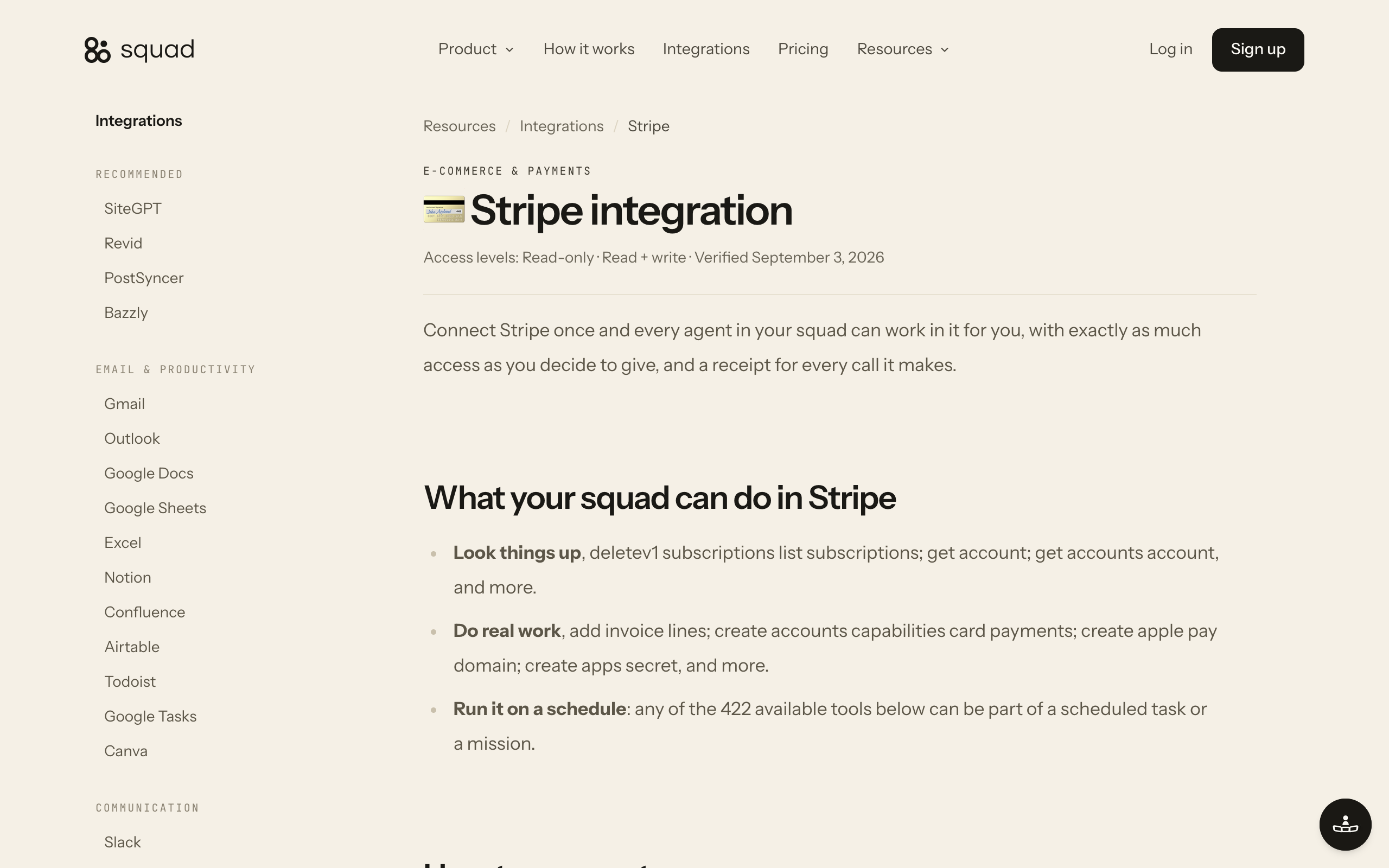
The connect-your-apps post covers how per-connection access levels and per-agent narrowing work across the catalog.
What AI agents in finance cost
A finance agent lane on Squad costs $99 a month for the platform plus the AI plan you bring. The recommended ChatGPT tiers are $100 or $200 a month, so the all-in figure is $199 to $299 a month. There is one plan, no tiers, and no markup on AI tokens. Model usage bills to your own AI account, and every run shows its token usage.
$99/mo
Platform, one plan, cancel anytime (September 2026)
$100-200
Your own ChatGPT plan, the recommended tiers for squad workloads
$199-299
All in per month; $2,388 to $3,588 a year
$10/mo
Per agent email inbox, optional; sends never use credits
0 credits
For calls to Stripe, Zoho Books, Sheets, and the other integrations
7 days
Money-back guarantee on the first payment
Finance work runs almost entirely on integrations, and integration calls do not use credits. Credits pay for the research and scrape tools only, and the plan includes 1,000 a month. A finance squad that never looks up a company or scrapes a page spends none. An agent email inbox, for a reminders agent that sends from its own address, is $10 a month, pro-rated when added and removed when deleted.
The hire comparison uses public wage data. The Bureau of Labor Statistics puts the median wage for bookkeeping, accounting, and auditing clerks at $50,670 a year as of May 2025. Benefits are 30.0% of private-industry compensation as of June 2026, so the loaded cost is $50,670 divided by 0.70, about $72,400 a year or $6,030 a month.
| Route | Monthly | 12 months | Notes |
|---|---|---|---|
| Finance agent lane, $100 AI plan | $199 | $2,388 | Unlimited agents on the plan; add $10 a month per inbox |
| Finance agent lane, $200 AI plan | $299 | $3,588 | Same, on the larger ChatGPT tier |
| Bookkeeping clerk, base wage | $4,220 | $50,670 | BLS median, May 2025 |
| Bookkeeping clerk, loaded | $6,030 | $72,386 | Base divided by 0.70 (benefits 30.0%, BLS June 2026) |
$199 to $299 a month for the agent lane, against about $6,030 a month for a loaded bookkeeping clerk
The agent lane is 3% to 5% of the loaded monthly figure. The clerk does work the agents do not: judgment on write-offs, vendor calls, and the parts of the close that need a person. The honest comparison is the hours the clerk spends on the eight recurring jobs above.
The running-costs post covers the token side of the bill, and the cost-control post covers the caps.
How finance agents stay auditable
Every action a finance agent takes has a record you can open. The docs describe four layers, and none of them needs setup.
- Runs. Every execution is a row with when it ran, which agent, what triggered it, how long it took, which model, and whether it succeeded. Opening a run shows what it read, the tools it called, its token usage, and the related mission. The ledger is at Settings → Runs, or the R key.
- Receipts. The platform logs every call an agent makes through a connected account: which account, what it touched, when.
- Missions and Billing. Each mission shows its progress trail, comments, and token count so far. Billing breaks credit spend down by tool, agent, task, and mission. Archived missions keep their history.
- Tickets. When an agent blocks on a judgment call, the ticket holds the context, the options, and your answer. A go-ahead is a real instruction, and the docs are direct that undoing a ticket does not unsend anything.
Access is the other half of auditability. Each connection carries an access level, and the levels vary by app. Stripe offers Read-only and Read + write. Google BigQuery recommends Read-only. Google Sheets has a middle level, Read + create, that adds rows and new sheets without deleting. The level set at connect time is the ceiling for every agent, and Per-agent access under Manage scope narrows or blocks any single agent. The platform refuses a blocked agent's calls before they reach the app.
Two limits sit above all of it: email send caps per agent and for the workspace, and the monthly maximum on credit auto-recharge. They are settings Squad enforces, not instructions an agent can skip. Workspace data exports from Settings → Backup & Export. The human-in-the-loop post covers where the approval points belong; a later post in this series covers the audit trail in depth.
Benefits of AI agents in finance
The benefits below each name the mechanism that produces them, because a benefit without a mechanism is a slogan.
- The recurring work runs on the calendar, not on memory. A schedule fires the invoicing run on the first, the reminder run on weekday mornings, and the report on Monday. The Scheduled screen lists every schedule with run now, pause, edit, and duplicate.
- Exceptions arrive sorted. The agent does the matching and lists only what did not match. A person reads a short exceptions list instead of the whole ledger.
- Nothing moves money without a person unless you decided it should. Tickets gate spend and customer-facing sends by briefing, and the docs describe draft-first the same way: agents draft email for your review until you trust them with a type of email. Squad does not enforce either, so access levels and send caps are the backstop.
- Every number has a receipt. A figure in the weekly report traces to a run, and the run shows the calls that produced it.
- The cost is flat and known. $99 plus your AI plan, whatever the invoice count. Integration calls use no credits, so a busy month does not change the bill.
When you do not need an AI agent in finance
Four situations do not need an AI agent in finance.
Fewer than about ten invoices a month. At that volume the accounting app's own reminders and a monthly hour of your own time cover it. The agent lane's $199 to $299 a month buys nothing you would notice.
Books that live in QuickBooks or Xero. Neither is in the integrations catalog as of September 2026. A custom integration or an MCP server is possible, and the manuals make no claim about what an agent reaches that way. If the books will not move, use the app's native automation.
Work that is mostly judgment. A fractional controller reviewing the close, negotiating with a vendor, or deciding how to treat a disputed balance is doing work that does not recur on a trigger. Give that person the agent's exceptions list; do not try to replace the person.
Regulated reporting. Filings that need a qualified signature stay with the accountant who signs them. An agent can assemble the inputs into a doc. It should not file.
How to set up AI agents for a finance team
You need two or three agents, one per lane, and you can count them with one question. The Lane Test asks whether an agent would have to switch context to do a piece of work well. Invoicing and reminders both live in the receivables context, so they share a lane. Matching and aging live in the reconciliation context, a second lane. The weekly report reads everything and writes one document, a third. A solo business with a handful of invoices runs all of it as one agent.
Does the finance task get an agent at all?
- If it recurs on a trigger and produces something you can check (an invoice, a matched list, a report)→Yes. It is agent work.
- If it is a one-off, or it starts whenever someone remembers it→No. Do it once, or give it a trigger first.
- If the output is a judgment (a write-off, a collections decision, a signature)→No. The agent prepares the inputs and opens a ticket.
Which lane does it belong to?
- If it touches what a client owes (invoices, reminders, statements)→Receivables agent
- If it touches what came in against what is owed (payments, bank lines, aging)→Reconciliation agent
- If it reads every account and writes one document→Reporting agent
What access level does the lane need?
- If it only reads (reporting, aging, matching without categorizing)→Read-only on Stripe, Square, and BigQuery
- If it creates invoices, reminders, or expenses→Read + write on the accounting app; Read + create on Sheets
- If it must delete or void→Full access, and only for that one agent, with the others narrowed under Per-agent access
The setup itself is short. The build takes about two minutes, then the lead agent runs a short onboarding conversation and proposes the squad.
- Describe how finance runs today. Who bills on what day, where the hours live, which accounts payments land in, which sheet the report goes to. Plain language; the lead agent writes the process down and you edit it.
- Approve the roster. The lead agent proposes names and roles for the receivables, reconciliation, and reporting lanes. Rename, edit, or replace any of them.
- Connect the accounts at the narrowest level that does the job. Stripe Read-only for the reporting agent and Read + write for the receivables agent, on the same connection, narrowed per agent under Per-agent access. The docs' own advice is to set app access to the lowest level the work needs.
- Run draft-everything for the first week. Every reminder and every invoice waits as a ticket. Watch the ticket queue: the lead suggests five decisions a day during setup, and the same question again and again means a rule belongs in the briefing.
- Graduate the categories that earned it. First reminders on schedule, second reminders and anything over your threshold as tickets, refunds and write-offs as tickets forever.
The finance teams page lays out the same setup with the jobs, the approval line, and the pricing on one page. The small-business post covers the whole-business cost against a hire.
Use-case cheat sheet
| Scenario | Best pick | Why |
|---|---|---|
| Agency billing hourly clients monthly | Receivables agent: Harvest time entries to Zoho Invoice drafts | One invoice per client waits as a ticket; approved invoices are emailed from Zoho Invoice. |
| Subscription business with past-due Stripe invoices | Receivables agent on Stripe at Read + write | Lists open invoices past due each morning; first reminders on schedule, the rest as tickets. |
| Retail or food business reconciling daily Square sales | Reconciliation agent, Square Read-only, Sheets Read + create | Yesterday's payments by location into a sheet; mismatches to a thread. |
| Payments landing in a Zoho Books bank feed | Reconciliation agent at Read + write on Zoho Books | Get matching bank transactions and categorize; exceptions to you. |
| Weekly cash and revenue report for the owner | Reporting agent, every account at Read-only | Same one-page shape every Monday; every figure traces to a run. |
| Vendor bills and receipts to record | Reconciliation agent, Zoho Books create expense and update bill | Recorded on arrival; vendor payments wait for approval. |
| Books in QuickBooks or Xero | The app's native automation, or a bookkeeper | Neither app is in the integrations catalog as of September 2026. |
| Under ten invoices a month | The accounting app's own reminders | $199 to $299 a month buys nothing you would notice at that volume. |
| Refunds, credit notes, write-offs | A person, via a ticket | Stripe Read + write can refund, so the briefing keeps it a ticket. |
Frequently asked questions
Basics
What is an AI agent in finance? An AI agent in finance is software that runs one defined finance process on its own. It reads the accounts you connect, such as Stripe, Zoho Books, or Google Sheets, follows the steps you wrote down, and reports back with a log of what it did. A workflow rule maps one trigger to one action. An agent reads the context around a task and handles the variations, and it opens a ticket for a person when the next step is a judgment call.
Which finance tasks can an AI agent do? Invoice preparation, payment reminders, payment matching, receivables aging, expense and bill capture, recurring billing, dispute evidence, and the weekly cash and revenue report. Each one recurs, has a trigger, and produces something you can check. On Squad (formerly MissionControlHQ), the agents do this work through the Stripe, Square, Zoho Books, Zoho Invoice, Harvest, Google Sheets, Excel, and Google BigQuery integrations.
Use cases and examples
What are examples of AI agents in finance? Three common setups. An agency invoicing agent reads logged hours in Harvest on the first of the month, drafts one invoice per client in Zoho Invoice, waits for approval, then emails the invoice. A past-due agent on Stripe lists open invoices past their due date each morning, drafts a reminder for each, and sends only after approval. A daily sales agent lists the previous day's Square payments, writes them into a Google Sheet, and flags totals that do not match the deposit.
What can AI agents not do in finance? They cannot create a Stripe payout (the integration exposes payouts as read plus metadata only), and the Square integration has no create-payment action. FreshBooks connects for client and business lookups only. QuickBooks and Xero are not in the catalog. Beyond the tooling, an agent should not decide a write-off, escalate a collection to legal, or file taxes. Those stay with a person, and you brief the agent to open a ticket instead of acting.
Costs
How much do AI agents in finance cost? On Squad, $99 a month for the platform plus the AI plan you bring. The recommended ChatGPT tiers are $100 or $200 a month, so the all-in figure is $199 to $299 a month, or $2,388 to $3,588 a year. An agent email inbox is an optional $10 a month. Integration calls to Stripe, Zoho Books, or Google Sheets do not use credits. Prices as of September 2026.
Is an AI agent cheaper than a bookkeeper? A bookkeeping, accounting, or auditing clerk earns a median $50,670 a year in the United States (BLS, May 2025). Loaded at the BLS benefits share of 30% of compensation, that is about $72,400 a year, or about $6,030 a month. A finance agent lane at $199 to $299 a month is 3% to 5% of that. The clerk also does work an agent does not: judgment on write-offs, vendor calls, and the parts of the close that need a person.
Control and setup
How do you keep AI agents in finance auditable? Every run is a row in the Runs ledger with the time, the agent, the trigger, the model, the duration, and the outcome, and opening a run shows what it read, which tools it called, and its token usage. The platform logs every call through a connected account. Each mission shows its token count so far, and Billing breaks credit spend down by tool, agent, task, and mission. Workspace data exports from Settings.
Can an AI agent be limited to read-only access on Stripe? Yes. Stripe connects at Read-only or Read + write. Read-only reads customers, payments, and products and cannot charge or refund. The level set at connect time is the ceiling for every agent, and Per-agent access under Manage scope narrows or blocks any single agent. The platform refuses a blocked agent's calls before they reach Stripe. Changes apply from the agent's next call without signing in again.
How many AI agents does a finance team need? Usually two or three. Apply the Lane Test: would an agent have to switch context to do this work well? Invoicing and reminders share the receivables context, so they sit in one lane. Payment matching and aging share the reconciliation context, a second lane. The weekly report reads everything and writes one document, a third. A one-person business with a handful of invoices a month runs all of it in one agent.
When does a business not need an AI agent in finance? When it sends fewer than about ten invoices a month, when its books live in QuickBooks or Xero (neither is in the integrations catalog as of September 2026), when the work is mostly judgment such as a controller's review, or when the output is regulated reporting that needs a qualified signature. In those cases the accounting app's own reminders, or a bookkeeper, are the better buy.
Sources
- Squad: homepage (pricing block and FAQ, fetched 19 September 2026), get started.
- Squad docs: Control and approvals, Tickets, Costs, Integrations and MCP servers, Missions, Scheduled tasks, FAQ.
- Squad integration manuals, all updated 3 September 2026: Stripe, Square, Zoho Books, Zoho Invoice, Harvest, FreshBooks, Google Sheets, Excel, Google BigQuery.
- Anthropic: The 2026 State of AI Agents Report, fetched 19 September 2026.
- U.S. Bureau of Labor Statistics: Bookkeeping, Accounting, and Auditing Clerks, Occupational Outlook Handbook, May 2025 wage data, page modified 27 August 2026, fetched 19 September 2026.
- U.S. Bureau of Labor Statistics: Employer Costs for Employee Compensation, June 2026, released 9 September 2026, fetched 19 September 2026.
- Related on this site: AI agents for finance teams, AI agents for business: the Lane Test, Use cases for AI agents, Automate client billing reminders, How much AI agents cost to run, Control AI agent costs, Human in the loop for AI agents, Connect AI agents to business apps, AI agents for small business.
Last updated: September 2026. Pricing and features verified as of September 2026.