
The best Zapier alternative depends on what your automation has to do. Choose Make for a lower price on fixed steps, n8n if you can run your own server, Gumloop or Activepieces for AI steps at a set budget, and Squad (formerly MissionControlHQ) when the job needs judgement across several tools. A squad is a team of specialist AI teammates, not just one general assistant. Keep Zapier if your jobs are simple fixed triggers and it already works, because Zapier lists more apps than any tool here.
Zapier starts at $19.99 a month billed yearly for 750 tasks, as of 2 November 2026. This review rests on public sources: Zapier's own pages, its help center, and Trustpilot.
1.3
Zapier's TrustScore on Trustpilot, from 327 reviews. 75% of those reviews are 1-star, and Zapier's help center says all purchases are non-refundable.
Source: Trustpilot and Zapier help center, 2 November 2026iShort answer
Zapier is the safe choice for simple fixed triggers, with 10,426+ apps listed and a free plan. Its limits are task costs that rise with volume, a no-refund policy, and fixed steps that cannot weigh a messy case. Make costs less for the same kind of work. n8n suits owners who can self-host. Gumloop and Activepieces add AI at a set budget. Squad suits owners whose jobs need judgement across tools, such as reading a customer email, checking Stripe, and drafting the reply.
Key takeaways
| The question | The answer |
|---|---|
| What is the best Zapier alternative? | It depends on the job: Make for cheaper fixed steps, n8n for self-hosting, Gumloop or Activepieces for AI steps, Squad for work that needs judgement across tools |
| What does Zapier cost? | Free for 100 tasks. Pro is $19.99 a month billed yearly or $29.99 billed monthly for 750 tasks. Team starts at $69 billed yearly or $103.50 billed monthly for 2,000 tasks |
| What is happening to Zapier Agents? | Zapier is moving Agents to AI by Zapier, a step inside Zaps. It has not set a date to turn Agents off, and it says it will email users first |
| What do review sites report? | Trustpilot shows 1.3 from 327 reviews. Its 1-star reviews repeat renewal charges and refused refunds |
| When is Zapier the right choice? | When each job is a fixed trigger and a fixed set of steps, or when an app you need is only on Zapier |
| When should you switch to Squad? | When a job needs reading and judgement, when several jobs share the same context, or when you want a task board and a record of each run |
Each reason points to a different tool.
Task costs keep rising
Make charges $1.80 per 1,000 credits at its lowest paid level. n8n counts one execution however many steps a run has.
You want your own server
n8n and Activepieces both offer self-hosted editions.
You want AI steps on a budget
Gumloop and Activepieces meter AI work in credits, with public prices per credit.
The job needs judgement
Squad runs specialist teammates across your apps, on your own AI plan, with a log of each run.
What Zapier does
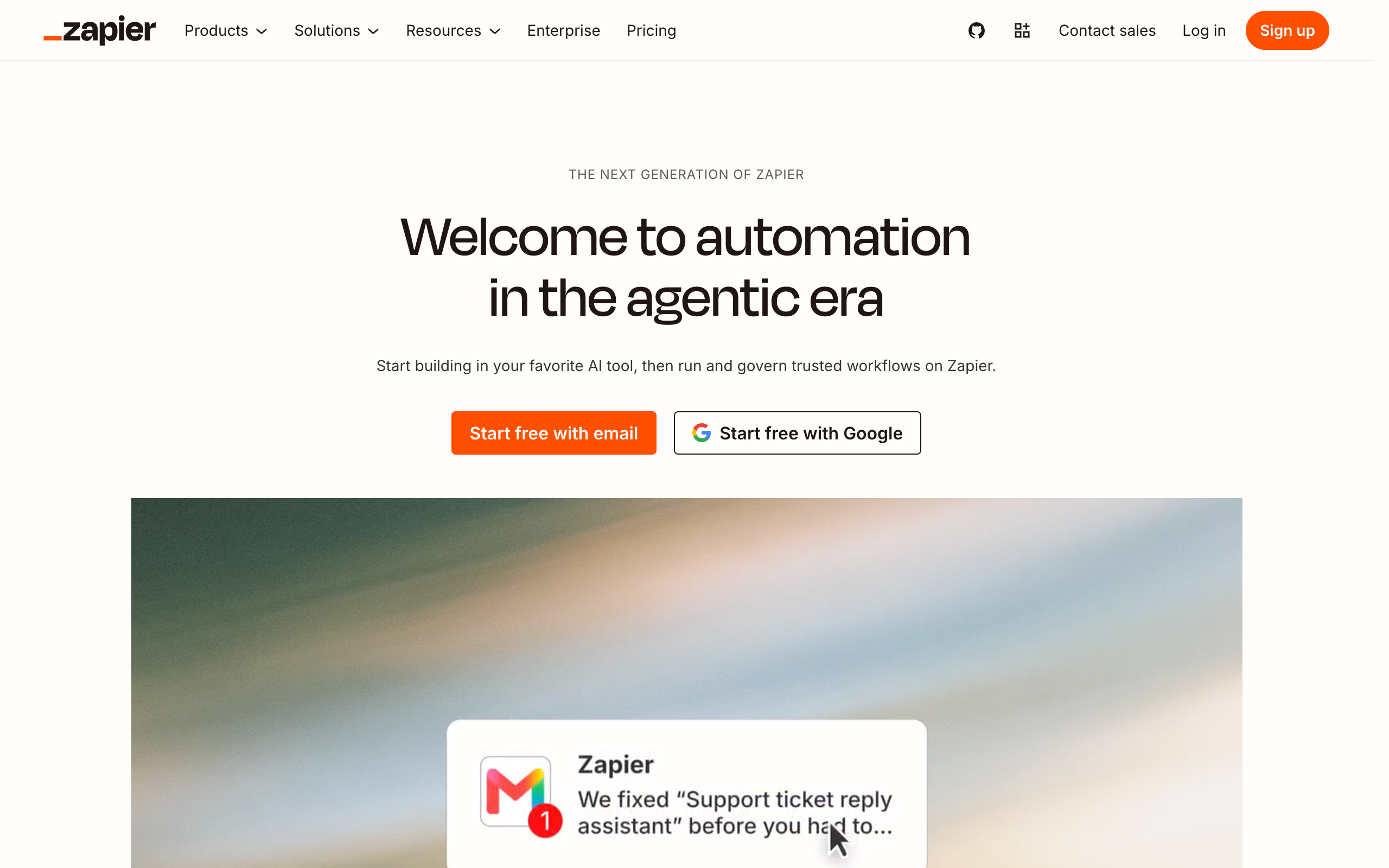
Zapier connects apps with Zaps, which are automated workflows. A trigger in one app starts a run, and the Zap carries out the steps you set. A new form entry can add a row to a sheet, post in Slack, and send an email, with no code.
10,426+
Apps listed on Zapier's apps page
100
Free tasks a month, on two-step Zaps
$19.99-29.99
Pro price a month for 750 tasks
33%
Saving on yearly billing
60 days
Most Zap run data Zapier guarantees to keep
1.3
Trustpilot score, from 327 reviews
Zapier's pricing page now calls these "AI orchestration plans." The platform covers Zaps, Tables for structured data, Forms, and Zapier MCP, which lets an AI tool call Zapier actions. Copilot helps you build, with a daily message limit on Free and unlimited messages on paid plans.
The core stays the same under the new name. A Zap follows steps set in advance, and each run takes the same path. That makes it dependable for tidy input, such as a payment event or a form entry. For a wider view of what suits fixed steps, see the small business automation guide.
Zapier pricing
Zapier prices its plans by tasks, and the price rises with the number of tasks you choose. A task counts when Zapier completes a unit of work, such as one action step. Triggers, polling, failed actions, and Zapier's built-in data tools do not count.
| Tasks a month | Pro, billed yearly | Pro, billed monthly | Team, billed yearly | Team, billed monthly |
|---|---|---|---|---|
| 100 | Free | Free | Not offered | Not offered |
| 750 | $19.99 | $29.99 | Not offered | Not offered |
| 1,500 | $39 | $58.50 | Not offered | Not offered |
| 2,000 | $49 | $73.50 | $69 | $103.50 |
| 5,000 | $89 | $133.50 | $119 | $178.50 |
| 10,000 | $129 | $193.50 | $169 | $253.50 |
| 20,000 | $189 | $283.50 | $249 | $373.50 |
| 50,000 | $289 | $433.50 | $399 | $598.50 |
Prices are monthly figures as of 2 November 2026, and yearly plans are charged once a year. Enterprise pricing goes through sales. Plans also differ on limits.
| Limit | Free | Pro | Team |
|---|---|---|---|
| Seats | 1 | 1 | 25 |
| Zap steps | Two-step only | Multi-step | Multi-step |
| Polling interval | 15 minutes | 2 minutes | 1 minute |
| Tables records | 2,500 | 100,000 | 500,000 |
| AI by Zapier | Not included | Included | Included |
Yearly billing saves real money. At 750 tasks, you pay $239.88 a year on yearly billing and $359.88 on monthly billing, a saving of $120. Three years of yearly billing come to $719.64 if the price holds.
What 750 tasks buy
750 tasks cover about 250 runs of a Zap with three action steps, which is about 8 runs a day. A job that runs once a day uses almost none of that. A job that runs on every order or every email uses it fast.
| Job | Tasks a run | Runs a month | Tasks a month | Pro tier that fits |
|---|---|---|---|---|
| Daily summary to Slack, two actions | 2 | 30 | 60 | 750 |
| New lead to CRM, sheet, and Slack, three actions | 3 | 150 | 450 | 750 |
| 10 orders a day, four actions each | 4 | 300 | 1,200 | 1,500 |
| 30 support emails a day, three actions each | 3 | 900 | 2,700 | 5,000 |
The figures are arithmetic from Zapier's counting rules. The last job costs $89 a month billed yearly, and $133.50 billed monthly.
What happens when you pass the limit
Zapier stops your Zaps at the limit unless you turn on pay-per-task. With it on, extra tasks cost 1.25 times the base rate on yearly plans and 2.5 times on monthly plans. Zapier's page says usage stops at 3 times the subscription either way.
At the 750-task tier, the base rate is about 2.7 cents a task on yearly billing and 4 cents on monthly billing. An extra task therefore costs about 3.3 cents on yearly billing and 10 cents on monthly billing. The Free plan has no pay-per-task option.
Refund and cancellation terms
Zapier's refund policy says "All purchases are considered non-refundable." You can start a 14-day trial of Professional with no card, and that trial moves to Free with no charge.
There is no separate cancel button. You select the Free plan on the Billing and usage page, and you keep paid features until the cycle ends. A 7-day re-trial with a card on file converts to a paid plan unless you cancel first.
Zapier Agents and AI by Zapier
Zapier Agents are AI teammates you can build inside Zapier, and Zapier is now moving them into a different product. Its migration article, updated 1 October 2026, says "Zapier has not set a date to turn off Agents yet." It also says Zapier will email affected users first, with enough notice to migrate.
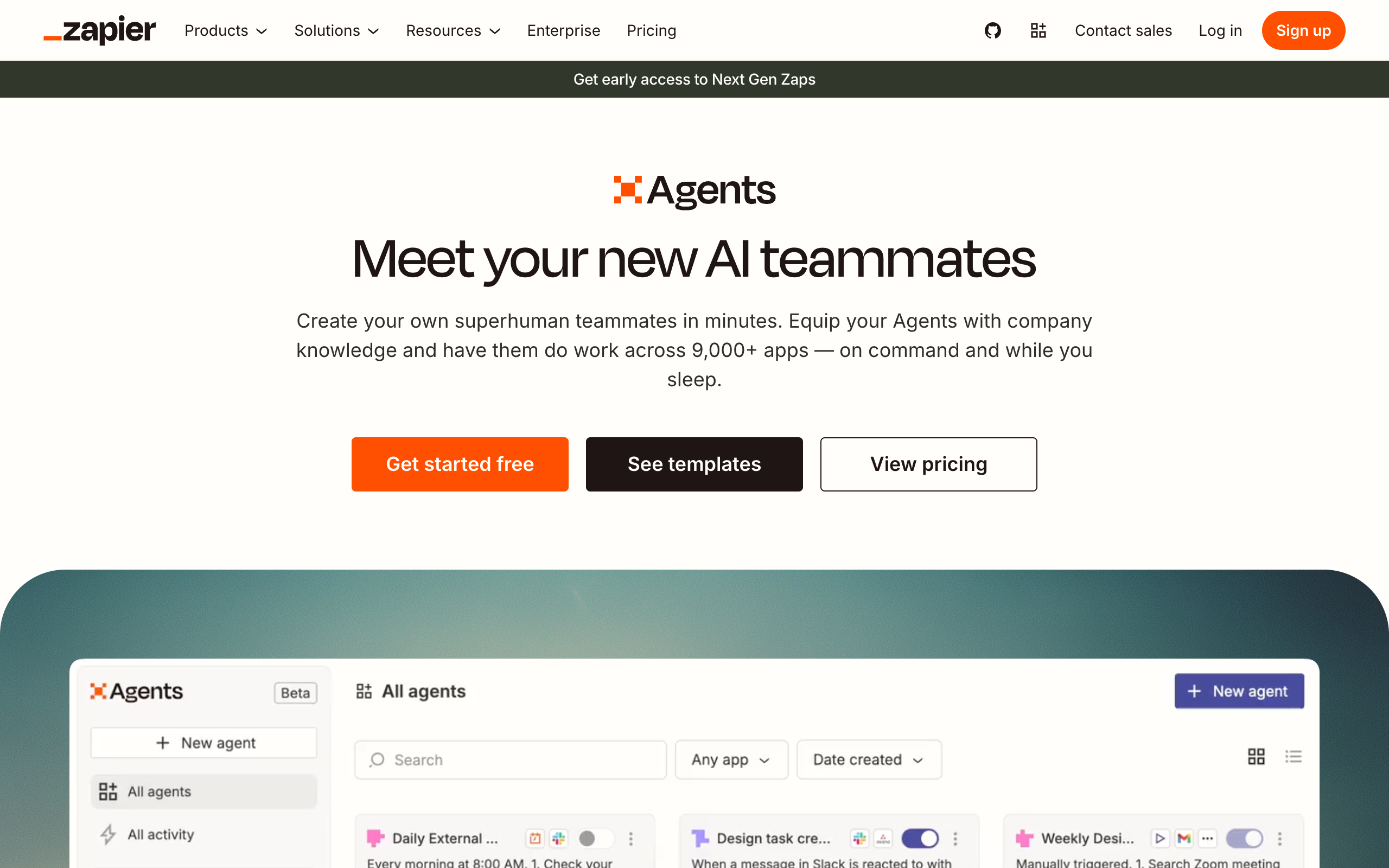
Zapier's Agents page says agents work across 9,000+ apps and can use your company knowledge. Usage is counted in activities, which are separate from tasks. One activity is one trigger, knowledge lookup, action, web search, or browsing request.
| Plan | Activities a month | Limit per run |
|---|---|---|
| Free | 400 | 10 |
| Pro | 1,500 | 40 |
| Enterprise | Custom | 40 |
Zapier's pricing page says Agents are free for all, with Pro starting at about $33.33 a month on yearly billing. At the limit, agents stop running until your next billing date or an upgrade. You can still chat with them, and Zapier emails you at 80% and at 100%.
AI by Zapier is the replacement. It is a step inside the Zap editor, and it mixes agentic steps with fixed ones. The migration article says Zapier converts each agent into a Zap with a trigger and a single AI step, and you review and publish it.
The billing changes with it. AI by Zapier uses task-based pricing, so you no longer pay for a separate Agents subscription. Zapier says the step is charged per AI step and per tool call, priced by model tier, and its pricing page does not publish the per-step rates. Long runs pause for review past a task limit, which defaults to 75 and can go up to 500.
Approvals depend on how you set them up. In Agents, an approval is a sentence in the agent's instructions. In a Zap, the Human in the Loop step pauses a run for review on paid plans, and on Pro you can send requests only to yourself.
Pros
- Works across Zapier's large app catalog
- Sits in the account you already pay for
- A free allowance of 400 activities a month
- Human in the Loop can pause a Zap for review
Cons
- Agents are moving to AI by Zapier, with no end date yet
- AI step rates are not published on the pricing page
- Runs are capped at 10 or 40 activities
- Approval in Agents is an instruction you write
Current Zapier customers who want one AI step inside an existing Zap.
If you are building something new, build in AI by Zapier rather than Agents, so you avoid a migration later. For what a single agent can and cannot hold, see AI agents for business, which uses the Lane Test to work out how many a business needs.
Zapier review: what review sites report
Trustpilot gives Zapier 1.3 out of 5 from 327 reviews, 71 of them from the last 12 months. The star split is 10% 5-star, 5% 4-star, 3% 3-star, 7% 2-star, and 75% 1-star.
Trustpilot notes that Zapier has not recently invited customers to review, so the reviews may not be representative. It also says Zapier has not replied to negative reviews. Read the score as a guide to what goes wrong when a purchase fails.
The 1-star page showed 24 reviews from November 2025 to October 2026, and they group like this:
Each review is counted once, under its main complaint. The grouping is this page's own reading. Billing dominates the list, and few reviews complain about Zaps themselves.
The billing complaints follow from written terms. Yearly plans renew automatically, and purchases are non-refundable. Set a reminder a week before renewal if you stay on a yearly plan.
1.3/5·Trustpilot(327)Zapier pros and cons
Zapier's biggest strength is reach, since it lists 10,426+ apps. Its biggest weakness is how the bill grows with each action step.
Pros
- 10,426+ apps, the longest list on this page
- A free plan, and a 14-day Pro trial with no card
- Fixed steps run the same way every time
- Tables and Forms sit in the same account
- Human in the Loop can pause a run on paid plans
Cons
- Each action step counts as a task, so long Zaps cost more
- Free is limited to two-step Zaps and 15-minute polling
- All purchases are non-refundable
- Pro has one seat, and Team starts at $69 a month
- Trustpilot shows 1.3 from 327 reviews
When Zapier is the right choice
Zapier is the right choice when each job has a clear trigger, fixed steps, and tidy data. For that work it is the better buy than any AI tool on this page, Squad included. Paying for judgement makes no sense on a job that needs none.
Stay with Zapier in these cases:
- Your Zaps copy data between apps, such as a form entry into a CRM.
- An app you rely on is listed on Zapier and missing elsewhere. Check this first, because the gap is large.
- Your volume fits a low tier. At 450 tasks a month, $19.99 billed yearly is hard to beat once you count your time to rebuild.
- Your Zaps have run for years with no trouble. A move costs you hours of rebuilding and testing.
- Someone on your team knows Zapier and fixes it when a step breaks.
Keep the yearly plan only if you are sure of your volume, since a plan you stop using is not refunded.
Owners with simple fixed triggers between common apps and steady, low task volume.
Why people look for Zapier alternatives
People look for Zapier alternatives for six reasons. Most come from Zapier's own pricing page and help center, and the rest come from the complaint groups on Trustpilot's 1-star page.
- Task costs rise with every action. Each action step counts as a task, so a four-action Zap on 10 orders a day uses 1,200 tasks a month. That needs the 1,500-task tier at $39 billed yearly, which is almost twice the entry price. Other tools count differently, as the table further down shows.
- Purchases cannot be refunded. Zapier's refund policy says a processed charge "will not be refunded," and that includes charges after a trial ends. Renewal and refund complaints are the two largest groups on Trustpilot's 1-star page, at 8 and 5 of 24 reviews.
- Fixed steps cannot weigh a messy case. A Zap follows the path you set. If a customer email mixes a refund request with a billing question, a fixed path picks one branch or fails. AI steps help here, and they add a meter of their own.
- Free and Pro have tight limits. Free is limited to two-step Zaps and 15-minute polling. Pro has one seat, and Human in the Loop requests on Pro can go only to you. A small team that needs a second person jumps to Team, at $69 a month billed yearly.
- The AI product is changing. Agents are moving to AI by Zapier, which has a different billing unit. Per-step AI rates are not on the pricing page, so the cost of a new AI job is hard to work out in advance.
- Each Zap holds its own rules. A Zap carries the filters and message text you set inside its steps. An owner with 20 Zaps has 20 sets of rules to keep correct, and a change in pricing or policy can mean editing each one.
How the alternatives solve these problems
Four types of tool address these problems: cheaper workflow builders, self-hosted builders, AI agent builders, and hosted specialist teams. Each one fixes part of the list and adds a cost or a limit of its own.
| Problem with Zapier | Type of tool | Tool | What changes |
|---|---|---|---|
| Task costs rise with every action | Cheaper workflow builder | Make | $1.80 per 1,000 credits at the 5,000-credit level on yearly billing |
| Task costs rise with every action | Self-hosted builder | n8n | One execution per run, however many steps the run has |
| Task costs rise with every action | Self-hosted builder | Activepieces | A run costs one credit regardless of step count, and AI steps cost more |
| Purchases cannot be refunded | Hosted specialist team | Squad | A 7-day money-back guarantee on the first payment |
| Fixed steps cannot weigh a messy case | AI agent builder | Gumloop | Agents use an AI model at each step, billed in credits |
| Fixed steps cannot weigh a messy case | Hosted specialist team | Squad | Teammates read the case, and can stop to ask you a question |
| Free and Pro have tight limits | Self-hosted builder | n8n | All plans include unlimited users and workflows |
| Free and Pro have tight limits | AI agent builder | Gumloop | Unlimited seats on the Pro plan |
| AI costs are hard to work out | AI agent builder | Gumloop, Activepieces | Credit prices are public |
| AI costs are hard to work out | Hosted specialist team | Squad | No per-task AI charge from Squad. You pay your AI plan |
| Each Zap holds its own rules | Hosted specialist team | Squad | Teammates share memory and docs across jobs |
No option fixes all six at Zapier's entry price. The criteria below show which problems matter for your work.
What to look for in a Zapier alternative
Seven criteria separate the options. The first three decide what the tool costs in daily use, and the rest decide how much you can trust it with real work.
1. How does the tool count a run?
Take one real job and count it on each meter, because the units differ. Zapier counts action steps, Make counts modules, n8n counts whole runs, and Activepieces counts runs plus AI use. The same job can sit at the bottom of one plan and over the limit of another.
| Tool | Unit | 10 orders a day, four actions each | Cost at that volume |
|---|---|---|---|
| Zapier | Tasks | 1,200 tasks a month | $39 a month billed yearly |
| Make | Credits | About 1,500 credits, counting the trigger read | $9 a month billed yearly |
| n8n | Executions | 300 executions | 20 euros a month billed yearly |
| Activepieces | Credits | 300 credits, with no AI steps | Free plan, within 1,000 credits |
| Gumloop | Credits | Depends on model tokens and tool calls | $37 a month or more |
| Squad | No meter on AI work | Your AI plan's limits apply | $99 a month plus a $100-200 AI plan |
The table is arithmetic from each vendor's counting rules, as of 2 November 2026. On this job, Squad costs far more than the fixed tools, and it would be the wrong pick.
2. What happens at the limit?
A limit either stops the work or adds a cost. Zapier stops unless pay-per-task is on. Make's scenarios stop, and incoming webhooks wait in a queue up to your limit. Gumloop's agents stop until you enable pay-as-you-go, and on Squad a run that hits a rate limit moves to the next model on your list, or waits if you have not set one.
3. What is the full price at your volume?
Multiply your runs by the tool's unit, then read the tier that fits. Add the seats you need, and the AI usage if the tool bills it separately. Squad costs $99 a month plus a $100-200 AI plan, so roughly $199-299 a month before any optional extra. See AI agent running costs for what drives the bill on AI tools.
4. Does it connect to your apps?
Check your own apps by name, because the counts vary widely. Zapier lists 10,426+, Make 3,500+, Activepieces 770+, n8n 500+, Gumloop 100+ MCP integrations, and Squad 70+. A smaller list can still cover you, and n8n, Activepieces, and Squad can reach other tools through an API or an MCP server.
5. Can it handle a case that does not fit the path?
Ask what happens when input is messy. A fixed tool fails or takes the wrong branch, and you find out later. An AI step can read the case, so ask where it records what it decided. Make shows agent decisions in a Reasoning panel, and n8n lets you open any step.
6. What can you hold for review?
Find out which actions wait for you, and who can review. Zapier's Human in the Loop runs on paid plans, and reviewers need a Zapier account. Make's AI agents page lists manual approvals, and n8n lists human approval for tool calls on all plans. On Squad, teammates can draft for your approval and open a question before money moves, and you set access levels and send caps for anything that must not happen. Human-in-the-loop AI agents explains how to decide.
7. Who fixes it when it breaks?
Every builder here leaves maintenance with you. When an app changes a field, someone opens the workflow and repairs the step. Self-hosting adds the server, the updates, and the backups, so price your own time before you call n8n free.
How the alternatives were evaluated
Each tool was compared on the seven criteria above. Facts come from each vendor's pricing pages, product pages, help centers, and docs, fetched on 2 November 2026. Ratings come from Trustpilot on the same date. Squad's facts come from its homepage, docs, and integration manuals.
Tools were chosen for fit with small businesses, so the list leaves out enterprise platforms sold only through sales. The complaint groups and the "needs managing" column are this page's own reading of those public pages. Where a vendor's pages disagree, this page gives both versions.
Five Zapier alternatives
Five tools cover the main reasons people leave Zapier. The order below does not rank them. All prices were checked on 2 November 2026.
Make, for cheaper fixed steps
Make is a visual builder where you draw a scenario as connected modules. It does the same kind of work as Zapier, with branching and data tools shown on a canvas. It suits owners who want fixed automation at a lower price and will spend time learning the editor.
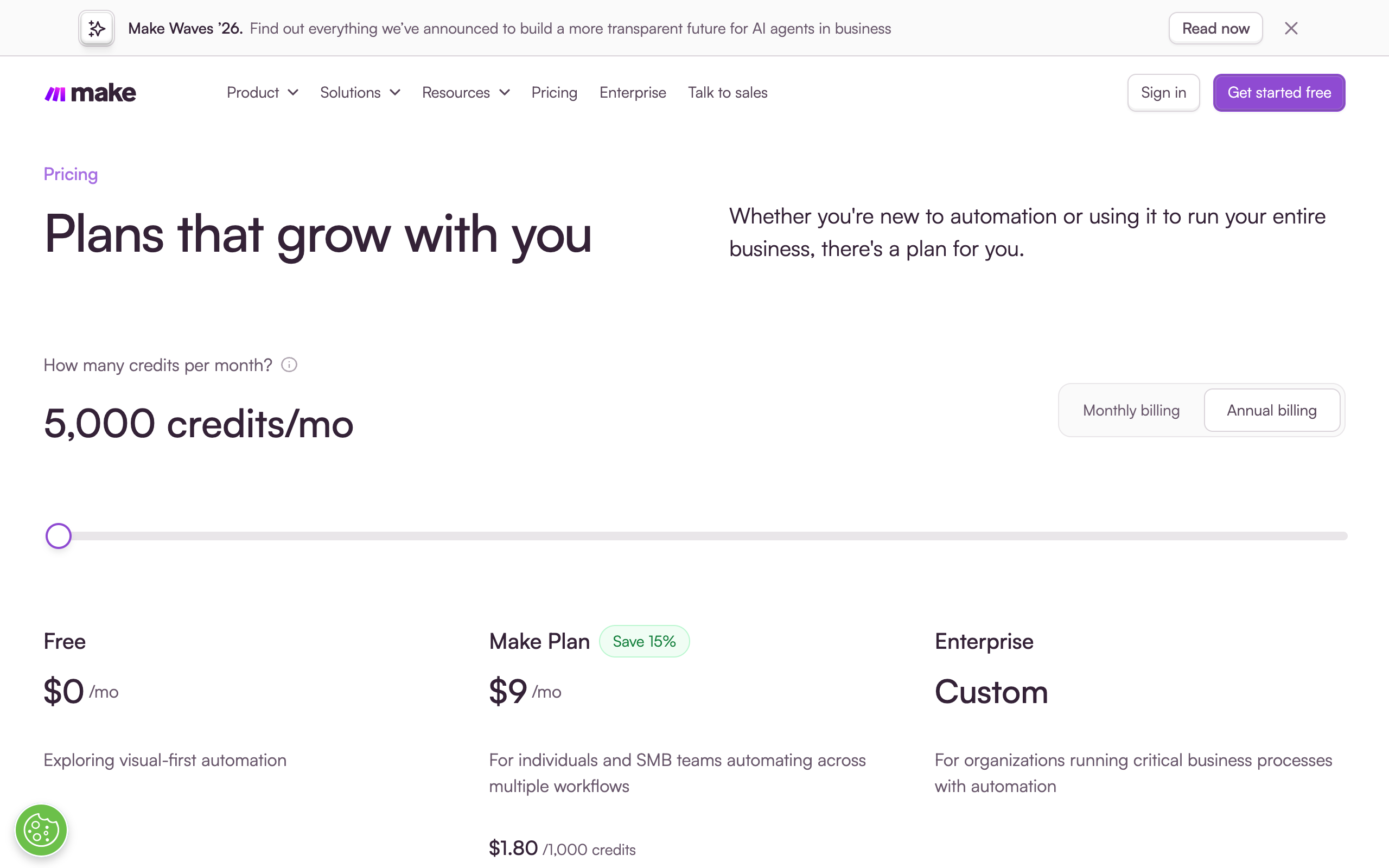
Make's pricing page shows Free at 1,000 credits a month with a 15-minute minimum interval. The Make Plan shows $9 a month for 5,000 credits on annual billing, which is $1.80 per 1,000 credits, with a slider for more credits and a 15% annual saving. The plan lists unlimited active scenarios and teams with roles.
Most actions use 1 credit, and some AI features use more. Credits expire at the end of the term, and scenarios stop when credits run out. Extra credits come in bundles of 1,000 or 10,000. The page's FAQ still names Core, Pro, and Teams plans, while the plan cards show one Make Plan.
Make also sells AI agents. Its AI agents page says each decision appears in a Reasoning panel, and that you can add manual approvals. The page says agents suit work with unstructured input, and scenarios suit fixed tasks.
2.6/5·Trustpilot(170)Trustpilot shows 49% 5-star and 36% 1-star reviews. Complaints cover a hard learning curve, workflows that broke, and difficulty reaching a person. Make has replied to 94% of negative reviews.
Pros
- $9 a month billed yearly for 5,000 credits
- A visual canvas with branching and data tools
- Free plan with 1,000 credits a month
- Unlimited active scenarios on the paid plan
Cons
- Fewer apps than Zapier, at 3,500+
- Reviewers report a hard learning curve
- Credits expire at the end of the term
- Trustpilot shows 2.6 from 170 reviews
Owners with many fixed steps who want a lower bill and will learn a visual editor.
n8n, for owners who can self-host
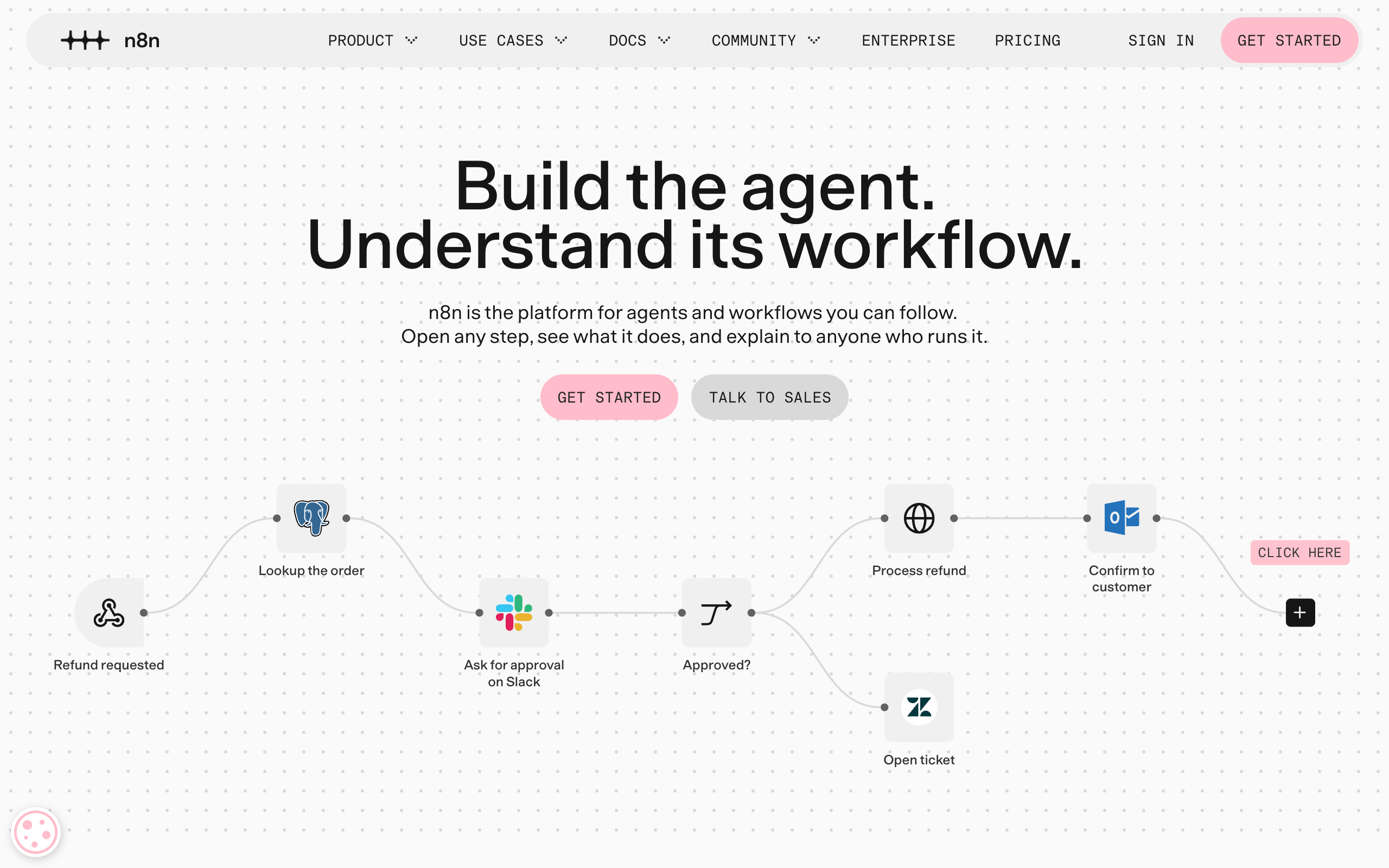
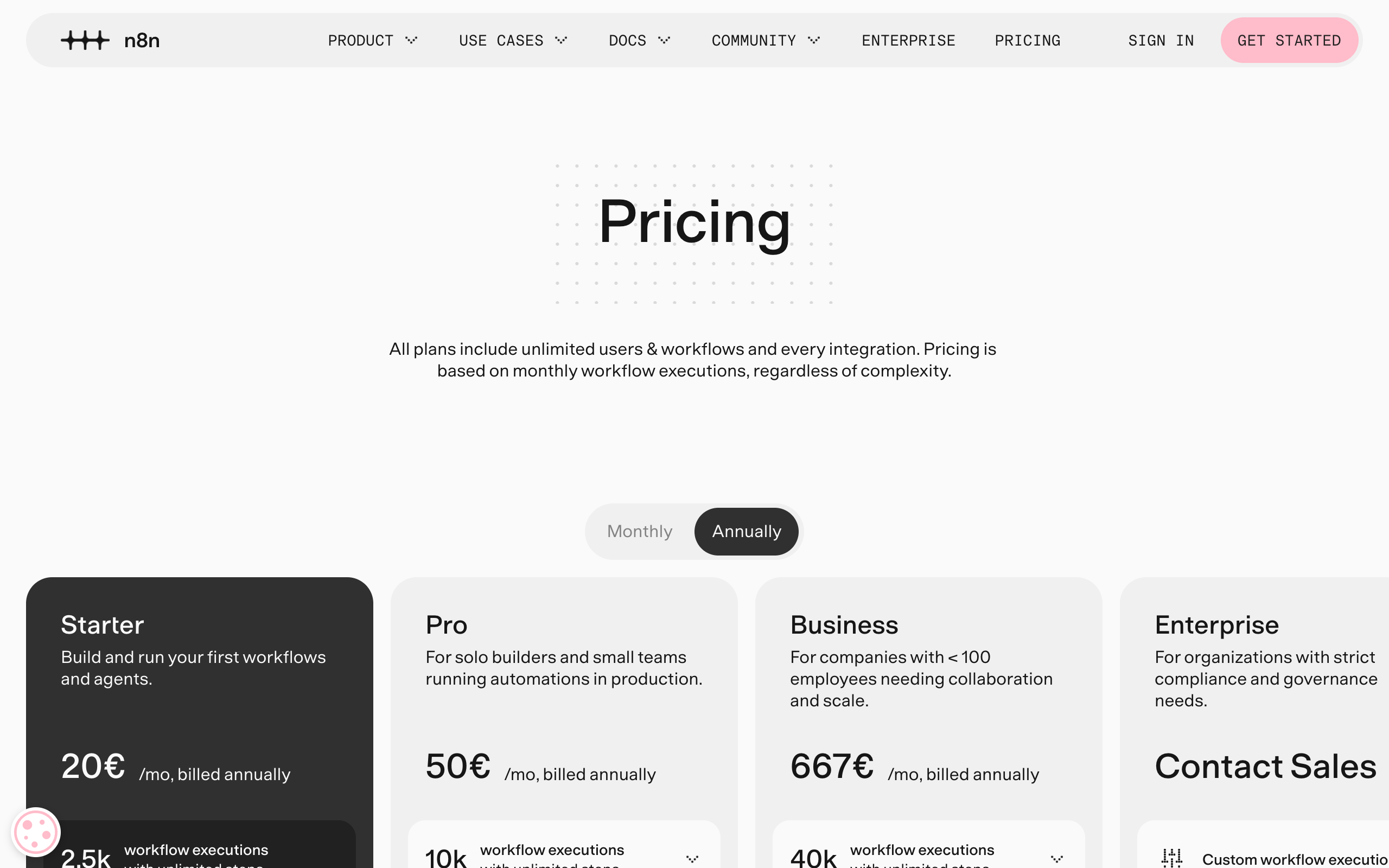
n8n is a workflow and agent builder that you can run on your own server. It suits technical owners and teams with a developer, since a self-hosted install puts you in charge of updates and backups. It counts one execution per run, however many steps the run has.
The pricing page shows Starter at 20 euros a month billed yearly for 2,500 executions, and Pro at 50 euros for 10,000. Business costs 667 euros a month billed yearly for 40,000 executions, and it is self-hosted only. All plans include unlimited users and workflows, and n8n says they include every integration.
The self-hosted Community edition is on GitHub, where n8n shows 209.3k stars. The docs say it has almost the complete feature set. It leaves out SSO, projects, sharing of workflows and credentials, and Git version control.
n8n lists 500+ native integrations, plus any API over HTTP. Human approval for tool calls is on all plans. The cloud trial needs no card and includes 1,000 executions.
3/5·Trustpilot(49)Trustpilot shows 53% 5-star and 37% 1-star reviews. Praise covers price against Zapier and Make, and complaints cover account recovery, slow support, and broken workflows.
Pros
- One execution per run, however long the workflow
- A self-hosted edition on GitHub
- Unlimited users and workflows on all plans
- Human approval for tool calls on all plans
Cons
- Self-hosting makes you responsible for the server
- 500+ native integrations against Zapier's 10,426+
- Sharing is missing from the Community edition
- Too technical for most owners without a developer
Technical owners who want control of their data and long workflows at a flat run price.
Gumloop, for AI agents on a credit budget
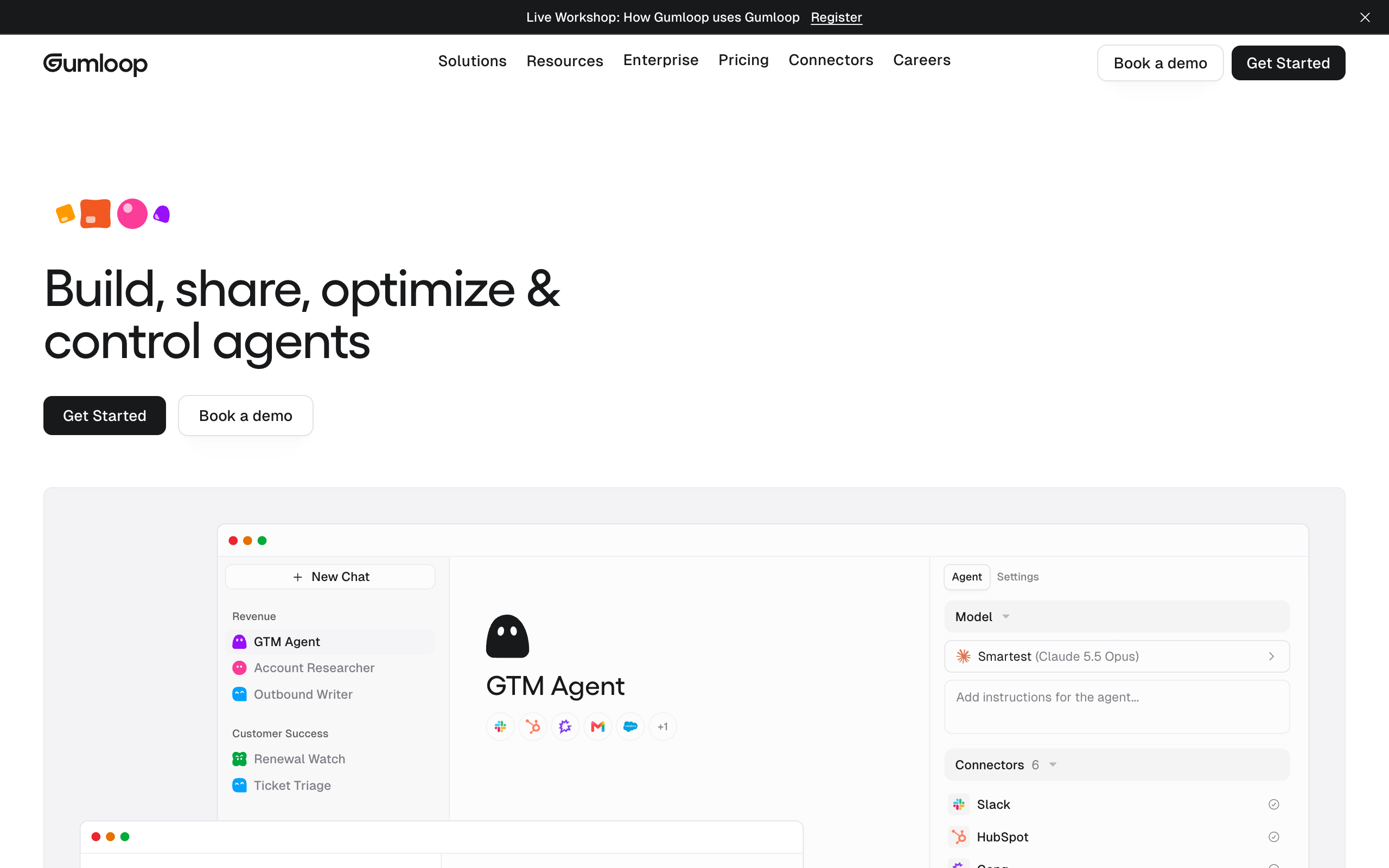
Gumloop calls itself "the multiplayer AI agent builder." You describe the work in plain language and get an agent that connects to your apps and runs on triggers. It suits small teams that want to build AI agents across sales, support, and reporting without a developer.
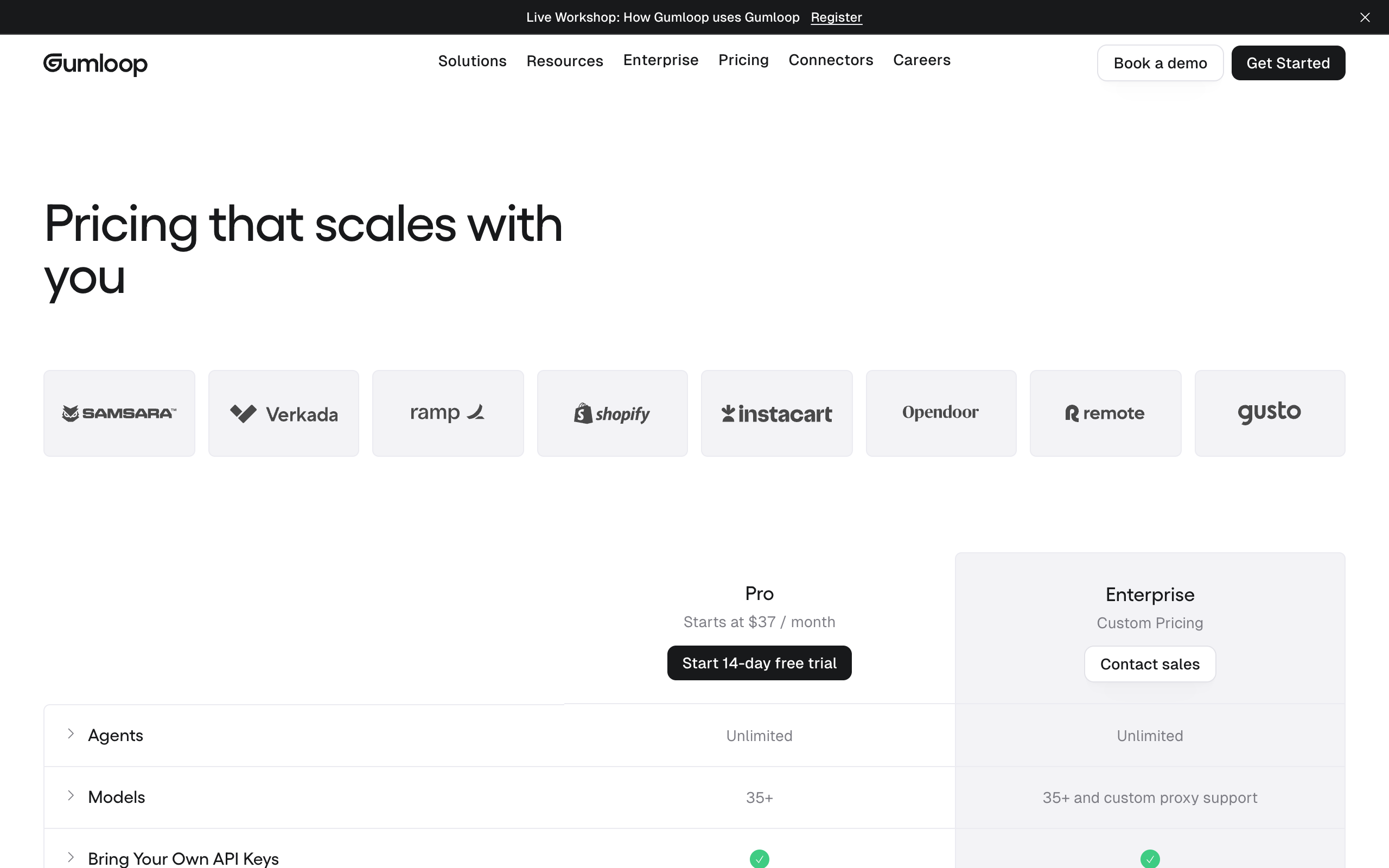
The pricing page lists Pro from $37 a month after a 14-day free trial, and custom Enterprise pricing. Pro includes 20,000 credits, made up of 7,400 plus 12,600 bonus credits, and each credit is indexed at $0.005. You also get unlimited agents and seats, and 35+ models.
Gumloop bills model tokens and paid tool calls at list price, plus an 8% orchestration fee. If you bring your own model key, token credits drop to zero and the fee rises to 16%. Unused credits do not roll over. At the limit, agents stop until you enable pay-as-you-go at $0.005 a credit.
Gumloop's site lists 100+ MCP integrations, including Slack, Gmail, Salesforce, HubSpot, and Notion. It labels its older workflows as Legacy on the pricing page, so new builds go through agents. The pages checked do not describe a step that holds an action for human review.
Gumloop has no reviews on Trustpilot as of 2 November 2026, so this page shows no rating for it.
Pros
- Unlimited seats on Pro
- Public credit price and a stated 8% fee
- Choice of 35+ models, or your own key
- A 14-day free trial
Cons
- Costs vary with model tokens, so bills are harder to predict
- Agents stop at the limit unless pay-as-you-go is on
- Credits do not roll over
- Human review steps are not described on the pages checked
Small teams that want to build their own AI agents and will watch credit use.
Activepieces, for open-source automation at a flat price
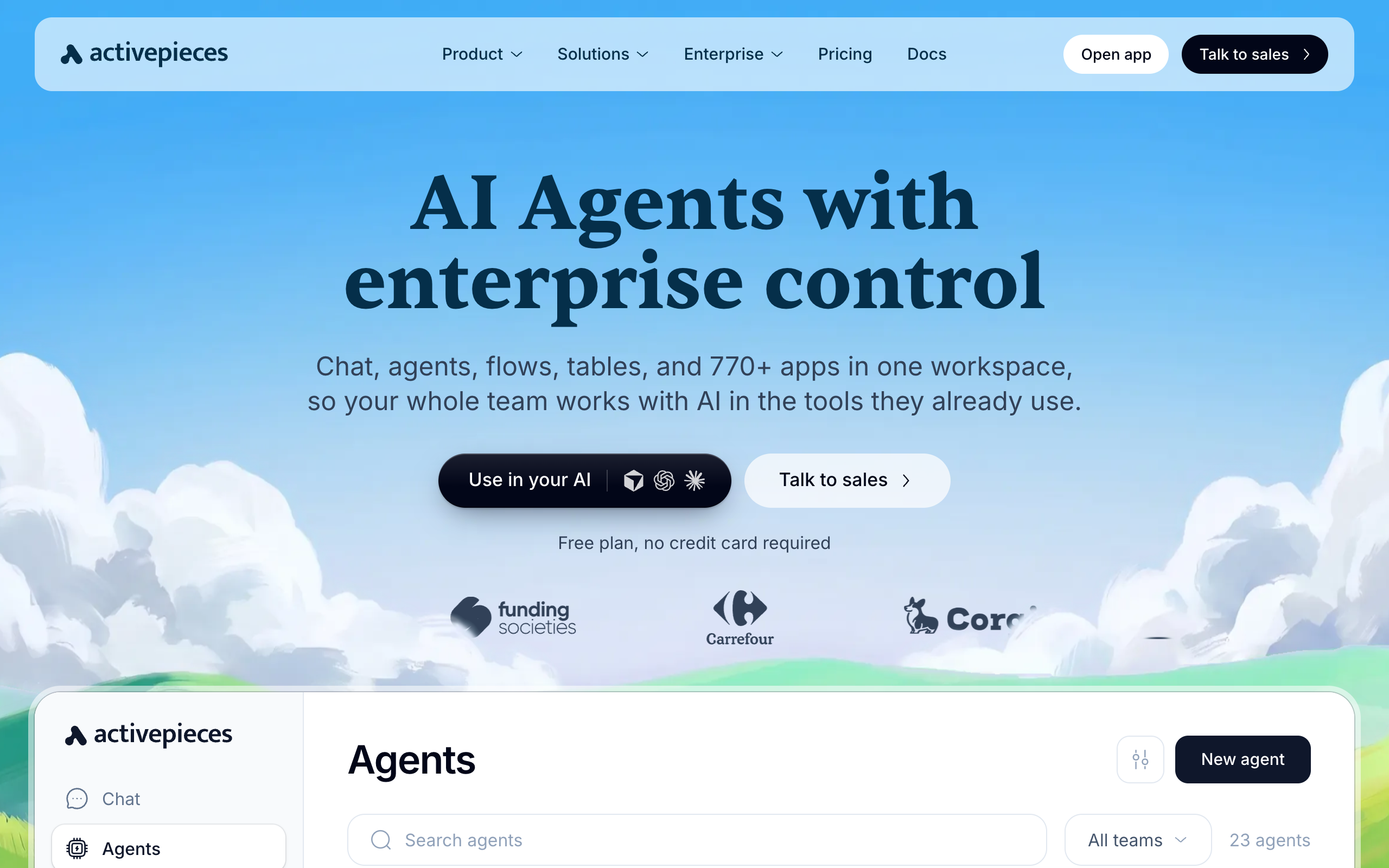
Activepieces is an automation and agent workspace with an MIT-licensed core. It suits owners who want an open-source tool and a simple flat price. Its homepage lists "Chat, agents, flows, tables, and 770+ apps in one workspace."
The pricing page lists Free at 1,000 credits, with unlimited flows and up to 5 users. Plus costs $20 a month flat for 10,000 credits, then $0.007 a credit. Team costs $200 a month for 50,000 credits with 25 users, SSO, and standard roles.
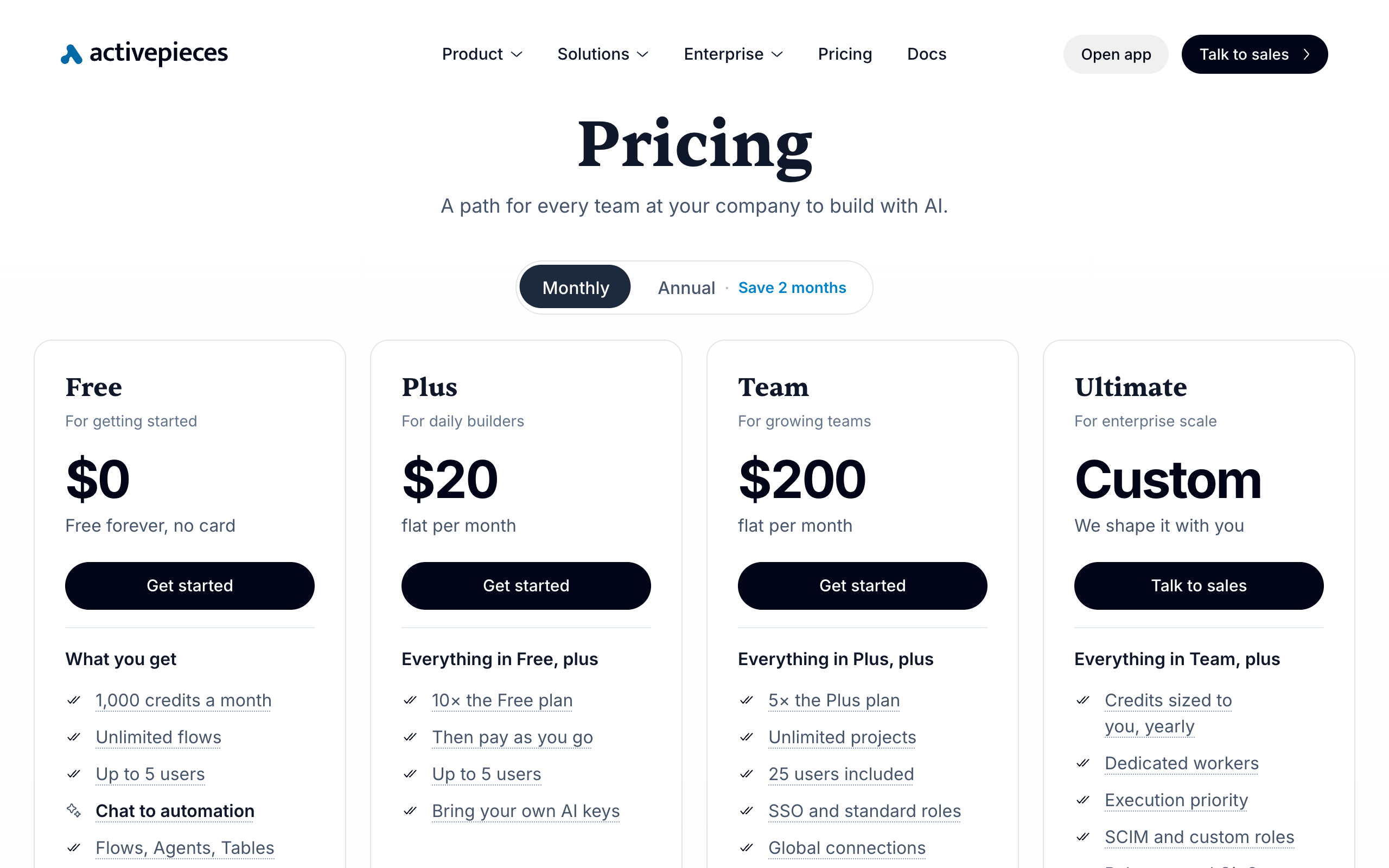
A run costs one credit regardless of step count. AI steps cost 2, 10, or 20 credits, depending on the model. Plus and above can bring their own AI keys, which cuts an AI step to 1 credit. Free credits reset daily, so runs wait for the next day at the limit.
The core can be self-hosted with Docker or Kubernetes. The pricing page does not mention a human approval step.
4.3/5·Trustpilot(131)Trustpilot shows 88% 5-star reviews and none from the last 12 months, so the score rests on older reviews. Complaints mention plan changes, thin support, and fewer integrations than Zapier.
Pros
- $20 a month flat for 10,000 credits
- A run costs one credit regardless of steps
- MIT-licensed core you can self-host
- A free plan for up to 5 users
Cons
- 770+ apps against Zapier's 10,426+
- Team jumps to $200 a month
- No human approval step on the pricing page
- No Trustpilot reviews in the last 12 months
Cost-minded owners who want open-source automation and a flat monthly price.
Squad, for jobs that need judgement across tools
Squad (formerly MissionControlHQ) hosts a squad, which is a coordinated team of specialist AI teammates, not just one general assistant. A Zap runs the steps you set. A teammate gets a job description, reads what is in front of it, and decides what to do within the access you gave it.
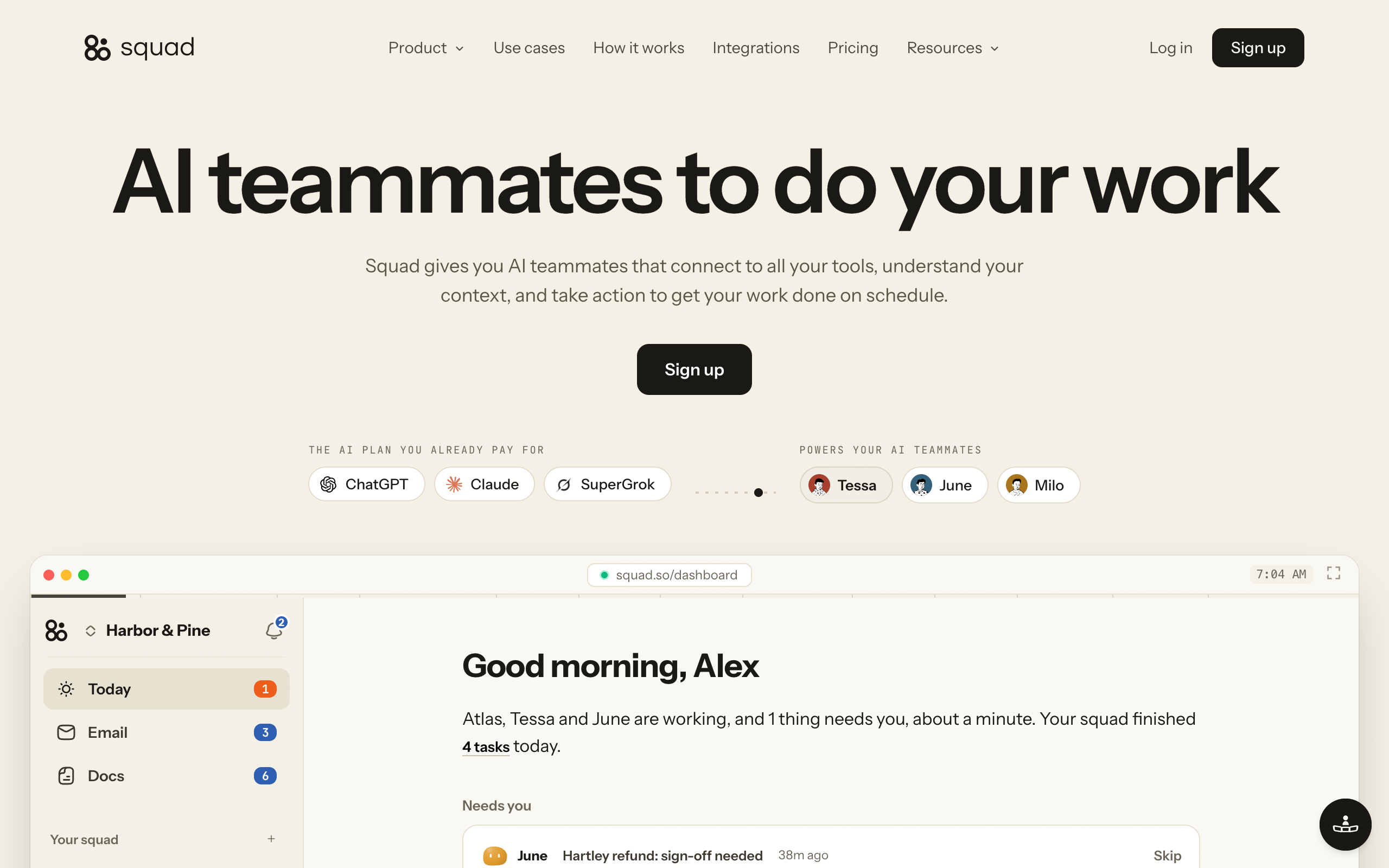
You do not draw a workflow. You describe the job like you would to a new hire, and your chief of staff writes the process down for you to edit. After a build of about two minutes, a conversation of about ten minutes with your chief of staff designs 4 or 5 teammates for you to approve.
Work runs on routines, which are schedules, and on triggers, which start when something happens. A trigger can be a webhook or an event in a connected app, such as a new Gmail email. Work shows on a Tasks board with a Needs you column for questions and drafts, and History shows the last 30 days of runs.
Squad lists 70+ integrations, far fewer than Zapier, and it can add MCP servers and custom integrations. Each connection has an access level, and the levels vary by app. Every teammate gets the connection's level unless you narrow or block it.
Squad's price is $99 a month plus a $100-200 AI plan, so roughly $199-299 a month before any optional extra. Squad adds no charge for AI usage. Optional extras include inboxes at $10 a month each, seats for people at $9 a month each, and research credits beyond the 1,000 included each month.
Squad has no free trial. The first payment has a 7-day money-back guarantee.
Pros
- Handles work that needs reading and judgement
- No per-task AI charge from Squad, since teammates run on your own AI plan
- Teammates share memory and docs across jobs
- Access levels you can narrow per teammate
- A log of every run and connection call
Cons
- Costs far more than Zapier for simple fixed triggers
- 70+ integrations against Zapier's 10,426+
- No free trial
- AI work can make mistakes, so you read early output
Owners whose recurring jobs need judgement across several apps, with a record of each run.
Zapier alternatives compared
The table compares Zapier and the five alternatives on approach, apps, price, and how much each one needs managing. Prices and app counts are the vendors' own, as of 2 November 2026. The last column is this page's reading of vendor documents.
| Tool | Approach | Apps listed | Entry paid price | Unit | How much it needs managing |
|---|---|---|---|---|---|
| Zapier | Fixed Zaps, with AI steps | 10,426+ | $19.99/mo yearly or $29.99 monthly | Tasks | Low to start. You fix steps when apps change |
| Make | Fixed scenarios, with AI agents | 3,500+ | $9/mo yearly | Credits | Medium. The editor takes time to learn |
| n8n | Workflows and agents, self-hosted or cloud | 500+ | 20 euros/mo yearly | Executions | High if self-hosted. You run the server |
| Gumloop | AI agents | 100+ MCP integrations | $37/mo | Credits | Medium. You build agents and watch credits |
| Activepieces | Flows and agents, self-hosted or cloud | 770+ | $20/mo | Credits | Medium. You build each flow |
| Squad | Specialist AI teammates | 70+ plus MCP servers | $99/mo plus a $100-200 AI plan | No meter on AI work | Medium. A short onboarding, then you answer questions and read drafts |
n8n is left out of the chart because its page shows euros. Its Starter plan comes to 720 euros over three years.
Zapier Pro costs about $179 a month less than Squad on yearly billing
$19.99 a month against roughly $199 a month for Squad with a $100 AI plan. Over three years, that is $719.64 against about $7,164, if today's prices hold.
Zapier is the cheaper tool by a wide margin, and for fixed triggers the gap has no return. The price only makes sense if a job needs a person's reading today, and a teammate can take over that reading. Compare that cost with the hours you spend, or with a hire, rather than with a Zapier plan.
How to choose a Zapier alternative
Start with the job that made you look, then ask whether it needs judgement at all.
Does the job follow the same steps every time?
- If yes→Stay on a fixed tool, and compare by price
- If no→Look at AI tools, and compare by who sets them up
If the steps are fixed, what is the main problem?
- If The bill→Move to Make, or to Activepieces for a flat price
- If Data control→Self-host n8n, if you have a developer
- If Nothing→Keep Zapier
If the job needs judgement, who will set up the work?
- If I will build agents myself→Gumloop, or AI by Zapier for one step in a Zap
- If I want it designed with me→Squad, where your chief of staff proposes the teammates
Zapier alternatives by use case
These scenarios match common small-business jobs to the tool that fits each one best. Zapier stays on the list where it is the better buy.
| Scenario | Best pick | Why |
|---|---|---|
| Copying each form lead into a CRM and a sheet | Zapier | Fixed steps, tidy data, and the app is almost certainly listed. |
| An app that only Zapier connects to | Zapier | 10,426+ apps is the longest list on this page. |
| High-volume fixed steps on a tight budget | Make | $1.80 per 1,000 credits at the entry level. |
| Syncing orders through many branches and filters | Make | The visual canvas shows each branch. |
| A long workflow run thousands of times a month | n8n | One execution counts however many steps a run has. |
| A business that wants data on its own server | n8n | The Community edition is self-hosted. |
| A sales team building its own research agents | Gumloop | Unlimited seats, 35+ models, and a public credit price. |
| An owner who wants open source at $20 a month | Activepieces | MIT-licensed core and a flat plan. |
| One AI summary step inside an existing Zap | AI by Zapier | It sits in the Zap editor on paid plans. |
| Reading support email and checking the order before replying | Squad | A teammate reads the case across your apps, then drafts or replies. |
| Chasing overdue invoices with a different tone per customer | Squad | A teammate works in Stripe and Gmail on a routine. |
| A Monday report that explains why the numbers moved | Squad | A teammate reads the data and writes the summary. |
When to switch from Zapier to Squad
Switch from Zapier to Squad when the hard part of a job is deciding what to do, and the moving of data is the easy part. Five situations point to the move, and in each one you can keep your simple Zaps running.
Your Zaps keep growing branches
Move to Squad if you keep adding paths to handle exceptions. A Zap with 12 branches is a written attempt to cover judgement, and each new case means another edit. A teammate gets the rule in plain words, such as "refund orders under $50, and ask me about anything else."
The work starts with reading
Move to Squad if a job begins with a message, a document, or a call note. A fixed step can pass that text along, and an AI step can summarize it. A teammate can read it, look up the customer in other apps, and then act. These are jobs a small team can hand over:
| Job | What the teammate does | Apps it can use |
|---|---|---|
| Answering support | Reads the ticket, checks the customer, and drafts or sends the reply | Zendesk, Intercom, Gorgias, Stripe |
| Chasing overdue invoices | Checks unpaid invoices each morning and writes reminders that fit each customer | Stripe, Zoho Invoice, Gmail |
| Sorting the inbox | Sorts overnight email and drafts replies to what matters | Gmail |
| Writing the weekly report | Pulls revenue and refunds, and explains what changed | Stripe, Google Sheets |
| Researching new leads | Researches each signup, adds notes, and flags the good fits | HubSpot, Squad's built-in research tools |
| Following up after calls | Turns a recorded call into a write-up with owned actions | Fathom, Gmail |
| Reporting on ad spend | Compares spend and results by channel and notes what to change | Google Ads, Google Sheets |
| Saving quiet customers | Finds quiet accounts and drafts a check-in | Stripe, HubSpot |
| Chasing suppliers | Follows up on open quotes until someone answers | Gmail |
| Cleaning the CRM | Finds duplicates and stale records on a schedule, and fixes them | HubSpot |
Several jobs need the same context
Move to Squad if your rules live in 20 separate Zaps. Teammates share memory and docs, so a change to your refund policy reaches every teammate that reads it. Standing facts about your business go in the About you and Voice files on the What your squad knows screen.
You want one place to see the work
Move to Squad if you find out about failures late. Today shows what needs you, and the Tasks board shows what has not started, what needs you, what is in progress, and what is done. Squad logs each run in History, and each call a teammate makes through one of your connections. Zapier's Zap history covers runs too, and it guarantees 60 days of data at most.
You want a teammate kept out of one app
Move to Squad if your apps hold money or customer data. Each connection has an access level, and the levels vary by app. You can narrow or block any single teammate, so a reporting teammate can hold Stripe at Read-only. Squad refuses any action outside the level.
Teammates can draft for your approval and open a question before money moves. Set access levels and send caps for anything that must not happen. Connecting AI agents to business apps covers how to scope access.
When you do not need Squad
You do not need Squad if your jobs are fixed triggers, and for that work Zapier stays the better buy. Paying roughly $199-299 a month to copy a form into a sheet makes no sense. Stay too if you need an app that Squad has no manual for and it offers no API or MCP server.
Squad also has real limits. Teammates work only when something wakes them, unless you turn on a heartbeat or set a routine. AI output can be wrong, so read drafts during the first weeks. Sent email cannot be recalled.
Many owners will want both. A Zap can keep doing the fixed steps and post to a Squad trigger URL with a Webhooks by Zapier action, and the teammate takes the part that needs reading.
How to move off Zapier
Move one Zap at a time, and keep Zapier running until the new setup works. The steps below fit any alternative on this page.
- List your Zaps, with the tasks each one uses in a month. Mark the ones that run often and the ones you no longer need.
- Download your data in Settings under Security and data. The export is a ZIP with a Zapfile.json of your Zaps, and CSV links to run data.
- Sort the list into fixed jobs and jobs that need judgement. Fixed jobs go to a builder. Judgement jobs go to an AI tool.
- Rebuild your highest-volume Zap on the new tool, or brief a teammate on the job.
- Run both side by side for a week. Keep one in draft or test mode, so a customer does not get two emails.
- Turn off the Zap, and move the next one.
- Cancel when the list is empty. Select the Free plan on the Billing and usage page, and you keep paid features until the cycle ends.
What to take with you
Do this before you cancel. Zapier guarantees 60 days of Zap run data at most, so export anything you need for your records.
| What | Where it lives on Zapier | What to do |
|---|---|---|
| Zap logic | Zaps, in Zapfile.json | Download it, and write each job in plain words |
| Run records | Zap history | Export them before they age out |
| Lists and records | Tables | Export them to a sheet you own |
| Forms | Zapier Forms | Rebuild them, and update every link to them |
| App connections | Your connected apps | Reconnect each app on the new tool with the narrowest access that works |
| Webhook URLs | Webhooks steps | Update each sender with the new URL |
How to time the switch
Your paid plan runs to the end of the cycle, and Zapier does not refund the remainder. If you are on a yearly plan, use that time for side-by-side runs. Cancel before the renewal date, and check for pay-per-task charges, which can still arrive after you cancel.
Add-ons are separate. Zapier's cancel article says existing add-ons are not affected when you cancel your plan, so check Billing and usage for each one.
Setting up the new tool
The Zap list from step 1 becomes your setup brief. On Make, n8n, and Activepieces, you rebuild each flow in the new editor. On Gumloop, you describe each job and build an agent.
On Squad, tell your chief of staff what each job does and which exceptions matter. It proposes teammates for you to approve. A job your Zap ran on an event becomes a trigger, and a job it ran on a timer becomes a routine, as the guide to scheduling recurring work explains.
Squad has no free trial. Your first payment has a 7-day money-back guarantee, so run a real job in that first week. For a wider view of what small teams hand over first, see AI agents for small business and the AI for small business guide.
Zapier FAQ
The basics
What are the best Zapier alternatives?
Make suits owners who want cheaper fixed steps, from $9 a month billed yearly for 5,000 credits. n8n suits technical owners who can self-host, with cloud plans from 20 euros a month billed yearly. Gumloop suits teams that build AI agents, from $37 a month. Activepieces suits owners who want open source at $20 a month flat. Squad suits owners whose jobs need judgement, at $99 a month plus a $100-200 AI plan. Prices are as of 2 November 2026.
Is there a free alternative to Zapier?
Yes. Make has a free plan with 1,000 credits a month, and Activepieces has a free plan with 1,000 credits and up to 5 users. n8n's Community edition is free to self-host, though you run the server. Zapier itself has a free plan with 100 tasks a month on two-step Zaps. Squad has no free trial, and its first payment has a 7-day money-back guarantee.
Why do people look for Zapier alternatives?
People look for alternatives when task costs rise with volume, when a charge cannot be refunded, or when fixed steps cannot handle a messy case. Free is limited to two-step Zaps, and Pro has one seat. Trustpilot's 1-star reviews repeat complaints about renewals and refused refunds. Some owners also want a clearer AI price, since Zapier's pricing page does not publish its per-step AI rates.
Is Zapier still worth it?
Zapier is worth it for simple fixed triggers between common apps, because it lists 10,426+ apps and a Zap runs the same way each time. It is a weaker fit for high volume, since each action step counts as a task. It is also a weaker fit for work that needs reading and judgement. Start on the 14-day Pro trial, which needs no card.
Pricing
How much does Zapier cost?
Zapier Free costs nothing for 100 tasks a month on two-step Zaps. Pro costs $19.99 a month billed yearly or $29.99 billed monthly for 750 tasks, and the price rises with task volume. Team starts at $69 a month billed yearly or $103.50 billed monthly for 2,000 tasks, with 25 seats. Enterprise pricing goes through sales. Prices are as of 2 November 2026.
What happens if you go over your Zapier task limit?
Your Zaps stop at the limit unless pay-per-task is on. With it on, extra tasks cost 1.25 times the base rate on yearly plans and 2.5 times on monthly plans. Zapier's page says usage stops at 3 times the subscription either way. The Free plan has no pay-per-task option, so Free accounts wait for the next cycle.
Does Zapier give refunds?
Zapier's refund policy says all purchases are considered non-refundable, and that a processed charge will not be refunded. That covers charges after a trial ends. You can cancel at any time and keep paid features until the cycle ends. If you want to avoid a large charge you cannot get back, start with monthly billing.
Zapier Agents
What are Zapier Agents?
Zapier Agents are AI teammates built inside Zapier that can use your company knowledge and work across Zapier's apps. Usage is counted in activities, separate from tasks. Free includes 400 activities a month and Pro includes 1,500, and a run is capped at 10 or 40 activities. Zapier is moving Agents to AI by Zapier, and it has not set a date to turn Agents off.
Is Zapier Agents shutting down?
Zapier is moving Agents to AI by Zapier, and its help article, updated 1 October 2026, says it has not set a date to turn Agents off. Zapier says it will email affected users with enough notice to migrate. Each agent converts to a Zap with a trigger and a single AI step, which you review and publish. AI by Zapier uses task-based pricing in place of a separate Agents subscription.
How much do Zapier Agents cost?
Zapier's pricing page says Agents are free for all, with Pro starting at about $33.33 a month on yearly billing. Free includes 400 activities a month and Pro includes 1,500. Activities do not use your tasks. On Team and Enterprise accounts, all users share one activity total. AI by Zapier, the replacement, is included on Pro, Team, and Enterprise, and it bills in tasks.
Comparisons
Is Make better than Zapier?
Make is the better choice on price, at $9 a month billed yearly for 5,000 credits against $19.99 for 750 Zapier tasks. Zapier is the better choice on reach and ease of use, with 10,426+ apps against 3,500+. Trustpilot reviewers report a harder learning curve on Make. Pick Make if you have many steps and will learn the editor, and Zapier if you want the fastest setup.
Is n8n better than Zapier?
n8n is the better choice for technical owners who want self-hosting, or long workflows at a flat run price, since it counts one execution per run. Zapier is the better choice for owners with no developer, because you run nothing yourself and it lists 10,426+ apps against n8n's 500+ native integrations. n8n's cloud plans start at 20 euros a month billed yearly.
Switching
Can I export my Zaps?
Yes. Go to Settings, then Security and data, and download your account data. Zapier emails a ZIP with a Zapfile.json of all undeleted Zaps, plus CSV files with links to run data. The file is useful as a record of your logic. The pages checked do not describe importing it into another tool, so plan to rebuild each job.
How do I cancel Zapier?
Go to the Billing and usage page, click Manage, and select the Free plan. Zapier has no separate cancel button. You keep paid features until the end of the cycle, and you will not be charged for the plan again. Pay-per-task usage from that cycle can still be billed, and existing add-ons are not affected by cancelling your plan.
When should I switch from Zapier to Squad?
Switch when a job needs reading and judgement across tools, when your Zaps keep growing branches, or when several jobs need the same context. Squad costs $99 a month plus a $100-200 AI plan, so roughly $199-299 a month before any optional extra. Stay on Zapier for simple fixed triggers, where it is the better buy. You can also run both.
Sources
- Zapier, homepage, pricing, apps, Agents, and Webhooks by Zapier, fetched 2 November 2026
- Zapier help center, fetched 2 November 2026: migrating from Agents to AI by Zapier, Agents usage, approval steps in Agents, Human in the Loop, refund policy, cancelling, Zap history, and exporting account data
- Zapier on Trustpilot and its 1-star reviews, fetched 2 November 2026
- Make, pricing, AI agents, and Trustpilot, fetched 2 November 2026
- n8n, homepage, pricing, Community edition docs, and Trustpilot, fetched 2 November 2026
- Gumloop, homepage, pricing, and Trustpilot, fetched 2 November 2026
- Activepieces, homepage, pricing, and Trustpilot, fetched 2 November 2026
- Squad homepage, docs, and integration manuals, fetched 2 November 2026
Last updated: November 2026. Pricing and features verified as of 2 November 2026.