
Small business automation works best when it starts from your own week. List the work you repeat, keep the jobs that have a clear start and a result you can check, and hand those off one at a time. Give fixed steps to Zapier or Make, and give work that needs reading and writing to an AI agent.
This guide is written for owners who do not code. It rests on public pricing pages and product docs.
19.8%
of US businesses reported using AI as of 3 May 2026. Less than 20% of firms with four or fewer employees reported using it, against 37% of firms with at least 250 employees.
Source: US Census Bureau, May 2026iShort answer
Pick one repeat job from your calendar. If the job follows the same steps every time, use Zapier or Make, which start at $9-30 a month. If the job needs someone to read a message and write a reply, use an AI agent. Squad (formerly MissionControlHQ) fits when several of these jobs run every week and you want to approve the work and read a log of it. Run one job as drafts for a week before you widen access.
Key takeaways
| The question | The answer |
|---|---|
| How do you hand off repeat work to AI? | List your week, keep one job that passes the filter, write it down, connect the apps at a low access level, and run it as drafts |
| Which jobs are worth handing off? | Jobs that recur, have a clear trigger, and leave an artifact you can check |
| When is Zapier or Make enough? | When the steps never change, such as copying a form entry into a spreadsheet |
| When do you need an AI agent? | When someone has to read something and decide what to write, such as a reply to a late payer |
| What does it cost? | Make from $9 a month billed yearly, Zapier from $19.99 billed yearly, Squad at $99 plus a $100-200 AI plan |
| What stays with you? | Pricing, hiring, upset customers, negotiations, and legal or medical calls |
Four steps for a non-technical owner.
List
Write down everything you repeat in a normal week, with the hours each job takes.
Filter
Keep the jobs that recur, have a clear trigger, and leave a checkable artifact.
Match
Send fixed steps to Zapier or Make. Send reading and writing to an AI agent.
Prove
Run one job as drafts for a week. Widen access only after the drafts are good.
What small business automation means
Small business automation means moving repeat work from a person to software. The work can be as small as copying a form entry into a spreadsheet, or as large as chasing every overdue invoice each morning.
Two kinds of tool do this work. Fixed automation tools run steps you set in advance. AI agents read what is in front of them and decide what to write or do within your rules.
For the wider picture of where AI helps a small company, see the AI for small business guide. This page covers one question: which of your jobs to hand off, and to what.
Why repeat work stays with the owner
Repeat work stays with the owner because each job looks small and nothing forces a handoff. The Census figures above show the gap: firms with four or fewer employees report AI use at less than 20%, against 37% for firms with at least 250 employees.
Four things keep the work on your desk:
- Each job looks too small to bother with. A single reminder takes minutes, yet the five handoff jobs in the example week below add up to 9.5 hours.
- The process lives in your head. A tool can run only the steps someone has written down.
- Building takes time away from paid work. Fixed tools need you to build each step and fix it when it breaks.
- A wrong message feels worse than a late one. Owners keep the sending to themselves because one bad email can cost a customer.
Each problem points to a type of tool. Small jobs with tidy input suit Zapier or Make, which run the same steps each time. Jobs that need reading and writing suit an AI agent, and drafts answer the fear of a wrong message. The next section shows how to sort your own list.
How to find the repeat work worth handing off
The work worth handing off recurs, starts from a clear trigger, and leaves an artifact you can check. This filter comes from the guide to use cases for AI agents, and it works for fixed tools too.
Start with your calendar and your sent mail from the last two weeks. Write down each job, how often it happens, and how long it takes. Then test each job against three questions:
- Does the job come back on a regular basis?
- Can you name the date or event that starts it?
- Does it leave something a person can check, such as a draft, a report, or a spreadsheet row?
The table below shows the filter on an example week for a 6-person home cleaning company. The business and the hours are made up to show the method, so use your own numbers.
| Job | Hours a week | Recurs | Trigger | Artifact | Result |
|---|---|---|---|---|---|
| Chasing overdue invoices | 2 | Yes | An invoice passes its due date | A reminder email | Hand off |
| Sorting the morning inbox | 4 | Yes | New email | Labels and draft replies | Hand off |
| Writing the Monday numbers | 1.5 | Yes | Every Monday | A one-page report | Hand off |
| Chasing supplier quotes | 1 | Yes | A quote is still open | A follow-up email | Hand off |
| Copying form entries to a sheet | 1 | Yes | New form entry | A spreadsheet row | Hand off to a fixed tool |
| Calling an upset customer | 1 | Yes | A complaint | Nothing to check | Keep |
| Setting next year's prices | Rare | No | None | A decision | Keep |
Rank the jobs that pass by hours saved, then by risk. A wrong internal report costs less than a wrong email to a customer, so a report is a safe first job. Invoice reminders are also a common first job because the trigger is a date and the result is money. The guide to client billing reminders covers that job in depth.
Skip any job that has no written process. A tool can run a process that exists, and it cannot invent one. Write the steps down first, then hand them off.
Fixed automation vs AI agents
Fixed automation runs the same steps every time, and AI agents decide what to do within your rules. Fixed tools suit jobs where the input is tidy. Agents suit jobs where the input is an email, a complaint, or a messy list.
| Area | Fixed automation (Zapier, Make) | AI agents |
|---|---|---|
| How it works | Trigger, then steps you set in advance | You describe the job, and the agent works out the steps |
| Best input | Tidy fields, such as a form or a payment event | Messy text, such as email and support messages |
| Setup | You build each step in a visual editor | You write a brief in plain words |
| When a case is unusual | The run fails or does the wrong step | The agent can ask you, if you tell it to |
| Output | Data moved or a set message sent | Drafts, reports, and decisions for you to check |
| Main risk | A broken step goes unnoticed | A wrong draft or a wrong action |
The line between the two has blurred. Zapier now sells Zapier Agents alongside Zaps, and says those agents perform tasks across 9,000+ apps. Agent activities are a separate allowance and do not draw from your task pool.
A fixed job reads like a recipe, such as "when a form comes in, add a row to the sheet." An agent's job reads like a brief for a new hire, such as "check unpaid invoices each morning and draft a polite reminder for anyone more than 7 days late."
Pros
- Fixed tools are cheap and predictable once built
- Fixed tools repeat the same steps with no drift
- Agents handle messy text and unusual cases
- Agents need a brief in plain words, not a built flow
Cons
- Fixed tools need you to build and maintain each step
- Fixed tools cannot write a judged reply without an added AI step
- Agents can make mistakes, so you need to read their early work
- Agents cost more each month
What to look for in a small business automation tool
Look for a tool that connects to your apps, costs what you expect at your real volume, and lets you check the work. These seven criteria apply to fixed tools and AI agents alike.
- Your apps are on the list. Zapier lists 9,000+ apps and Make lists 3,500+. Squad lists 70+ integrations, and other apps can connect through custom integrations or an MCP server.
- The price holds at your real volume. Multiply runs by counted steps for each job, then compare that number against the plan allowance.
- You can keep it running. Ask who will fix a step when an app changes, and how long that takes.
- Access can be limited. Read-only access lets a tool see data without changing it, so check how narrow the access can go for each app.
- You can review before anything goes out. Any job that reaches a customer needs a way to read the message first.
- Each run leaves a record. A log tells you what ran, when, and what it touched.
- The limit behaves the way you expect. Some tools stop when you run out, and others keep going and charge more.
How the tools were compared
The three tools below were compared on those seven criteria. Prices, allowances, and limits come from each vendor's pricing page and docs as of 2 November 2026. The review score comes from Trustpilot.
Squad facts come from its homepage, docs, and integration manuals. The Sources section at the end links every page.
Zapier, Make, and Squad, one by one
Zapier and Make run fixed automation, and both also offer AI agents. Squad is built around AI teammates. Pick by the work each one suits, since the prices sit far apart.
$9
Make Plan a month at 5,000 credits, billed yearly
$19.99
Zapier Professional a month, billed yearly
$99
Squad plan a month, before your AI plan
$100-200
Your own AI plan a month for Squad
9,000+
Apps Zapier lists
3,500+
Apps Make lists
Zapier
Zapier connects your apps and runs Zaps, which are steps you set in advance. Its site lists 9,000+ apps, and Zapier Agents take action across those apps.
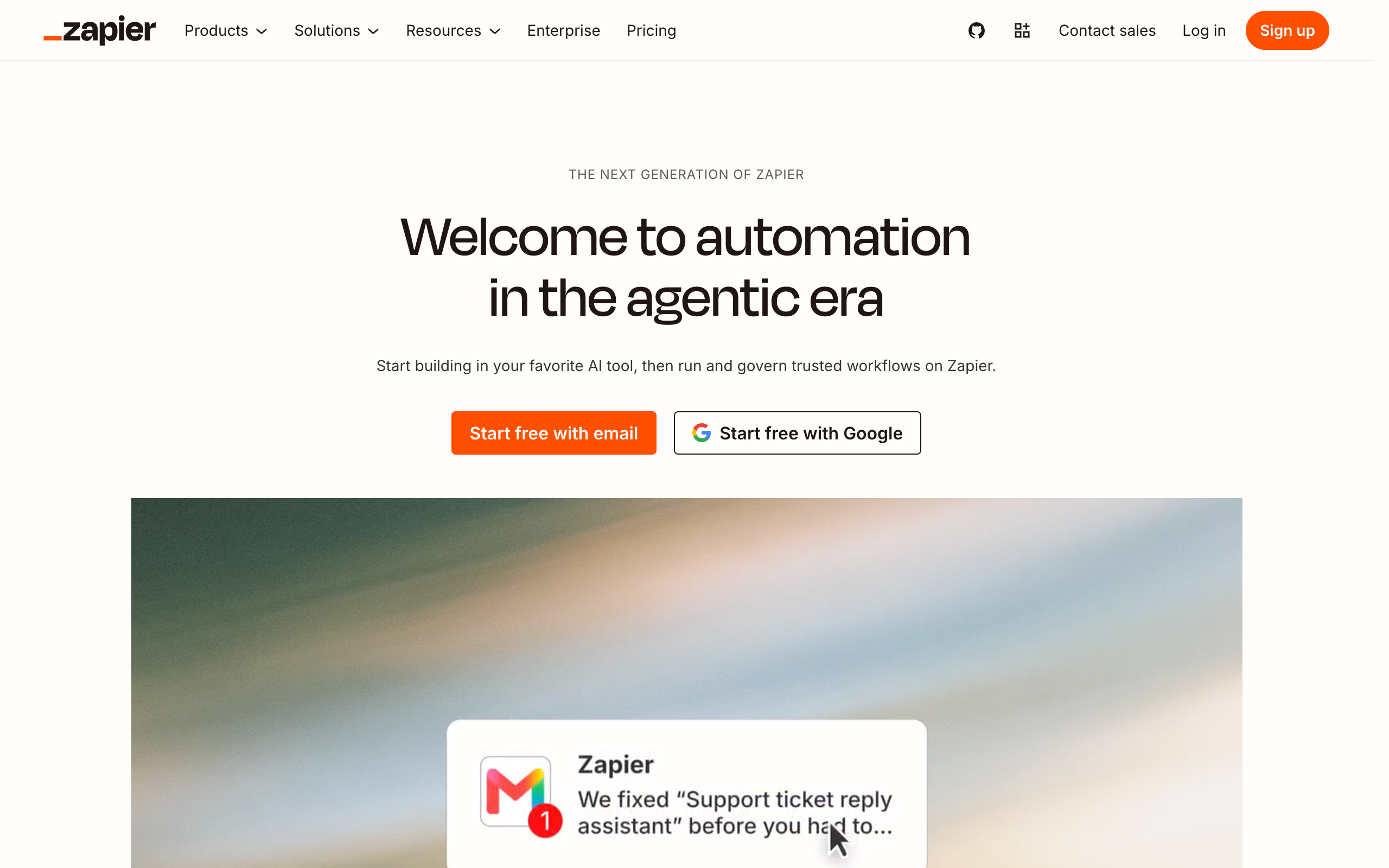
Pros
- The longest app list on this page, at 9,000+ apps
- A free plan with 100 tasks and 400 agent activities a month
- Triggers and built-in tools such as Filter and Formatter use no tasks
- Agent activities have their own allowance, so they leave your tasks alone
Cons
- The Free plan runs two-step Zaps only
- Professional includes 750 tasks a month at its entry price
- Extra tasks cost 2.5 times the base rate on monthly billing
- A 1.3 Trustpilot score, with complaints about annual refunds and renewals
Price: Free, then Professional at $19.99 a month billed yearly or $29.99 billed monthly, and Team at $69 billed yearly or $103.50 billed monthly.
Owners who need an app that only Zapier lists, or who want many small fixed jobs on one tool.
Make
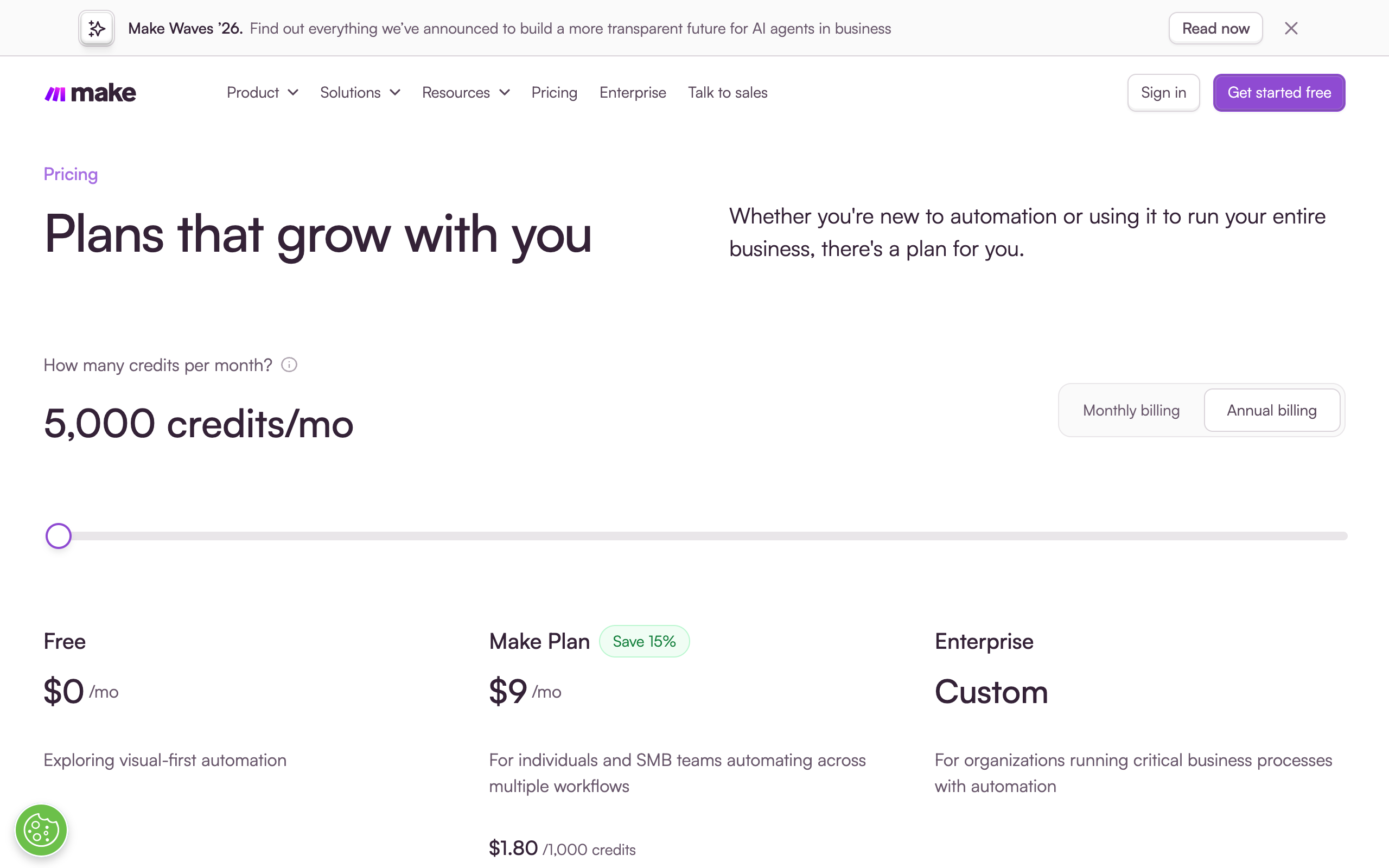
Make calls itself an AI automation platform. You build automated workflows and AI agents visually, by drag-and-drop or by prompting.
Pros
- The lowest paid price on this page, at $9 a month billed yearly
- A free plan with 1,000 credits a month
- Unlimited active scenarios on the Make Plan
- A credit slider lets you buy close to what you use
Cons
- A shorter app list than Zapier, at 3,500+ apps
- Scenarios stop when credits run out until you add more
- Unused credits expire at the end of the term
- The Free plan has a 15-minute minimum interval between runs
Price: Free, then the Make Plan at $9 a month billed yearly for 5,000 credits, priced at $1.80 per 1,000 credits.
Owners who want the lowest bill for fixed jobs and are happy to build each step in a visual editor.
Squad
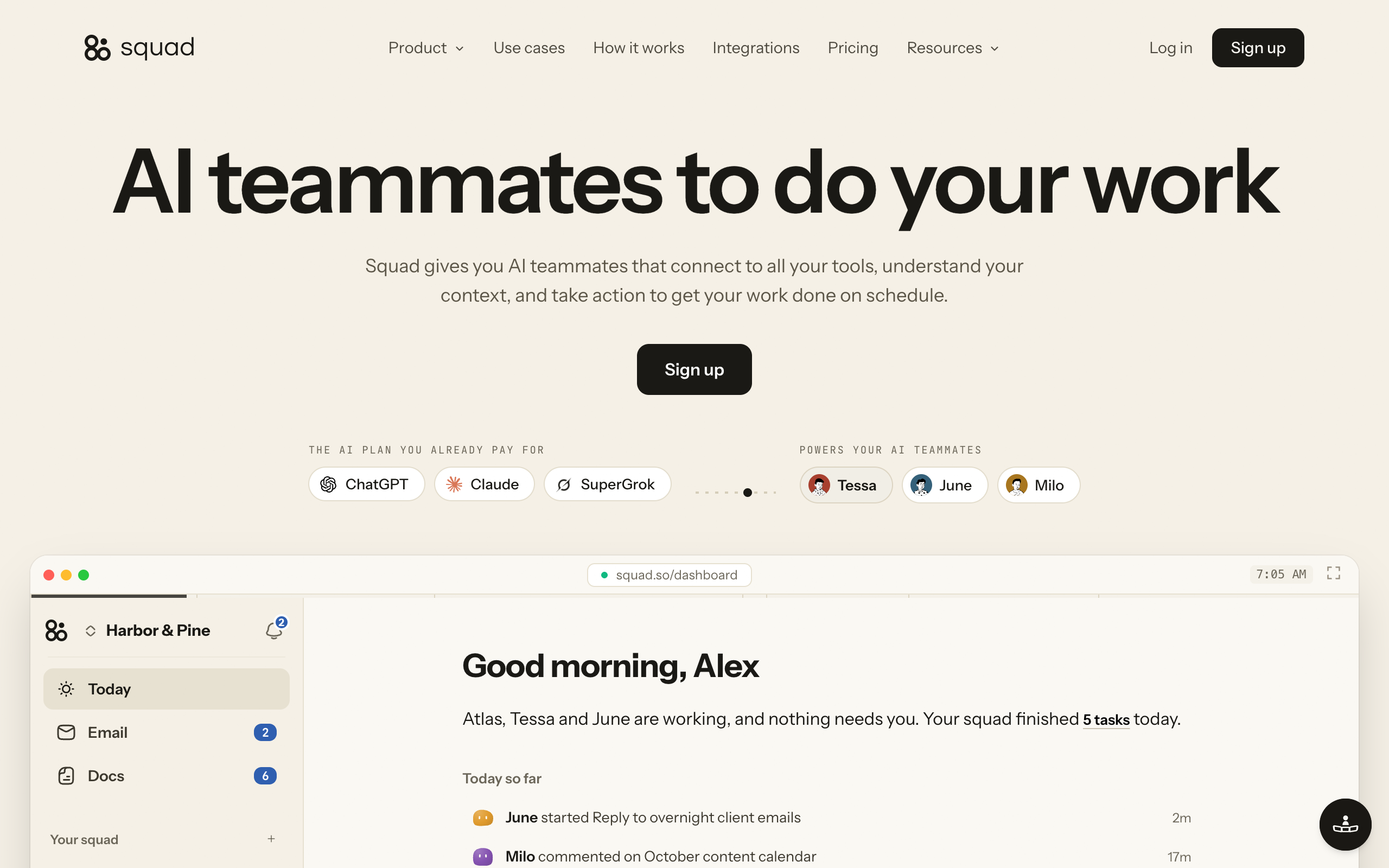
Squad (formerly MissionControlHQ) gives you a squad, meaning several specialist AI teammates that work together instead of one general assistant. The teammates connect to your tools and run your process on a schedule.
Pros
- Teammates read messages and write drafts
- You describe the job in plain words and build no flows
- History lists each run, and every call through a connection is logged
- Each connection has an access level, which you can narrow per teammate
- Squad adds no charge for AI usage
Cons
- The highest monthly price on this page
- No free trial, though the first payment has a 7-day money-back guarantee
- Draft-first is an instruction teammates follow, and Squad does not enforce it as a setting
- A shorter native app list, at 70+ integrations
Price: $99 a month plus a $100-200 AI plan, so roughly $199-299 a month before any optional extra. The full breakdown is in the AI agent setup cost section.
Owners with several weekly jobs that need reading and writing, who want to approve the work and read a log of it.
What Zapier and Make cost
Zapier starts at $19.99 a month billed yearly, and Make starts at $9 a month billed yearly, as of 2 November 2026. Both have free plans. Both charge by usage, so the real price depends on how often your jobs run.
| Plan | Price | Included each month | Notes |
|---|---|---|---|
| Zapier Free | $0 | 100 tasks, 400 agent activities | Two-step Zaps only |
| Zapier Professional | $19.99 billed yearly, $29.99 billed monthly | 750 tasks, 1,500 agent activities | Multi-step Zaps, higher task tiers cost more |
| Zapier Team | $69 billed yearly, $103.50 billed monthly | 2,000 tasks | Agent activities shared across the account |
| Make Free | $0 | 1,000 credits | 15-minute minimum interval between runs |
| Make Plan | $9 billed yearly at 5,000 credits | Priced at $1.80 per 1,000 credits | Unlimited active scenarios |
Make's pricing page now shows one paid plan, the Make Plan, with a slider for credits and a "Save 15%" label on yearly billing. Older Make pages still list Core, Pro, and Teams plans, and those pages show different prices. Trust the live pricing page, and check it on the day you buy.
A Zapier task is one successful step of work. Triggers do not count, and neither do built-in tools such as Filter, Formatter, Paths, and Delay. A Zap with 3 counted steps that runs 100 times a month uses 300 tasks, which fits inside the 750 on Professional.
Overage rules differ. On Zapier paid plans with pay-per-task on, extra tasks cost 2.5 times the base rate on monthly billing and 1.25 times on yearly billing. On Make, most actions use 1 credit, and scenarios stop when credits run out until you add more. Make's unused credits expire at the end of the term.
Zapier has one red flag to read before you pay for a year. Its Trustpilot score is 1.3 from 327 reviews, 71 of them from the last 12 months. Reviewers there complain about refunds on annual plans, renewals they did not expect, and overage bills. Pay monthly until you know your usage.
1.3/5·Trustpilot(327)What an AI agent setup costs
An AI agent setup on Squad costs $99 a month plus a $100-200 AI plan, so roughly $199-299 a month before any optional extra. Squad gives you a squad, meaning several specialist AI teammates that work together instead of one general assistant.
The AI plan is your own, at $100 to $200 a month. Squad adds no charge for AI usage. Optional extras are $10 a month per email inbox, $9 a month per seat for a person, and research credits at $5 per 5,000 after the 1,000 free each month. Connected apps never use credits.
Zapier Professional costs about $179 a month less than Squad
$19.99 a month billed yearly against roughly $199 a month for Squad with a $100 AI plan. Over three years, that is about $720 against about $7,164.
The price gap is real, so compare each tool against the hours it frees. If a fixed tool does the job, buy the fixed tool. An agent earns its price when several jobs need reading and writing every week, and the fair comparison is a part-time hire.
A worked first month
A good first month moves one job, proves it in drafts, and adds a second job only after the first runs well. This plan uses the example cleaning company and Squad. The same order works with any tool.
Week 1: Set up and run one job in drafts
Pick invoice chasing. Pay, and let the build run, which takes about two minutes. A conversation of about ten minutes with your chief of staff, the teammate that leads the squad, then proposes 4 or 5 teammates for you to approve.
Connect Stripe at Read-only, so the teammate can see invoices and cannot change anything. Add an inbox for the teammate at $10 a month. Then write the brief:
Check unpaid invoices every morning. For anything more than 7 days late, write a polite reminder as a draft. Do not send anything until I approve it.
Set this as a routine, which is a job that runs on a schedule. Squad has no free trial, and your first payment has a 7-day money-back guarantee, so run a real job this week.
Week 2: Read every draft
Read each draft, and approve, edit, or discard it. Your edits change only that draft, so put any lasting correction into the brief or in chat with the teammate.
Draft-first is an instruction that teammates follow. Squad does not enforce it as a setting. Use access levels and the daily send cap for anything that must not happen, and keep the send cap low while a teammate is new.
Week 3: Add the Monday report
Connect Google Sheets, and add a second routine that puts revenue, refunds, and spend on one page every Monday. Stripe stays at Read-only. This job is low risk because the report goes only to you.
Week 4: Review and decide
Open History, which shows each run from today and the 30 days before it. Check three things:
- How many drafts you changed in the last week
- How much time you spent reading drafts against the time the job used to take
- Whether any run failed without you noticing
If the drafts need few changes, let the teammate send one narrow type of email, such as the first reminder. Keep later reminders in drafts. If the drafts still need heavy edits, fix the brief before you add more work. See human-in-the-loop design for where to set that line, and AI agents for small business for how many teammates to plan for.
What to keep doing yourself
Keep any work that depends on a relationship, on judgment without precedent, or on your authority to commit the business. An agent can prepare the background for these jobs, and you make the call.
- Setting prices and changing your offer
- Hiring and letting people go
- Talking to an upset customer
- Negotiating with a client, partner, or landlord
- Anything with legal or medical exposure
- Approving large refunds and payments
The Fetch Test helps with close calls. If the output comes fully from data that already exists, an agent can own the job. If the output depends on where you want the business to go, the job stays with you.
Sent email cannot be recalled, and Squad does not undo actions in your connected apps. Treat every send and every write access as a decision you make on purpose.
When Squad fits
Squad fits when you have several repeat jobs that need reading and writing, and you want to approve the work and see what happened. You describe a job, and your chief of staff sets up a teammate for it. Squad lists no limit on teammates.
These are jobs a small business can hand over:
| Job | What the teammate does | Apps it can use |
|---|---|---|
| Chasing overdue invoices | Checks unpaid invoices every morning and writes the reminders | Stripe, Zoho Invoice, Gmail |
| Sorting the inbox | Sorts overnight messages and drafts replies | Gmail, Outlook, Zendesk, Intercom, Gorgias |
| Writing the weekly report | Puts revenue, refunds, and spend on one page every Monday | Stripe, Square, Google Sheets |
| Matching payments | Matches each payout to its invoice every evening | Stripe, Zoho Books, FreshBooks |
| Preparing the books | Gets the week's books ready by Friday evening | Zoho Books, FreshBooks, Google Sheets |
| Chasing suppliers | Follows up every open quote until someone answers | Gmail, Outlook |
| Flagging vendor renewals | Flags auto-renewals before the charge | Gmail, Google Sheets |
| Saving quiet customers | Finds quiet accounts and drafts a check-in before they cancel | Stripe, HubSpot |
| Following up after calls | Turns a recorded call into a write-up with owned actions | Fathom, Gmail |
| Cleaning the CRM | Fixes and updates records on a schedule | HubSpot |
You have more than one job that needs reading and writing
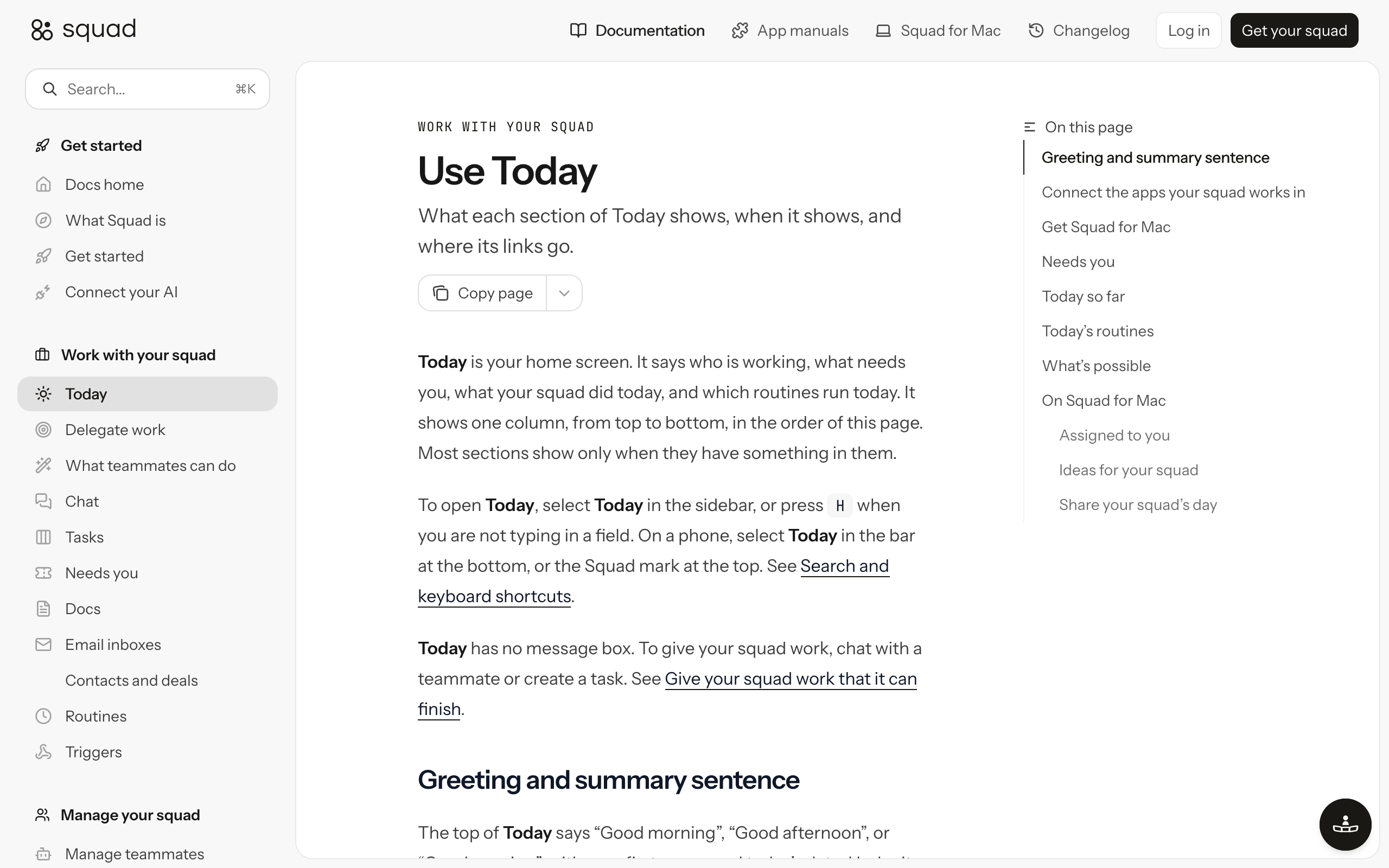
Move to Squad if invoice reminders, inbox sorting, and supplier follow-ups all take your time. One teammate can own each job, and all of them share a task board and what the squad knows about your business.
You want to approve work before it reaches a customer
Move to Squad if one wrong email would cost you a customer. A teammate can draft first, and the draft waits for you to approve, edit, or discard. A teammate can also ask you a question when it needs a decision, and the task waits in Needs you.
You want a record of what happened
Move to Squad if you want to read the work. History lists each run, and Squad logs every call a teammate makes through one of your connections, with the account, file, rows, and time.
You want limits on money and customer data
Move to Squad if your apps hold sensitive data. Each connection has an access level, and the levels vary by app. Every teammate gets the connection's level unless you narrow or block it, so your report teammate can hold Stripe at Read-only while another teammate has no access.
You do not want to build or maintain flows
Move to Squad if you would never open a visual editor. You describe the job like you would to a new hire, and the chief of staff writes the process down for you to edit. No coding is needed.
When Zapier alone is enough
Zapier alone is enough when your repeat work is moving data between apps on fixed steps. If no one needs to read or write anything, an AI agent adds cost and no value.
Stay on Zapier, or Make, in these cases:
- You copy form entries into a spreadsheet or CRM
- You send a set confirmation message after a booking or payment
- You post a note in Slack when a sale comes in
- Your job runs a few hundred times a month and rarely changes
- Your budget for tools is under $100 a month
- You have one or two jobs to move, and they do not need drafts
You can also keep both. A Squad trigger gives you a URL, and a Webhooks by Zapier action or a Make HTTP module can post an event to it. The event starts a run for one teammate, so your Zap keeps the fixed steps and the teammate handles the part that needs reading.
Owners whose repeat work is moving tidy data between apps on steps that never change.
How to choose
Choose by the job, starting with whether anyone needs to read or write. Price comes second.
Does the job recur, with a clear trigger and a checkable artifact?
- If yes→Keep going
- If no→Keep doing it yourself, or use a chat window for one-off work
Does someone need to read something and decide what to write?
- If no→Use Zapier or Make
- If yes→Use an AI agent
How many of these jobs do you have?
- If one or two small ones→Try Zapier Agents on a plan you already pay for
- If several every week→Use Squad, and start with one job in drafts
Use-case cheat sheet
Find the row closest to your job, and start with the tool it names.
| Scenario | Best pick | Why |
|---|---|---|
| Form entries need to land in a spreadsheet | Make or Zapier | The steps never change, and the free plans may cover it. |
| An app you use is on only one tool's list | Zapier or Make, whichever has it | Zapier lists 9,000+ apps and Make lists 3,500+. |
| The lowest possible monthly bill | Make | $9 a month billed yearly at 5,000 credits. |
| One small job needs an AI step | Zapier Agents | Professional includes 1,500 agent activities a month. |
| Overdue invoices need polite, specific reminders | Squad | A teammate reads the invoice and writes a draft for your approval. |
| The morning inbox takes an hour or more | Squad | A teammate sorts messages and drafts replies in Gmail or Outlook. |
| You want a Monday report without opening five tabs | Squad | A routine puts the numbers on one page each week. |
| Your Zaps work, and you want drafts on top | Zapier and Squad | A webhook from a Zap can start a teammate's run. |
Small business automation FAQ
The basics
What is small business automation?
Small business automation means moving repeat work from a person to software. Fixed tools such as Zapier and Make run set steps when an event happens. AI agents read messages, write drafts, and make small choices within your rules. Most small businesses can use one or both.
What should a small business automate first?
Start with a job you already do by hand on a schedule, such as chasing overdue invoices or writing a Monday report. The job should recur, have a clear trigger, and leave an artifact you can check. Avoid any job with no written process.
How do I automate business processes with AI?
List your weekly work, and keep one job that recurs, has a clear trigger, and leaves a checkable artifact. Write the job down like a brief for a new hire. Connect the apps at the lowest access level that works, run the job as drafts for a week, then widen access if the drafts are good.
Do you need to code to automate a small business?
No. Zapier and Make use visual editors where you build each step, and Make also lets you build by prompting. In Squad, you describe the job the way you would to a new hire, and the chief of staff writes the process down for you to edit.
Prices and limits
How much does small business automation cost?
Make costs $9 a month billed yearly for 5,000 credits. Zapier Professional costs $19.99 a month billed yearly or $29.99 billed monthly for 750 tasks. Squad costs $99 a month plus a $100-200 AI plan, so roughly $199-299 a month before any optional extra. Prices are as of 2 November 2026.
Do Zapier and Make have free plans?
Yes. Zapier Free includes 100 tasks and 400 agent activities a month, with two-step Zaps only. Make Free includes 1,000 credits a month, with a 15-minute minimum interval between runs. Squad has no free trial, and its first payment has a 7-day money-back guarantee.
What happens if you go over your Zapier or Make limit?
On Zapier paid plans with pay-per-task on, extra tasks cost 2.5 times the base rate on monthly billing and 1.25 times on yearly billing. On Make, scenarios stop when credits run out until you add more, and unused credits expire at the end of the term.
Choosing a tool
Is Zapier or Make better for a small business?
Make has the lower entry price, at $9 a month billed yearly for 5,000 credits. Zapier lists more apps, at 9,000+ against 3,500+ for Make. Pick Zapier if an app you need is only there. Pick Make if a low price matters most. Check both lists for your apps first.
What is the difference between Zapier and an AI agent?
A Zap follows steps you set in advance, and each run takes the same path. An AI agent reads the situation and decides what to write or do within your rules. Zapier also sells its own Agents product, which counts activities separately from tasks.
Squad and limits
When should a small business use Squad instead of Zapier?
Use Squad when the job needs reading and writing, when several jobs need to share what they learn, or when you want one place to see tasks, questions, and a log of the work. Keep Zapier when the job is moving data between apps on fixed steps. The two can also work together.
Can Zapier and Squad work together?
Yes. A Squad trigger gives you a URL, and a Webhooks by Zapier action can post an event to it. The event starts a run for one teammate. Your Zap keeps handling the fixed steps, and the teammate handles the part that needs reading or writing.
What should a small business owner not automate?
Keep pricing decisions, hiring, upset customers, negotiations, and anything with legal or medical exposure. Also keep any job nobody has written down until you have a process for it. An agent can prepare research and drafts for these, and you make the call.
Sources
- Zapier homepage and Zapier pricing, fetched 2 November 2026
- Zapier Agents, fetched 2 November 2026
- Make homepage, fetched 2 November 2026, and Make pricing, read in a browser on 2 November 2026
- Zapier on Trustpilot, fetched 2 November 2026
- US Census Bureau, AI use by businesses, published 26 May 2026, fetched 2 November 2026
- Use cases for AI agents, for the recurs, trigger, artifact filter
- Squad homepage, docs, and integration manuals, fetched 2 November 2026
Last updated: November 2026. Pricing and features verified as of 2 November 2026.