
The best Sintra AI alternative depends on why you are leaving. Choose Marblism if you need calls answered, Lindy if you want to teach your own agents, Relevance AI if you run a larger company, Motion if your work lives in a calendar and project plan, and Squad if you want specialists on recurring work. Most people look for Sintra alternatives after they hit the 250-credit monthly limit.
Sintra costs $15.60-48.50 a month, as of 2 November 2026. This review rests on public sources: Sintra's own pages, Trustpilot, and the App Store.
8,671
Trustpilot reviews of Sintra, with no score shown. Trustpilot says the rating is unavailable because the company has been offering incentives for reviews.
Source: Trustpilot, 2 November 2026iShort answer
Sintra AI is a low-cost bundle of 12 helpers that suits solo owners who want content, social posts, and email drafts. Its limits are 250 credits a month and helpers that cannot answer customers on their own. Marblism adds phone answering. Lindy lets you teach your own agents. Motion puts AI inside calendars and projects. Relevance AI suits larger companies. Squad suits owners who want invoices chased, support sorted, and reports written on a schedule, with a record of each run.
Key takeaways
| The question | The answer |
|---|---|
| What is the best Sintra alternative? | It depends on the job: Marblism for calls, Lindy for agents you teach yourself, Motion for calendars and projects, Relevance AI for larger companies, Squad for recurring specialist work |
| What does Sintra cost? | $48.50 for 1 month, $70.80 for 3 months, or $187.20 for 12 months, paid upfront, VAT may apply |
| What is the main limit? | 250 credits a month. They do not roll over, and the helpers stop working at zero |
| What do review sites report? | Trustpilot withholds its score over review incentives. Its 1-star reviews repeat credit, billing, and cancellation complaints. The App Store shows 4.6 |
| When is Sintra the right choice? | When you are a solo owner with light content, social, and email work |
| When should you switch to Squad? | When credits limit your work, when you need a teammate inside your support or finance apps, or when you want a record of every run |
Each reason points to a different tool.
Calls go unanswered
Marblism lists a receptionist. Sintra's help center says its helpers cannot handle phone calls.
No role fits your process
Lindy lets you teach an agent a task. Sintra also offers custom employees, which use credits to build.
Work lives in projects
Motion schedules tasks and projects on your calendar, with named AI employees on top.
Recurring work needs a record
Squad runs specialists on a schedule, on your own AI plan, and logs each run.
What Sintra AI does
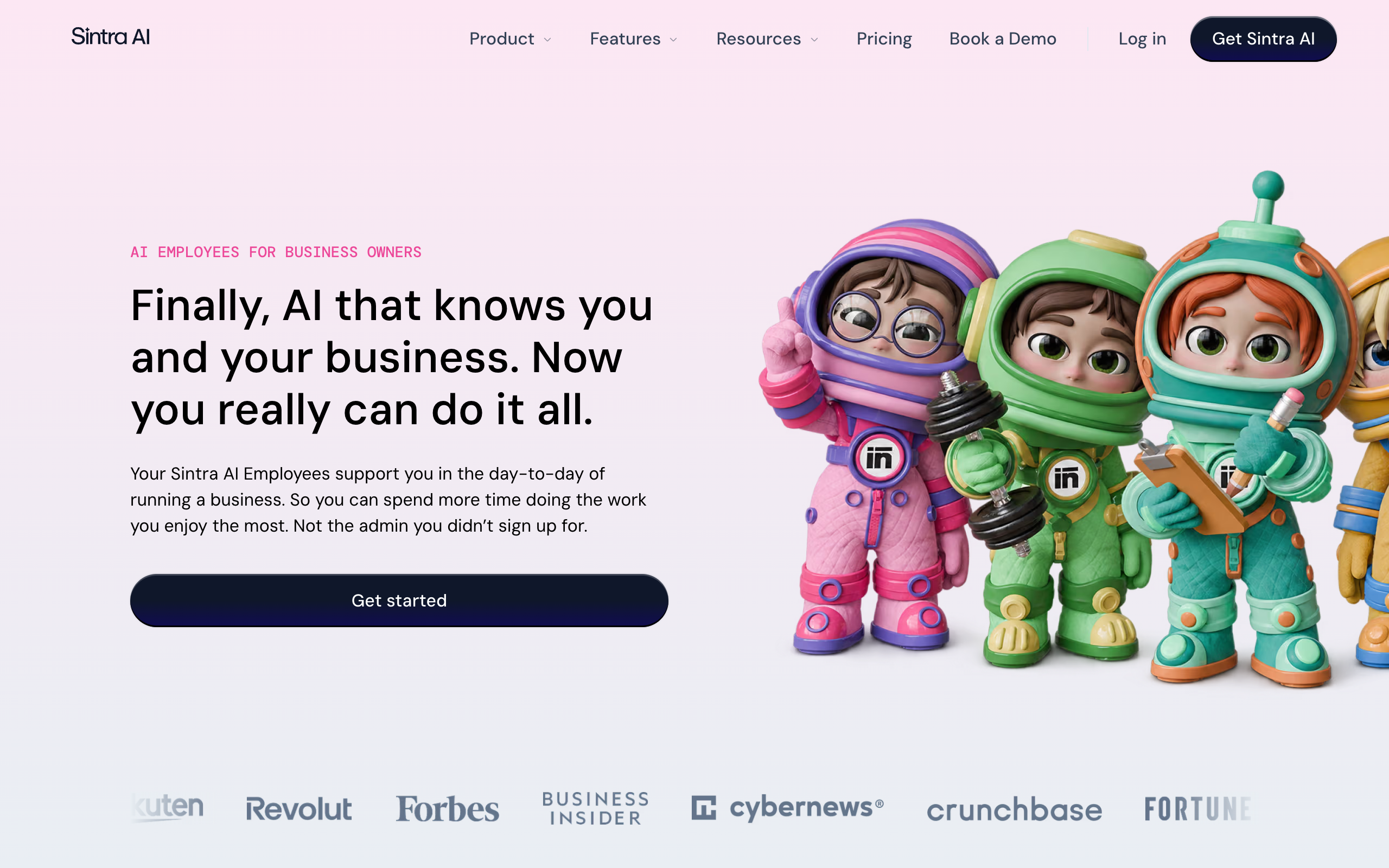
Sintra AI sells 12 named AI helpers on one plan, aimed at business owners. You share how your business works, connect your tools, set rules, and hand over work. Sintra says the helpers work "with minimal input" from you.
12
Named helpers on one plan
250
Credits a month, with no rollover
$15.60-48.50
Price a month, depending on the term
14 days
Money-back window on the first purchase
8,671
Trustpilot reviews, with no score shown
4.6
US App Store rating, from 2.6K ratings
The table lists the 12 helpers and the job titles Sintra gives them.
| Helper | Role |
|---|---|
| Buddy | Business development manager |
| Cassie | Customer support specialist |
| Commet | eCommerce manager |
| Dexter | Data analyst |
| Emmie | Email marketing specialist |
| Gigi | Personal growth coach |
| Milli | Sales manager |
| Penn | Copywriter |
| Scouty | Recruiter |
| Seomi | SEO specialist |
| Soshie | Social media manager |
| Vizzy | Virtual assistant |
All helpers share a knowledge base called Brain AI, which holds your documents, brand kit, and long-term memory. Automations run in the background on a schedule or after an event, such as a new email. You can also build custom employees, hire community-made ones from a marketplace, and use the product on the web, iOS, and Android.
Sintra's help center sets clear limits on customer work. Its Cassie article, dated September 2025, says helpers "cannot autonomously respond to customers" and cannot be embedded in your website. Its helpers article says they cannot handle phone calls and that Sintra apps are for internal use.
Approvals differ by feature. Social posts need manual approval before they are published or scheduled, and Facebook comment replies wait for your confirmation. Financial write actions, such as creating invoices, also need approval. Scheduled tasks are different. The help article says "Tasks execute as instructed" under a heading that reads "No approvals. No delays." Check what each scheduled task can touch before you turn it on.
Team use has limits too. A shared workspace costs nothing extra, and invited members do not need their own subscription. Only the owner can add or remove members, there are no other roles, and more active members use up the same credits faster.
For how Sintra fits among other tools, see the AI employee platforms comparison. For what the term means, see AI employee vs AI agent.
Sintra AI pricing
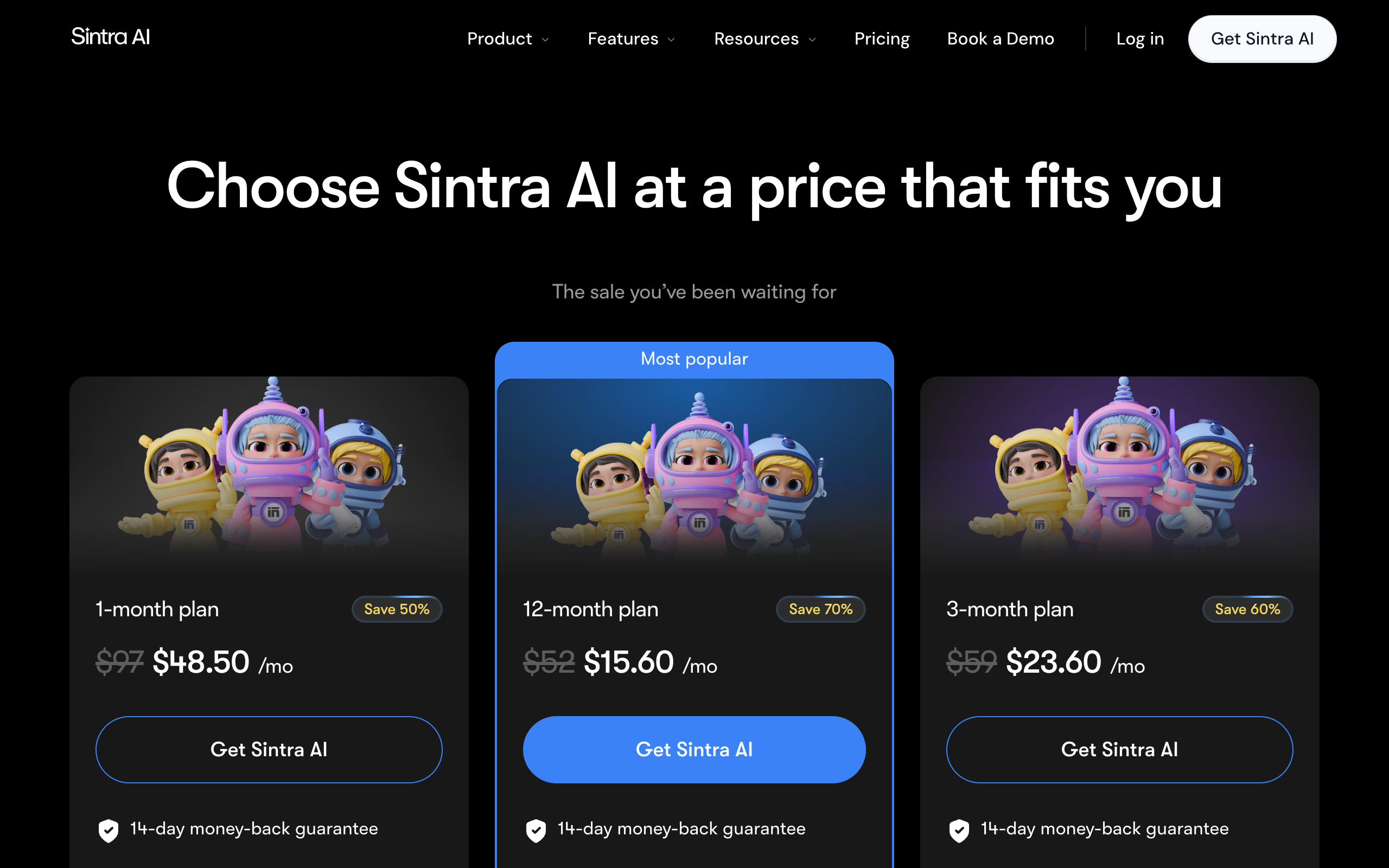
Sintra AI has one plan, Sintra X, sold on three terms, as of 2 November 2026. You pay the full term upfront, and every term includes all 12 helpers and 250 credits a month.
| Term | Price a month | Charged at checkout | List price shown | Discount shown |
|---|---|---|---|---|
| 1 month | $48.50 | $48.50 | $97 | 50% |
| 3 months | $23.60 | $70.80 | $177 | 60% |
| 12 months | $15.60 | $187.20 | $468 | 70% |
The site says VAT may apply. App Store and Google Play have their own prices. The US App Store lists Sintra X Monthly at $48.49 and Sintra X Yearly at $186.99, plus larger items labelled 300, 500, and 700 at $75, $124.99, and $174.99. Those labels look like monthly credit amounts, and Sintra's help center does not confirm that.
The chart assumes today's discounted prices hold at renewal, and Sintra does not promise that. Its terms, last updated 2 April 2026, say subscriptions renew automatically at "then current rates" and that promotional prices may apply only to the first term.
What 250 credits buy
250 credits cover light chat and a few scheduled jobs, and they run out fast on video, websites, or complex scheduled work. Sintra's credits article, dated 28 September 2026, gives approximate costs.
| Action | Credits each | What 250 credits cover |
|---|---|---|
| Chat message to a helper | 0.1-1, more in long threads | 250 or more messages |
| Social post created in chat | 1 | 250 posts |
| Basic scheduled task | 1-5 | 30-150 credits a month if run daily |
| Research scheduled task | 3-10 | 90-300 credits a month if run daily |
| Complex scheduled task | 5-20 or more | 150-600 credits a month if run daily |
| 15-second UGC video | About 40 | About 6 videos |
| Multi-page website | 25-40 | 6-10 websites |
One complex scheduled task a day can use the whole allowance. That matters most to anyone who buys Sintra for work that runs on its own, since scheduled tasks count against the same 250 credits as chat.
Some actions use no credits. Scheduling and publishing social posts is free, and so are setting up automations and adding files to Brain AI yourself.
At zero, the helpers stop working until you buy a top-up or upgrade. Monthly credits do not roll over, and they reset on the day of the month your subscription started. Sintra's public pages do not list top-up prices.
Refund and cancellation terms
Sintra offers a 14-day money-back guarantee on your first Sintra X purchase. A longer term does not extend the window. Cancelling alone does not trigger a refund, so you must contact support within 14 days.
Credits and top-ups are non-refundable, including unused credits. Purchases through Apple or Google go through those stores. When you cancel on the web, you keep access to the end of the period, then drop to a Free plan with 20 monthly credits.
Where Sintra's own pages disagree
Four details differ across Sintra's pages, so confirm them before you pay:
- The integration count is 15+ on the pricing page, 1,000+ on the homepage and integrations article, and 960+ in the "What is Sintra AI?" article.
- The pricing page lists each helper at $39 a month, while the help center says individual plans are no longer offered.
- The pricing page shows no free trial, while the help center describes a one-time 3-day trial with 50 credits.
- The homepage promises no "supervision," while the terms say you are "solely responsible" for checking outputs.
Sintra AI review: what review sites report
Review sites disagree on Sintra, and the largest of them withholds its score. Trustpilot shows 8,671 reviews, 1,731 of them from the last 12 months, and no TrustScore. Its banner says the rating is unavailable due to a breach of its guidelines, and that "This company has been offering incentives for reviews."
Trustpilot still shows the star split: 71% 5-star, 17% 4-star, 6% 3-star, 2% 2-star, and 4% 1-star. Read that split with care, given the incentives banner. Trustpilot also says it does not fact-check reviews.
Positive reviews mention ease of use, content and image creation, and help with social media and admin. The 1-star page showed 20 reviews from September to November 2026, and they group like this:
Some reviews fit more than one group. They show what goes wrong when a purchase fails. Sintra's help center says the older Sintra Bots, Prompts, and Add-ons products reached end of life on 1 February 2026, which gives context for the complaints about older plans.
The US App Store shows a different picture.
4.6/5·App Store (US)(2,600)Sintra also publishes its own comparison of AI employee tools. Sintra wrote it and comes out on top, so this page does not use it.
Sintra AI pros and cons
Sintra's biggest strength is the low price of a wide roster, and its biggest weakness is how little work 250 credits pay for.
Pros
- 12 roles from $15.60 to $48.50 a month
- Social posts need your approval before they go out
- Shared workspaces cost nothing extra
- 14-day refund window on the first purchase
- Web, iOS, and Android access
Cons
- 250 credits a month, with no rollover and top-up prices not public
- Helpers stop working at zero credits
- Helpers cannot answer customers on their own or take calls
- Renewal prices are not guaranteed
- Trustpilot withholds its score over review incentives
When Sintra AI is the right choice
Sintra AI is the right choice for a solo owner who wants cheap help with content, social posts, and email drafts. You stay in the loop, you ask for work in chat, and you do not need anything to run unattended. At $15.60 a month billed yearly, nothing else on this page costs less per role.
Stay with Sintra in these cases:
- Your work is mostly writing, images, ideas, and social posts.
- Your books run on QuickBooks or Xero. Sintra's integrations article names both, and Squad has no manual for them.
- You want a phone app. Sintra has iOS and Android apps.
- You want several colleagues in one workspace at no extra cost, and they do not need separate roles.
Pay for one month first, even though it costs more. Use the 14-day window to run one real job, and read your credit use in Usage & Billing before you commit to a year.
Solo owners with light content, social, and email work who will watch their credits.
Why people look for Sintra AI alternatives
People look for Sintra AI alternatives for six reasons. Most of them come straight from Sintra's own help center and terms, and the rest come from the complaint groups on Trustpilot's 1-star page. Trustpilot withholds Sintra's score, so the written terms are the safer guide.
- 250 credits run out quickly. Sintra's credits article puts a complex scheduled task at 5-20 or more credits a run, so one a day uses 150-600 credits a month. Credits do not roll over, and the helpers stop at zero. Credit complaints are the largest group on Trustpilot's 1-star page, at about 9 reviews.
- The long-term price is hard to plan. Sintra's terms say renewals are charged at "then current rates" and that promotional prices may apply only to the first term. Top-up prices are not public. The App Store lists larger items at up to $174.99 that the help center does not explain.
- Helpers cannot work directly with customers. The Cassie article says helpers "cannot autonomously respond to customers" and cannot be embedded in your website. The helpers article says they cannot handle phone calls. A business that wants customers answered needs a person in the loop or a different tool.
- Output and support draw complaints. Poor output and slow support each appear in about 7 of the 1-star reviews. The homepage promises no "supervision," and the terms make you "solely responsible" for checking outputs. Plan for review time when you work out what the plan saves you.
- Cancelling and refunds need care. Cancelling does not trigger a refund, so you must contact support within 14 days, as the refund policy sets out. Credits and top-ups are non-refundable. About 5 of the 1-star reviews mention cancelling or unexpected charges, and about 4 mention refund disputes.
- Teams share one allowance. The shared workspaces article says only the owner can add or remove members, and there are no other roles. More active members use the same 250 credits faster. A custom helper also costs credits to build, usually 5-10 and up to 100.
How the alternatives solve these problems
Four types of tool address these problems: phone-first bundles, agent builders, calendar platforms, and hosted specialist teams. Each one fixes part of the list and adds a cost or a limit of its own.
| Problem with Sintra | Type of tool | Tool | What changes |
|---|---|---|---|
| Credits run out | Hosted specialist team | Squad | No credit meter on AI work. Your AI provider's limits apply instead |
| Credits run out | Phone-first bundle | Marblism | The plan meters 50 hours of AI work a month in place of credits |
| Long-term price is hard to plan | Agent builder | Lindy | Top-ups have a public price of $10 per 1,000 credits |
| Helpers cannot take calls | Phone-first bundle | Marblism | The roster includes Rachel, a receptionist |
| Helpers cannot work in a helpdesk | Hosted specialist team | Squad | Manuals for Zendesk, Intercom, and Gorgias, at the access level you set |
| Output needs checking | Agent builder | Lindy, Relevance AI | Lindy holds outside actions for approval, and Relevance AI lists human-in-the-loop approvals |
| Output needs checking | Hosted specialist team | Squad | Drafts can wait for you in the Needs you column |
| Refunds are hard to get | Tools with a free start | Lindy, Motion | You can try Lindy's free plan or Motion's free trial before you pay |
| Teams share one allowance | Calendar platform | Motion | Plans list credits per seat, 7,500 or 15,000 |
| One owner and no roles | Hosted specialist team | Squad | Seats at $9 a month each, with Administrator, Collaborator, and Viewer roles |
No option fixes all six problems at Sintra's price. The criteria below show which problems matter for your work.
What to look for in a Sintra AI alternative
Seven criteria separate the options. The first three decide what the tool costs in daily use, and the rest decide how far you can trust it with real work.
1. Does the allowance cover your daily work?
List the jobs you want done each day, then multiply by 30. On Sintra, one daily research task uses 90-300 credits a month, against an allowance of 250. Run the same math in each vendor's unit: hours on Marblism, credits on Lindy and Motion, and your AI plan's limits on Squad.
2. What happens at the limit?
A limit either stops the work or adds a cost. Sintra's helpers stop at zero until you buy a top-up or upgrade. Lindy pauses credit-using actions until the reset or a top-up. On Squad, a run that hits a rate limit moves to the next model on your list, and the work waits if you have not set one.
3. What is the full price after the first term?
Add renewals, tax, top-ups, and seats before you compare. Sintra's low prices may apply only to the first term. Lindy bills every active user, so five users cost $149.95 or $249.95 a month, depending on which price Lindy's test shows you. Squad costs $99 a month plus a $100-200 AI plan, so roughly $199-299 a month before any optional extra.
4. Does it work in the apps and channels you use?
Check your own apps by name, because vendor counts vary. Sintra lists 15+ to 1,000+ integrations depending on the page, and Relevance AI lists 1,000+ or 2,000+. If customers reach you by phone, look for a receptionist role such as Marblism's. If they reach you through a helpdesk, look for a working connection to it.
5. What needs your approval?
Find out which actions wait for you and which run on their own. On Sintra, social posts wait for approval, while scheduled tasks run as instructed. Lindy holds actions with outside impact, and Motion's only approval wording is for Clide. On Squad, draft-first is an instruction, so also set access levels and send caps. Human-in-the-loop AI agents explains how to decide.
6. Can you limit access per helper and per person?
One helper with access to everything is a larger risk than one with a single job. Sintra's help pages describe permissions you grant, and they do not describe limits per helper. Relevance AI lists role-based access. Squad lets you narrow or block any single teammate on any connection, and each invited person gets a role.
7. Can you see what happened, and take your work with you?
Ask how long records stay and how you get them out. Sintra's scheduled tasks article says there is no long-term archiving, and its help pages do not describe a data export. Squad's History shows the last 30 days. Its Backup page exports a JSON file with your teammates, tasks, docs, and run history.
How the alternatives were evaluated
Each tool was compared on the seven criteria above. Facts come from each vendor's pricing pages, product pages, help centers, and terms, fetched on 2 November 2026. Ratings come from Trustpilot and the US App Store on the same date. Squad's facts come from its homepage, docs, and integration manuals.
Where a vendor's pages disagree, this page gives both versions. Lindy runs a price test, so both of its prices appear: $29.99 for 3,000 credits or $49.99 for 5,000. The complaint groups and the "needs managing" column are this page's own reading of those public pages.
Five Sintra AI alternatives
Five tools cover the main reasons people leave Sintra. The order below does not rank them. All prices were checked on 2 November 2026.
Marblism, for phone answering at a low price
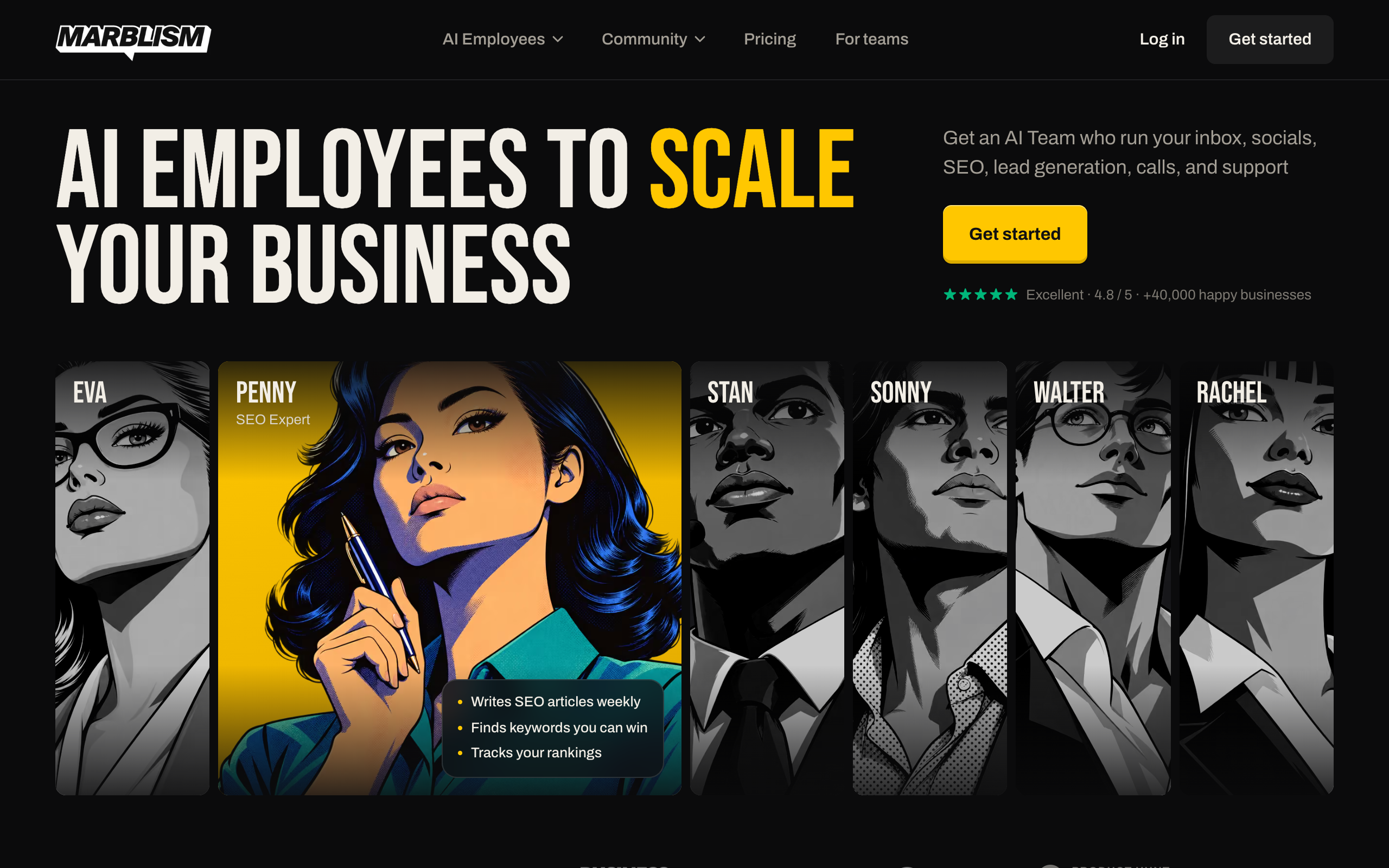
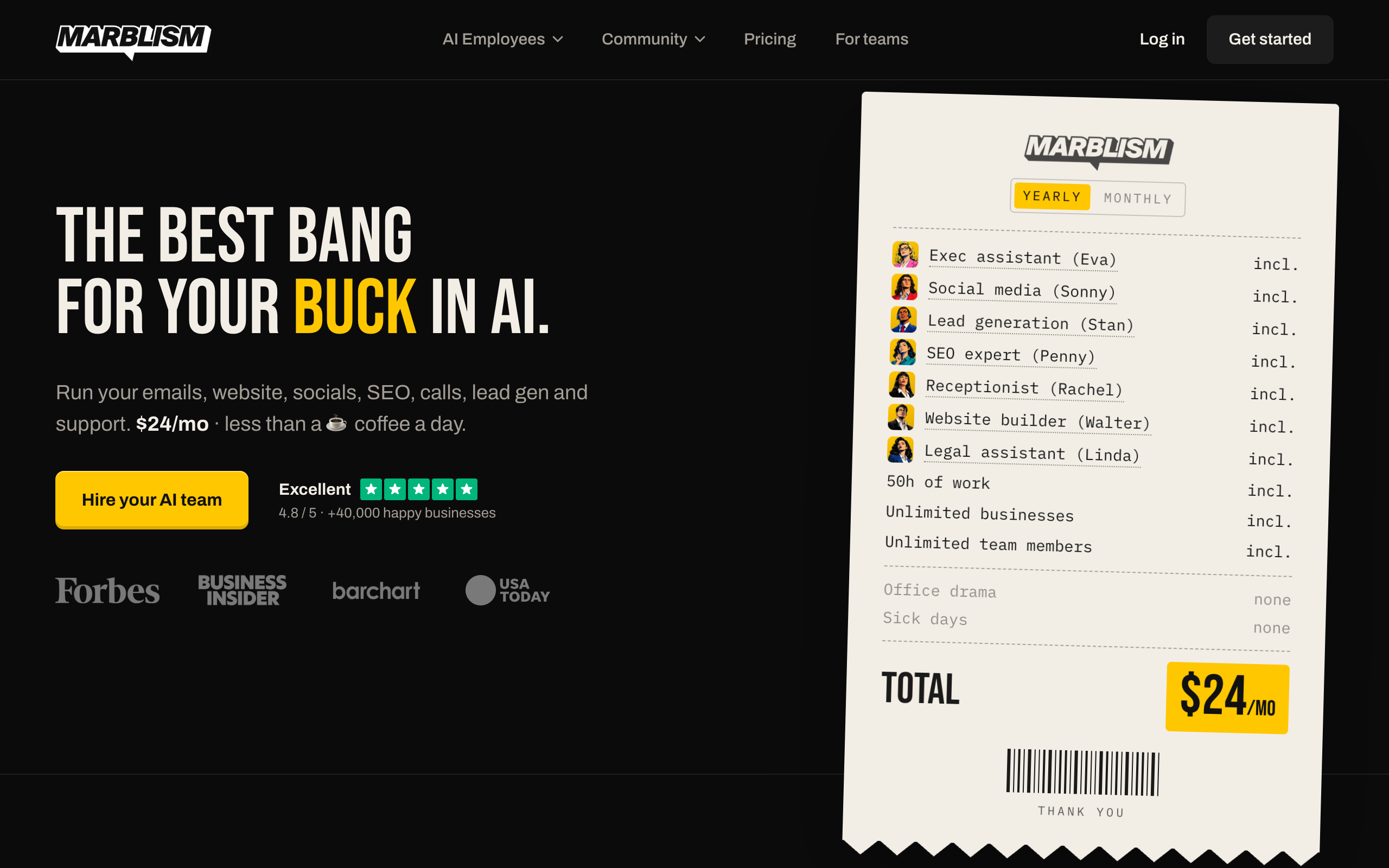
Marblism sells seven AI employees for small businesses, and it suits owners who need calls covered. Its roster includes Rachel, a receptionist, and Walter, a website builder, which Sintra's roster does not.
Marblism costs $24 a month billed yearly or $44 billed monthly, with 50 hours of AI work a month. Top-ups cost extra, and the pricing page does not list their price. The same page shows both a 7-day and a 77-day money-back guarantee, without explaining the difference. Marblism names apps including Gmail, Outlook, Google Calendar, Instagram, LinkedIn, and Wix.
Pros
- Phone answering and a website builder in one plan
- Unlimited team members and businesses
- 4.8 on Trustpilot from 1,202 reviews
Cons
- Seven fixed roles against Sintra's 12
- Refund wording conflicts on its own pricing page
- 50 hours a month, and top-up prices are not listed
Local service businesses that need calls answered and want one low-priced plan.
Lindy, for agents you teach yourself
Lindy is an AI employee for teams that you teach by doing a task once or by describing a routine in a sentence. It works in Slack, email, iMessage, and your browser. It suits small teams that want a custom process and will set it up themselves.
Lindy's pricing page lists a free plan with $50 in credits for 7 days. The Team plan is billed per active user, and Lindy is testing two starting prices on its pricing page: $29.99 for 3,000 credits and $49.99 for 5,000. Five active users cost $149.95 or $249.95 a month. Credits are pooled, monthly credits do not roll over, and top-ups cost $10 per 1,000. Credit-using actions pause at zero until the reset or a top-up.
The page says actions with outside impact, such as sending an email, wait for approval. Lindy lists 1,500+ integrations and hosted MCP servers. Its FAQ mentions Pro and Max plans that its pricing table does not show.
3/5·Trustpilot(51)Trustpilot shows 61% 1-star reviews. They repeat complaints about fast credit use, reliability, and cancelling.
Pros
- A free week of credits with no card
- Outside actions wait for approval
- Works in Slack, email, and iMessage
Cons
- Every active user is billed
- Credits are hard to predict and do not roll over
- 3.0 on Trustpilot from 51 reviews
Small teams in Slack that want to teach their own agents and will watch credit use.
Relevance AI, for larger companies
Relevance AI builds and runs specialist agents for sales, support, marketing, and operations teams. It suits larger companies with a budget for a sales-led rollout, and it is a poor match for most Sintra buyers. Sintra sells to solo owners by card. Relevance AI asks you to talk to sales.
The pricing page lists one plan, Enterprise, with no price or credit amounts. The plan includes unlimited agents and users, SSO, role-based access, audit logs, and an account manager. The homepage lists human-in-the-loop approvals, and it says 1,000+ apps while the pricing page says 2,000+.
Pros
- Approvals, role-based access, and audit logs are listed
- An account manager comes with the plan
- Large app catalog
Cons
- No published price
- Sales-led setup that is too heavy for a solo owner
- Integration count differs between its own pages
Mid-size and larger companies that want many agents and are ready to talk to sales.
Motion, for work that lives in a calendar and project plan
Motion is an AI calendar and project platform. It schedules tasks into your day, replans when things change, and tracks projects, docs, and meetings. Its use-case pages also name AI employees: Alfred (executive assistant), Chip (sales), Suki (marketing), Millie (project manager), Clide (support), Dot (recruiting), and Spec (research), plus custom ones.
Motion's pricing page lists Pro AI at $19 a seat a month billed yearly, with 7,500 credits per seat. Business AI costs $29 a seat billed yearly, with 15,000 credits per seat. The page data shows $29 and $49 a seat for monthly billing, with higher prices under its Individuals option.
One red flag needs a direct question to Motion. The pricing page does not mention the named AI employees, so it does not say which plan includes them. Motion offers a free trial, and the page does not state its length.
Motion names Google, Outlook, and iCloud calendars, Zoom, Google Meet, Teams, Slack, Gmail, HubSpot, Salesforce, and Zapier. The only approval wording found is for Clide, who escalates issues "with you approving in a click."
3.7/5·Trustpilot(578)Trustpilot shows 27% 1-star reviews. They repeat complaints about annual charges after trials, renewals without warning, and refused refunds. Trustpilot also notes that Motion has not replied to negative reviews. Read the renewal terms and set a reminder before your trial ends.
Pros
- AI scheduling across projects and calendars
- Docs, notes, and dashboards in one place
- A free trial on both plans
Cons
- Pricing page does not say which plan includes named AI employees
- Per-seat pricing grows with the team
- Trustpilot reviews repeat billing and renewal complaints
Teams that want their calendar and project plan run by AI, with AI employees as a second step.
Squad, for recurring specialist work
Squad (formerly MissionControlHQ) hosts a squad, which is a coordinated team of specialist AI teammates, not just one general assistant. It suits owners who want recurring work done on a schedule, across their own apps, with a record they can read.
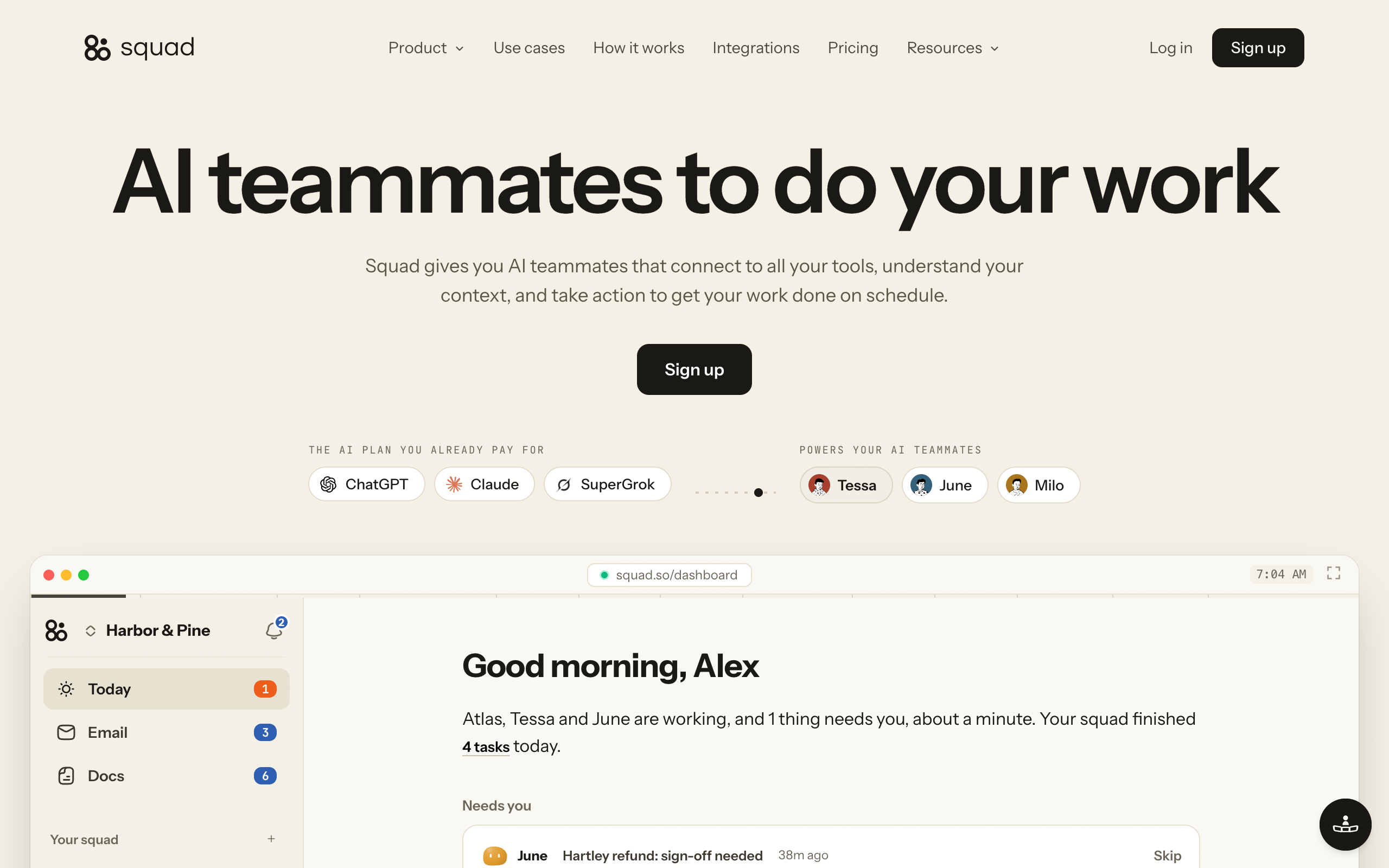
Squad has no fixed roster. After a build of about two minutes, a conversation of about ten minutes with your chief of staff designs 4 or 5 teammates for you to approve. Squad lists no limit on teammates, so a new job gets a new teammate when you ask.
Work runs on routines, which are schedules, and on triggers, which start when something happens. It shows on a Tasks board with a Needs you column for questions and drafts. Squad connects to 70+ integrations, and each connection has an access level that varies by app. Every teammate gets the connection's level unless you narrow or block it.
Squad's price is $99 a month plus a $100-200 AI plan, so roughly $199-299 a month before any optional extra. Squad adds no charge for AI usage. Optional extras include inboxes at $10 a month each, seats for people at $9 a month each, and research credits beyond the 1,000 included each month.
Squad has no free trial. The first payment has a 7-day money-back guarantee.
Pros
- No credit meter on AI work, since teammates run on your own AI plan
- Roles you define, with no fixed list
- Access levels you can narrow per teammate
- A log of every run and connection call
Cons
- Costs far more than Sintra once you add an AI plan
- No free trial
- No phone answering in the docs
- No manual for QuickBooks or Xero
Owners who want several specialists on recurring work, across their own apps, with a record of each run.
Sintra alternatives compared
The table compares Sintra and the five alternatives on roles, connected apps, price, and how much each one needs managing. Prices and app counts are the vendors' own, as of 2 November 2026. The last column is this page's reading of vendor documents.
| Tool | Roles | Connected apps | Price listed | How much it needs managing |
|---|---|---|---|---|
| Sintra AI | 12 fixed helpers, plus custom ones | 15+ to 1,000+, depending on the page | $15.60-48.50/mo, 250 credits | Low setup. You watch credits and check outputs |
| Marblism | 7 fixed employees | Gmail, Outlook, social apps, website tools | $24/mo yearly or $44 monthly, 50 hours | Low setup. You watch hours and read outputs |
| Lindy | Any, taught by you | 1,500+ plus MCP | From $29.99 or $49.99/mo per active user, depending on which version of Lindy's pricing page you see | Medium to high. You build each agent and watch credits |
| Relevance AI | Any, built on the platform | 1,000+ or 2,000+, depending on the page | Not published | High. Sales-led rollout with an account manager |
| Motion | 7 named employees, plus custom ones | Calendars, Slack, Gmail, HubSpot, Salesforce, others | From $19/seat/mo yearly | Medium. Your team adopts a new work system |
| Squad | Any, designed with your chief of staff | 70+ integrations plus MCP servers | $99/mo plus a $100-200 AI plan | Medium. A short onboarding, then you answer questions and read drafts |
Sintra costs about $183 a month less than Squad on the yearly plan
$15.60 a month against roughly $199 a month for Squad with a $100 AI plan. Over three years, that is $561.60 against about $7,164, if today's prices hold.
Sintra is the cheaper tool by a wide margin. The price gap only makes sense if credits stop your work, or if the work is worth more than the difference. A useful test is the Lane Test, which helps you decide whether a job needs its own specialist. AI agent running costs explains what drives the bill on any of these tools.
How to choose a Sintra alternative
Start with the job that made you look for an alternative, then check the price of doing it every day.
Do you need your phone answered?
- If yes→Start with Marblism, and confirm how calls work
- If no→Compare by where your work lives
Does your work live in a calendar and project plan?
- If yes→Try Motion, and ask which plan includes its AI employees
- If no→Compare by who sets up the work
Who will set up the work?
- If I will build it myself→Lindy, or Relevance AI if you have a sales-led budget
- If I want it designed with me→Squad, where your chief of staff proposes the teammates
Sintra alternatives by use case
These scenarios match common small-business jobs to the tool that fits each one best. Sintra stays on the list where it is the better buy.
| Scenario | Best pick | Why |
|---|---|---|
| A solo owner who wants blog posts, captions, and images | Sintra AI | 12 helpers on one low plan, with social posts held for approval. |
| A plumber who misses calls while on a job | Marblism | Rachel answers calls and books jobs into a calendar. |
| An owner with two brands on a tight budget | Marblism | The plan includes unlimited businesses at $24-44 a month. |
| A small Slack team with a custom process | Lindy | You teach a task once, and it works in Slack. |
| A company rolling out agents across several departments | Relevance AI | Lists approvals, role-based access, and audit logs. |
| An agency that wants client work scheduled across the team | Motion | Projects, capacity, and calendars sit in one system. |
| An owner who wants overdue invoices chased every morning | Squad | A teammate works in Stripe and Gmail on a routine. |
| A team that needs support tickets sorted in Zendesk | Squad | A teammate works in the helpdesk at the access level you set. |
| An owner who already pays for a $100-200 AI plan | Squad | Teammates run on that plan, and Squad adds no AI charge. |
When to switch from Sintra AI to Squad
Switch from Sintra AI to Squad when your work needs to run on its own, inside your own apps, every day. Six situations point to the move.
Credits decide what your helpers can run
Move to Squad if you keep rationing credits, or if you skip scheduled tasks to save them. Squad has no credit meter on AI work. Teammates run on your own AI plan, and Squad adds no AI charge. Your AI provider's limits still apply, and you can add accounts or set fallback models for more room.
You have recurring jobs across your apps
Move to Squad if you want work done on a schedule without asking for it in chat. You describe the job like you would to a new hire, and your chief of staff writes the process down for you to edit. These are jobs a small team can hand over:
| Job | What the teammate does | Apps it can use |
|---|---|---|
| Chasing overdue invoices | Checks unpaid invoices every morning and writes the reminders | Stripe, Zoho Invoice, Gmail |
| Sorting the inbox | Sorts overnight email before you start | Gmail |
| Answering support | Drafts or sends replies to repeat questions | Zendesk, Intercom, Gorgias |
| Writing the weekly report | Puts revenue, refunds, and spend on one page every Monday | Stripe, Google Sheets |
| Chasing suppliers | Follows up every open quote until someone answers | Gmail |
| Saving quiet customers | Finds quiet accounts and drafts a check-in before they cancel | Stripe, HubSpot |
| Researching new leads | Researches new signups and adds them to your CRM | HubSpot, Squad's built-in research tools |
| Reporting on ad spend | Compares spend and results by channel | Google Ads, Google Sheets |
| Following up after calls | Turns a recorded call into a write-up with owned actions | Fathom, Gmail |
| Cleaning the CRM | Fixes and updates records on a schedule | HubSpot |
You want a teammate inside your support tools
Move to Squad if your support work lives in a helpdesk. Sintra's Cassie article says Cassie cannot connect to your website and that helpers cannot respond to customers on their own. Squad has manuals for Zendesk, Intercom, and Gorgias, and a teammate acts within the access level you set. You can tell it to draft first, or let it reply. See human-in-the-loop AI agents for how to decide.
You want one teammate kept out of one app
Move to Squad if your apps hold money or customer data. Each connection has an access level, and the levels vary by app. You can narrow or block any single teammate, so a reporting teammate can hold Stripe at Read-only while the others have no access. Squad refuses any action outside the level. Sintra's integrations article says helpers act within the permissions you grant, and the help pages checked do not describe limits per helper.
You want to know what happened
Move to Squad if you want a record of the work. Squad logs every run in History, which shows the last 30 days, and it logs each call a teammate makes through one of your connections. The Tasks board shows what has not started, what needs you, what is in progress, and what is done. Sintra stores task outputs in its app inbox and Tasks page, and its scheduled tasks article says there is no long-term archiving.
You want drafts held for you before they go out
Move to Squad if a wrong email would cost you a customer. You can tell a teammate to draft first, and the draft waits for you to approve, edit, or discard. Draft-first is an instruction to the teammate, so also set access levels and email send caps for anything that must not happen. On Sintra, social posts have an approval step, and scheduled tasks run as instructed.
When to stay on Sintra AI
Stay on Sintra if you mostly need writing, images, and social posts, and 250 credits cover your month. Squad's cost of roughly $199-299 a month is a real step up from $15.60-48.50, and you do not need it for light content work. Stay too if your accounting runs on QuickBooks or Xero, or if you want a phone app.
How to move off Sintra AI
Move one job at a time, and keep Sintra running until the new setup works. The steps below fit any alternative on this page.
- List the jobs you use Sintra for, and the jobs that ran out of credits.
- Copy your brand notes, files, and rules into a document you own. The help pages checked do not describe a data export.
- Save the outputs you want to keep from the app inbox and Tasks page.
- Start the new tool, and connect your apps one at a time. On Squad, set an access level for each connection.
- Run your highest-value job on both tools for a week, in drafts, and compare the results.
- Cancel Sintra in Settings under Plans, then Manage billing. You keep access until the period ends, and you can undo it before then.
- Ask for a refund separately if you are inside the 14-day window, since cancelling does not trigger one. Subscriptions from Apple or Google must be cancelled and refunded through those stores.
What to take with you
Do this before you cancel, since the help pages checked do not describe an export and scheduled task outputs are not archived long term.
| What | Where it lives on Sintra | What to do |
|---|---|---|
| Brand notes, files, and rules | Brain AI | Copy them into a document you own |
| Automations and scheduled tasks | Your automations and task settings | Write down each trigger, schedule, and instruction |
| Finished work | App inbox and Tasks page | Save anything you want to keep |
| Unused credits | Usage & Billing | Spend them first, because they are non-refundable and do not roll over |
| App connections | Your integrations settings | Reconnect each app on the new tool with the narrowest access that works |
How to time the switch
Your Sintra plan keeps working to the end of the period you paid for, so run the new tool alongside it during that time. Cancel before the next renewal date, because renewals are automatic. After you cancel on the web, your account drops to the Free plan with 20 monthly credits.
Setting up the new tool
The written job list from step 1 becomes your setup brief. On Lindy, you teach each task once or describe the routine in a sentence. On Marblism and Motion, you match each job to a named employee.
On Squad, tell your chief of staff what each Sintra helper did, and paste in your brand notes. It proposes teammates for you to approve. Standing facts about you and your business go in the About you and Voice files on the Memory screen.
Squad has no free trial. Your first payment has a 7-day money-back guarantee, so run a real job in that first week. For a wider view of what small teams hand over first, see AI agents for small business.
Sintra AI FAQ
The basics
What are the best Sintra AI alternatives?
Marblism suits local businesses that want phone answering at $24-44 a month. Lindy suits teams that will teach their own agents, from $29.99 or $49.99 a month per active user, depending on which version of Lindy's pricing page you see. Relevance AI suits larger companies with a sales-led budget. Motion suits teams that want AI inside their calendar and projects, from $19 a seat billed yearly. Squad suits owners who want specialists on recurring work, at $99 a month plus a $100-200 AI plan. Prices are as of 2 November 2026.
Is Sintra AI worth it?
Sintra AI is worth trying if you are a solo owner who wants help with content, social posts, and email drafts, and your use fits 250 credits a month. It is a weak fit for heavy scheduled work, because a complex scheduled task costs 5-20 or more credits per run. Start on the 1-month plan at $48.50 and use the 14-day refund window to test a real job.
Is Sintra AI legit?
Sintra AI is a real paid product with 2.6K ratings at 4.6 on the US App Store as of 2 November 2026. Trustpilot shows 8,671 reviews and no score, because it says Sintra has been offering incentives for reviews. Trustpilot's 1-star reviews repeat complaints about credits, charges, and cancelling, so read the credit and renewal terms before you pay.
Why do people look for Sintra AI alternatives?
People look for alternatives when 250 credits a month stop covering their work, when renewal and top-up costs are hard to plan, or when they need help that answers customers or calls. Trustpilot's 1-star reviews also repeat complaints about output, support, and cancelling. Teams have one more reason, because every member draws on the same 250 credits.
Pricing and credits
How much does Sintra AI cost?
Sintra AI costs $48.50 for 1 month, $70.80 for 3 months, or $187.20 for 12 months, as of 2 November 2026. Those work out to $48.50, $23.60, and $15.60 a month. Each plan includes all 12 helpers and 250 credits a month. You pay the full term upfront, VAT may apply, and top-ups cost extra.
What happens when Sintra credits run out?
Sintra's AI employees stop working when a workspace has no credits left. You can buy a top-up or upgrade your plan. Monthly credits reset on the day your subscription started, and they do not roll over. The help center does not list top-up prices, and it sends you to Usage & Billing in the app.
Does Sintra AI have a free trial or refund?
Sintra's pricing page shows a 14-day money-back guarantee and no free trial. Its help center also describes a one-time 3-day trial with 50 credits. The guarantee covers your first Sintra X purchase, and you must ask support for it, because cancelling does not trigger a refund. Credits and top-ups are non-refundable.
Is there a free alternative to Sintra AI?
Lindy has a free plan with $50 in credits for 7 days, and Motion offers a free trial. Both are ways to try the product before you pay for ongoing work. Sintra itself drops to a Free plan with 20 monthly credits after you cancel on the web. Squad has no free trial, and its first payment has a 7-day money-back guarantee.
Features and comparisons
Can Sintra AI answer my customers on its own?
No. Sintra's help article on Cassie, dated September 2025, says helpers cannot respond to customers on their own and cannot be embedded in your website. Cassie drafts replies, and Facebook comment replies wait for your approval. If you need a teammate working in a helpdesk, compare Squad, which has manuals for Zendesk, Intercom, and Gorgias.
Is Sintra AI better than Marblism?
Sintra AI is the better choice if you want more roles, such as a data analyst, a recruiter, and an eCommerce manager, and a 14-day refund window. Marblism is the better choice if you need calls answered, because it lists a receptionist, while Sintra's help center says its helpers cannot handle phone calls. Marblism costs $24-44 a month and Sintra costs $15.60-48.50 a month.
Cancelling and switching
How do I cancel Sintra AI?
Cancel on the website in Settings under Plans, then Manage billing. You keep access to the end of the period, then drop to a Free plan with 20 monthly credits. Cancelling does not trigger a refund, so contact support within 14 days of your first purchase if you want one. Subscriptions bought through Apple or Google must be cancelled through those stores.
Can I export my data from Sintra AI?
The help pages checked do not describe a data export. Copy your brand notes, files, and rules into a document you own, and save the outputs you want from the app inbox and Tasks page. The scheduled tasks article says there is no long-term archiving, so do this before you cancel.
When should I switch from Sintra AI to Squad?
Switch when credits limit what your helpers can run, when you want a teammate working inside your support or finance apps, or when you want a record of every run. Squad costs $99 a month plus a $100-200 AI plan, so roughly $199-299 a month before any optional extra. Stay on Sintra if your work is light content and email help.
Sources
- Sintra, homepage and pricing, fetched 2 November 2026
- Sintra, refund policy and terms, last updated 2 April 2026, fetched 2 November 2026
- Sintra help center, fetched 2 November 2026: workspace credits, plans and pricing, what is Sintra AI, integrations, AI employees, Cassie, scheduled tasks, social media manager, shared workspaces, cancellation, and legacy products
- Sintra on Trustpilot, its 1-star reviews, and the US App Store, fetched 2 November 2026
- Marblism, pricing and Trustpilot, fetched 2 November 2026
- Lindy, homepage, pricing, and Trustpilot, fetched 2 November 2026
- Relevance AI, homepage, pricing, and Trustpilot, fetched 2 November 2026
- Motion, homepage, pricing, marketing agencies page, and Trustpilot, fetched 2 November 2026
- Squad homepage, docs, and integration manuals, fetched 2 November 2026
Last updated: November 2026. Pricing and features verified as of 2 November 2026.