
A mission control for OpenClaw is the layer that turns one brilliant self-hosted agent into a supervised team: a shared task board, a calendar of scheduled work, and one screen that answers "what are my agents doing and what did it cost?" The runtime intentionally does not ship that layer. It can be built by hand, or a hosted one can be running after a build of about two minutes and a short onboarding conversation.
346k+
GitHub stars make OpenClaw the most-starred repository on GitHub. The demand for agents is settled; the open question is how anyone runs more than one.
Source: openclaw/openclaw on GitHubiShort answer
OpenClaw gives you a superb single agent: chat-app gateway, memory, skills, heartbeat. It deliberately does not give you a control room: its bundled Workboard is single-machine by design, and agent-to-agent messaging ships disabled. A mission control adds the squad layer: shared tasks, mentions that wake agents, cost visibility, and a live dashboard. Build one (fun, but yours to maintain forever) or use Squad (formerly MissionControlHQ) ($99/mo flat, runs on the AI subscription you already have).
Key takeaways
| Question | Short answer |
|---|---|
| What does OpenClaw ship? | A superb single-agent runtime: gateway, memory, skills, heartbeat |
| What does it leave out? | Shared task state, agent-to-agent wakes, cost tracking, business dashboard |
| Can it run multiple agents? | Yes, but peer messaging is off by default and there is no shared board |
| What does DIY really cost? | $5-25/mo hosting plus permanent admin time and security ownership |
| What does hosted cost? | Squad: $99/mo flat for the full squad layer, zero server admin |
OpenClaw is a runtime by design. A mission control is the operating layer above it.
OpenClaw ships the agent
Gateway to 29+ chat apps, persistent memory, skills, heartbeat, browser and shell access. One agent, superbly.
A business needs coordination
A shared backlog, handoffs between specialists, schedules, and an answer to 'who is doing what right now?'
DIY route
Enable Workboard, wire multi-agent config, build a dashboard, run a VPS. Great project, permanent maintenance.
Hosted route
Squad: squad, shared task DB, squad chat, Runs log, live share link. A two-minute build, $99/mo flat.
What OpenClaw gives you out of the box
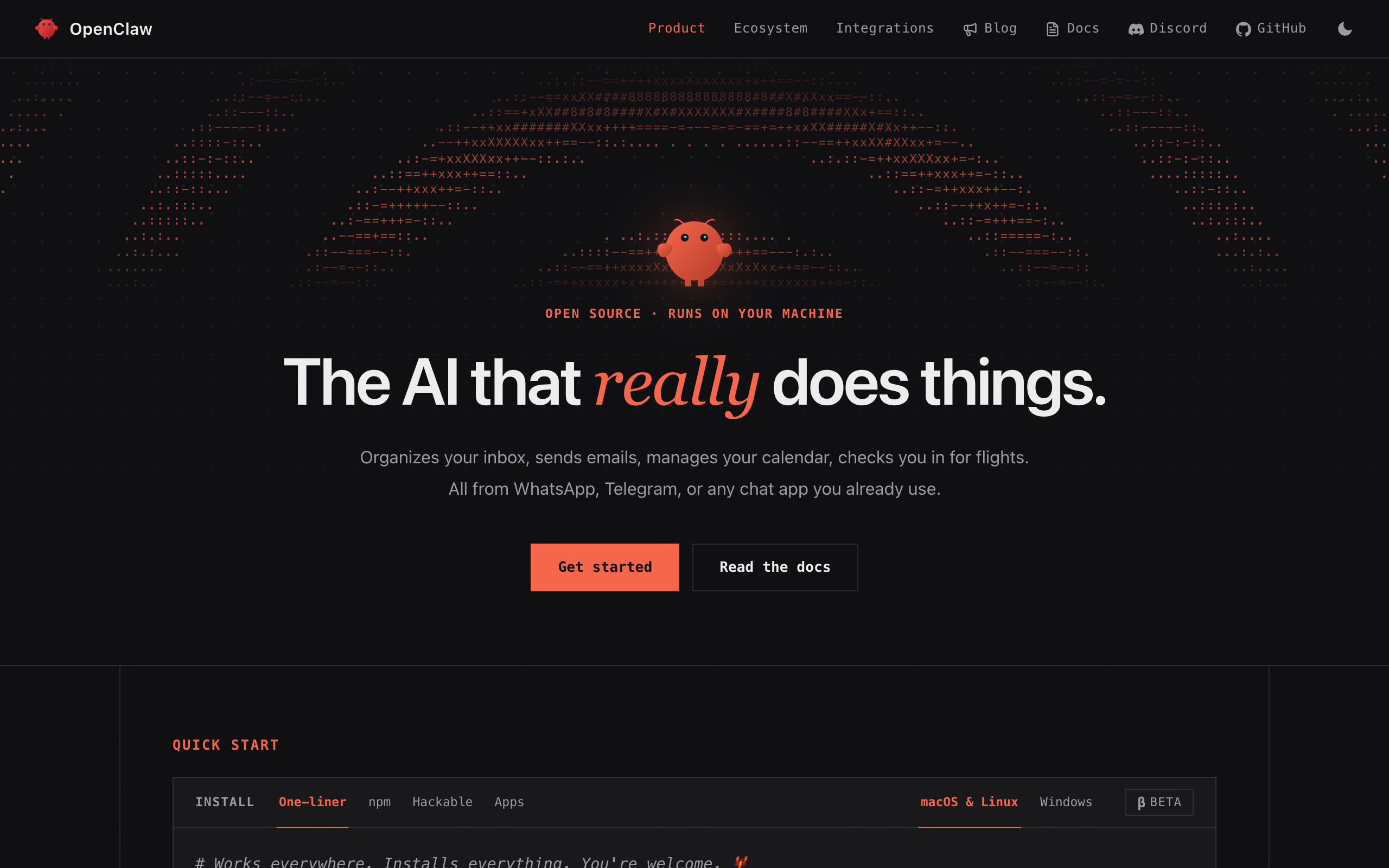
Out of the box, OpenClaw is a free, MIT-licensed personal AI assistant that runs on the user's own machine or VPS. It connects the chat apps people already use (Telegram, WhatsApp, Discord, Slack, and 25+ more) to an LLM-powered agent with persistent memory, installable skills, and a heartbeat that checks for pending work and acts without being prompted.
For one agent serving one person, it is exceptional, which is exactly what the runtime was designed for. The OpenClaw Foundation, a non-profit, stewards it with a commitment to staying open and independent.
Why "mission control" became the thing everyone builds
"Mission control" became a genre because a few weeks of real OpenClaw use produces the same four questions: What is it working on? What did it finish overnight? What did that cost? Which of these five projects is it silently ignoring?
Alex Finn's March 2026 video, "OpenClaw becomes 100x better when you build it a Mission Control", walked through a custom dashboard with a task board, calendar, projects, memory browser, docs, and a team screen, and thousands of builders followed with their own dashboards and forks. The complaint driving all of it is consistent: out of the box, the operator cannot see what the agent is doing.
The genre converged on the same screens, which double as a requirements list for any mission control: a task board, a calendar of scheduled work, a projects view linking tasks to memories and documents, a memory browser, a docs library, and a team screen organizing agents and sub-agents. Every serious DIY build and every hosted product is some arrangement of those six. The mission control dashboard guide goes through the screens one by one.
That is not a flaw in OpenClaw. It is a boundary, and the runtime's own docs draw it precisely:
- The Control UI is an admin panel for chat, config, and approvals, and the docs say do not expose it publicly.
- The bundled Workboard kanban ships disabled and is described as "intentionally scoped" to local operating work for one gateway on one machine, explicitly not a replacement for a real task system.
- Multi-agent is officially supported, but agent-to-agent messaging is off by default and allowlisted, memory defaults to one shared vault, and nothing gives agents shared task state.
What to look for in an OpenClaw mission control
An OpenClaw mission control, DIY or hosted, should provide five things. This is the checklist the rest of this guide scores both routes against:
- Shared task state across agents. One board every agent reads and writes, surviving restarts and living off any single machine.
- Mentions that wake agents. A mention, schedule, or inbound email should trigger the target agent's run directly, not sit in a queue a human polls.
- Cost and run visibility. Per-run model, trigger, and token usage, aggregated per agent.
- Isolation and security someone owns. The gateway off the public internet, updates applied, restarts automatic, and a named party responsible when it breaks.
- A shareable live view. A co-founder (or the public) can watch without SSH access.
The DIY route, costed honestly
The DIY route means building the five items above yourself, and it is a genuinely good project for someone who likes the work. The stack is well trodden: enable Workboard or build a kanban, add named agents to the gateway config with per-agent bot tokens, enable and allowlist agent-to-agent messaging, and put a dashboard in front of it.
The build itself, step by step:
- Provision a VPS ($5-25/mo) and install OpenClaw with the official script.
- Tunnel the gateway off the public internet (SSH tunnel, Tailscale, or a VPN) per the VPS guide, with systemd restart policies.
- Define the agents: add each named agent to the gateway config with its own workspace and per-agent bot tokens.
- Enable and allowlist agent-to-agent messaging (off by default), deciding which agents may wake which.
- Enable Workboard (disabled by default) or build a kanban with shared task state that lives off the single machine.
- Build the dashboard: activity view, calendar, per-agent status, and whatever cost tracking the business needs (the runtime ships none).
- Maintain all of it: OpenClaw updates, config migrations, disk, backups, and security patches, on a schedule that never ends.
The honest budget:
- Hosting: $5-25/mo. OpenClaw's docs recommend a dedicated VPS with the gateway behind an SSH tunnel or VPN, systemd restart policies, and regular updates.
- Security: owned entirely by the operator. A 2026 scan found 42,665 OpenClaw instances exposed to the internet, 93.4% with authentication bypasses. The gateway has shell access to the machine it runs on.
- The single-host ceiling. Workboard state is local SQLite on one machine: no multi-tenancy, no share link, and cost tracking still unbuilt.
- Hosted-OpenClaw vendors do not close the gap. Services that run OpenClaw for you solve uptime for ONE instance; coordinating nine specialists remains the operator's problem.
The price landscape, for one comparison view:
| Route | Price | What it includes | What it does not |
|---|---|---|---|
| DIY VPS | $5-25/mo | Full ownership, one or more agents | Everything on the checklist is yours to build |
| Hosted single-instance vendors | $9-22/mo | Uptime for one OpenClaw instance | Coordination, task state, cost tracking, share views |
| Squad | $99/mo flat | The full checklist: squad, board, wakes, Runs log, share link, managed isolation | Self-hosting (case by case) |
- Time. The dashboard, the sync bugs, and every breaking update are maintained by the builder, forever. That is the actual price, and for hobbyists it is also the fun.
Verdict: the DIY route wins on dollar cost and ownership; it scores 0 of 5 on the checklist until the operator builds and maintains each item personally.
Can you clone an open-source mission control from GitHub?
Yes. The mission-control genre lives on GitHub: builds from the videos, forks of those builds, and fresh takes on the same six screens, most of them free and permissively licensed. Cloning one is a legitimate shortcut through the DIY route's step 6: the dashboard arrives already built.
The clone covers the user interface, and only that. Shared task state still lives in one machine's local files, mentions still do not wake agents, cost tracking still depends on what the runtime exposes, and the security section above still lands on the operator. A cloned dashboard completes one step of seven; the other six remain.
A full control plane is a different thing from a cloned dashboard. Squad vs Paperclip compares the hosted route with a self-hosted, MIT-licensed control plane.
Three checks separate a usable repo from a stalled one:
- Commit recency. OpenClaw moves fast, and a dashboard that has not been touched in months will trail the gateway it fronts. Check the last commit date and the open-issue count before adopting.
- The single-host assumption. Community dashboards typically read the gateway's local state on the same machine. Multiple machines, multiple users, or an off-site view mean rearchitecting, not configuring.
- Security ownership. A dashboard in front of a gateway with shell access widens the attack surface, and the 42,665 exposed instances cited above show what default deployments produce.
For a technical operator running one machine who wants the video experience, cloning is the right call; the checklist above then names what remains to build. For business operations across several specialists, a clone changes the DIY route's first weekend, not its following years: the maintenance, the sync, and the coordination gaps are identical. That remaining gap is what the hosted route below closes.
The hosted route: a squad with a control room
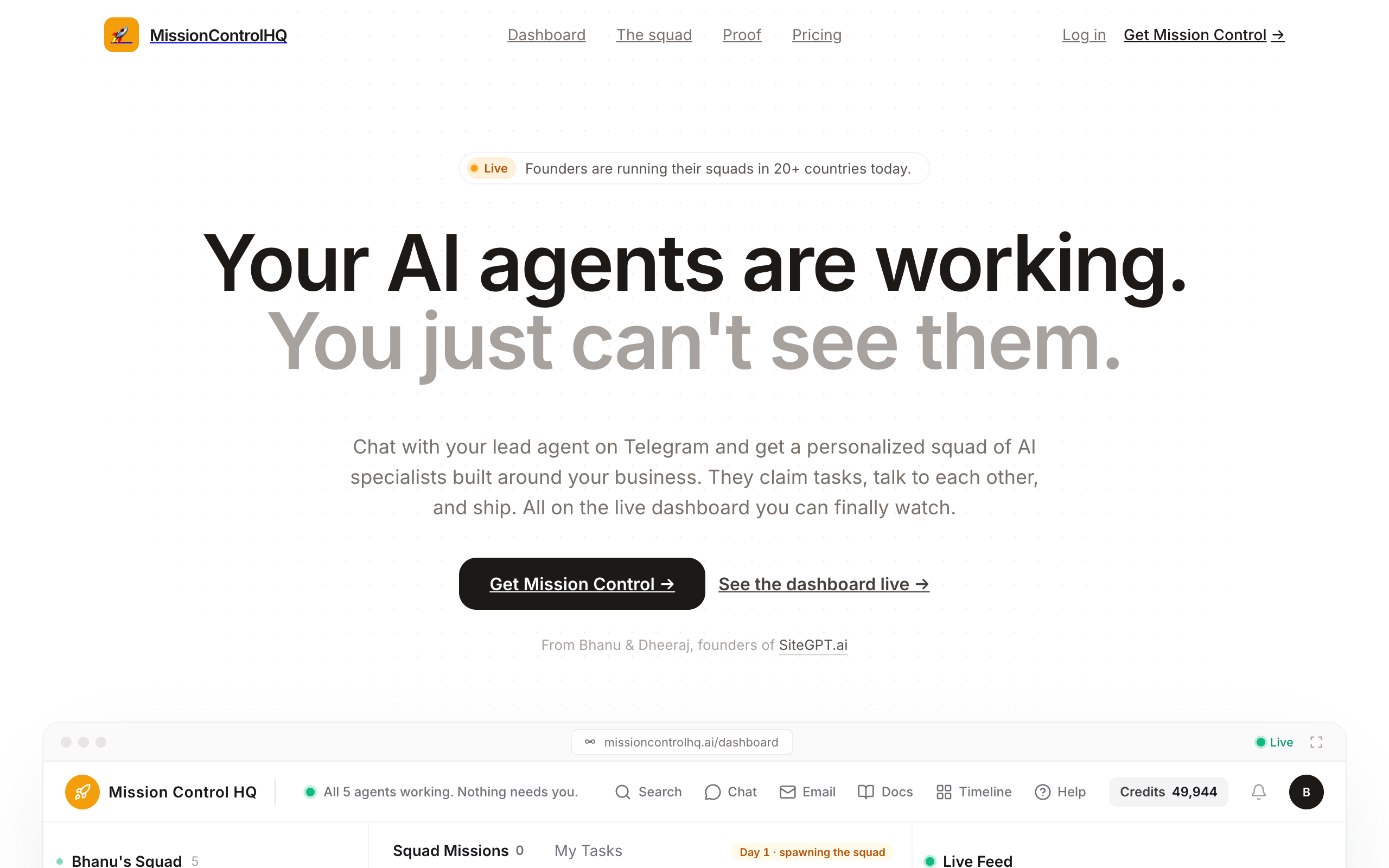
The hosted route is Squad: a hosted mission control, one dedicated, isolated environment per customer. Against the checklist:
- Shared task state: one cloud task database every agent reads and writes; work gets claimed, discussed in threads, and archived with full history.
- Mentions that wake agents: an @-mention in squad chat triggers the mentioned agent's run. So do cron schedules and inbound email (agent inboxes are a paid add-on).
- Cost and run visibility: a Live Feed across all agents, a Runs log with each run's model, trigger, and token usage, credit use broken down by agent and mission in Billing, and a Scheduled screen with a week view of scheduled work.
- Isolation and ops: each squad runs in its own managed environment with priority support. No VPS, no tunnel, no update roulette.
- Shareable live view: a read-only, real-time share link (the owner controls whether search engines may index it).
The economics are the part a spreadsheet can check. ChatGPT is the common choice, with the $100-200 tiers recommended (a $20 plan's limits run out almost immediately under squad workloads); twelve more providers also work (Claude and Claude Code, Grok, GitHub Copilot, Kimi, MiniMax, Z.ai, and Qwen Cloud on their own plans; Gemini, Cloudflare Workers AI, OpenCode, and OpenRouter on usage-billed keys), with no token markup.
$199-299/mo all-in
Squad at $99/mo flat plus the recommended $100-200 flat AI plan, against roughly $4,000/mo for a single junior ops hire running the same lanes.
The build takes about two minutes, and setup continues as a conversation: the lead agent greets the founder in the dashboard chat, asks what they are building, and proposes the squad, which the founder approves, renames, or edits in chat. Pricing is one flat $99/mo plan.
Plugging in takes four steps:
- Sign up at squad.so/get-started. One flat $99/mo plan; each customer gets a dedicated, isolated environment.
- Connect your AI. A flat-rate ChatGPT plan is the recommended choice ($100-200 tiers recommended for squad workloads); Claude (direct, or on plan limits through Claude Code), Grok, Gemini, GitHub Copilot, Kimi, MiniMax, Z.ai, Qwen Cloud, OpenRouter, Cloudflare Workers AI, and OpenCode work too.
- Meet the lead agent in the dashboard chat. It asks about the business in plain English and proposes a squad of named specialists; approve, rename, or replace any of them.
- Watch the dashboard. The squad works the shared board, discusses in threads, and posts to squad chat; the Live Feed, Runs, and Scheduled screens show everything.
Verdict: the hosted route scores 5 of 5 on the checklist and costs $99/mo; the trade is that the infrastructure is managed rather than owned. For the wider landscape (Codex, Claude Code, Cowork, ChatGPT Work, Hermes, Nous Portal), see Why Squad; Claude Code users have their own guide.
How to choose
Is building the dashboard part of the fun?
- If yes, tinkering is the point→DIY: Workboard + your own dashboard on a VPS
- If no, the business is the point→Squad
How many agents do the work?
- If one personal assistant→raw OpenClaw is enough, no mission control needed
- If a team of specialists on business lanes→Squad (or a serious DIY build)
Who owns security and uptime?
- If you, deliberately (compliance, air-gap, preference)→self-host; follow the VPS + tunnel docs strictly
- If preferably not you→Squad's managed isolated environments
Use-case cheat sheet
| Scenario | Best pick | Why |
|---|---|---|
| Personal automation: reminders, summaries, home tasks | Raw OpenClaw | One agent, one user; the runtime alone is the right size. |
| Weekend project you will enjoy maintaining | DIY mission control | Workboard plus a custom dashboard is a genuinely fun build. |
| Saw the video, want that exact dashboard | Clone an open-source repo | Fastest path to the six screens; sync, cost, and security stay yours. |
| Support, content, and research lanes running weekly | Squad | Specialists on a shared board with schedules and mention-driven handoffs. |
| You already lost work to an untracked agent | Squad | Runs and the Live Feed answer 'what happened' retroactively. |
| Uptime for one agent without server admin | Hosted-OpenClaw vendor ($9-22/mo) | Solves hosting for a single instance; adds no coordination. |
| Show a co-founder the agents actually working | Squad | Live public share link; DIY dashboards stay behind SSH. |
When one OpenClaw agent is enough
One OpenClaw agent is enough whenever the work is personal and singular:
- One assistant handling personal automation covers the need.
- The operator is technical, enjoys server admin, and the building IS the hobby.
- Workloads are private enough that self-hosting is a requirement, not a preference. (Self-hosted and isolated Squad deployments are handled case by case; compliance-sensitive founders should email support@squad.so first.)
If OpenClaw itself is the wrong fit, the OpenClaw alternatives comparison covers nine open-source and hosted options.
The mission control moment arrives when the agent needs colleagues, a manager, and a status page.
Frequently asked questions
Basics
What is a mission control for OpenClaw? A mission control for OpenClaw is the coordination and visibility layer around agents: a shared task board, a calendar of scheduled work, documents, memory, and a dashboard showing what every agent did. OpenClaw deliberately ships as a runtime, not a control room, which is why the community builds or buys mission controls on top.
Doesn't OpenClaw already have a dashboard? OpenClaw ships an admin Control UI for chat, config, and exec approvals, and a bundled Workboard kanban that is disabled by default. The Workboard docs describe it as intentionally scoped to local operating work for one gateway on one machine, not a business dashboard across a team of agents.
Can OpenClaw run multiple agents? Yes, officially: multiple named agents on one gateway, each with its own workspace and channel bindings. But agent-to-agent messaging is off by default and must be explicitly allowlisted, there is no shared task state, and coordinating 5-9 agents means hand-editing config and bolting on separate orchestration.
Self-hosting and costs
Is there a free open-source mission control for OpenClaw? Yes. The community has published open-source mission control dashboards and templates on GitHub since the genre took off in early 2026, and most are free to clone and run. They cover the dashboard layer; shared task state, agent wakes, cost tracking, and security stay with the operator, so evaluate commit recency and the single-host assumption before adopting one.
What does self-hosting a serious OpenClaw setup involve? OpenClaw's own docs recommend a dedicated VPS with the gateway kept off the public internet behind a tunnel, plus systemd restart policies and regular updates. The operator also owns security: a 2026 scan found 42,665 exposed OpenClaw instances, 93.4% with authentication bypasses.
How much does an OpenClaw mission control cost? The DIY route costs $5-25/mo in VPS hosting plus ongoing administration time, and the dashboard still has to be built and maintained. Hosted single-instance OpenClaw services run $9-22/mo but coordinate nothing. Squad (formerly MissionControlHQ) is $99/mo flat for the full squad layer: shared task board, squad chat, usage tracking, and a managed isolated environment, on top of the AI subscription you already pay for.
Choosing a route
Should I build my own mission control like the videos show? If the build sounds fun, genuinely yes: it is a great weekend project and the DIY dashboards are impressive. The costs arrive later: the server, the security, the sync bugs, and the dashboard itself are maintained by you, forever. The hosted route exists for founders who want the squad without the second job.
How does Squad relate to OpenClaw? Squad is a hosted mission control; OpenClaw is a separate, third-party runtime. Agents get a shared task database, squad chat where @-mentions wake the mentioned agent, threads, scheduled runs, per-run token usage, optional email inboxes, and a live shareable dashboard, each customer in a dedicated isolated environment, for $99/mo flat.
Sources
- OpenClaw: GitHub repo, multi-agent docs, Workboard docs, Control UI docs, VPS guide, Foundation announcement, visibility issue #40082
- Security: Hostinger analysis of exposed OpenClaw instances
- Community: Alex Finn's mission control video announcement
- Squad: homepage, get started
- Related on this site: Why Squad, Mission Control for Claude Code, Mission Control for Codex, Mission Control for Hermes Agent
Last updated: September 2026. Pricing and features verified as of September 2026.