
The short answer: Squad and Paperclip describe the same shape and split on who does the work around it. Paperclip is a free, MIT-licensed control plane you install, staff with runtimes, and patch yourself. Squad (formerly MissionControlHQ) is hosted at $99/mo, runs on the AI subscription you already pay for with no markup, provisions the computer, and has a lead agent design the squad with you. Pick Paperclip to own the server; pick Squad to own only the business.
80%
of organizations report measurable ROI from AI agents. The next decision is not whether to run them but who runs the computer they run on.
Source: Anthropic, The 2026 State of AI Agents Report (500+ technical leaders)iShort answer
Paperclip wins on price, ownership, formal hierarchy, hard per-agent budget caps for API-billed runs, and tool-call tracing. Squad wins on getting to a running team, runtimes and models on your own plan, usage visibility across subscription runs, the chat and mention layer, memory, reaching agents by Telegram or email, sharing, and hosting. On a ten-dimension count it is Squad seven, Paperclip three, and the three Paperclip wins are decisive for anyone who must keep data on their own hardware. Squad is $99/mo flat on your own AI subscription; Paperclip is $0 plus a server and each runtime's bill.
Key takeaways
| Dimension | Winner | Why |
|---|---|---|
| Hosting and setup | Squad | Hosted, dedicated cloud computer; Paperclip needs Node 24.11+, Postgres, a host, and you apply CVE fixes |
| Runtimes and models | Squad | Runtime included, 13 providers on your own plan with fallback models; Paperclip attaches runtimes you install and pay for per seat |
| Coordination surface | Squad | Board, tickets, threads, @-mentions that wake agents, squad chat; Paperclip has org chart, tickets, heartbeats, no chat (issue #49) |
| Costs and budgets | Split | Paperclip: hard per-agent caps for API runs. Squad: per-run token usage that includes subscription runs, which Paperclip records at $0 (issue #339) |
| Supervision and security | Squad | Vault, per-agent browsers, per-connection permissions, isolated environment; Paperclip: approvals and audit log on a server you expose |
| Memory and knowledge | Squad | Memory page, About-you file, squad files today; Paperclip lists memory as in progress (issue #1858 open) |
| Price | Paperclip | $0 software, MIT; Squad $99/mo plus your AI plan |
| Leaving | Paperclip | Your Postgres, your license; Squad exports agents, missions, and docs, self-hosting case by case |
Both products run a company of named agents on a shared board. The four things Paperclip hands the operator are the four things Squad's fee pays for.
The server
Paperclip: yours to install, expose, and patch. Squad: a dedicated cloud computer, hosted for you.
The runtime
Paperclip: one adapter and one paid runtime per seat. Squad: included, on your own AI plan, 13 providers.
The receipts
Paperclip: budgets that cannot see subscription runs. Squad: token usage on every run.
The org chart
Paperclip: starts empty. Squad: the lead agent proposes it after a ten-minute interview.
What each product is
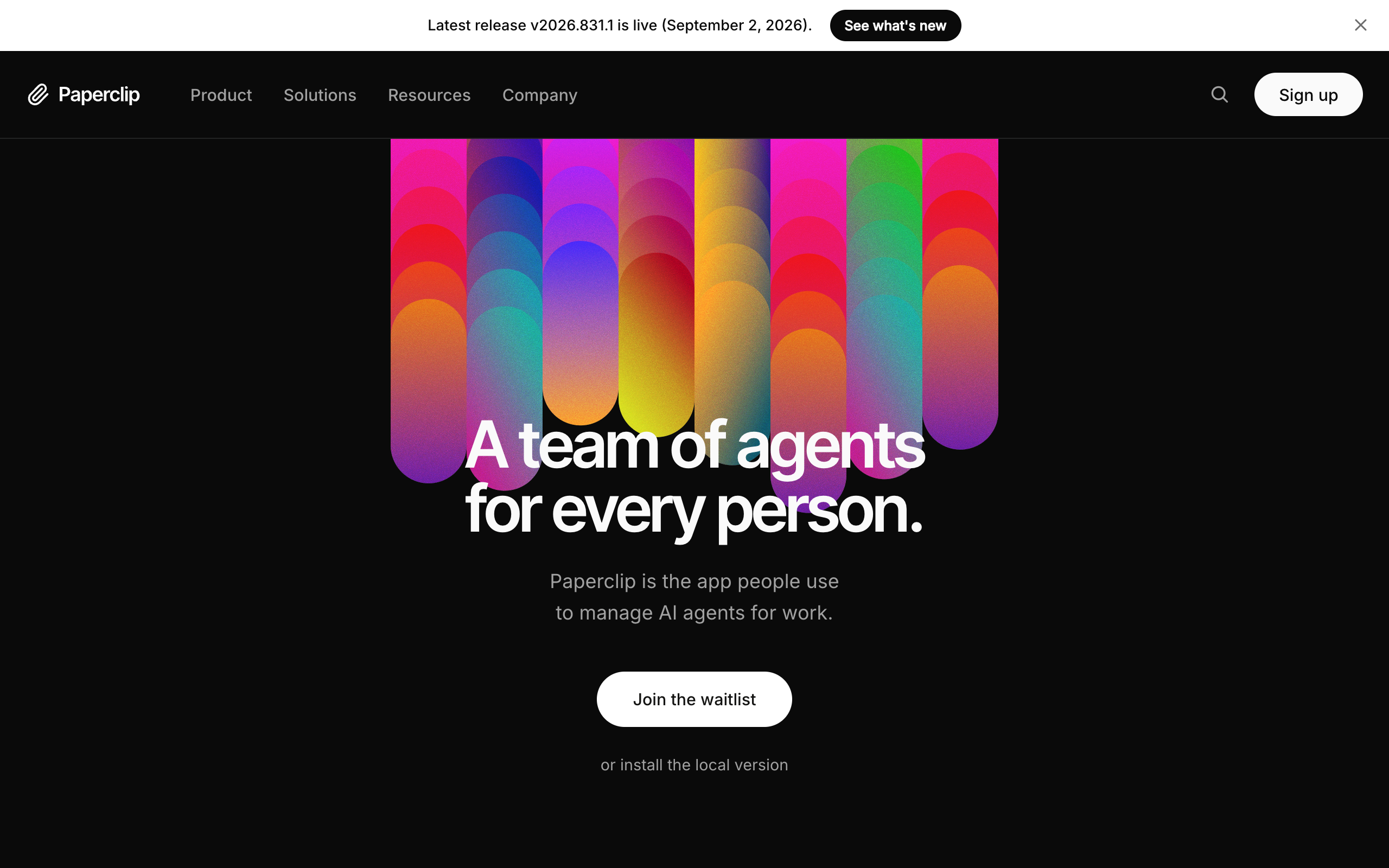
Paperclip is an open-source app from Paperclip Labs that manages AI agents as employees: an org chart with reporting lines, job descriptions, monthly budgets per agent, a ticket system with tool-call tracing, approvals, and scheduled heartbeats that wake agents to check for work. It is MIT-licensed, self-hosted, and had 80.2k GitHub stars on 8 September 2026. Its README says what it is not: not a chatbot, not an agent framework, not a workflow builder, not a single-agent tool. It coordinates runtimes you bring, through adapters for Claude Code, Codex, Gemini, Cursor, Hermes, OpenClaw, Pi, and OpenCode.
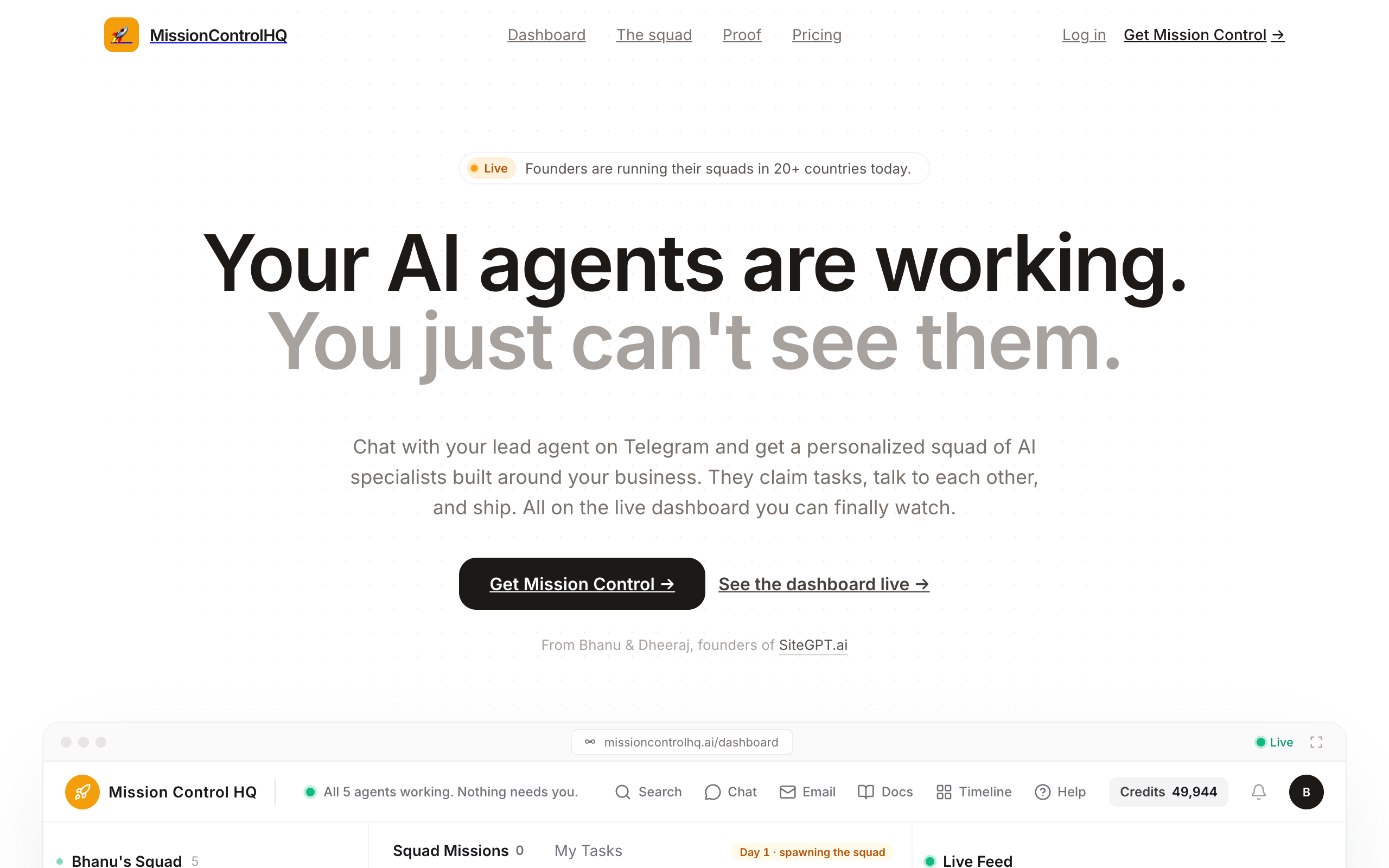
Squad is a hosted coordination layer for a squad of AI agents, meaning a coordinated set of specialists rather than one generalist. Each customer's squad runs in a dedicated isolated cloud environment on a provisioned computer with a real browser. After signup the lead agent interviews you about the business and proposes a named squad, which you approve or edit. The squad works a shared task board with tickets, threads with @-mentions, squad chat, documents, an activity feed, and scheduled runs, on the ChatGPT, Claude, or other AI plan you already hold, for $99/mo flat.
The feature lists overlap heavily. The operating model does not.
Paperclip, self-hosted
- You install Node 24.11+, Postgres, and the app on a host
- You attach one paid runtime per seat through an adapter
- You design the org chart from empty
- You apply security fixes on the day they ship
- Budgets see API runs; subscription runs record $0
- Data stays on your server under an MIT license
Squad, hosted
- A dedicated cloud computer, hosted for you
- Runtime included, on your own AI plan, 13 providers
- The lead agent proposes the squad in about ten minutes
- Isolated environment per customer, vault for secrets
- Every run shows its token usage, subscription plans included
- Export agents, missions, and docs; self-hosting case by case
1. Hosting and setup
Squad wins hosting and setup because the computer arrives provisioned and you never operate a server. Paperclip's docs are clear about what a deployment involves: Node.js 24.11 or newer, pnpm 9.15 or newer, an embedded Postgres locally or an external one in production, and one of three exposure modes. Local binds to loopback with no login. Private network requires login and binds all interfaces, with Tailscale recommended. Internet-facing requires login, an explicit public URL, and stricter checks.
The cost of that model showed up on 5 August 2026, when The Hacker News reported three flaws disclosed by Oasis Security: CVE-2026-41679 at CVSS 10.0, allowing unauthenticated remote command execution on network-accessible deployments, plus flaws scored 9.6 and 8.3. All were fixed in v2026.416.0, and no exploitation in the wild was reported. Every self-hosted operator had to apply that update themselves.
| Paperclip | Squad | |
|---|---|---|
| Where it runs | Your laptop, Docker, VPS, or Kubernetes | A provisioned cloud computer per customer |
| Prerequisites | Node 24.11+, pnpm 9.15+, Postgres | A browser and an AI subscription |
| Who runs the server | You | Squad (hosted) |
| Network exposure | Your choice of three modes; login via Better Auth | Isolated environment per customer |
| Time to a running team | Install, then design and hire each agent | About two minutes to build, then the lead agent's onboarding conversation |
| Hosted option | Waitlist; README lists cloud as in progress | Hosted; self-hosted deployments case by case |
Winner: Squad, because a control plane that can run commands through agents is a high-value target, and on Squad you do not run the server.
2. Runtimes and models
Squad wins runtimes and models because the runtime is included and the model bill stays on the plan you already pay, with an exit when it fills. Paperclip is a control plane that attaches runtimes you install. Its adapter docs list 21 adapters, each responsible for launching the runtime, passing task context, and capturing usage metadata. A five-agent company on Claude Code is five Claude Code installs with five credential sets, and the generic process and HTTP adapters are marked "Coming soon" in the UI.
Squad ships its own runtime on the provisioned computer and connects it to your AI account across thirteen providers as of September 2026: ChatGPT, Claude Code, Grok, Z.ai, Kimi, MiniMax, Gemini, GitHub Copilot, OpenRouter, Qwen Cloud, Cloudflare Workers AI, OpenCode, and Claude. There is no token markup. One ordered fallback list spans providers, so when a run fails or hits a rate limit the next model picks it up, and several accounts of the same plan can back one squad for more capacity.
| Paperclip | Squad | |
|---|---|---|
| Runtime | Yours, one per seat via adapter | Included, on the provisioned computer |
| Providers | Whatever each runtime supports | 13, with per-agent model overrides |
| Runtime breadth | Wider: Cursor, Pi, Gemini CLI, custom HTTP | Narrower: Squad's own runtime only |
| Plan limit reached | The runtime's own behavior | Fallback list to the next model, or stack accounts |
| Markup | None; you pay the provider | None; you pay the provider |
| Local models | Requested, open (issues #187, #2979) | Not offered; Cloudflare Workers AI hosts open models on your account |
Winner: Squad on the founder's question, which is how many sign-ins and bills a team costs. Paperclip wins runtime breadth: if you need Cursor, Pi, or a custom HTTP agent on the org chart, only Paperclip attaches it.
3. Coordination surface
Squad wins the coordination surface because its agents talk as well as delegate. Paperclip's model is the org chart: "Delegation flows up and down the org chart," tasks trace to company goals, and agents wake on heartbeats, assignment, or @-mentions on tickets. What it lacks is a conversation layer. Issue #49, open since 5 March 2026, asks for "a lightweight Slack-like communication layer" to think through work before it becomes a ticket.
Squad has the board and the room. Missions sit on a shared board with Backlog, Needs you, In flight, and Done columns. Threads carry @-mentions, and a mention is a wake signal: the mentioned agent runs. Squad chat reaches every agent with @all, group chats let several agents work a question with only the ones who have something to add replying, and agent-to-agent conversations are visible under AGENT CONVERSATIONS, where you can step in.
| Paperclip | Squad | |
|---|---|---|
| Structure | Org chart with reporting lines and goal tracing | Lead agent plus specialists; no formal reporting tree |
| Work unit | Tickets with full tool-call tracing | Missions with tickets and a progress trail |
| Wake signals | Heartbeat, assignment, ticket @-mention | Schedule, message or @-mention, mission, ticket answer, inbound email |
| Chat | None (issue #49 open) | Squad chat, group chats, 1:1 threads, agent-to-agent visible |
| Documents | Ticket-attached | Document store with folders, editing, archiving |
Winner: Squad for a founder who thinks in conversations. Paperclip wins for an operator who wants a formal hierarchy: a boss, a title, reporting lines, and every task traced to a mission, which Squad does not model as a tree.
4. Costs and budgets
Costs and budgets split, and the split is the most important row on this page. Paperclip's cost guide records agent, model, tokens, and dollars per call, sets a company budget and an independent per-agent budget, warns at 80%, and at 100% "the agent is automatically paused. No further heartbeats are triggered." For API-billed agents that is a hard cap Squad does not offer.
The blind spot is subscription-billed agents, which are most founders. Issue #339, open since 8 March 2026, reports that agents authenticated through a ChatGPT-style plan record a cost of zero cents because the provider returns none, so the caps never trigger. The reporter's example: "A single agent consumed 19.8M input tokens in one hour" with no enforcement. Issue #3401 adds that the default heartbeat wakes the model roughly every 15 minutes with full context to check for work.
Squad shows the token usage of every run, subscription plans included, in a Runs log, and a mission shows its token count so far. Heartbeats are created switched off; once on, the lead's runs every 15 minutes and the others' every hour. Hard caps exist where usage is metered: research credits have a monthly auto-recharge maximum, and email sends have per-agent daily and per-minute limits.
| Paperclip | Squad | |
|---|---|---|
| Per-run usage shown | API runs yes; subscription runs $0 | Token usage on all runs |
| Per-agent monthly token cap | Yes, 80% warn, 100% pause | No |
| Heartbeat cost | Full context every ~15 min by default (issue #3401) | Created off; lead every 15 min, others hourly once on |
| Metered extras | None | Research credits with an auto-recharge maximum; email sends with caps |
Winner: split. Paperclip for hard per-agent caps on API-billed agents; Squad for seeing the token usage of every run when your agents live on a subscription.
5. Supervision and security
Squad wins supervision and security because the controls follow each agent and the environment is hosted for you. Paperclip's governance is real: approve hires, override strategy, pause or terminate any agent, and a full tool-call trace and audit log per ticket. Those are strong controls on a server whose exposure is your responsibility.
Agents can draft outbound work for your approval and open a ticket before money moves. Credentials go into a vault that agents read at run time, never pasted in chat. Each agent has its own browser by default, so one agent's login is not every agent's login. Each connection has an access level, and the levels vary by app; you can narrow or block any single agent, and calls outside the level are refused. Neither product publishes compliance certifications.
| Paperclip | Squad | |
|---|---|---|
| Approvals | Hires, strategy, budget approvals | Drafts for approval and tickets; escalations as cards |
| Audit | Full tool-call tracing and audit log | Live Feed, Runs, and a logged receipt for every connection call |
| Secrets | Your deployment's secrets handling | Vault read at run time |
| Per-agent access | Shared host | Own browser per agent; per-agent access level per connection |
| Patching | You | Squad (hosted) |
| Compliance certifications | None published | None published |
Winner: Squad on access following the agent. Paperclip wins on audit depth, because per-call tool tracing is not something Squad claims.
6. Memory and knowledge
Squad wins memory and knowledge because it ships today what Paperclip lists as in progress. Paperclip's README puts memory in progress and automatic organizational learning in the future. Issue #1858, open since 26 March 2026, asks for a company-level knowledge layer so agents stop being "disconnected task executors" without shared mission, strategy, and brand voice.
Squad's Memory page lists memories, searched by meaning, with per-memory edit or forget. One squad-shared About-you file is read by every agent each run. Shared Company, Contacts, Glossary, Squad, and Voice files are read on demand. Each agent has Notes, Personality, and Identity files with a load meter showing characters against the budget, and over budget the editor marks the skipped middle.
Winner: Squad, on the strength of shipped features against an open roadmap item.
7. Reaching your agents
Squad wins reaching your agents because work can arrive by chat, Telegram, or email. On Paperclip the interface is the dashboard and tickets; requests for Telegram and WhatsApp channels (issue #2004) and Slack (issue #7) were open on 8 September 2026.
On Squad you talk to the lead agent in the dashboard chat, optionally through a Telegram bot, and each agent can have its own email inbox and address as a $10/mo add-on: forward it a thread and the reply comes back from that agent, with allow and block lists and hard send caps behind it.
Winner: Squad.
8. Team access and sharing
Squad wins team access and sharing on the share link. Paperclip's docs include a how-to for enabling multi-user login, and its README describes a single deployment running multiple isolated companies, which suits an operator hosting for several clients. Squad's dashboard is owner-only; teammates message the squad on Telegram, Discord, or Slack, and a read-only public share link shows the live board with mission threads, every doc, and agent profiles, hidden from search engines unless the owner opts in, for the co-founder or client who wants to watch the work without a login.
Winner: Squad for showing the work to someone outside the workspace. Paperclip wins for hosting several isolated companies on one install you control.
9. Price
Paperclip wins price. The software is $0 under an MIT license with no Paperclip account. Squad is $99/mo flat, one plan, no tiers, with agent email inboxes at $10/mo each and a 7-day money-back guarantee on the first payment. Both then need an AI plan: on Squad, the subscription you already hold at a recommended $100 or $200 tier, so $199-299/mo all in; on Paperclip, a server plus a subscription or API key per attached runtime, plus heartbeat tokens.
$0
Paperclip software, MIT, plus a server and each runtime's bill
$99/mo
Squad, one flat plan (September 2026)
$199-299
Squad all in with a $100 or $200 AI plan
$10/mo
Per agent email inbox on Squad, a paid add-on
7 days
Money-back on Squad's first payment
Waitlist
Paperclip's hosted plan, unpriced as of 8 September 2026
$199-299/mo for a hosted squad, against roughly $4,000/mo for one junior hire
93% to 95% less per month, and about $7,164 to $10,764 over three years against roughly $144,000 in salary alone, before payroll taxes, benefits, equipment, and ramp. Figures as of September 2026.
Winner: Paperclip in dollars. The $99 buys the four things in the summary graphic, and whether that is worth it depends on what your hours cost.
10. Leaving
Paperclip wins leaving. Its data sits in a Postgres database on your own host under an MIT license, so there is nothing to export from anyone. Squad exports your agents, missions, and docs as a JSON file and keeps your AI subscription at the provider where you pay for it. Self-hosted and isolated deployments of Squad are handled case by case.
Winner: Paperclip, by the nature of open source.
When Paperclip is the better choice
Paperclip is the better choice when you are technical, want the server and data under your own control at $0, already know which roles the company needs, and want a formal reporting hierarchy with every task traced to a goal. It is also the better choice when you need hard monthly caps per agent on API-billed runs, per-call tool tracing in an audit log, a runtime Squad does not offer such as Cursor or Pi, or several isolated companies on one install you host for clients.
Paperclip is best for a technical operator who wants a free, MIT-licensed control plane over runtimes they already run, owns the server happily, and can name the org chart on day one.
When Squad is the better choice
Squad is the better choice when you do not want to install, expose, or patch a server; when the org chart has stayed empty because nobody designed it with you; when your agents run on a flat-rate plan and you need to see what each run used; when work arrives by chat, Telegram, or email; when a client or co-founder needs to watch the work; or when one client's accounts must stay structurally apart from another's through per-agent browsers and permissions.
~2 min
To build, then a short onboarding conversation with your lead
13
AI providers on your own plan, with fallback models
$0
Markup on your tokens
70+
App integrations with per-agent access levels
57
Built-in research and scrape tools, 1,000 credits/mo included
Squad is best for a founder or small team who wants Paperclip's shape, a company of named specialist agents, with the server, runtime, receipts, and org design handled, on the AI plan they already pay for.
How to choose between Squad and Paperclip
Must the data stay on hardware you control?
- If yes, it is a hard requirement→Paperclip. Squad handles self-hosted deployments only case by case
- If no, an isolated hosted environment with a JSON export is fine→keep going
Who should patch the control plane on the day a fix ships?
- If you, and you have done it before→Paperclip
- If not you→Squad
Do your agents run on a flat-rate subscription?
- If yes→Squad, because Paperclip records those runs at $0 and its caps cannot see them
- If no, API keys with hard monthly caps per agent→Paperclip's budgets are the stronger control
Can you name the org chart today?
- If yes→either; Paperclip's hierarchy is the more formal of the two
- If no→Squad; the lead agent proposes it after a ten-minute interview
Does anyone outside the workspace need to see the work?
- If yes, a client or co-founder→Squad's read-only share link
- If no→either
| Scenario | Best pick | Why |
|---|---|---|
| Data must stay on your own server | Paperclip | MIT license, your Postgres, your host. |
| You installed Paperclip and the org chart is still empty | Squad | The lead agent designs the squad with you in about ten minutes. |
| Agents on a ChatGPT plan and the budget reads $0 | Squad | Every run shows token usage, subscription runs included; fallback models handle a filled plan. |
| API-billed agents that must hard-stop at a monthly cap | Paperclip | 80% warning, 100% auto-pause, per agent and per company. |
| You need Cursor, Pi, or a custom HTTP agent on the chart | Paperclip | 21 adapters; Squad runs only its own runtime. |
| Work arrives by email or Telegram | Squad | Per-agent inboxes at $10/mo and an optional Telegram bot; Paperclip's channel requests are open issues. |
| A client wants to watch their squad work | Squad | Read-only share link, no login for the viewer. |
| You host agent companies for several clients yourself | Paperclip | One deployment, multiple isolated companies, on your infrastructure. |
| Every tool call must be traced in an audit log | Paperclip | Full tool-call tracing per ticket is a first-class feature. |
| Nobody on the team wants to be the server's operator | Squad | Hosted, dedicated, isolated. |
Squad vs Paperclip FAQ
The basics
What is the difference between Squad and Paperclip? Both coordinate a team of named AI agents with tasks, budgets, and approvals. Paperclip is a free, MIT-licensed control plane you install on your own server, attach your own agent runtimes to, and keep patched yourself. Squad (formerly MissionControlHQ) is hosted: the squad runs on a dedicated cloud computer Squad provides, the runtime is included and connects to your existing AI subscription across thirteen providers, and a lead agent designs the squad with you. Squad costs $99 per month flat; Paperclip costs $0 plus a server and each runtime's bill.
Is Squad a hosted version of Paperclip? No. They are separate products from separate companies. Paperclip is made by Paperclip Labs and its README lists cloud deployments as in progress, with a waitlist on the landing page as of 8 September 2026. Squad has been hosted from the start. They overlap in shape, a company of agents on a shared board, and differ in who runs the infrastructure, who brings the runtime, and who designs the team.
Costs
Which is cheaper, Squad or Paperclip? Paperclip's software is free; Squad is $99 per month. Both then need an AI plan. On Squad that is the ChatGPT, Claude, or other subscription you already hold, at a recommended $100 to $200 tier, so $199 to $299 all in with no token markup. On Paperclip it is a server plus a subscription or API key per runtime you attach, plus the tokens heartbeats spend checking for work. Paperclip is cheaper in dollars when you already own a server and can staff and patch it; Squad is cheaper in hours.
Does Paperclip have better cost controls than Squad? For API-billed runs, yes: Paperclip enforces a monthly budget per agent and per company, warns at 80%, and auto-pauses the agent at 100%. The gap is subscription-billed runs, which Paperclip records at zero cents per GitHub issue #339, so the caps never trigger for agents on a ChatGPT-style plan. Squad has no per-agent monthly token cap but shows the token usage of every run, including runs on subscription plans, and caps research credit auto-recharge and email sends.
Features and security
Can Paperclip agents talk to each other the way Squad agents do? Paperclip agents delegate up and down the org chart through tickets and wake on heartbeats or assignment. There is no chat layer; GitHub issue #49 requesting one has been open since 5 March 2026. Squad agents share a squad chat and group chats, @-mention each other in chat and mission comments, and a mention wakes the mentioned agent. Agent-to-agent conversations are visible under AGENT CONVERSATIONS and you can step into them.
Which one keeps my data on my own server? Paperclip. It runs on your host with an embedded or external Postgres database under an MIT license, so the data never leaves your infrastructure. Squad runs each customer's squad in a dedicated isolated cloud environment and lets you export your agents, missions, and docs as a JSON file; self-hosted and isolated deployments are handled case by case. If data residency on your own hardware is a hard requirement, Paperclip is the answer.
Which is more secure? They put the responsibility in different places. Paperclip's security is as good as your deployment: its docs define local, private-network, and internet-facing modes, and in August 2026 Oasis Security disclosed CVE-2026-41679 (CVSS 10.0) affecting network-accessible installs, fixed in v2026.416.0. Applying that fix was each operator's job. Squad runs each squad in a dedicated, isolated workspace it hosts, keeps credentials in a vault agents read at run time, gives each agent its own browser, and lets you narrow or block each connection's access level per agent. Neither publishes compliance certifications.
Does Squad support the same agent runtimes as Paperclip? Different model. Paperclip attaches runtimes you install, through 21 adapters including Claude Code, Codex, Gemini, Cursor, Hermes, OpenClaw, Pi, and OpenCode. Squad ships its own runtime on a provisioned cloud computer and connects it to your AI account across thirteen providers, including ChatGPT, Claude Code, Grok, Gemini, GitHub Copilot, OpenRouter, Cloudflare Workers AI, and OpenCode, with an ordered fallback list across providers. Squad does not run a runtime you installed elsewhere.
Choosing
Which is better for an agency running several clients? Paperclip's README describes one deployment running multiple isolated companies, which suits an operator who hosts for clients. Squad gives each agent its own browser by default and sets integration access per agent, with a read-only share link a client can watch. Choose Paperclip if you want to host the instance for clients; choose Squad if you want each client to see their own squad working without you running anything.
When is Paperclip the better pick? When you are technical, want the server and data under your own control at $0, already know which agent roles you need, want a formal reporting hierarchy with goal tracing, need per-agent hard budget caps on API-billed runs, and want full tool-call tracing in an audit log. Paperclip's 80.2k GitHub stars as of 8 September 2026 reflect a genuinely complete self-hosted control plane.
When is Squad the better pick? When you do not want to run, patch, or staff a server; when you want the org chart designed with you rather than starting empty; when your agents run on a flat-rate subscription and you need to see what each run used; when work needs squad chat, @-mentions that wake agents, Telegram, or an email inbox per agent; when someone else needs to watch the work through a share link; or when the account for one client must stay structurally apart from another. Squad is $99 per month flat with a 7-day money-back guarantee on the first payment.
For the wider field, including Grok Bot, Hermes Agent, OpenClaw, Claude Code agent teams, CrewAI, and Lindy, see the Paperclip alternatives comparison.
Sources
- Paperclip Labs, Paperclip: feature descriptions quoted here (org chart, goal alignment, cost control, ticket system, governance), the runtime list, the v2026.831.1 release banner, and the waitlist button. Fetched and screenshotted 8 September 2026.
- Paperclip, GitHub repository: 80.2k stars, MIT license, requirements, the "what Paperclip is not" list, the heartbeat and delegation description, and the roadmap. Fetched 8 September 2026.
- Paperclip docs: deployment overview, adapters overview, costs and budgets, and the multi-user login how-to. Fetched 8 September 2026.
- Paperclip GitHub issues: #339, #3401, #49, #1858, #2004, #7, #187, #2979. All open as of 8 September 2026.
- The Hacker News, Paperclip AI flaws let attackers run host commands, 5 August 2026.
- Anthropic, The 2026 State of AI Agents Report: the 80% measurable-ROI figure. Fetched 8 September 2026.
- Squad (formerly MissionControlHQ): homepage and get started and pricing, for the $99/mo plan, the email add-on, the thirteen providers and fallback models, the lead-agent setup, per-run token usage, approvals, the vault, per-agent browsers and permission levels, the Memory page and squad files, chat and mentions, share links, data export, and the money-back guarantee.
- Related on this site: Paperclip alternatives, why Squad when Codex, Claude Code, and OpenClaw exist, what is a multi-agent mission control, how much AI agents cost to run, and human in the loop for AI agents.
Last updated: 26 September 2026. Squad pricing and features verified as of September 2026; Paperclip pricing, star count, documentation, and issues fetched 8 September 2026.