
The main Lindy AI alternatives are Sintra AI, Marblism, Relevance AI, Zapier Agents, Gumloop, and Squad (formerly MissionControlHQ). Squad hosts a squad, which means a coordinated team of specialist AI teammates instead of one general assistant. The right pick depends on the job you want to hand over.
Lindy's pricing page shows $29.99 per user per month for 3,000 credits, or $49.99 for 5,000, and a single job can use 2-2,500 of them. That spread is the main reason people compare Lindy with other tools. This page rests on public sources: each vendor's own pages and Trustpilot.
2-2,500
Credits one Lindy job can use, according to Lindy's pricing page. The cheapest paid seat includes 3,000 or 5,000 credits a month, depending on the price Lindy shows you.
Source: Lindy pricing page, 2 November 2026iShort answer
Lindy is a fair choice for a Slack-based team that wants meeting notes, briefs, and quick answers. Marblism and Sintra cost less for a solo owner. Gumloop costs less for a team that will build its own agents, and Zapier Agents fits teams already on Zapier. Move to Squad when you want several specialists on recurring work such as invoice chasing, support triage, and weekly reports.
Key takeaways
| The question | The answer |
|---|---|
| What does Lindy cost? | Team starts at $29.99 per active user a month for 3,000 credits or $49.99 for 5,000, as of 2 November 2026. Lindy is testing both prices |
| How do credits get used? | 2-250 credits for an everyday ask, 250-1,000 for deep work, and 1,000-2,500 for a big build |
| What do reviewers say? | Trustpilot shows 3.0 from 51 reviews, with 61% at 1 star |
| What is the cheapest alternative? | Zapier Agents has a free allowance. Sintra lists $15.60 a month on a 12-month plan, and Marblism lists $24 a month billed yearly |
| Which alternative fits a team that builds agents? | Gumloop, from $37 a month with unlimited seats and 20,000 credits |
| Which alternative fits recurring work across several jobs? | Squad, at $99 a month plus a $100-200 AI plan |
Prices as of 2 November 2026, from each vendor's own pages.
A low-cost roster
Marblism or Sintra AI. Fixed roles on one plan, for solo owners and local businesses.
An agent builder
Gumloop, Zapier Agents, or Relevance AI. You or a vendor team design each agent.
A Slack assistant
Lindy. One AI employee for notes, briefs, lookups, and routines.
A team of specialists
Squad. Several teammates with their own jobs, on your own AI plan.
What Lindy does
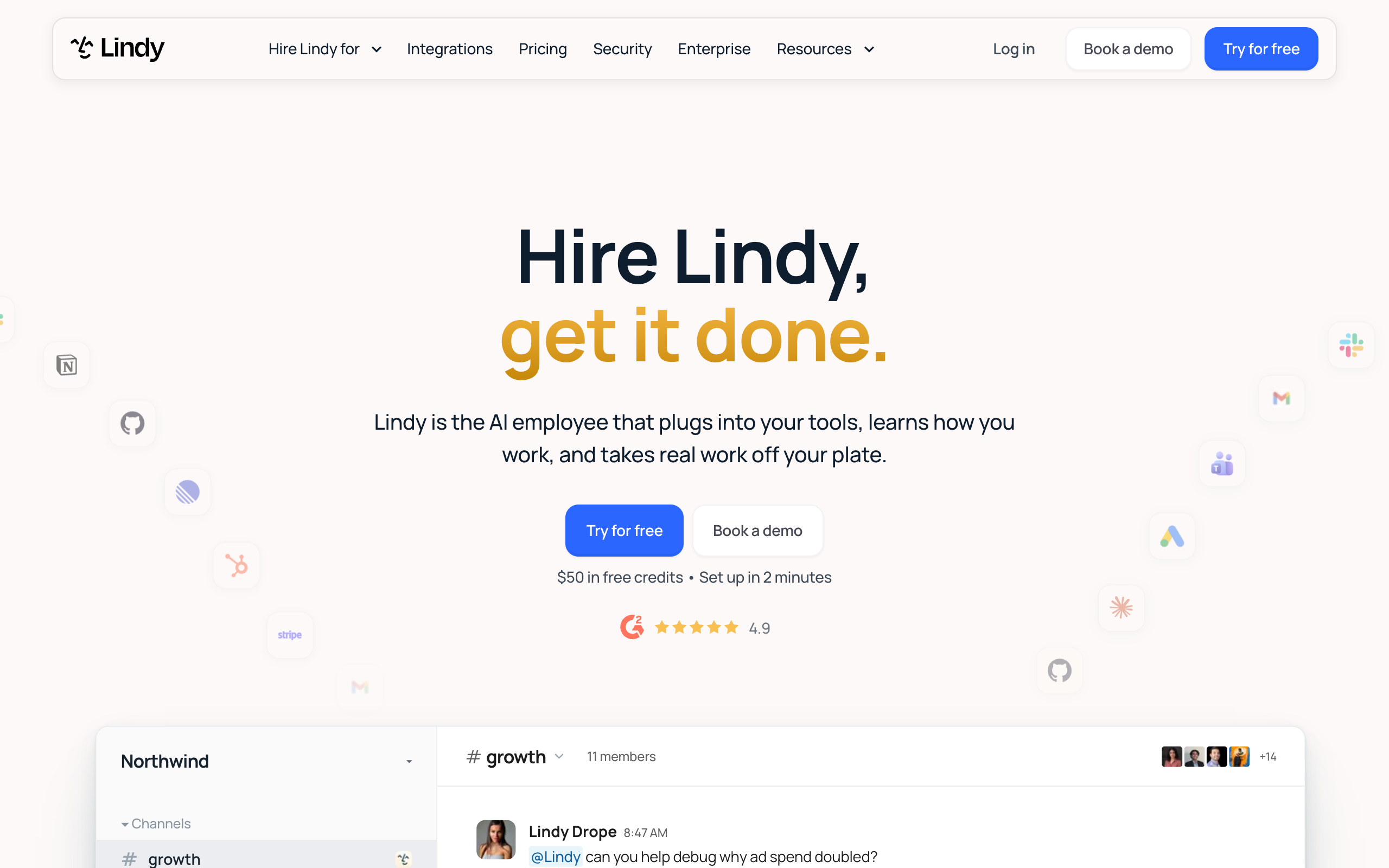
Lindy is an AI employee that plugs into your apps and takes on work you hand it. You reach it in Slack, email, iMessage, or a browser through a Chrome extension. The same Lindy works across channels, and each person also has a private Lindy in direct messages.
$29.99 or $49.99
Lowest Team price per user a month, in Lindy's live price test
3,000 or 5,000
Credits included with that seat each month
$50
Free credits for 7 days, with no card
1,500+
Integrations listed on Lindy's homepage, plus MCP servers
40+
Skills listed on Lindy's homepage
3.0
Trustpilot score from 51 reviews, 2 November 2026
Lindy's pages list these capabilities:
- Meeting recording, shared meeting notes, and prep and follow-up
- Inbox management, including draft replies in your voice
- Scheduled routines such as morning briefs and weekly reports
- 40+ skills, and the option to save a workflow as a skill for the team
- Memory stored in plain files that you can read and change
- 1,500+ integrations, plus MCP servers
- Phone calls, on a separate paid phone number
Lindy says anything with outside impact waits for approval, such as sending an email or updating a ticket. Read-only lookups do not need approval. Its FAQ also states SOC 2 and GDPR compliance, and Enterprise adds SSO, audit logs, and HIPAA with a signed agreement.
Lindy's usage docs describe two Lindys on one account. The shared Lindy works in your channels and uses your approved team sources. The personal Lindy works in each person's direct messages and handles daily briefs, email alerts, meeting prep, and recaps. The docs rate most personal work as very low on credits, and both Lindys spend from the same pool.
Some features depend on the plan. Lindy's billing docs put computer use on Pro and Max, and live onboarding on Pro and up. SSO, SCIM, audit logs, and HIPAA sit on Enterprise.
For how Lindy sits among similar tools, see the AI employee platforms comparison. For what the term means, see AI employee vs AI agent.
Lindy pricing
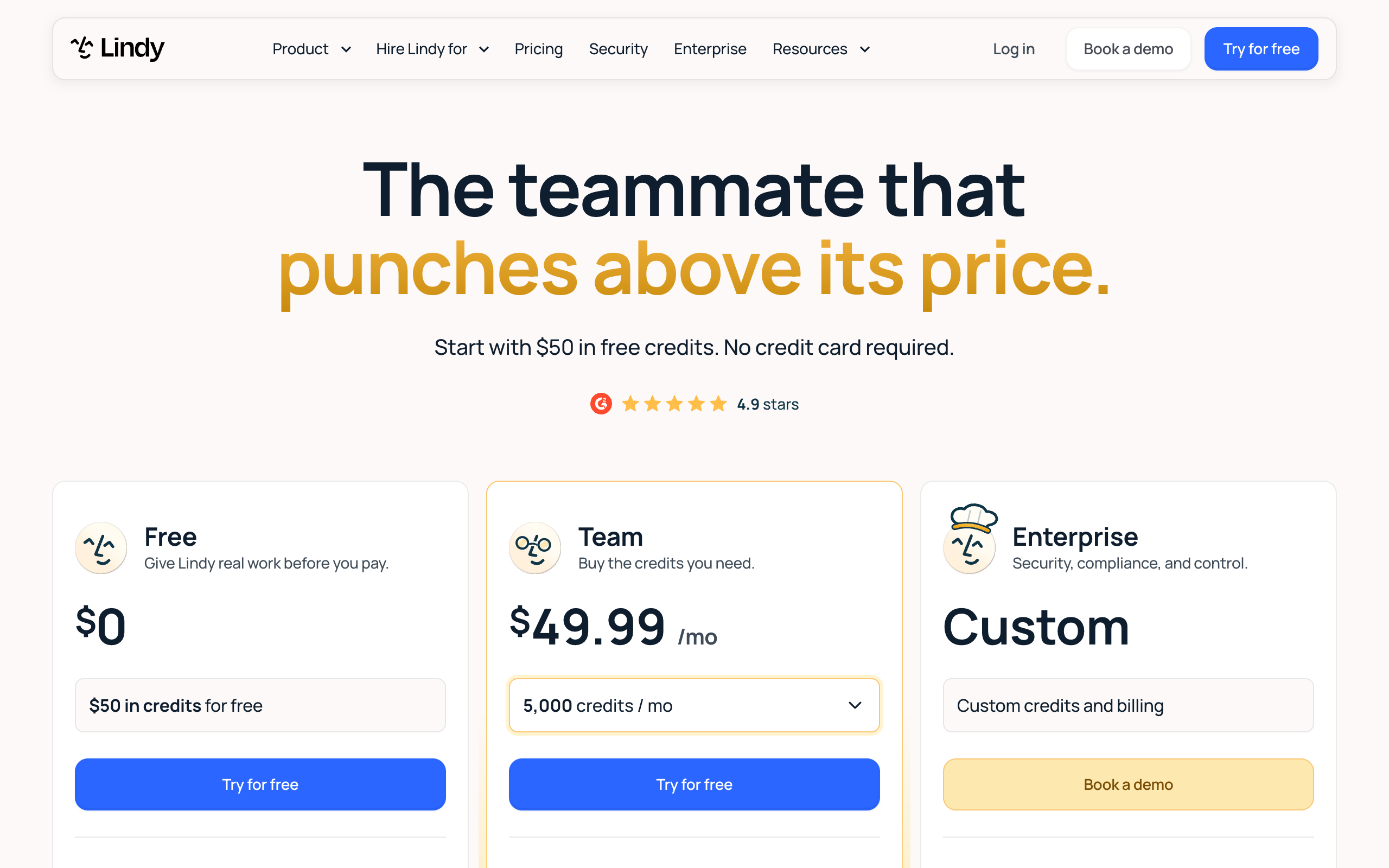
Lindy's pricing page lists three plans as of 2 November 2026. Free gives $50 in credits for 7 days with no credit card. Team starts at $29.99 per active user per month for 3,000 credits, or $49.99 for 5,000, depending on the version of the page you see. Enterprise is custom.
| Credits a month, per seat | Price per seat | Cost per 1,000 credits |
|---|---|---|
| 3,000 | $29.99 | $10.00 |
| 5,000 | $49.99 | $10.00 |
| 8,000 | $79.99 | $10.00 |
| 15,000 | $99.99 | $6.67 |
| 20,000 | $149.99 | $7.50 |
| 35,000 | $199.99 | $5.71 |
| 45,000 | $299.99 | $6.67 |
| 70,000 | $399.98 | $5.71 |
| 175,000 | $999.95 | $5.71 |
| 1,750,000 | $9,999.50 | $5.71 |
The table shows 10 of the 15 tiers on the $29.99 version of the page. The 15,000 tier stands out, because $20 more than the 8,000 tier buys 7,000 more credits. Top-ups cost $10 per 1,000 credits, so if you top up every month, compare that cost with the 15,000 tier.
Lindy is running a live price test. On 2 November 2026 the pricing page served both $29.99 for 3,000 credits and $49.99 for 5,000. The page's code labels the test "plus-49-packaging", and a returning visitor keeps the same version. The $49.99 version drops the 3,000 and 4,000 tiers and adds 7,000 credits at $69.99, for 14 tiers. Other tiers keep the same prices.
The homepage runs the same test. Lindy's docs name Plus, Pro, and Max plans and send you to the billing screen for prices. No page says which price will stay, so check yours at checkout before you budget.
The pricing page lists no annual price. It also says you can connect "2 to 5 inboxes, depending on plan" without saying which plan gets how many.
What seats add to the bill
Lindy bills every active user, and anyone who uses Lindy takes a seat. That covers direct signups, workspace joiners, and anyone who @mentions Lindy in Slack. People who join through Slack get a 7-day free trial first, and direct signups are billed right away.
A paid seat stays billed until an admin removes it, with no mid-cycle proration. Admins get an email when someone new joins through Slack, and that email has a link to remove the person. If your Slack is large, read that email every time.
| Active users | Lindy at $29.99 (pooled credits) | Lindy at $49.99 (pooled credits) | Squad with a $100-200 AI plan |
|---|---|---|---|
| 1 | $29.99 (3,000) | $49.99 (5,000) | $199-299 |
| 5 | $149.95 (15,000) | $249.95 (25,000) | $235-335 |
| 10 | $299.90 (30,000) | $499.90 (50,000) | $280-380 |
| 20 | $599.80 (60,000) | $999.80 (100,000) | $370-470 |
The Squad column is arithmetic: $99 a month, plus $9 for each invited person, plus the AI plan. The owner uses no seat. Lindy is cheaper at small team sizes, and the gap closes as you add people. At $49.99 a seat, 10 users cost more than Squad's high-end figure.
How Lindy credits get used
Lindy credits measure the work Lindy does, and each one costs about a cent on base plans. You spend them only while Lindy is working. Bigger jobs use more, and the pricing page groups jobs into three bands.
| Job type | Credits per job | Cost at a cent each | Jobs from 3,000 credits | Jobs from 5,000 credits |
|---|---|---|---|---|
| Everyday ask: answer, summary, lookup, draft reply | 2-250 | $0.02-2.50 | 12-1,500 | 20-2,500 |
| Deep work: competitor report, support queue triage | 250-1,000 | $2.50-10 | 3-12 | 5-20 |
| Big build: dashboard, deck, internal tool, heavy routine | 1,000-2,500 | $10-25 | 1-3 | 2-5 |
Those ranges are wide, and Lindy publishes no rate per model or per action. You cannot predict a job's cost from the pricing page. The Credits column in Settings > Members shows what each person has used, so check it during your free week.
Lindy's usage docs name five things that raise credit use:
- Every message in a thread re-reads everything above it, so long threads cost more with each turn.
- The shared Lindy in channels uses most of a team's credits, because everyone @mentions it.
- Team routines run on schedule whether or not anyone reads the result.
- Deep research across channels and Drive folders varies in cost.
- Phone calls start at 25 credits a minute, which is at least $0.25 a minute, and the number has its own monthly fee.
Each seat adds to one pool, and any person can draw it down. Admins can cap one person's use, but a task already running can pass the cap.
When the pool runs out, Lindy pauses credit-using work until the next cycle. There is no automatic overage bill on the pricing page's terms. Monthly credits do not roll over, while top-up credits stay until used. Lindy may also stop a heavy task and ask whether to continue, which protects the pool.
For a wider view of these costs, see how much AI agents cost to run.
Lindy AI review: what reviewers say
Trustpilot reviews of Lindy are split, and most of the negative ones concern credits, billing, and support. The score is 3.0 from 51 reviews on 2 November 2026, with 31 reviews in the last 12 months.
3/5·Trustpilot(51)The stars sit at the two ends. 25% of reviews give 5 stars, and 61% give 1 star. Trustpilot notes that Lindy has not recently invited customers to review, so the people who write may be the ones with a problem. Lindy replied to 23% of negative reviews, typically within 24 hours.
The 20 most recent reviews group like this:
About 7
Mention support that is slow or hard to reach
About 5
Mention unexpected charges, unclear pricing, or trouble cancelling
About 5
Mention errors, failed tasks, or unintended actions
About 4
Mention credits used up quickly
Some reviews fit more than one group, and one in the list concerns a different business. Positive reviews mention time saved with Gmail, Zoom, and calendar work, and steady improvement in the product. Read these themes as a list of risks to check during your free week.
Lindy's homepage displays 4.9 on G2.
Lindy pros and cons
Lindy's main strength is how easily it fits a Slack-based team, and its main weakness is how hard it is to predict the bill.
Pros
- Low entry price and a free start with no card
- Works in Slack, email, iMessage, and the browser
- Records meetings and makes them searchable
- Says outside-impact actions wait for approval
- Per-person credit caps for admins
- States SOC 2 and GDPR, with HIPAA on Enterprise
Cons
- Job cost ranges from 2 to 2,500 credits
- Every active user pays, including Slack joiners
- Monthly credits do not roll over
- Homepage, pricing page, and docs disagree on plans
- Trustpilot shows 61% of reviews at 1 star
- Audit logs sit on the Enterprise plan
Slack-based teams that want meeting notes, briefs, and quick answers from one AI employee.
Why people look for Lindy alternatives
People look for Lindy alternatives for six reasons, and each one comes from Lindy's own pages or its Trustpilot page. The reasons point to different types of tool.
- The bill is hard to predict. Lindy's pricing page puts one job anywhere from 2 to 2,500 credits. Its usage docs rate work in words such as Low, Moderate, and Varies, with no rate per action. About 4 of the 20 most recent Trustpilot reviews mention credits used up quickly.
- Per-user billing grows with the team. Lindy's billing docs say a person takes a seat the first time they @mention Lindy in Slack. The seat stays billed until an admin removes it. A large Slack can add seats faster than anyone plans.
- Billing and support complaints. Trustpilot shows 61% of reviews at 1 star. About 5 of the 20 most recent reviews mention charges or trouble cancelling, and about 7 mention slow support. Lindy replied to 23% of negative reviews.
- Errors and failed tasks. About 5 of the same 20 reviews mention errors, failed tasks, or unintended actions. Credit billing raises the cost of a failed job, because you spend credits while Lindy works. Check how each tool shows you what a job did.
- Plans and prices are hard to pin down. The pricing page names Free, Team, and Enterprise, while the billing docs name Plus, Pro, and Max. Lindy is also testing two entry prices, and no page says which one will stay.
- One assistant stops being enough. A team may want separate specialists for support, finance, and outreach. Read why a team of AI employees beats one generalist for that argument.
How the alternatives solve these problems
The six alternatives fall into three types: fixed rosters, agent builders, and a team on your own AI plan. Each type fixes some of Lindy's problems and gives something else up.
| Problem with Lindy | Type that answers it | Tools | What changes |
|---|---|---|---|
| The bill is hard to predict | Fixed roster, or a team on your own AI plan | Marblism, Squad | Marblism has a flat plan with 50 hours. Squad's AI work runs on your own plan |
| Per-user billing grows | Agent builder, or a team on your own AI plan | Gumloop, Squad | Gumloop lists unlimited seats on Pro. Squad charges $9 for each person you invite |
| Billing and support complaints | Any type with clear exit terms | Sintra AI, Marblism, Squad | Sintra lists 14 days, Marblism shows 7 and 77 days, and Squad gives 7 days on the first payment |
| Errors and failed tasks | Tools with a work record | Squad, Relevance AI | Squad logs every run. Relevance AI lists audit logs |
| Plans are hard to pin down | Tools with one published plan | Marblism, Gumloop, Squad | Each lists one self-serve plan |
| One assistant is not enough | Fixed roster, or a team on your own AI plan | Sintra AI, Marblism, Squad | Sintra has 12 helpers, Marblism has seven roles, and Squad has teammates you describe |
Fixed rosters suit owners who want set roles at a low price. You pick from the vendor's list. Marblism and Sintra AI sit here.
Agent builders suit teams with someone who will design each agent. Gumloop and Zapier Agents are self-serve, and Relevance AI adds a vendor team. You get more control, and you also take on the upkeep.
A team on your own AI plan suits owners with several recurring jobs. Squad sits here. Neither flat option is unlimited. Marblism has an hours limit, and Squad has your AI provider's limits.
What to look for in a Lindy alternative
Judge each alternative on six points, and test them with a real job. The first two decide most of the bill.
- Billing unit. Credits, hours, activities, and tasks all behave differently. Ask what one real job costs, and whether the vendor publishes a rate. Gumloop publishes its formula. Lindy publishes bands.
- Who pays. Check whether the price is per user, per workspace, or per seat you invite. Then ask what makes a person count. On Lindy, one @mention in Slack can do it.
- Who designs the work. You may pick from a roster, build agents yourself, or describe the job to an agent that sets it up. A builder gives you control, and it needs someone with the time to maintain it.
- Approvals. Find out what waits for a person, and whether the tool enforces it or only follows an instruction. An enforced limit stops the action. An instruction depends on the agent following it.
- Access control. Check whether you can block one agent from one app. This matters most for apps that hold money or customer data. Ask whether a limit applies to the whole workspace or to one agent.
- Exit terms. Read the refund window, the trial terms, and how to cancel. Sintra lists a 14-day money-back guarantee, and Gumloop's 14-day trial needs a card. Also check what you can export when you leave.
Before you compare tools, check that the job suits an agent. A good job recurs, has a defined trigger, and produces something you can check.
How the alternatives were evaluated
Each tool was checked against the six criteria above, using its pricing page, homepage, and documentation, read on 2 November 2026. Review scores come from Trustpilot on the same date. A G2 score appears only where a vendor displays it on its own homepage, and the page says so.
Prices are list prices, and Lindy's two test prices both appear. The Squad figures are arithmetic from the plan price, the seat price, and the AI plan range. Squad's facts come from its homepage, docs, and app manuals.
Lindy alternatives compared
Lindy, Sintra, and Gumloop bill by credit, Marblism bills by hours, Zapier Agents bills by activity, and Squad runs on your own AI plan. Prices are as of 2 November 2026, from each vendor's own pages.
| Tool | Best for | Entry price | Billing unit | Setup effort | Team use |
|---|---|---|---|---|---|
| Lindy | Slack-based teams | Free for 7 days, then $29.99 or $49.99 per user | Credits | Low: connect apps and ask | Yes, per user with a shared pool |
| Sintra AI | Solo owners | $48.50 on a 1-month plan | 250 credits a month | Low: pick helpers and connect tools | Not stated on the pricing page |
| Marblism | Local businesses | $24 yearly, $44 monthly | 50 hours a month | Low: describe the business | Unlimited team members |
| Relevance AI | Enterprise teams | Not published, talk to sales | Custom | High: vendor team and weeks of rollout | Unlimited users on Enterprise |
| Zapier Agents | Teams on Zapier | Free allowance of 400 activities | Activities, moving to tasks | Medium: build or use a template | Shared pool on Team |
| Gumloop | Teams that build agents | $37 a month | Credits | Medium: describe and refine agents | Unlimited seats on Pro |
| Squad | Owners with recurring work across jobs | $99 plus a $100-200 AI plan | Your AI plan | Medium: 2-minute build, then a chat of about 10 minutes | Paid seats at $9 each |
Relevance AI is left out of the chart because it publishes no price. The chart shows one user only. Squad's position changes as you add people, as the seat table above shows.
The six Lindy alternatives
Each entry below covers what the tool is, what it costs, where it beats Lindy, and where it falls short.
Sintra AI
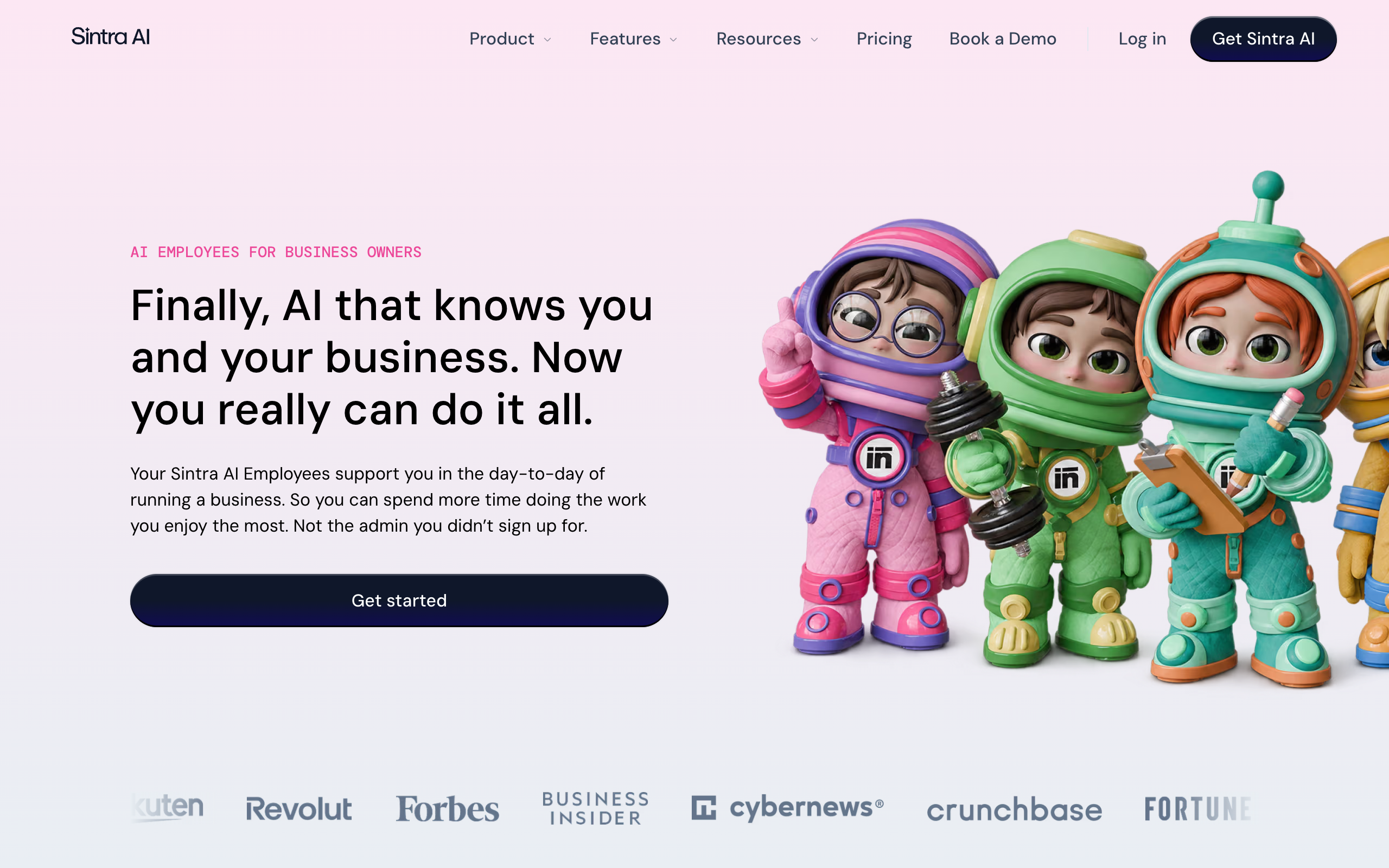
Sintra sells 12 named AI helpers to business owners, covering jobs such as support, copywriting, SEO, social media, and recruiting. It solves Lindy's per-user cost for a solo owner, because one plan covers all 12 helpers.
Key features, from Sintra's pages:
- Named helpers for roles such as support, data analysis, and business development
- Brain AI, which Sintra describes as one memory across your whole team
- Work in 100+ languages
The pricing page lists $48.50 on a 1-month plan, $23.60 a month on a 3-month plan, and $15.60 a month on a 12-month plan. Every plan has 250 monthly credits and a 14-day money-back guarantee. Credits apply to advanced AI actions, and top-ups cost extra.
Trustpilot shows no rating for Sintra and says the company offered incentives for reviews, with 8,671 reviews on the page. The plan cards list 15+ integrations while another link says 1000+ tools. Reviewers there report credits running out within hours.
Pros
- All 12 helpers on one plan
- Lowest paid monthly price here
- 14-day money-back guarantee
Cons
- Only 250 credits a month
- Approval levels are not explained
- Trustpilot withholds its rating
Solo owners who want general help with copy, social posts, and email at a low monthly price.
What Lindy does better: it records meetings, works in Slack and iMessage, and gives a free start with no card.
Marblism
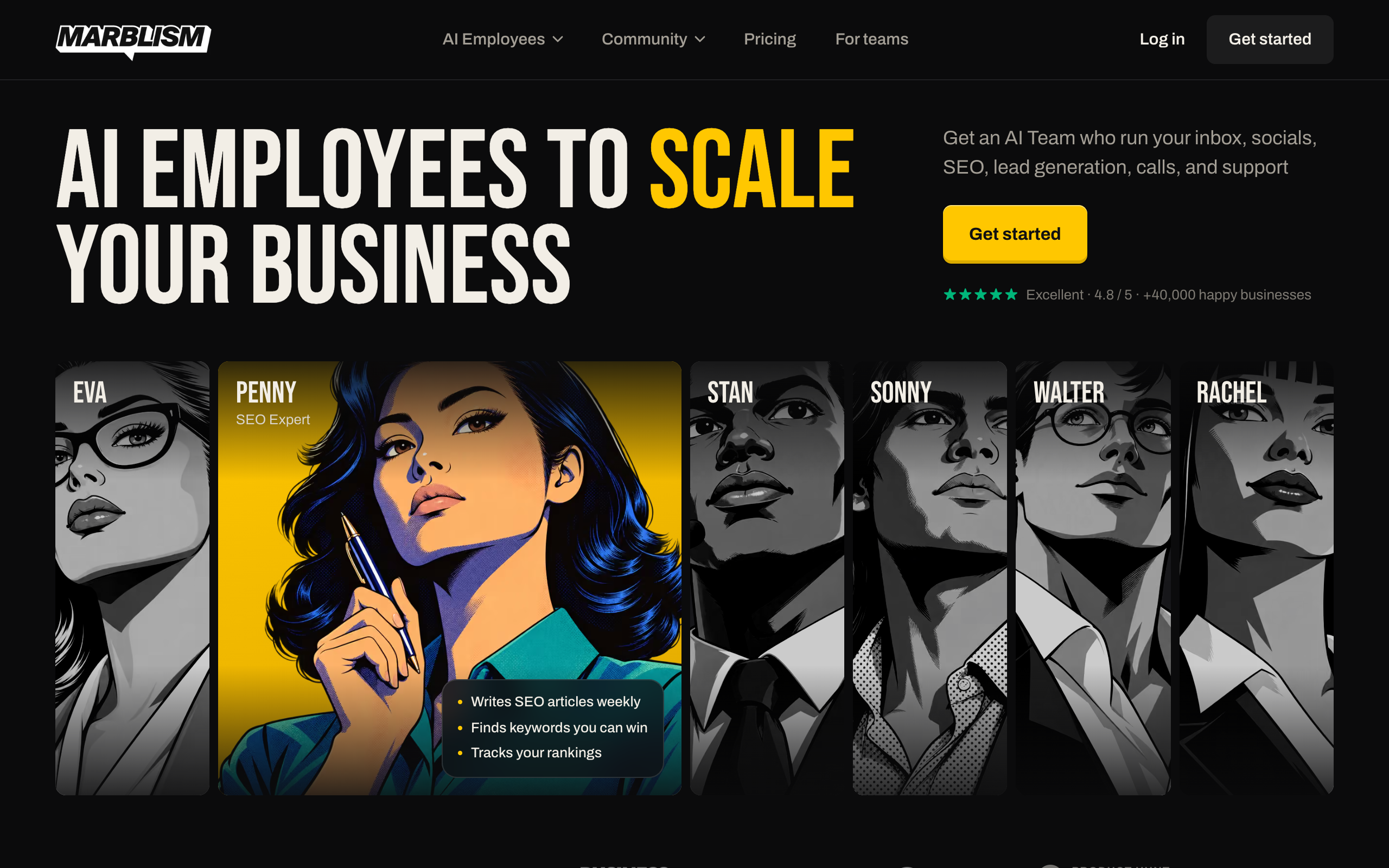
Marblism sells seven AI employees on one plan, including a receptionist that answers calls and a website builder. It solves Lindy's unpredictable job cost with a simpler limit of 50 hours of AI work a month.
Key features, from Marblism's pricing page:
- Rachel, the receptionist, answers calls 24/7 and books appointments
- Eva, the executive assistant, drafts email replies and takes notes in your meetings
- Stan handles lead generation with LinkedIn and email outreach
- Linda, the legal assistant, drafts contracts and flags risky clauses
The pricing page lists $24 a month billed yearly or $44 billed monthly, with unlimited team members and businesses. Top-up prices are not listed. The page shows both a 7-day and a 77-day money-back guarantee and does not explain the difference.
Trustpilot shows 4.8 from 1,202 reviews, and its 1-star reviews repeat refund and cancellation complaints. Read the full Marblism review for the details.
4.8/5·Trustpilot(1,202)Pros
- Lowest flat price for a team
- Phone answering and a website builder included
- Unlimited team members
Cons
- The roster is fixed at seven roles
- Top-up prices are not published
- Refund wording conflicts on its own page
Local service businesses that want calls, inbox, social posts, and SEO content on one low-priced plan.
What Lindy does better: you can save your own workflows as skills, and Lindy lists 1,500+ integrations plus MCP servers.
Relevance AI
Relevance AI calls itself the home of the AI workforce, and it sells to enterprise teams. It suits a large company that wants a vendor team plus human-in-the-loop approvals, role-based access, and audit logs.
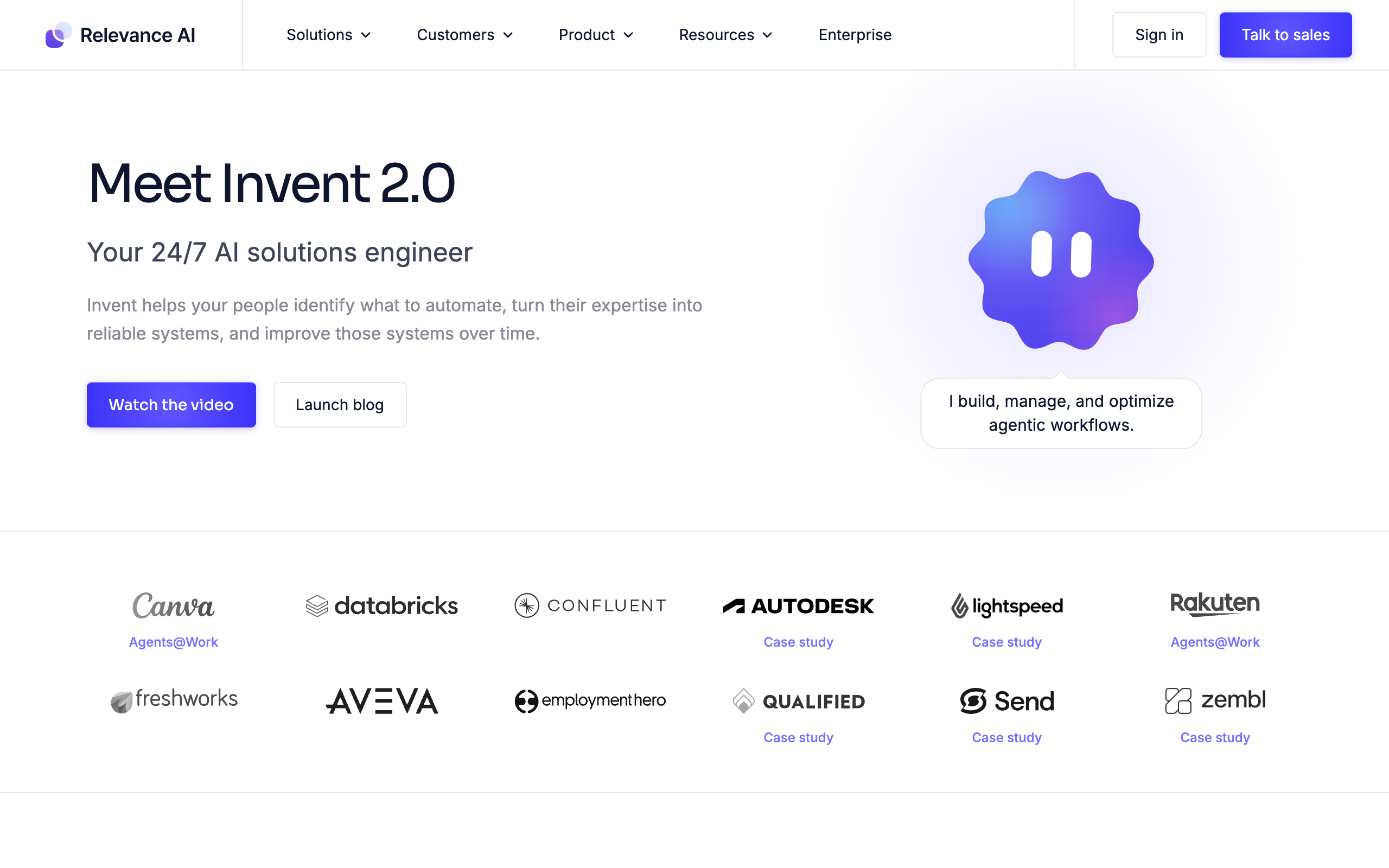
The pricing page lists one plan, Enterprise, with no price and a talk-to-sales button. It includes unlimited users and agents, custom actions, and a dedicated account manager. An embedded team maps use cases, and the homepage shows a rollout that runs over several weeks.
Key features, from Relevance AI's pages:
- Invent 2.0, which it calls a 24/7 AI solutions engineer that helps teams build agents
- Calling and meeting agents on the Enterprise plan
- SSO, role-based access, and audit logs
- SOC 2 and GDPR badges on the homepage
- Agent evaluations, A/B testing, and analytics
The integration count differs by page: 2,000+ on the pricing page and 1,000+ on the homepage. The homepage displays 4.5 on G2.
Pros
- Lists approvals, access roles, and audit logs
- Vendor team helps with rollout
- Prebuilt sales agents
Cons
- No published price
- Built for enterprise teams
- Integration counts differ between its pages
Mid-size and enterprise teams that want vendor help and governance across many agents.
What Lindy does better: it publishes its prices and gives a free start with no card.
Zapier Agents
Zapier Agents are AI teammates that act across Zapier's 9,000+ apps, built with help from Zapier Copilot or from templates. They reach more apps than Lindy's 1,500+ integrations, and they suit teams that already run automations on Zapier.
Key features, from Zapier's Agents page:
- Zapier Copilot helps you build specialized agents
- Agent templates for jobs such as meeting prep and lead qualification
- Knowledge sources that sync with your business data
- A Chrome extension for work on the web
The product is changing. Zapier says Agents is moving to AI by Zapier, where agent work runs as a step in the Zap editor. You recreate each agent during the move, and the post lists knowledge sources that are not yet supported.
The two versions bill differently, according to Zapier's pricing page and its help article:
| Version | Billing | Allowance and caps |
|---|---|---|
| Zapier Agents | Activities, where each action, search, or web visit counts as one | 400 a month on Free, 1,500 on Pro, with 10 or 40 per run. The add-on starts at about $33.33 a month on annual billing |
| AI by Zapier | Tasks, at 1, 3, or 5 per AI step by model tier | Pro, Team, and Enterprise. A run pauses for a person at 75 tasks |
Zapier Pro starts at $19.99 a month billed yearly or $29.99 monthly for 750 tasks. When an account reaches its Agents limit, agents stop until the next billing date or an upgrade. AI by Zapier adds an approval setting per tool, so reads can run while writes wait for a person.
Trustpilot shows 1.3 from 327 reviews for Zapier as a whole, with complaints about refunds and renewals. Those reviews cover all of Zapier, so they say little about agents.
1.3/5·Trustpilot(327)Pros
- 9,000+ apps
- A free allowance to start
- Per-tool approval in AI by Zapier
Cons
- Two products and two billing units during the move
- Agents must be recreated by hand
- Low Trustpilot score for the company
Teams already on Zapier that want agent steps inside the automations they run today.
What Lindy does better: it has one product and one billing unit, and it records meetings.
Gumloop
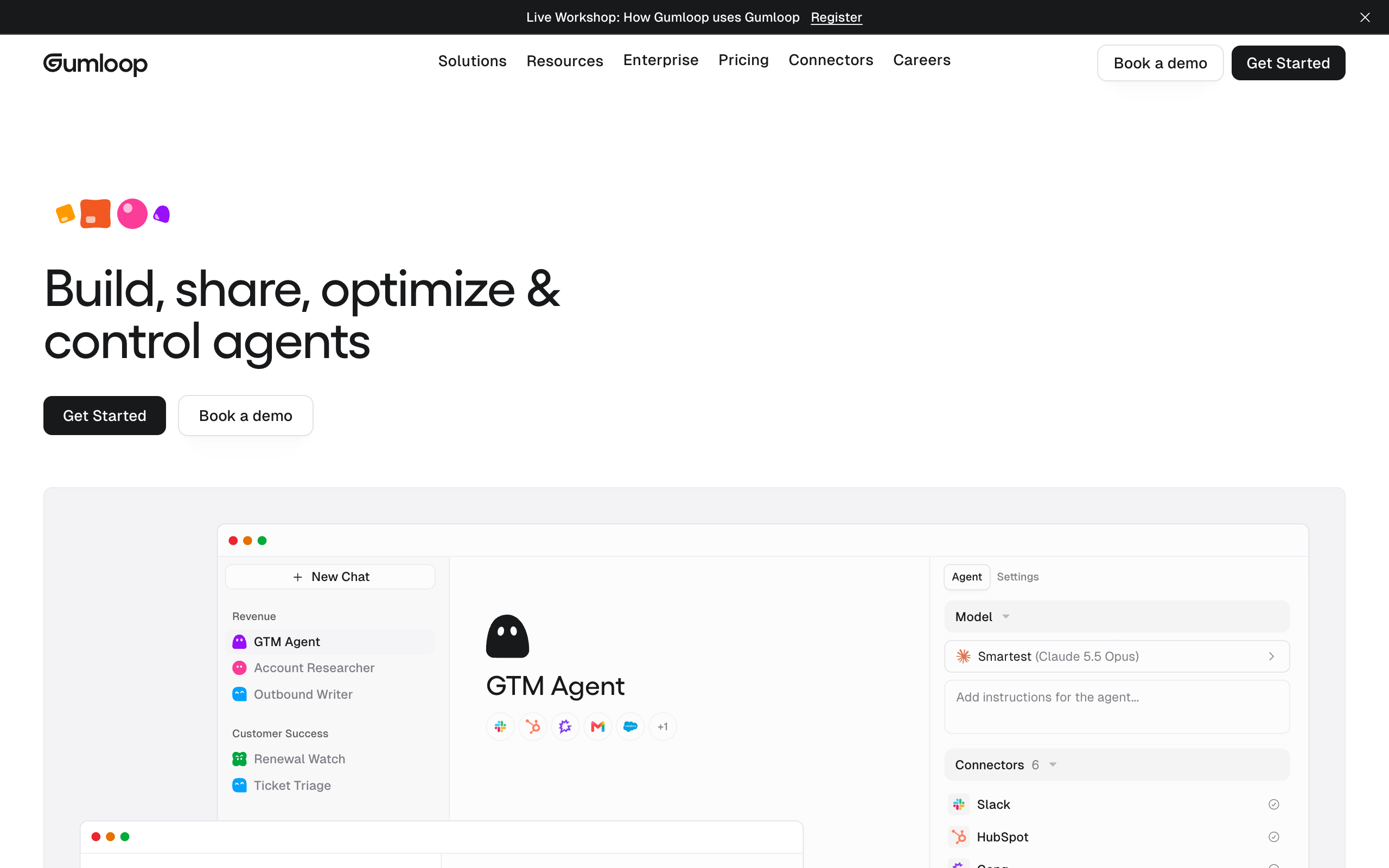
Gumloop calls itself the multiplayer AI agent builder. Teams describe work in plain language, and agents connect to apps and run on triggers. It solves Lindy's per-user cost, because the Pro plan lists unlimited seats.
Key features, from Gumloop's pages:
- Connector policies that can block a tool call, tag it, or require approval, scoped to an agent on Pro
- 100+ MCP integrations
- Skills and cloud browsers
- SOC 2 Type II listed on the homepage
- A 30-day Launch program
Pro starts at $37 a month with 20,000 credits, and Enterprise is custom. A 14-day trial needs a card and converts to a paid plan unless you cancel. Gumloop lists 35+ models, and you can bring your own API keys.
Gumloop publishes its credit formula, which Lindy does not. Gumloop's docs give these rates:
- One credit costs $0.005.
- Model use is charged at cost.
- Each successful tool call costs 1 credit.
- Compute costs 5 credits per minute of active processing.
- An orchestration fee of 8% applies on top.
Credits do not roll over on Pro. Overage, if you turn it on, costs $0.005 a credit, with a default cap of 1,000,000 credits, or $5,000 a billing period. Lower that cap on day one. Trustpilot has no reviews of Gumloop.
Pros
- Unlimited seats on Pro
- A published credit formula
- Bring your own API keys
Cons
- You design and maintain the agents
- A default overage cap of $5,000 if overage is on
- Trial requires a card
Teams with someone technical who wants to build shared agents without paying per user.
What Lindy does better: you ask in Slack with no agent to design, and it takes phone calls on a paid number.
Squad
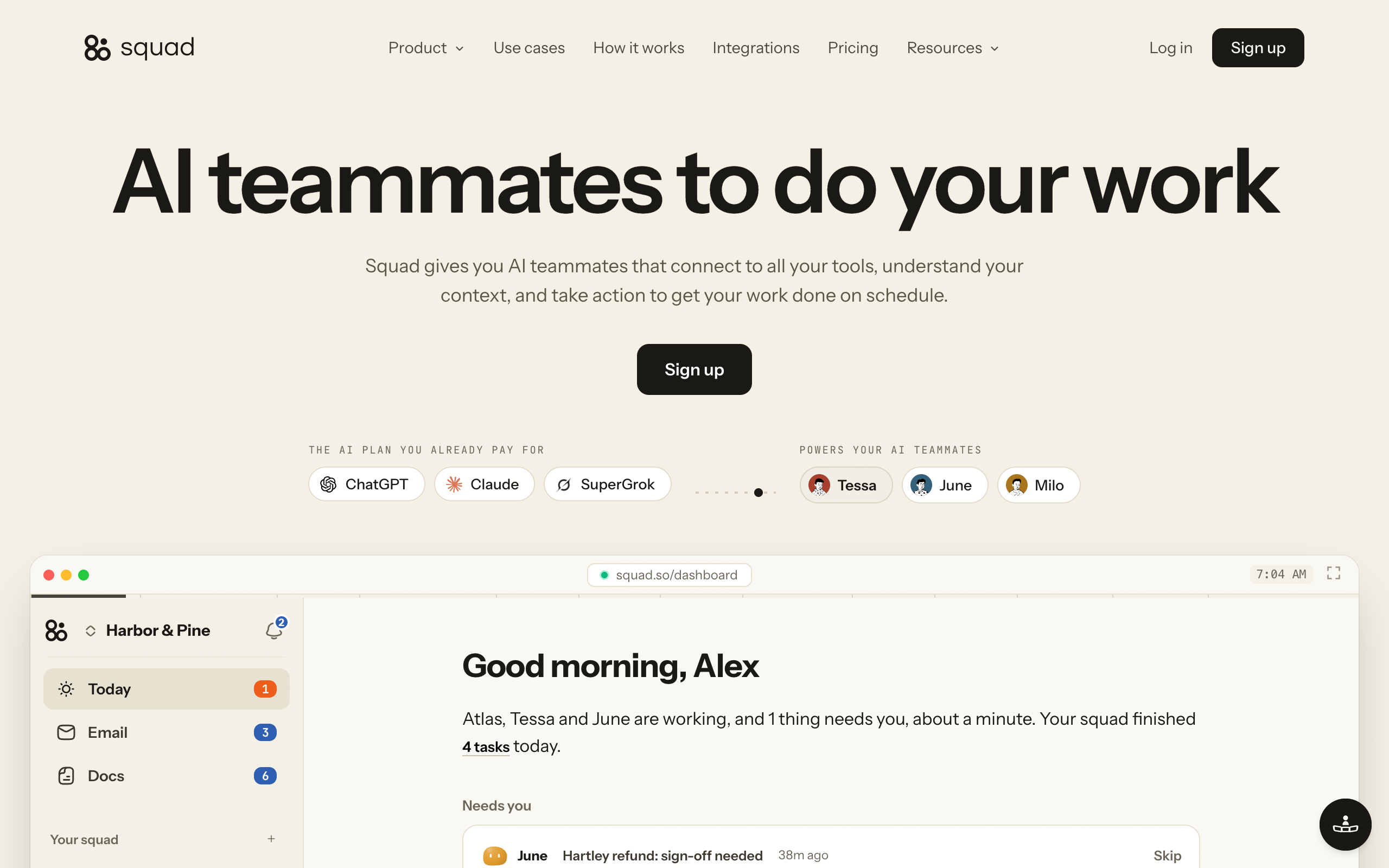
Squad gives you AI teammates that connect to your tools, understand your context, and work on a schedule. It solves Lindy's credit question for AI work, because your teammates run on your own AI plan and Squad adds no AI charge.
Key features, from Squad's homepage and docs:
- Unlimited AI teammates, and a chief of staff that proposes 4 or 5 for you to approve
- 70+ integrations, plus any MCP server you add
- 57 built-in research tools that use credits
- A list of backup models, so a run moves to the next model when one fails or hits a rate limit
- Dashboard chat, Telegram, Discord, Slack, and Squad for Mac
Squad costs $99 a month plus a $100-200 AI plan, so roughly $199-299 a month before any optional extra. Optional extras are $9 per invited person, $10 per agent inbox, and research credits past the 1,000 free each month at $5 per 5,000.
Squad has real limits. It has no free trial, only a 7-day money-back guarantee on the first payment. Your AI provider's limits still apply. Its docs describe no phone calling and no joining calls, and it publishes no compliance certifications.
Pros
- Unlimited teammates on one plan
- No AI charge from Squad
- A task board and a log of every run
- An access level on each connection
Cons
- Costs more than Lindy for one user
- No free trial
- No phone calling or joining calls in the docs
- You also pay for an AI plan
Owners with several recurring jobs who want specialist teammates, a task board, and a record of the work.
What Lindy does better: it costs less for one user, gives a free start, records meetings, and takes phone calls.
How to choose a Lindy alternative
Start with the job, then answer these questions in order.
Do you want a fixed roster or your own design?
- If fixed roster→Marblism for calls and local work, Sintra AI for general solo help
- If my own design→Keep going
Who will design the work?
- If my team will build agents→Gumloop, or Zapier Agents if you already run Zaps
- If a vendor team will help→Relevance AI, if you have an enterprise budget
- If I want to describe jobs in plain words→Squad, where a chief of staff designs the teammates with you
How many people will use it?
- If one or two→Lindy or Marblism cost less than Squad at this size
- If ten or more→Gumloop for unlimited seats, or Squad for $9 per invited person
Do you need phone calls or meeting recording?
- If phone answering→Marblism, or Lindy with a paid number
- If meeting recording→Lindy
- If neither→Any tool on this page
How much can you spend each month?
- If under $50→Marblism, Sintra AI, one Lindy seat, or Gumloop
- If about $200-300→Squad, or several Lindy seats
- If an enterprise budget→Relevance AI or Lindy Enterprise
Lindy alternatives by use case
Find your situation in the list below. Each row names one pick and the reason.
| Scenario | Best pick | Why |
|---|---|---|
| A team that wants meeting notes and quick answers in Slack | Lindy | Records meetings and answers in threads. |
| A plumber who misses calls while on a job | Marblism | A receptionist answers calls and books jobs on a low flat plan. |
| A solo consultant who wants help with copy and email | Sintra AI | 12 general helpers on one plan. |
| A company of 500 with a security review ahead | Relevance AI | Lists approvals, access roles, audit logs, and a vendor rollout. |
| An ops team with 200 Zaps already running | Zapier Agents | Adds AI steps to the automations you run today. |
| A 15-person team with one technical builder | Gumloop | Unlimited seats, shared agents, and a published credit formula. |
| A team that needs HIPAA with a signed agreement | Lindy Enterprise | Lindy lists HIPAA with a signed agreement on Enterprise. |
| An owner who chases invoices and suppliers every week | Squad | Separate teammates run those jobs on a schedule and log each run. |
| A support lead who wants drafts for each overnight ticket | Squad | A teammate sorts messages and drafts replies in your support app. |
| A founder who wants one Monday report | Squad | A teammate pulls revenue, refunds, and spend into one page. |
| A team that wants to see the cost formula before it builds | Gumloop | Its docs publish the rate per credit, per tool call, and per minute. |
| An owner who wants a free week on a real job before paying | Lindy | $50 in free credits for 7 days, with no card. |
When Lindy is the right choice
Lindy is the right choice if your team works in Slack and most of your jobs are quick. Meeting notes, daily briefs, lookups, and draft replies sit in the low credit bands, so the bill stays easy to live with.
Stay on Lindy in these cases:
- One or two people use it, and a low price per seat is the point.
- Meeting recording is your main need.
- You want phone calls, or to reach the assistant over iMessage.
- You need HIPAA or a signed agreement, and an Enterprise contract is fine.
- You want a free start before you pay anything.
You do not need Squad for these jobs. One assistant at $29.99-49.99 a month is enough for one person's notes and inbox.
Lindy Enterprise suits teams that need SSO, audit logs, or HIPAA with a signed agreement in one assistant.
When to switch from Lindy to Squad
Switch from Lindy to Squad when credits, seats, or one general assistant start to decide what you can hand off. Five situations point to the move.
You run recurring jobs that eat credits
Routines cost Lindy credits each time they fire, and heavy routines sit in the 1,000-2,500 band. In Squad, routines use your AI plan, and Squad adds no AI charge. These are jobs a small business can hand over:
| Job | What the teammate does | Apps it can use |
|---|---|---|
| Chasing overdue invoices | Checks unpaid invoices every morning and writes the reminders | Stripe, Gmail |
| Sorting the inbox | Sorts overnight messages and drafts replies | Gmail, Zendesk, Intercom, Gorgias |
| Writing the weekly report | Puts revenue, refunds, and spend on one page every Monday | Stripe, Google Sheets |
| Chasing suppliers | Follows up every open quote until someone answers | Gmail |
| Saving quiet customers | Finds quiet accounts and drafts a check-in before they cancel | Stripe, HubSpot |
| Following up after calls | Turns a recorded call into a write-up with owned actions | Fathom, Gmail |
| Cleaning the CRM | Fixes and updates records on a schedule | HubSpot |
| Watching competitors | Writes one brief on what changed last week | Squad's built-in research tools |
Your seat count is pushing up the bill
Move to Squad if many people ask for work but few need to sign in. At 20 users, Lindy's lowest tier costs $599.80 or $999.80 a month. Squad with 19 invited people and a $100-200 AI plan comes to $370-470 a month. Squad's teammates can also answer in Slack, Telegram, and Discord.
Heavier use can need a second AI account, so test your real load first. You can add accounts or set fallback models when you reach a limit.
One assistant no longer fits the work
Move to Squad if you want a separate specialist for each area. You describe a job like you would to a new hire, and your chief of staff sets up a teammate and writes the process down for you to edit. Squad lists no limit on teammates, so finance, support, and outreach can each have their own.
You want to see the work on a board
Move to Squad if you want a shared view without an Enterprise contract. A task board shows what is not started, what needs you, what is in progress, and what is done. Squad logs every run, and every call a teammate makes through one of your connections.
You want one teammate kept out of one app
Move to Squad if your apps hold money or customer data. Each connection has an access level, and the levels vary by app. You can narrow or block any single teammate, so a reporting teammate can hold Stripe at Read-only while others have no access.
Squad's draft-first step works differently from Lindy's approval claim. In Squad, you tell a teammate to draft first, and that is an instruction. Set access levels and email send caps for anything that must not happen.
Lindy costs at least $169 a month less than Squad for one user
$29.99-49.99 a month against roughly $199 a month for Squad with a $100 AI plan. Over three years, that is $1,080-1,800 against about $7,164. Pick Squad for the work it covers, and keep Lindy if one seat does the job.
How to move off Lindy
Move one job at a time, and keep Lindy running until the new setup works.
- List what you use Lindy for, and check the Credits column to see what costs the most.
- Copy your saved skills and memory files, since Lindy keeps memory in plain files you can read.
- Set up the new tool and connect your apps. In Squad, a chat of about 10 minutes with your chief of staff designs 4 or 5 teammates for you to approve.
- Run your highest-value job in the new tool for a week, in drafts.
- Turn off Lindy's routines for that job so you stop spending credits on it.
- Remove seats once the job runs well. A removed seat stays active until the end of the paid cycle, with no proration.
Squad has no free trial. Your first payment has a 7-day money-back guarantee, so run a real job in that first week.
The setup step differs by tool. On Marblism and Sintra, match each Lindy job to a role in the roster. On Gumloop and Zapier, rebuild each skill as an agent, and paste in the process you saved in Lindy. On Squad, paste that same process into chat, and your chief of staff writes it down for you to edit.
Lindy's routines keep spending credits until you turn them off, so do step 5 on the day the new job goes live.
Lindy AI alternatives FAQ
The basics
What are the best Lindy AI alternatives?
The main Lindy AI alternatives are Sintra AI for solo owners, Marblism for local businesses that need calls answered, Relevance AI for enterprise teams, Zapier Agents for teams already on Zapier, Gumloop for teams that build their own agents, and Squad for owners who want several specialist teammates on their own AI plan.
What does Lindy do?
Lindy is an AI employee that works in Slack, email, iMessage, and a browser. It connects to your apps, joins and records meetings, runs scheduled routines, and saves repeatable work as skills. Lindy lists 40+ skills and 1,500+ integrations, plus MCP support.
Is Lindy AI worth it?
Lindy is worth testing if your team lives in Slack and wants meeting notes, briefs, and quick lookups. Use the 7-day free credits on a real job first. Trustpilot shows 3.0 from 51 reviews, with 61% at 1 star, and the common complaints cover credits, billing, and support.
Is Lindy secure?
Lindy's FAQ states SOC 2 and GDPR compliance. Enterprise adds SSO, audit logs, and HIPAA with a signed agreement. Lindy says anything with outside impact waits for approval, such as sending an email or updating a ticket. Read-only lookups do not need approval.
Pricing and credits
How much does Lindy AI cost?
Lindy's Team plan starts at $29.99 per active user per month for 3,000 credits, or $49.99 for 5,000, as of 2 November 2026. Lindy is testing both prices, and each visitor sees one. A free start gives $50 in credits for 7 days. Enterprise is custom. Confirm your price at checkout.
How do Lindy credits work?
Lindy credits cost about a cent each, and every seat adds to one shared team pool. Lindy's pricing page lists 2-250 credits for an everyday ask, 250-1,000 for deep work, and 1,000-2,500 for a big build. Monthly credits do not roll over. Top-ups cost $10 per 1,000 credits and stay until used.
What happens when Lindy credits run out?
Lindy pauses credit-using work until the next billing cycle. Admins can buy a top-up at $10 per 1,000 credits or move to a higher tier. Lindy says this avoids surprise bills. Admins can also cap how much one person uses, though a task already running can pass the cap.
Does Lindy have a free plan?
Lindy has a free start with $50 in credits, and no credit card is required. The free credits last 7 days. After that, you need a paid seat. People who join through Slack get their own 7-day trial before their seat is billed.
Does Lindy charge per user?
Yes. Lindy bills every active user, and anyone who signs up, joins your workspace, or @mentions Lindy in Slack takes a seat. Slack joiners get a 7-day free trial first. A paid seat stays billed until an admin removes it, with no mid-cycle proration. Each seat adds its credits to one shared pool.
Comparisons
Is there a cheaper alternative to Lindy?
Marblism costs $24 a month billed yearly and Sintra lists $15.60 a month on its 12-month plan, both as of 2 November 2026. Zapier Agents has a free allowance of 400 activities a month. Gumloop costs from $37 a month with unlimited seats, which is cheaper than Lindy from two users.
Is Lindy better than Squad?
Lindy is the better choice for one person or a small team that wants a low entry price, a free start, phone calls, and a Slack assistant. Squad is the better choice for an owner who wants several specialists on recurring work. Lindy starts at $29.99 per user. Squad costs $99 a month plus a $100-200 AI plan.
When should I switch from Lindy to Squad?
Switch when credits decide what you can hand off, when seats push your bill up, or when one general assistant no longer covers your recurring jobs. Squad suits invoice chasing, support triage, weekly reports, and supplier follow-up. Stay on Lindy if your main needs are meeting notes and quick answers in Slack.
What is the best Lindy alternative for a small business?
Marblism fits a local business that wants calls answered on a low flat plan. Sintra AI fits a solo owner who wants general help with copy and email. Squad fits an owner with several recurring jobs, such as invoice chasing and weekly reports, at $99 a month plus a $100-200 AI plan.
Does Squad have a free trial like Lindy?
No. Squad has no free trial. Your first payment has a 7-day money-back guarantee, so run a real job in that first week. Lindy gives $50 in free credits for 7 days with no card. Sintra lists a 14-day money-back guarantee, and Gumloop lists a 14-day trial that needs a card.
Sources
- Lindy pricing, homepage, usage docs, and billing docs, fetched 2 November 2026
- Lindy on Trustpilot, fetched 2 November 2026
- Sintra pricing and Sintra on Trustpilot, fetched 2 November 2026
- Marblism pricing and Marblism on Trustpilot, fetched 2 November 2026
- Relevance AI pricing, homepage, and Trustpilot page, fetched 2 November 2026
- Zapier Agents, Zapier pricing, usage help article, AI by Zapier post, and Zapier on Trustpilot, fetched 2 November 2026
- Gumloop pricing, homepage, credits docs, and Trustpilot page, fetched 2 November 2026
- Squad homepage, docs, and app manuals, fetched 2 November 2026
Last updated: November 2026. Pricing and features verified as of 2 November 2026.